
arc. · Launch Video Breakdown: Hook, Pacing & Motion Design
SOMEONE CREATED A GITHUB REPO THAT LETS YOU RUN CLAUDE CODE COMPLETELY FOR FREE, FOREVER. It redirects your Claude Code traffic to 10 free providers like DeepSeek and Kimi, takes 5 minutes to set u…
Scene-by-scene timeline & spoken transcript
The Hook
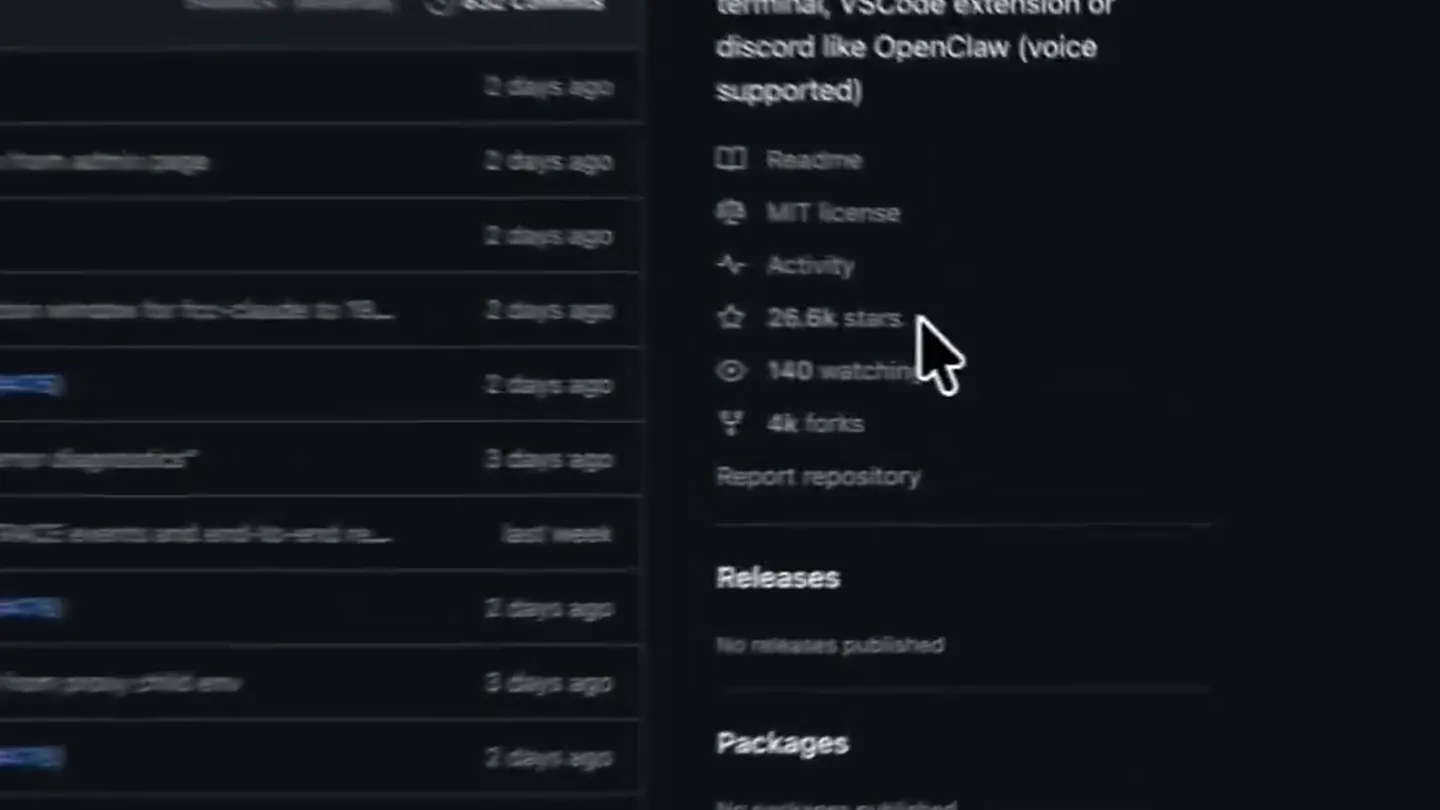
GitHub Repo Overview
“(No spoken dialogue — consistent low-frequency hum with rhythmic percussive clicks)”
- On screen
- github.com/alishahyarl/free-claude-code README MIT license Activity 26.6k stars 140 watching 4k forks Report repository Releases No releases published Packages No packages published Contributors 31 + 17 contributors
- Camera
- Close-up pan across GitHub repository details, focusing on star count and activity metrics.
- Motion
- Smooth, slow camera pan with subtle cursor interaction highlighting key metrics.
Problem Agitation
Introducing Free Claude Code
“(No spoken dialogue — consistent low-frequency hum with rhythmic percussive clicks)”
- On screen
- Free Claude Code Use Claude Code CLI, VS Code, JetBrains ACP, or chat bots through your own Anthropic-compatible proxy. Free Claude Code routes Anthropic Messages API traffic from Claude Code to NVIDIA NIM, Kimi, Wafer, OpenRouter, DeepSeek, LM Studio, llama.cpp, or Ollama. It keeps Claude Code's client-side protocol stable while letting you choose free, paid, or local models.
- Camera
- Zoom out to reveal the full README, then a slow scroll down, highlighting the core value proposition.
- Motion
- Gradual zoom-out followed by a smooth, continuous vertical scroll to reveal the product's core functionality and benefits.
Product Reveal
Key Features & Installation
“(No spoken dialogue — consistent low-frequency hum with rhythmic percussive clicks)”
- On screen
- Star History What You Get - Drop-in proxy for Claude Code's Anthropic API calls. - Ten provider backends: NVIDIA NIM, Kimi, Wafer, OpenRouter, DeepSeek, LM Studio, llama.cpp, Ollama, OpenCode Zen, and Z.ai. - Per-model routing: send Opus, Sonnet, Haiku, and fallback traffic to different providers. - Native Claude Code /model_picker support through the proxy's /v1/models endpoint (Claude must opt in to Gateway model discovery; see Model Picker). - Streaming, tool use, reasoning/thinking block handling, and local request optimizations. - Optional Discord or Telegram bot wrapper for remote coding sessions. - Optional voice-note transcription through local Whisper or NVIDIA NIM. - Local Admin UI at /admin to edit supported proxy settings, validate changes, and check providers (loopback access only). Quick Start 1. Install the latest version of Claude Code npm install -g @anthropic-ai/claude-code 2. Install Runtime Requirements install the latest version of and Python 3.14. macOS/Linux: curl -LSsf https://astral.sh/uv/install.sh | sh uv self update uv python install 3.14 Windows PowerShell: powershell -ExecutionPolicy Bypass -c "irm https://astral.sh/uv/install.ps1 | iex" uv self update uv python install 3.14 3. Get An NVIDIA NIM API Key Create a free NVIDIA NIM API key, then keep it ready for the Admin UI setup step. See NVIDIA NIM provider setup. 4. Install The Proxy uv tool install --force git+https://github.com/alishahyarl/free-claude-code.git
- Camera
- Continuous vertical scroll down the README, highlighting feature lists and installation steps.
- Motion
- Smooth, controlled vertical scrolling, mimicking a user reading documentation, with occasional cursor highlights.
Call to Action
Configuration & Integrations
“(No spoken dialogue — consistent low-frequency hum with rhythmic percussive clicks)”
- On screen
- Use the same command to update to the latest version. 5. Start The Proxy fcc-server After startup, Uvicorn prints the proxy bind address and the app logs the admin URL: INFO: Admin UI: http://127.0.0.1:8082/admin (local-only) Many terminals make these clickable. Use your configured PORT if it is not 8082. 6. Open The Admin UI And Configure NVIDIA NIM Open the Admin UI URL from the terminal output. Runtime Config Paste your NVIDIA NIM API key into NVIDIA_NIM_API_KEY, then click Validate and Apply. The default model is already set to nvidia_nim/z-ai/g1a4.7. You can change it later from the same Admin UI. 7. Run Claude Code fcc-claude fcc-claude reads the current configured port and auth token each time it starts, sets the Claude Code environment variables (including a 190k-token CLAUDE_CODE_AUTO_COMPACT_WINDOW for auto-compaction), and then launches the real Claude command. Pick one provider, enter its key or local URL in the Admin UI, and set MODEL to a provider-prefixed model slug. MODEL_OPUS is the fallback. MODEL_OPUS, MODEL_SONNET, and MODEL_HAIKU can override routing for Claude Code's model tiers. 1. NVIDIA NIM Get a key at build.nvidia.com/settings/api-keys. In the Admin UI, paste it into NVIDIA_NIM_API_KEY, then set MODEL to a NVIDIA Nim model slug such as nvidia_nim/z-ai/g1a4.7. Popular examples: - nvidia_nim/z-ai/g1a4.7 - nvidia_nim/z-ai/g1a4.7 - nvidia_nim/recomshotel/kimi-x2.5 - nvidia_nim/minimax/minimax-x2.5 Browse models at build.nvidia.com. 2. Kimi Get a key at platform.moonshot.ai/api-keys. In the Admin UI, paste it into KIMI_API_KEY, then set MODEL to a Kimi slug such as kimi/kimi-x2.5. Browse models at platform.moonshot.ai. 3. Wafer Get a key from wafer.ai. In the Admin UI, paste it into WAFER_API_KEY, then set MODEL to a Wafer Pass model such as wafer/DeepSeek-V4-Pro. Popular examples: - wafer/DeepSeek-V4-Pro - wafer/MiniMax-M2.7 - wafer/Qwen1.5-397B-A17B - wafer/GLM-5.1 This provider uses Wafer's Anthropic-compatible endpoint at https://pass.wafer.ai/v1/messages. 4. OpenRouter Get a key at openrouter.ai/keys. In the Admin UI, paste it into OPENROUTER_API_KEY, then set MODEL to an OpenRouter slug such as open_router/step/fun/step-3.5-flash-free. Browse models at openrouter.ai. 5. DeepSeek Get a key at platform.deepseek.com/api_keys. In the Admin UI, paste it into DEEPSEEK_API_KEY, then set MODEL to a DeepSeek slug such as deepseek/deepseek-chat. This provider uses DeepSeek's Anthropic-compatible endpoint, not the OpenAI chat-completions endpoint. 6. LM Studio Start LM Studio's local server and load a model. In the Admin UI, keep or update LM_STUDIO_BASE_URL, then set MODEL to the model identifier shown by LM Studio, prefixed with lmstudio/. Prefer models with tool-use support for Claude Code workflows. 7. llama.cpp Start llama-server with an Anthropic-compatible /v1/messages endpoint and enough context for Claude Code requests. In the Admin UI, keep or update LLAMACPP_BASE_URL, then set MODEL to the local model slug, prefixed with llamacpp/. For local coding models, context size matters. If llama.cpp returns HTTP 400 for normal Claude Code requests, increase --ctx-size and verify the model/server build supports the requested features. 8. Ollama Run Ollama and pull a model. ollama pull llama3:1 prefixed with ollama/. and ollama/llama3:1.db 9. OpenCode Zen Get an API key at opencode.ai/auth. In the Admin UI, paste it into OPENCODE_API_KEY, then set MODEL to an OpenCode Zen model slug such as opencode/gpt-3.5-codex OpenCode Zen is a curated model gateway that provides access to models from Anthropic, OpenAI, Google, DeepSeek, and more through a single API key and OpenAI-compatible endpoint at https://opencode.ai/zen/v1. Popular examples: - opencode/gpt-3.5-codex - opencode/claude-sonnet-4 - opencode/deepseek-v4-flash (free) - opencode/gemini-3-flash - opencode/gfg-pickle (free) - opencode/gla-5.1 Browse available models at opencode.ai. 10. Z.ai Get an API key at zaimanager-api/api-key. In the Admin UI, paste it into ZAI_API_KEY, then set MODEL to a Z.ai model slug such as zai/g1a-5.1. Z.ai provides GLM models through the OpenAI-compatible Coding Plan endpoint at https://api.z.ai/api/coding/pass/v4. Browse available models at zai.ai. 11. Mix Providers By Model Tier Each model tier can use a different provider by setting MODEL_OPUS, MODEL_SONNET, and MODEL_HAIKU in the Admin UI. Leave a tier blank to inherit MODEL. For example, you can route Opus to nvidia_nim/recomshotel/kimi-x2.5, Sonnet to open_router/deepseek/deepseek-chat, and Haiku to lmstudio/anth/GLM-4.7-Flash-600F, and keep the fallback MODEL on zai/g1a-5.1. Connect Claude Code 1. Claude Code CLI For terminal use, prefer the installed launcher: fcc-claude Keep fcc-server running while you work. The Admin UI manages proxy config, restarts the server when runtime settings change, and fcc-claude reads the current Admin UI-managed port and auth token every time it starts. It also sets CLAUDE_CODE_AUTO_COMPACT_WINDOW to 190000 for auto-compaction. 2. VS Code Extension Open Settings, search for claude-code.environmentVariables, choose Edit in settings.json, and add: "claudeCode.environmentVariables": [ { "name": "ANTHROPIC_BASE_URL", "value": "http://localhost:8082" }, { "name": "ANTHROPIC_AUTH_TOKEN", "value": "freecc" }, { "name": "CLAUDE_CODE_ENABLE_GATEWAY_MODEL_DISCOVERY", "value": "1" }, { "name": "CLAUDE_CODE_AUTO_COMPACT_WINDOW", "value": "190000" } ] Reload the extension. If the extension shows a login screen, choose the Anthropic Console path once, the local proxy still handles model traffic after the environment variables are active. 3. JetBrains ACP Edit the installed Claude ACP config: - Windows: C:\Users\USERNAME\AppData\Roaming\JetBrains\acp-agents\installed.json - Linux/macOS: ~/.jetbrains/acp.json Set the environment for acp.registry.claude-aco: "env": { "ANTHROPIC_BASE_URL": "http://localhost:8082", "ANTHROPIC_AUTH_TOKEN": "freecc", "CLAUDE_CODE_ENABLE_GATEWAY_MODEL_DISCOVERY": "1", "CLAUDE_CODE_AUTO_COMPACT_WINDOW": "190000" } Restart the IDE after changing the file. 4. Model Picker Select model Optional Integrations For every integration below, change managed proxy settings only in the Admin UI at /admin - edit fields, click Validate, then Apply. The footer shows where the managed config is stored; this README does not walk through editing that file by hand. 1. Discord And Telegram Bots The bot wrapper runs Claude Code sessions remotely, streams progress, supports reply-based conversation branches, and can stop or clear tasks. Discord 1. Create the bot in the Discord Developer Portal. 2. Enable Message Content Intent. 3. Invite the bot with read, send, and message history permissions. 4. Copy the bot token and the numeric channel ID (or IDs) where the bot should respond. Telegram 1. Create a bot with @BotFather and copy the bot token. 2. Get your numeric user ID from @userinfobot so only you can use the bot. Configure in the Admin UI 1. With fcc-server running, open the Admin UI URL from the terminal output. 2. In the sidebar, choose Messaging.
- Camera
- Continued vertical scroll, focusing on detailed setup instructions and integration options.
- Motion
- Sustained smooth vertical scrolling, maintaining focus on the detailed technical documentation, with subtle cursor movements to guide attention.
Motion design primitives
Synthesizable in Remotion · key components of the developer-docs-scroll-showcase template.
SmoothDocumentScroll
A continuous, gentle vertical scroll of a web page or document, mimicking a user reading through content. The scroll speed is consistent and unhurried.
+ Code construction recipe
Implement using Remotion's <AbsoluteFill> and <Sequence> components. Use `interpolate` with `Easing.linear` for the `translateY` property of the content container, mapping frame progress to scroll position. Ensure the content height exceeds the viewport height.
CursorHighlightInteraction
A mouse cursor moves deliberately to specific text or UI elements, hovers briefly, and sometimes performs a 'click' action, indicated by a subtle visual highlight or ripple effect.
+ Code construction recipe
Use an SVG cursor asset animated with `spring` for position and `interpolate` for hover states (e.g., `scale` or `opacity` for a highlight effect). Trigger 'click' sound design on specific frames. Position the cursor using `AbsoluteFill` and `transform` properties.
SubtleZoomPan
A slow, almost imperceptible zoom into or out of a specific area of the screen, often combined with a gentle pan, to draw attention without abrupt cuts.
+ Code construction recipe
Apply `interpolate` to the `scale` and `translateX`/`translateY` CSS properties of the main content container. Use `Easing.easeOut` for a smooth start and end to the motion. This can be applied to a parent <AbsoluteFill> wrapping the content.
Style DNA & aesthetic system
Visual aesthetic
Typography
Motion
Special effects
Pacing & rhythm
Conceptual story rhythm
- 1
Initial Discovery
Purpose. To immediately establish the context of a valuable GitHub repository and pique developer interest with key metrics.
Execution. A close-up pan across the GitHub repo, highlighting star count and activity, setting a tone of credibility and popularity.
- 2
Value Proposition Unveiling
Purpose. To clearly articulate the product's core benefit and how it solves a common developer problem.
Execution. A zoom-out and scroll to reveal the 'Free Claude Code' headline and its explanation, detailing the proxy and provider routing.
- 3
Feature Deep Dive
Purpose. To inform the audience about the comprehensive capabilities and practical steps for implementation.
Execution. Continuous scrolling through detailed feature lists ('What You Get') and step-by-step installation instructions ('Quick Start').
- 4
Integration & Customization
Purpose. To demonstrate the product's flexibility and extensive integration options, encouraging adoption.
Execution. Further scrolling to showcase various provider configurations, CLI, VS Code, JetBrains, and bot integrations, emphasizing versatility.
Remix in Animatiq Studio
Master remix prompt · agent-ready
Sample remix
Objective
Launch video for 'CodeFlow AI', a new VS Code extension that automates boilerplate code generation.How the recipe adapts
The video would open with a close-up of CodeFlow AI's GitHub repository, highlighting its star count and recent commits. It would then smoothly scroll down the README, showcasing the extension's core features like 'Smart Template Generation' and 'Contextual Snippet Insertion'. Installation instructions for VS Code would be presented with deliberate cursor movements, and a section on integrating with popular frameworks would be highlighted through a subtle pan. The entire sequence would be set against a low-frequency hum and rhythmic clicks, maintaining the original's atmospheric and informative tone.Remix blueprint · developer-docs-scroll-showcase
Scene durations (4 scenes, 28s)
Key Remotion components
Related Developer Tools Product Launches
Explore all Developer Tools launches →
xAI opens voice cloning on its API: build a custom voice in about two minutes or pick from 80+ voices in 28 languages.

Claude can now operate your Mac, opening apps, browsing and filling spreadsheets, as a research preview in Cowork and Claude Code.

Agentic CLI for coding, building apps, and automating workflows.