
OpenAI · Launch Video Breakdown: Hook, Pacing & Motion Design
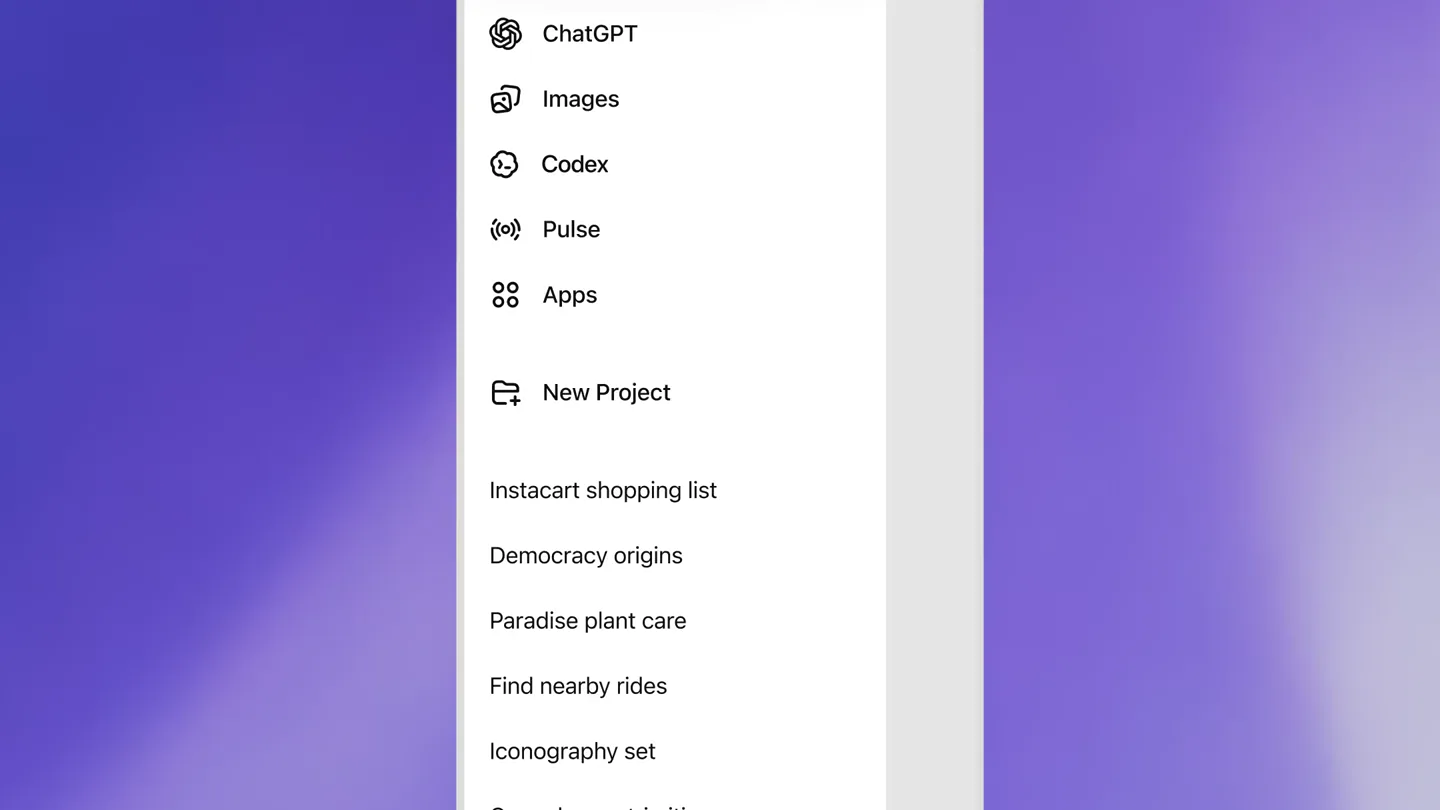
You've been asking for this one... Now in preview: Codex in the ChatGPT mobile app. Start new work, review outputs, steer execution, and approve next steps, all from the ChatGPT mobile app. Codex will keep running on your laptop, Mac min…
Scene-by-scene timeline & spoken transcript
The Hook
Introducing Codex in ChatGPT Mobile
“(No spoken dialogue — Driving electronic score with pizzicato synths and sub-bass, building anticipation.)”
- On screen
- Use Codex in the ChatGPT mobile app
- Camera
- Static text on white background, then close-up on mobile app UI, followed by a subtle zoom out to reveal the full phone.
- Motion
- Text reveal, UI element highlight, simulated screen recording, subtle camera push-in/out.
Product Reveal
Seamless Cross-Device Control
“(No spoken dialogue — High-energy audio transition with sub-bass drop at 0:15, evolving electronic soundscape.)”
- On screen
- Control your computer from your phon
- Camera
- Static text, then a dynamic reveal of a mobile phone interacting with a desktop UI, with a slight camera pan to follow the interaction.
- Motion
- Text reveal, multi-device screen recording, cursor animation, UI element interaction, screen-in-screen composition.
Feature Teaser
Uninterrupted Workflow Approval
“(No spoken dialogue — High-energy audio transition at 0:29, sustained electronic rhythm.)”
- On screen
- Step away without stopping progress
- Camera
- Static text, then close-up on mobile app UI, focusing on a permission/approval dialog, with subtle UI element animations.
- Motion
- Text reveal, simulated screen recording, UI state changes (e.g., checkmark animation), dialog box reveal.
Feature Teaser
Intelligent Assistant & Automation
“(No spoken dialogue — High-energy audio transition at 0:40, building electronic intensity.)”
- On screen
- Now it goes almo
- Camera
- Static text, then close-up on mobile app UI showing connections and an assistant chat interface, with text typing animations.
- Motion
- Text reveal, simulated screen recording, text typing animation, UI element toggles, chat bubble animations.
Call to Action
Codex: Your Mobile AI Partner
“(No spoken dialogue — High-energy audio transition at 0:50, culminating in a final electronic flourish.)”
- On screen
- (No on-screen text)
- Camera
- Zoom out from the mobile app, revealing the OpenAI logo, then a final full-screen logo reveal.
- Motion
- UI transition, logo reveal, subtle glow/pulse effect on the logo.
Motion design primitives
Synthesizable in Remotion · key components of the openai-codex-mobile-launch template.
MobileDesktopSync
A mobile phone screen is shown, then a desktop window slides in from the side, revealing a synchronized interaction between the two devices, often with a cursor moving across the desktop UI controlled by the mobile input.
+ Code construction recipe
Use `AbsoluteFill` for background. Implement `Sequence` for timing. Use `spring` for smooth sliding of desktop window. `interpolate` cursor position based on mobile input. Render `Img` components for device mockups and `Video` for screen recordings. Apply `z-index` for layering.
TypingChatReveal
Text appears character by character within a chat bubble or input field, simulating real-time typing, often followed by a message send animation or a response appearing.
+ Code construction recipe
Utilize `Sequence` and `spring` for chat bubble entry. Animate text content using `splitChars` and `interpolate` opacity and scale for each character. Use `delay` for sequential character reveal. Implement `AbsoluteFill` for the mobile screen background.
UIToggleFeedback
Interactive UI elements like toggles, checkboxes, or buttons animate to indicate a state change (e.g., a toggle sliding, a checkmark appearing, a button press effect).
+ Code construction recipe
Create SVG components for UI elements. Animate `transform` properties (e.g., `translateX` for toggles) and `opacity` for checkmarks using `spring` or `interpolate`. Use `delay` to sequence multiple feedback animations. Apply `BoxShadow` for depth.
Style DNA & aesthetic system
Visual aesthetic
Typography
Motion
Special effects
Pacing & rhythm
Conceptual story rhythm
- 1
The Mobile Gateway
Purpose. Establish the core value proposition: bringing powerful AI to the mobile experience.
Execution. Opening with a bold text statement, transitioning to a close-up of the ChatGPT mobile app UI, highlighting the new Codex integration.
- 2
Cross-Device Harmony
Purpose. Demonstrate the seamless interaction and control between mobile and desktop environments.
Execution. Showing the mobile app controlling a desktop application (e.g., Remotion Studio, Finder), emphasizing the continuity of work.
- 3
Intelligent Oversight
Purpose. Illustrate how Codex enables users to manage and approve complex tasks remotely, maintaining progress.
Execution. Focusing on approval flows within the mobile app, showing how Codex pauses for user input and then continues execution.
- 4
Proactive Assistance
Purpose. Showcase Codex's ability to act as a proactive assistant, providing updates and suggesting next steps.
Execution. Displaying a chat interface where Codex summarizes changes and proposes actions, which the user can then approve or modify.
Remix in Animatiq Studio
Master remix prompt · agent-ready
Sample remix
Objective
Launch a new AI-powered design collaboration tool, 'CanvasFlow', emphasizing mobile-desktop synergy and AI assistance.How the recipe adapts
The MobileDesktopSync primitive will show a designer initiating a project on their phone, then seamlessly continuing on a desktop design canvas, with AI suggestions appearing. TypingChatReveal will be used for the AI assistant providing real-time design feedback or generating variations. UIToggleFeedback will highlight approval flows for design iterations between team members. The overall clean aesthetic and pacing will be maintained, but with a brighter, more vibrant color palette suitable for a creative design tool.Remix blueprint · openai-codex-mobile-launch
Scene durations (5 scenes, 64s)
Key Remotion components
Related Developer Tools Product Launches
Explore all Developer Tools launches →
xAI opens voice cloning on its API: build a custom voice in about two minutes or pick from 80+ voices in 28 languages.

Claude can now operate your Mac, opening apps, browsing and filling spreadsheets, as a research preview in Cowork and Claude Code.

Agentic CLI for coding, building apps, and automating workflows.