
Beni Issen · Launch Video Breakdown: Hook, Pacing & Motion Design
A new demo night: five-minute demos by designers in SF who create with machines. August 20, 50 spots.
Scene-by-scene timeline & spoken transcript
The Hook
Interactive Connection Visualizer
“(No spoken dialogue — ambient visual with subtle UI clicks.)”
- On screen
- Designers and Machines A monthly dinner in SF where 5 designers demo what they're building with AI. 5 min each. Next dinner on Aug 20th 🗓️ 54 spots left) People Chat Play Join
- Camera
- Static, centered wide shot of the main graphic, with a mouse cursor interacting.
- Motion
- Bezier curve drawing, cursor interaction simulation, subtle UI element reveals.
Feature Teaser
Dynamic String Physics & Theming
“(No spoken dialogue — ambient visual with UI clicks and subtle sound design for parameter changes.)”
- On screen
- Theme Music Strings Gravity 5 Radius 50 Push Force 15 Friction 10 Slack 25 People Chat Play Join setcos(0.375) arrange( [e3 bb3 g4 bb3 eb4 bb3 g3 bb3] [d3 a3 f#4 a3 f#4 a3] [g4 bb4 d4 g4 bb4 d4] [d3 a3 f#4 a3 f#4 a3]") .s("triangle").decay(0.24).sustain(0). release(0.1) .lpf(sine,400,900).slow(9)) .gain("0.2 0.13 0.17 0.13 0.2 0.13 0.17 0.13") .delay(0.4).delaytime(0.25).delayfeedb ack(0.45) .room(0.7).pan(sine.slow(7).range(0.35 ,0.65)) , [0.6], stack( note("[eb3 bb3 g4 bb3 eb4 bb3 g4 bb3] [d3 a3 f#4 a3 f#4 a3] [d3 d4 bb4 d4 g4 bb4 d4] [d3 f#4 a3 a3 f#4 a3]") .s("triangle").decay(0.24).sustain(0). release(0.1) .lpf(sine.range(400,1100).slow(9)) .gain("0.24 0.35 0.3 0.15 0.24 0.15 0.2 0.15") .delay(0.4).delaytime(0.25).delayfeedb ack(0.45) .room(0.65).pan(sine.slow(7).range(0.3 5,0.65)) , note("[eb3 d1 g1 d3]").struct(" ~ x ~ x ~") .s("sine").decay(0.35).sustain(0.25).r elease(0.2).gain(0.2).lpf(130 )) , [0.8], stack( note("[eb3 bb3 g4 bb3 eb4 bb3 g4 bb3] [d3 f#4 a3 f#4 a3] [g3 d4 bb4 d4 g4 bb4 d4] [d3 a3 f#4 a3 d4 a3 f#4 a3]") .s("triangle").decay(0.24).sustain(0). release(0.1)
- Camera
- Static, centered wide shot, with a UI panel appearing and being interacted with.
- Motion
- UI panel slide-in, slider interaction, color theme changes, string physics simulation, code overlay.
Product Reveal
Community & Content Feed
“(No spoken dialogue — ambient visual with UI clicks and scrolling sounds.)”
- On screen
- Beni 23h Hey friends! Setting up my Twttr :) Beni 13h Adding some fun tweaks in the play tab Connect X to chat People Chat Play Join June 2026 Hosted at PostHog in San Francisco Cambree Bernkopf Mayank Kinger Sam Gorman @gormankind Flora Guo @floguo Flora Guo personal website of flora guo www.floguo.com Owen Williams never want to see a slideshow again
- Camera
- Static, centered wide shot, with a UI panel appearing and scrolling.
- Motion
- UI panel slide-in, smooth scrolling, hover effects, content card reveals.
Call to Action
Event History & Engagement
“(No spoken dialogue — ambient visual with UI clicks and scrolling sounds.)”
- On screen
- Mayank Kinger Sam Gorman June 2026 Hosted at PostHog in San Francisco April 2026 Hosted at Rox in San Franciace Daniel Farrell @D_P_Farrell People Chat Play Join
- Camera
- Static, centered wide shot, with a UI panel scrolling and navigating through event history.
- Motion
- Smooth scrolling, content card reveals, date navigation, subtle hover states.
Motion design primitives
Synthesizable in Remotion · key components of the syntaxflow-ai-code-visualizer template.
InteractiveBezierStrings
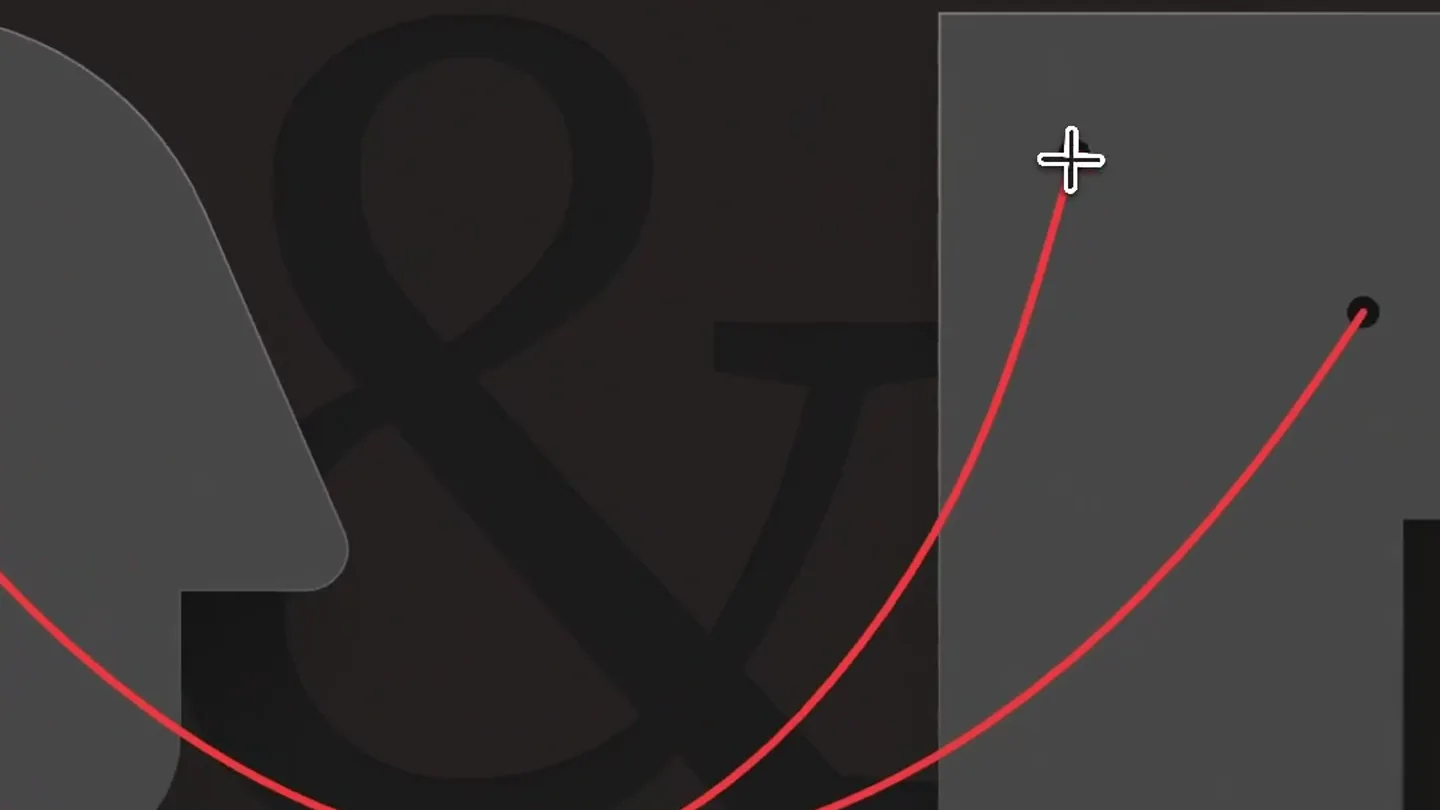
Red or purple bezier curves dynamically connect points on two abstract shapes, responding to simulated mouse interactions and physics parameters like gravity and push force.
+ Code construction recipe
Utilize Remotion's `spring` for physics-based movement of bezier control points. Implement `interpolate` for cursor position tracking and `useCurrentFrame` to animate string drawing and color changes based on UI interactions. SVG path elements with `stroke-dasharray` and `stroke-dashoffset` can simulate drawing.
DynamicConfigPanel
A sleek, dark-themed UI panel slides in, allowing users to adjust parameters via sliders and color pickers, with changes visually reflected in the background animation.
+ Code construction recipe
Create a React component for the panel with `spring` for slide-in/out transitions. Use `useVideoConfig` to manage global state for parameters like 'Gravity' or 'Push Force'. Implement `onChange` handlers for sliders and color pickers to update these states, triggering re-renders of the `InteractiveBezierStrings` component.
ScrollableContentFeed
A vertical feed of user profiles and content cards scrolls smoothly, revealing details on hover and simulating user interaction like liking posts.
+ Code construction recipe
Build a scrollable container using CSS `overflow-y: scroll` and animate scroll position with `spring` or `interpolate` for smooth scrolling. Implement `useState` for hover states on individual cards and `useCurrentFrame` for animating like counts or detail reveals.
Style DNA & aesthetic system
Visual aesthetic
Typography
Motion
Special effects
Pacing & rhythm
Conceptual story rhythm
- 1
The Abstract Connection
Purpose. Introduce the core concept of 'Designers and Machines' through an abstract visual metaphor of connection and interaction.
Execution. Two abstract shapes (representing 'Designers' and 'Machines') are connected by dynamically drawn bezier curves, simulating a user's cursor creating these links.
- 2
Interactive Control
Purpose. Demonstrate the product's customizability and underlying technical depth by showcasing a settings panel.
Execution. A UI panel appears, allowing the user to manipulate physics parameters (gravity, push force) and color themes, with the bezier strings reacting in real-time.
- 3
Community Engagement
Purpose. Highlight the social and community aspects of the platform, showing how users interact and share content.
Execution. A 'People' tab is opened, revealing a scrollable feed of user avatars and content cards, simulating browsing and liking posts.
- 4
Event & History
Purpose. Convey the ongoing nature and history of the events, reinforcing the community aspect over time.
Execution. The 'People' feed scrolls to reveal past event dates and attendees, showing the platform's longevity and active user base.
Remix in Animatiq Studio
Master remix prompt · agent-ready
Sample remix
Objective
Launch a new AI-powered code generation tool called 'SyntaxFlow' that helps developers visualize code dependencies and collaborate.How the recipe adapts
Remix blueprint · syntaxflow-ai-code-visualizer
Scene durations (4 scenes, 28s)
Key Remotion components
Related Creative Tools Product Launches
Explore all Creative Tools launches →
Anthropic Labs launches Claude Design, which turns conversation into prototypes, slides and one-pagers, powered by Claude Opus 4.7.

A vibe design partner with an AI-native canvas for turning ideas into UI.

Your work tools in Claude are now available on mobile. Explore Figma designs, create Canva slides, check Amplitude dashboards, all from your phone. Give it a try: