
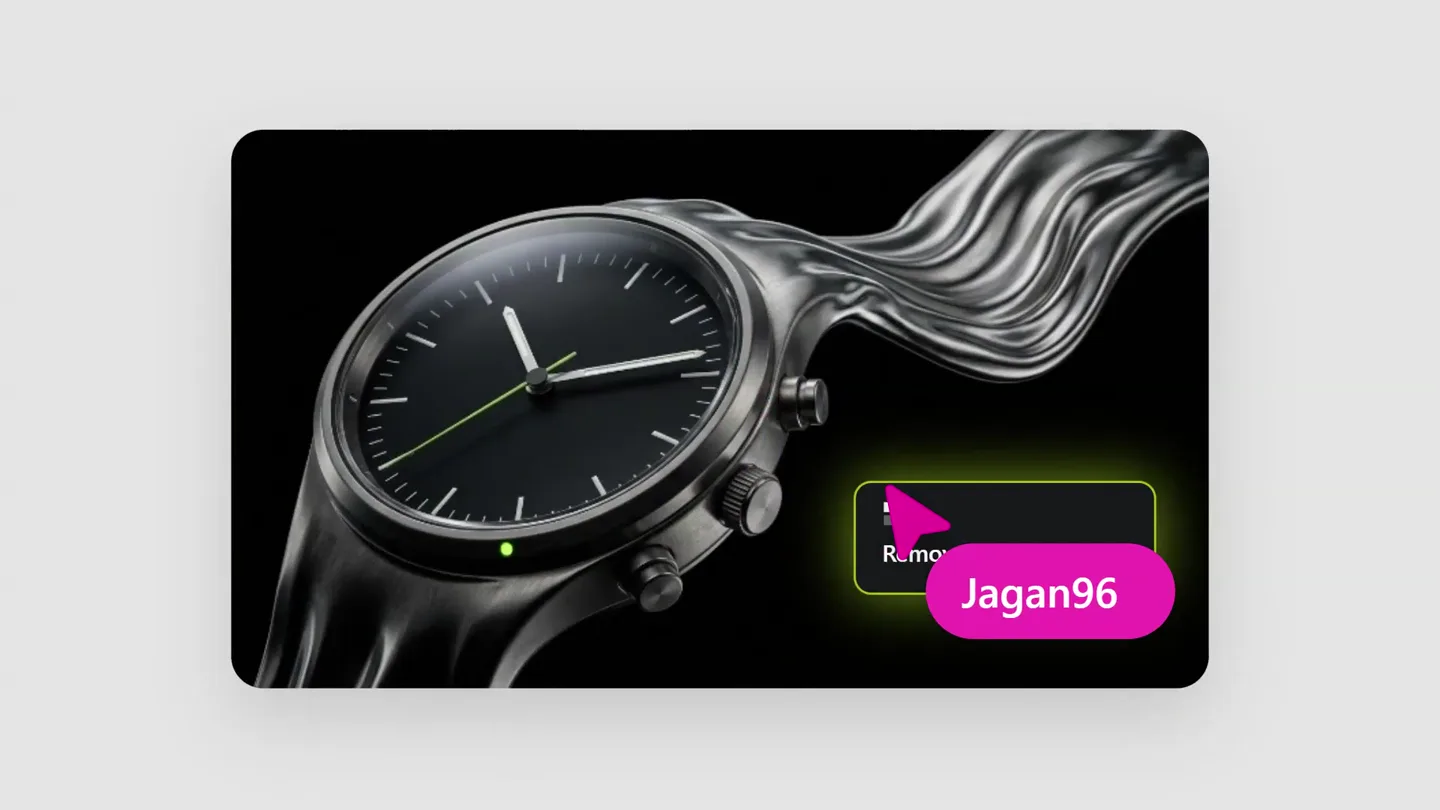
Editframe · Launch Video Breakdown: Hook, Pacing & Motion Design
Open-source Editframe templates for launch videos: HTML, CSS, and scripting, no screen recordings. Made in a few prompts and released for agents to fork.
Scene-by-scene timeline & spoken transcript
The Hook
Introducing Higgsfield for Figma
“(No spoken dialogue — The track opens with a sustained, low-frequency drone and a metallic clang. A high-energy riser builds, culminating in a powerful sub-bass drop and impact.)”
- On screen
- Higgsfield for Figma
- Camera
- Static, then a subtle zoom out revealing the full logo and product integration.
- Motion
- Text reveal with a subtle glitch effect, followed by a dynamic composition of UI elements expanding from a central point.
Problem Agitation
The Client's Urgent Request
“(No spoken dialogue — A driving, percussive electronic beat featuring sharp, synthesized percussion and a pulsating sub-bass line begins.)”
- On screen
- Guys, new client Watch landing page One-hour deadline This photo is all we Make professional product photography of
- Camera
- Static framing on a Figma-like canvas, then a pan to the right to reveal a chat interface.
- Motion
- Typewriter text animation, UI element expansion, and a smooth horizontal pan to reveal a new interface section.
Product Reveal
Instant Professional Product Shots & Layouts
“(No spoken dialogue — Metallic hits and whooshes punctuate the driving electronic beat.)”
- On screen
- Layout's done. Plug in your stuff. HiggsWatch Hi Pre-order — from $399 What it tracks > EC / BLOOD OXYGEN / SKIN TEMPERATURE / SLEEP STAGES / 36-HOUR BATTERY / 200M WATER-RATED / GRADE-5 TITANIUM / 5G CELLULAR / EC / BL
- Camera
- Zoom into a generated product image, then a wide shot revealing a full webpage layout, followed by a subtle pan and zoom on the webpage.
- Motion
- Seamless transition from a generated image to a full webpage, with text and UI elements animating into place. Dot grid overlay effect.
Feature Teaser
Brand Identity & Lifestyle Imagery Generation
“(No spoken dialogue — A notable riser builds, leading to a final impact and sustained synth pad.)”
- On screen
- Minimalist watch Minimalist watch logo, simple black silhouette Logo.svg This is the face of the brand. Client just sent Client just sent her over. Woman running across volcanic rocks, watch on wrist. Pro sportswear pho
- Camera
- Pan to a chat interface, then a zoom into a generated logo, followed by a pan to a new image and chat interface.
- Motion
- Typewriter text animation, image generation reveal, and smooth UI transitions demonstrating iterative design.
Motion design primitives
Synthesizable in Remotion · key components of the ai-code-generator-launch template.
TypewriterChatReveal
Text appears character by character within a chat bubble or input field, simulating real-time typing. UI elements like cursors or selection boxes may accompany the text.
+ Code construction recipe
Use `interpolate` for character opacity and position, combined with `spring` for the bounding box expansion. Implement a `Sequence` component to stagger character reveals. A blinking cursor can be achieved with a simple `loop` animation on opacity.
GenerativeImagePop
A placeholder or blurred image rapidly resolves into a crisp, detailed generated image, often accompanied by a subtle scale or glow effect.
+ Code construction recipe
Employ a `spring` animation for scale and opacity. Implement a custom shader or SVG filter for the blur-to-sharp transition. A `Sequence` can manage the 'in progress' text fading out before the image fully resolves.
DynamicUIPan
The camera smoothly pans across a large canvas, revealing new UI sections or content, often with elements animating into view as they enter the frame.
+ Code construction recipe
Utilize `interpolate` for the `translateX` and `translateY` properties of the main canvas container. Child components can use `spring` animations for their `opacity` and `scale` based on their position relative to the viewport, triggered by their entry into the visible area.
Style DNA & aesthetic system
Visual aesthetic
Typography
Motion
Special effects
Pacing & rhythm
Conceptual story rhythm
- 1
The Urgent Problem
Purpose. Establish a relatable pain point for creative professionals: tight deadlines and limited resources.
Execution. A chat interface showing a rapid-fire conversation about an impossible client request, with text typing out quickly.
- 2
The Instant Solution
Purpose. Introduce the product as the magical solution that effortlessly overcomes the problem.
Execution. A blurred image transforming into a stunning, professional product shot, followed by its seamless integration into a webpage layout.
- 3
Iterative Creation
Purpose. Demonstrate the product's versatility and ease of use for various creative tasks beyond initial generation.
Execution. Further chat interactions leading to logo generation and brand model imagery, showcasing the iterative design process within the tool.
- 4
Empowered Creativity
Purpose. Conclude by highlighting the user's enhanced creative capabilities and efficiency.
Execution. A montage of generated assets and UI elements, reinforcing the idea of rapid, high-quality output.
Remix in Animatiq Studio
Master remix prompt · agent-ready
Sample remix
Objective
Generate a full-stack web application from a natural language prompt.How the recipe adapts
The TypewriterChatReveal primitive would show a user typing a prompt like 'Create a social media app with user authentication and a feed.' The GenerativeImagePop primitive would be adapted to a 'GenerativeCodeBlock' where abstract syntax tree visualizations rapidly resolve into clean, formatted code snippets. The DynamicUIPan would showcase the generated code integrating into a live preview of the web application, with UI components assembling themselves on screen.Remix blueprint · ai-code-generator-launch
Scene durations (4 scenes, 27s)
Key Remotion components
Related Creative Tools Product Launches
Explore all Creative Tools launches →
A vibe design partner with an AI-native canvas for turning ideas into UI.

We heard you wanted to use Codex rate limit resets on your own time. Starting today, we’re rolling out the ability to save rate limit resets to use later. We’re starting Go, Plus, Pro, and Business
There's a hidden tax on every knowledge worker in the world, and nobody talks about it: The design tax. You're a strategist, a sales lead, a marketer. You were hired for what you know. But every me…