
Figma · Launch Video Breakdown: Hook, Pacing & Motion Design
World Labs Marble is in Figma Weave. Turn text, images, or video into explorable 3D worlds you can move through and direct.
Scene-by-scene timeline & spoken transcript
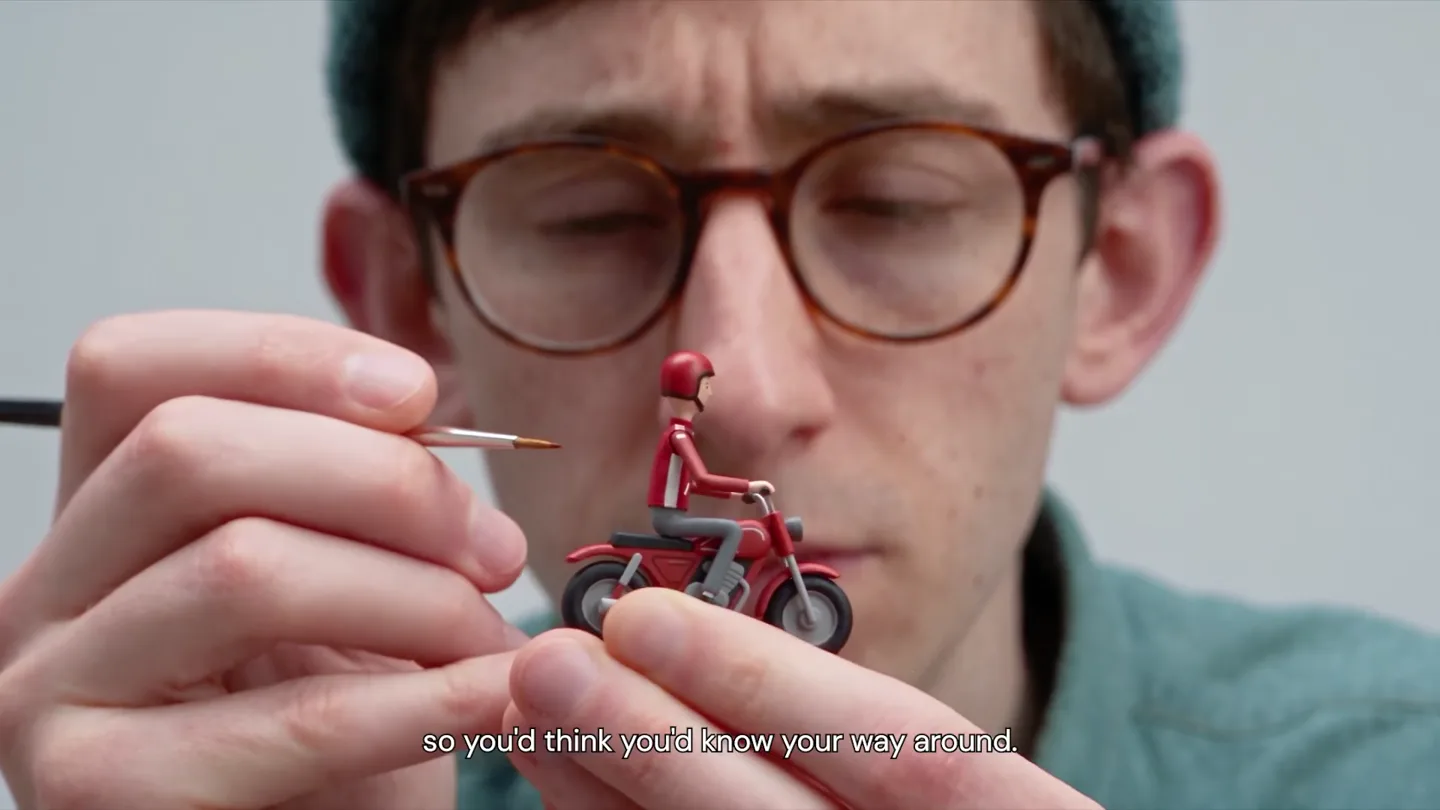
The Hook
The World is a Diorama
“There's a place so you'd think you'd know your way around. Until something moves. One glimpse. Then... you lose it. See, the angle you need isn't where you happen to be standing. Sometimes you'll need to get down just to get the right shot. There it is.”
- On screen
- There's a place. so you'd think you'd know your way around. Until something moves. One glimpse Then... you lose it. See, the angle you need where you happen to be standing. Sometimes you'll need to get down just to get the right shot. There it is.
- Camera
- Alternates between wide shots of the creator and close-ups of the miniature world, with dynamic camera movements mimicking exploration within the diorama.
- Motion
- Stop-motion animation combined with live-action footage, dynamic camera cuts, and forced perspective to create a sense of scale and discovery.
Problem Agitation
The Frustration of Fixed Perspective
“(No spoken dialogue — The music features pizzicato synths, a driving sub-bass, and subtle electronic percussion. It incorporates high-energy audio transitions, including a prominent riser at 0:21 leading to a sub-bass drop/impact at 0:22, and another impactful sub-bass drop at 0:24. The overall sound design is clean, modern, and builds anticipation.)”
- On screen
- (No on-screen text)
- Camera
- Close-up on the creator's face, then a rapid series of cuts showing the miniature world from various challenging angles, emphasizing the difficulty of finding the 'right' view.
- Motion
- Fast-paced cuts, extreme close-ups, and a sense of frantic searching, building tension through visual rhythm and sound design.
Product Reveal
Introducing World Labs Marble
“Start from a prompt image or video. With World-Labs Marble. Move around. You call the shots.”
- On screen
- W Share Search Recents Saved Tools Image Video 3D Audio Start from a prompt image or video World Labs Marble Camera Mode Field of View Dimensions W 1024 H 1024 Reset + Add another image input Run model With World-Labs Marble. Move around You call the shots.
- Camera
- Static screen capture of the Figma interface, with UI elements highlighting the 'World Labs Marble' feature and interactive controls.
- Motion
- Screen recording with animated UI overlays, showcasing interactive elements and real-time manipulation of a 3D environment within the software.
Feature Teaser
Unleash Your Creative Vision
“It just needs looking at. Figma Weave.”
- On screen
- It just needs looking at. Figma Weave.
- Camera
- Returns to the creator interacting with a new miniature (an airplane), followed by a black screen with the Figma Weave logo and text.
- Motion
- A return to the live-action, stop-motion aesthetic, transitioning to a clean, minimalist logo reveal with a subtle animation.
Motion design primitives
Synthesizable in Remotion · key components of the diorama-ui-reveal template.
DioramaPerspectiveShift
A miniature world is shown from various angles, with the camera rapidly shifting perspective to mimic a user exploring a 3D space. The creator's face appears and disappears, emphasizing human interaction with the miniature.
+ Code construction recipe
Utilize `interpolate` for camera position (x, y, z) and rotation (pitch, yaw, roll) values, synchronized with `spring` animations for quick, impactful cuts. Implement `Sequence` components to manage the rapid scene changes between live-action and miniature shots. Use `AbsoluteFill` for the creator's face appearing from the edges.
InteractiveUISimulation
A screen recording of a software interface where a 3D environment is manipulated. UI elements like sliders and buttons are highlighted, and the 3D scene within the window responds dynamically to simulated user input.
+ Code construction recipe
Employ `Video` component for the screen recording. Overlay `AbsoluteFill` or `Layer` components with `spring` animations for UI highlights (e.g., button presses, slider movements). Use `interpolate` for the 3D scene's camera movement within the UI window, simulating real-time interaction.
MinimalistLogoReveal
A pixelated 'W' logo appears and subtly animates, followed by the product name text fading in. The background is a clean, solid black.
+ Code construction recipe
Use `AbsoluteFill` for the black background. Implement `Img` for the pixelated 'W' logo with a `spring` animation for its initial appearance and a subtle `scale` or `opacity` `interpolate` for a breathing effect. Text elements use `Sequence` and `spring` for a staggered fade-in effect.
Style DNA & aesthetic system
Visual aesthetic
Typography
Motion
Special effects
Pacing & rhythm
Conceptual story rhythm
- 1
The Miniature World
Purpose. Establishes the core metaphor of a controllable, explorable world and introduces the protagonist's challenge.
Execution. Live-action shots of a creator interacting with a detailed miniature city, emphasizing perspective and discovery.
- 2
The Frustration
Purpose. Agitates the problem of limited perspective and control, building tension.
Execution. Rapid cuts and close-ups of the miniature world from awkward angles, conveying difficulty and the creator's struggle.
- 3
The Digital Solution
Purpose. Reveals the product as the answer to the problem, showcasing its intuitive interface and capabilities.
Execution. Clean screen recordings of the Figma UI, demonstrating interactive 3D world manipulation with clear text overlays.
- 4
The Empowerment
Purpose. Reinforces the product's benefit by showing the creator's renewed control and the brand identity.
Execution. Return to the creator confidently interacting with a miniature, followed by a minimalist logo reveal for Figma Weave.
Remix in Animatiq Studio
Master remix prompt · agent-ready
Sample remix
Objective
An AI-powered interior design tool that allows users to instantly reconfigure room layouts and decor in 3D.How the recipe adapts
The 'DioramaPerspectiveShift' primitive would be adapted to show a designer physically moving miniature furniture in a dollhouse, struggling to find the perfect arrangement. The 'InteractiveUISimulation' would then showcase the AI tool's interface, where furniture pieces are dragged, dropped, and instantly resized or recolored in a photorealistic 3D room, with the camera smoothly orbiting the space. The 'MinimalistLogoReveal' would feature the new tool's logo, perhaps a stylized 'D' for 'Design', fading in with a similar pixelated effect.Remix blueprint · diorama-ui-reveal
Scene durations (4 scenes, 45s)
Key Remotion components
Related Creative Tools Product Launches
Explore all Creative Tools launches →
A vibe design partner with an AI-native canvas for turning ideas into UI.

We heard you wanted to use Codex rate limit resets on your own time. Starting today, we’re rolling out the ability to save rate limit resets to use later. We’re starting Go, Plus, Pro, and Business

There's a hidden tax on every knowledge worker in the world, and nobody talks about it: The design tax. You're a strategist, a sales lead, a marketer. You were hired for what you know. But every me…