
Figma · Launch Video Breakdown: Hook, Pacing & Motion Design
The Figma node connects any Figma frame into Weave workflows so you can create on-brand content, iterate, translate, or turn designs into video.
Scene-by-scene timeline & spoken transcript
The Hook
Connecting Figma to Weave
“(No spoken dialogue — Driving electronic beat with 808s and a sampled 'scratch' effect, leading to a riser and sub-bass drop.)”
- On screen
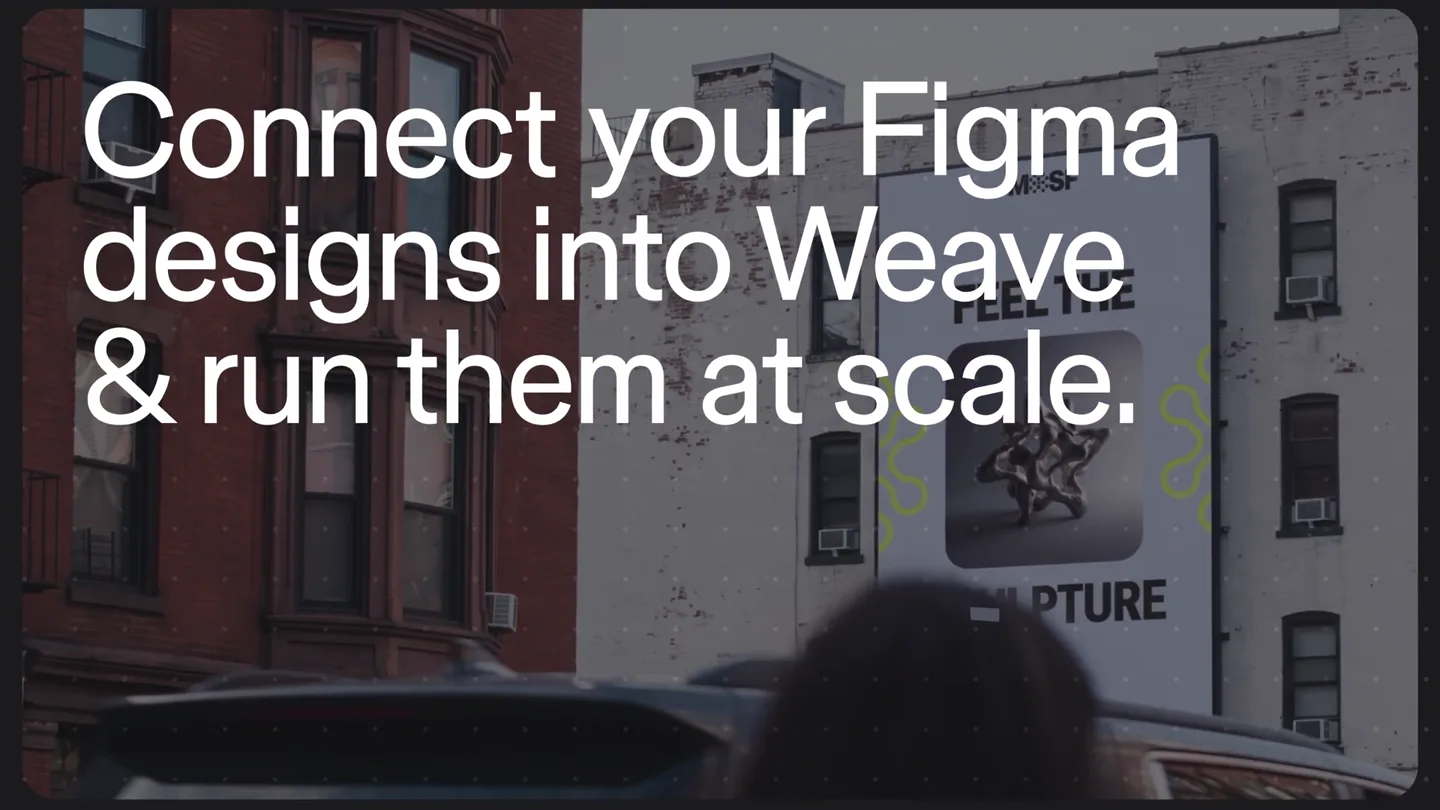
- Connect your Figma designs into Weave & run them at scale.
- Camera
- Static shot of a city street with a billboard, then a quick cut to a close-up of a Figma interface.
- Motion
- Text reveal with a subtle glow effect, quick scene cut, and a cursor interaction within the UI.
Product Reveal
Figma Node Integration
“(No spoken dialogue — The electronic beat continues with percussive synth elements.)”
- On screen
- Figma Node Weave Layers MOSF - Instagram Story MOSF wordmark Headline 1 Image Headline 2 Frame 2147236530 MOSF logomark MOSF logomark CHANGE THIS New gallery GALLERY NAME GOES HERE Copy Paste here Paste to replace Copy/Paste as Build this with code Add motion Select layer Move to page Bring to front Send to back Convert to section Group selection Frame selection
- Camera
- Close-up on the Figma UI, then a slight zoom out and pan to reveal a context menu.
- Motion
- Cursor interaction, context menu animation, and a subtle rotation of the design frame.
Feature Teaser
Dynamic Content Updates & Mockups
“(No spoken dialogue — The energetic electronic beat maintains its rhythm, with subtle percussive variations.)”
- On screen
- Figma in Weave MOSF - Instagram Story CHANGE THIS New gallery GALLERY NAME GOES HERE Figma Node New images Organic shape sculptures Connect to Placeholder Logomark Logomark Inputs New images Connect Edit in Figma Design Top Feel the Bottom sculpture Gallery The Feral Structures FEEL THE SCULPTURE Prompt Billboard on a brick building with the design Western roadside board with the design Person holding a poster with the design Billboard Roadside Poster
- Camera
- Dynamic camera movements, panning across a node-based workflow interface, zooming in and out of specific elements.
- Motion
- Swirling text background, animated connecting lines between nodes, image replacement, text field updates, and live mockup generation with video playback.
Feature Teaser
Seamless Integration Visualized
“(No spoken dialogue — The electronic beat builds intensity, leading to a significant riser and drop at the end of the segment.)”
- On screen
- Figma in Weave in Figma in Weave in Figma in Weave in Figma in Weave in Figma in Weave
- Camera
- Zoom out from the node graph to a full-screen text animation, then a quick cut to an abstract icon connection.
- Motion
- Repeating text animation with a wave-like motion, followed by a clean, graphic animation of two icons connecting and then merging.
Call to Action
Figma Node: Connect Your Designs
“(No spoken dialogue — The electronic beat continues with a strong, driving rhythm, maintaining high energy.)”
- On screen
- Figma Node Connect your designs into Weave workflows.
- Camera
- Static shot of the Figma Node logo and tagline.
- Motion
- Text reveal with a subtle glow and scale, followed by a final product logo reveal.
Motion design primitives
Synthesizable in Remotion · key components of the dynamic-node-workflow-launch template.
DynamicNodeConnector
Curved, animated lines dynamically connect different UI nodes, indicating data flow or relationships. These lines often have a subtle glow or particle effect moving along their path.
+ Code construction recipe
Use SVG path animations with `stroke-dasharray` and `stroke-dashoffset` for the line drawing effect. Implement a `motion` component with `interpolate` for the glow/particle movement along the path, potentially using a `filter` for the glow.
WavyTextLoop
Repeating text elements animate in a continuous, undulating wave pattern across the screen, creating a sense of infinite connection or flow.
+ Code construction recipe
Render multiple instances of text components. Apply a `transform` property with `translateY` and `rotate` values interpolated over time, using a `spring` or `easeInOut` curve, offset for each text instance to create the wave effect. Consider a `mask` for edge fading.
ContentSwapReveal
A placeholder image or text field quickly updates with new content, often accompanied by a subtle loading spinner or a quick scale/fade transition.
+ Code construction recipe
Utilize `AbsoluteFill` for content containers. Implement `spring` animations for `opacity` and `scale` when new content is loaded. A temporary loading spinner can be rendered conditionally based on a `useState` hook for content readiness.
Style DNA & aesthetic system
Visual aesthetic
Typography
Motion
Special effects
Pacing & rhythm
Conceptual story rhythm
- 1
The Integration Promise
Purpose. Immediately establish the core value proposition: connecting Figma designs to Weave.
Execution. Opening with bold, animated text overlaying a real-world scene, quickly transitioning to the product UI.
- 2
Demonstrating Workflow Efficiency
Purpose. Showcase the ease and power of updating designs and content within the integrated environment.
Execution. Detailed UI walkthrough of connecting data sources, replacing images, and updating text fields dynamically.
- 3
Scaling Content Creation
Purpose. Illustrate how the integration enables rapid generation of diverse content formats and mockups.
Execution. Node-based workflow showing outputs like billboards and posters being generated in real-time from a single design.
- 4
The Core Connection
Purpose. Reinforce the fundamental link between Figma and Weave as the technological breakthrough.
Execution. Abstract graphic animation of the Figma and Weave logos connecting and merging, followed by a clear tagline.
Remix in Animatiq Studio
Master remix prompt · agent-ready
Sample remix
Objective
Launch a new AI music generation platform called 'SynthFlow AI' that creates music from text prompts.How the recipe adapts
The video would open with 'Generate music from text prompts at scale' in the same bold, glowing sans-serif font over an abstract, dark background. The UI demonstration would show a node graph where a 'Text Input' node connects to 'Synth Lead', 'Drums', and 'Bass' nodes. As text prompts are typed, animated waveforms would appear in the output nodes. The WavyTextLoop primitive would display 'Text to Music in SynthFlow' across the screen. The final shot would be a clean animation of a text bubble icon connecting to a musical note icon, then the SynthFlow AI logo and tagline.Remix blueprint · dynamic-node-workflow-launch
Scene durations (5 scenes, 31s)
Key Remotion components
Related Creative Tools Product Launches
Explore all Creative Tools launches →
A vibe design partner with an AI-native canvas for turning ideas into UI.

We heard you wanted to use Codex rate limit resets on your own time. Starting today, we’re rolling out the ability to save rate limit resets to use later. We’re starting Go, Plus, Pro, and Business
Introducing Framer 3.0 with Agents, Branching, Community, and an all-new design.