
Framer · Launch Video Breakdown: Hook, Pacing & Motion Design
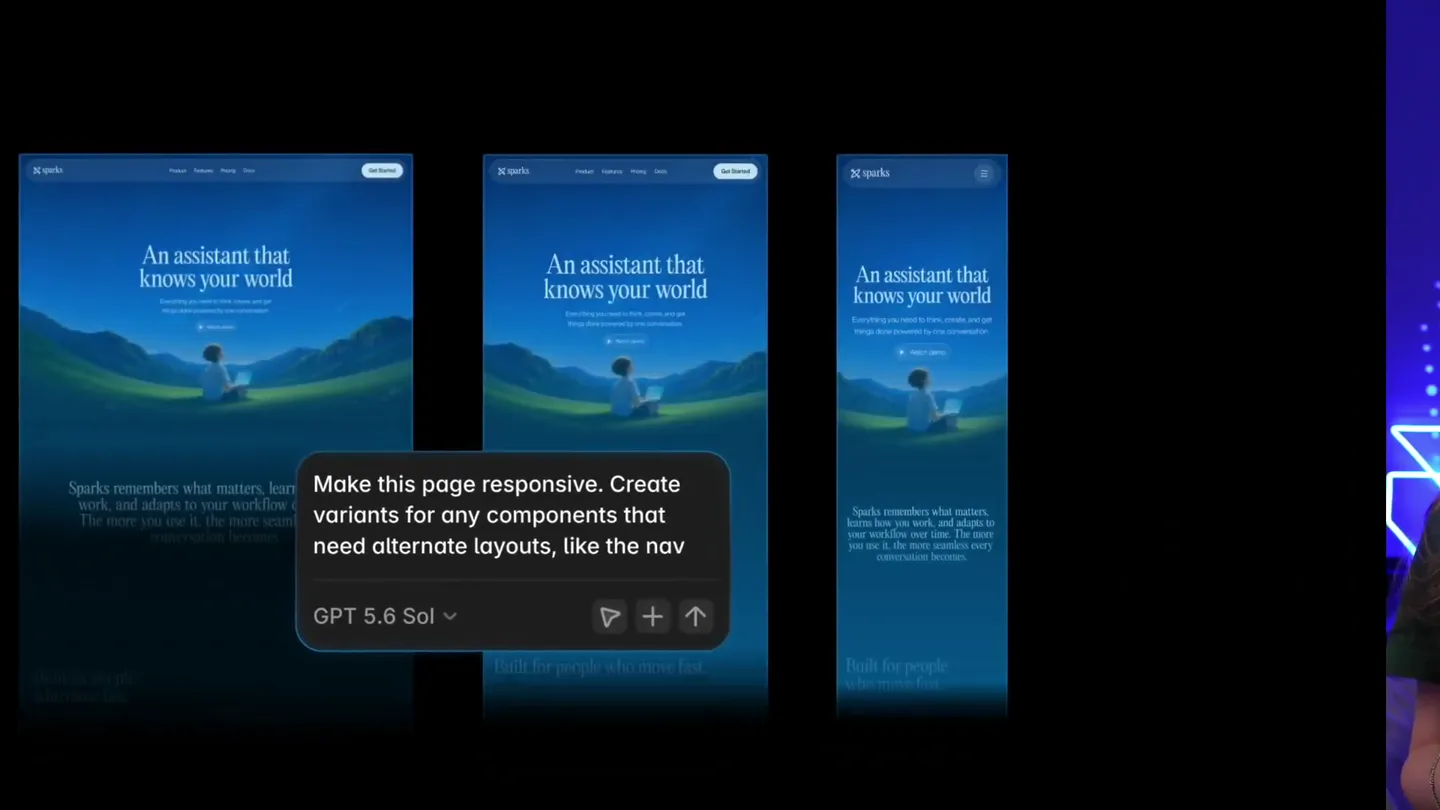
Start from the desktop breakpoint and ask the Framer Agent to adjust layouts, spacing, and components across every screen size.
Scene-by-scene timeline & spoken transcript
The Hook
AI-Powered Responsive Design Prompt
“Make this page responsive. Create variants for any components that need alternate layouts, like the nav.”
- On screen
- Make this page responsive. Create variants for any components that need alternate layouts, like the nav GPT 5.6 Sol
- Camera
- Medium shot of presenter on right, screen capture of Framer UI on left. Slight zoom into the UI.
- Motion
- Split-screen composition with live presenter and product UI. Text input animation.
Product Reveal
Agent Typing & Command Input
“(No spoken dialogue — Typing sound effects accompany the on-screen text input.)”
- On screen
- Ask Fromer... GPT 5.6 Terra Make this page responsive. Cre Make this page responsive. Create variants for d Make this page responsive. Create variants for any components that need alternate layouts, like the nav
- Camera
- Close-up on the Framer Agent chat interface, with the presenter in a smaller corner overlay.
- Motion
- Real-time text typing animation, simulating user input into an AI chat interface.
Feature Teaser
Instant Responsive Layout Generation
“And boom, just like that, it's responsive. The Framer Agent has created a desktop, tablet, and phone layout for this page, and it's even created variants for the navigation component.”
- On screen
- Implemented responsive de... Make this page responsive. Create variants for any components that need alternate layouts, like the nav GPT 5.6 Terra Sparks An assistant that knows your world Built for people who move fast. Scattered work into directed motion Desktop 1,000 Tablet 1,000 - 650 Phone 650 Agent Style Invite Publish Implemented responsive de... simple-decade...implement-responsive-de... 1m ago by Emill Ivanova components that need alternate layouts, like the nav Viewed Home The navigation already has dedicated desktop, tablet, and expandable phone states, so I'm connecting those existing states while establishing the page's responsive foundations. Beginning Grid... I hit a naming mismatch overrides. I'm correcting responsive changes bef continuing. Edited 47 layers 28.4s Viewed Home Upward Sums Tablet The tablet review shows the product demo needs its own single-column layout. I'm adjusting the phone footer and adding links to prevent cramped columns and off Agent Style Invite Publish
- Camera
- Wide shot of the Framer design canvas, showing multiple responsive breakpoints. Presenter remains in the corner.
- Motion
- Simultaneous multi-screen display, highlighting the automatic generation of responsive layouts. UI elements animate into place.
Feature Teaser
Detailed Responsive Adjustments
“It's also adjusted the spacing and the layout of all the components on the page to make sure that they look great on every screen size. And it's even prepared the page for publishing. So all I have to do is hit publish.”
- On screen
- Sparks An assistant that knows your world Built for people who move fast. Scattered work into directed motion Desktop 1,000 Tablet 1,000 - 650 Phone 650 Agent Style Invite Publish Implemented responsive de... simple-decade...implement-responsive-de... 1m ago by Emill Ivanova components that need alternate layouts, like the nav Viewed Home The navigation already has dedicated desktop, tablet, and expandable phone states, so I'm connecting those existing states while establishing the page's responsive foundations. Beginning Grid... I hit a naming mismatch overrides. I'm correcting responsive changes bef continuing. Edited 47 layers 28.4s Viewed Home Upward Sums Tablet The tablet review shows the product demo needs its own single-column layout. I'm adjusting the phone footer and adding links to prevent cramped columns and off Agent Style Invite Publish
- Camera
- Dynamic camera movements, zooming into specific sections of the responsive layouts to highlight adjustments. Presenter remains in the corner.
- Motion
- Highlighting animations, subtle UI element shifts, and text pop-ups to draw attention to specific features and changes.
Call to Action
Publish & Call to Action
“Boom. So go try it out for yourself and let us know what you think.”
- On screen
- Sparks An assistant that knows your world Built for people who move fast. Scattered work into directed motion Desktop 1,000 Tablet 1,000 - 650 Phone 650 Agent Style Invite Publish Implemented responsive de... simple-decade...implement-responsive-de... 1m ago by Emill Ivanova components that need alternate layouts, like the nav Viewed Home The navigation already has dedicated desktop, tablet, and expandable phone states, so I'm connecting those existing states while establishing the page's responsive foundations. Beginning Grid... I hit a naming mismatch overrides. I'm correcting responsive changes bef continuing. Edited 47 layers 28.4s Viewed Home Upward Sums Tablet The tablet review shows the product demo needs its own single-column layout. I'm adjusting the phone footer and adding links to prevent cramped columns and off Agent Style Invite Publish
- Camera
- Quick cut to a full-screen Framer logo, then back to the UI with the presenter. Final shot focuses on the 'Publish' button.
- Motion
- Rapid transition with a sound design impact, followed by a clear call to action on the UI. Logo reveal.
Motion design primitives
Synthesizable in Remotion · key components of the ai-responsive-design-showcase template.
AITextInput
Simulates real-time typing of text into a chat input field, with a blinking cursor and natural character reveal. The text then becomes static as the AI processes.
+ Code construction recipe
Use `interpolate` for character opacity and position, combined with `spring` for a subtle bounce on new character appearance. Implement a `loop` for the cursor blink. Text content can be passed as a prop.
ResponsiveCanvasGrid
Displays multiple device breakpoints (desktop, tablet, phone) side-by-side, with content dynamically adjusting across them. Highlights or bounding boxes appear to show layout changes.
+ Code construction recipe
Utilize `AbsoluteFill` for the main canvas. Render multiple `Composition` components for each device view, scaling and positioning them. Use `spring` for the bounding box animations and `interpolate` for opacity changes on highlighted elements.
UIPanelReveal
UI panels or sections slide into view from the side or bottom, often with a slight overshoot and settle. Content within the panel may fade in sequentially.
+ Code construction recipe
Employ `spring` for the panel's `translateX` or `translateY` property to achieve the slide and overshoot effect. Use `interpolate` for the opacity of internal elements, staggered for sequential fade-in.
Style DNA & aesthetic system
Visual aesthetic
Typography
Motion
Special effects
Pacing & rhythm
Conceptual story rhythm
- 1
The AI Prompt
Purpose. Introduce the core problem and the AI solution immediately.
Execution. Presenter introduces the AI feature, followed by a close-up of the AI chat input with real-time typing.
- 2
Instant Transformation
Purpose. Demonstrate the AI's power and speed in solving the problem.
Execution. Rapid animation showing a single desktop design instantly transforming into responsive layouts across multiple devices.
- 3
Refinement & Detail
Purpose. Showcase the intelligence and precision of the AI's adjustments.
Execution. Zoom-ins and highlights on specific UI elements, demonstrating automatic spacing, layout, and component variant adjustments.
- 4
Seamless Publishing & CTA
Purpose. Conclude with the ease of deployment and a clear call to action.
Execution. Highlighting the 'Publish' button, followed by a quick brand logo reveal and a direct verbal call to action from the presenter.
Remix in Animatiq Studio
Master remix prompt · agent-ready
Sample remix
Objective
A new AI-powered code refactoring tool that automatically optimizes legacy codebases for modern frameworks.How the recipe adapts
Remix blueprint · ai-responsive-design-showcase
Scene durations (5 scenes, 47s)
Key Remotion components
Related Creative Tools Product Launches
Explore all Creative Tools launches →
AI is already smart enough. Real-world tasks are still slow, expensive and unreliable, because we hand AI a computer built for humans, then wrap it in a heavy harness. AI doesn’t need to get smarter

Big day 🔥 🚀 Introducing Dolphin AI - an agentic AI studio for complete video production. The story of Dolphin is very interesting. It didn’t start as a product. It started as an internal tool. W
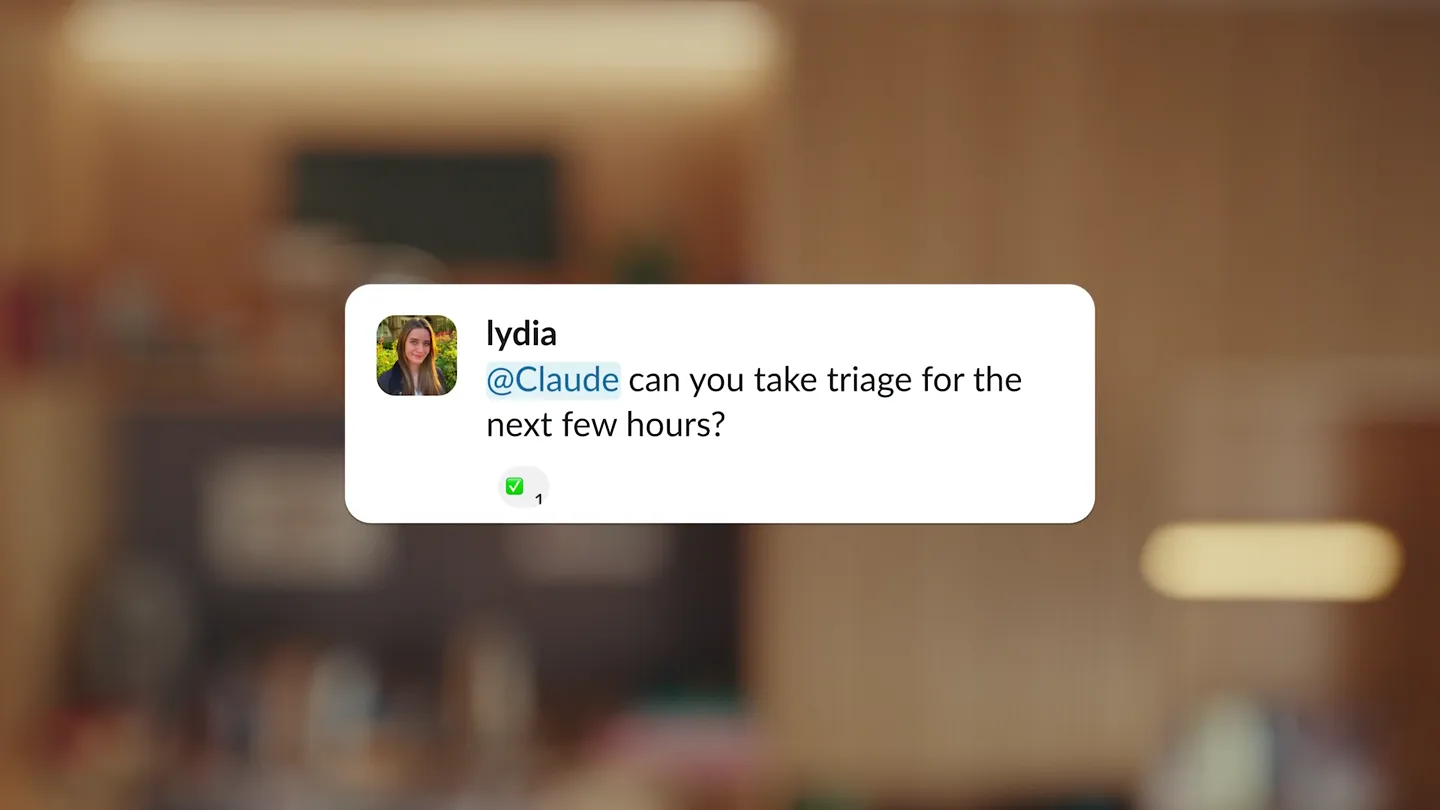
Claude Tag adds Claude to Slack as a team member with scoped channels and tools, so teams can delegate by tagging it.