
Higgsfield · Launch Video Breakdown: Hook, Pacing & Motion Design
Higgsfield in ChatGPT plus GPT-6 Astra is like Cursor for motion designers.
Scene-by-scene timeline & spoken transcript
The Hook
AI Motion Design Introduction
“(No spoken dialogue — High-energy audio transition with riser and sub-bass drop at 0:01, driving electronic beat.)”
- On screen
- HIGGSFIELD AI MOTION DESIGNER PITAYA SPECIMEN: PITAYA.01 DATE: 2023.10.26 COLOR: PINK-GREEN SOURCE: ORGANIC PURPOSE: FRONT STUDY
- Camera
- Dynamic camera zooms and pans, often framing the product (pitaya) centrally with surrounding UI elements. Rapid cuts between different perspectives.
- Motion
- Fast-paced cuts, text reveals with tracking lines, object transformations (pitaya growth stages), UI element animations, and color shifts.
Problem Agitation
Detail & Transformation
“(No spoken dialogue — Electronic beat continues with percussive synth elements.)”
- On screen
- HIGGSFIELD AI MOTION DESIGNER Surface_01 Surface_02 Surface_03 Surface_04 STAGES
- Camera
- Close-up shots of the pitaya's texture, followed by a wide shot showing the fruit transforming into a dot pattern, then revealing text.
- Motion
- Micro-detail zooms, particle disintegration/reintegration, text reveals with a 'shatter' or 'build-up' effect, and rapid scene transitions.
Product Reveal
Interactive Control & Living Texture
“(No spoken dialogue — Impactful sub-bass drop at 0:07, driving beat with pizzicato synths.)”
- On screen
- HIGGSFIELD AI MOTION DESIGNER PITAYA INSIDE OUT Surface_01 Surface_02 Surface_03 LIVING TEXTURE
- Camera
- Alternating between close-ups of the pitaya and wider shots showcasing text and UI interactions. Dynamic camera movements follow text and object animations.
- Motion
- Text tracking, object manipulation (droplets, texture mapping), rapid color palette shifts, and synchronized text/object reveals.
Feature Teaser
Growth & Evolution
“(No spoken dialogue — Electronic beat maintains energy, building towards a climax.)”
- On screen
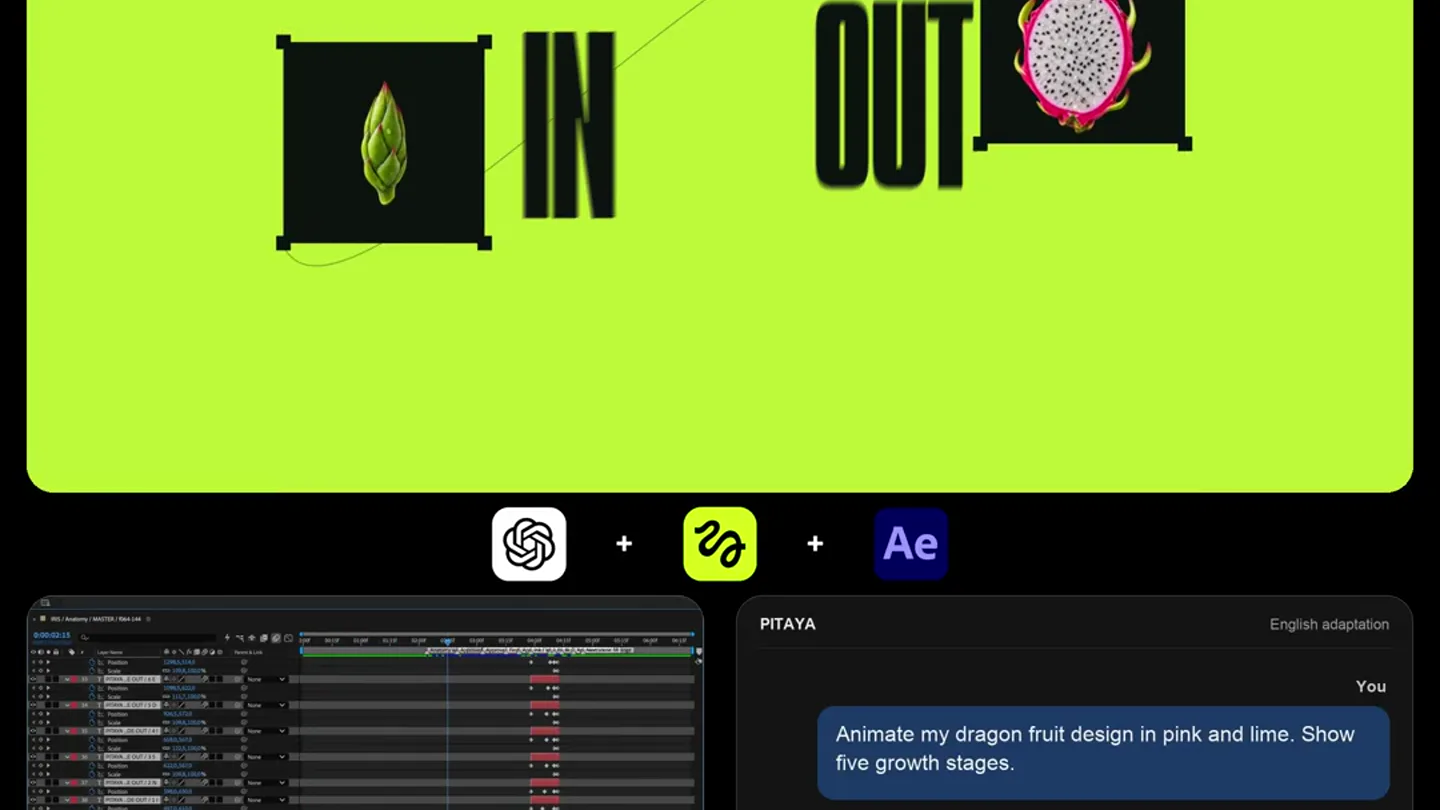
- HIGGSFIELD AI MOTION DESIGNER Bud Young Opening Ripe Cut OUT
- Camera
- Focus on the pitaya's growth stages, with a brief abstract text animation. Camera maintains a consistent, slightly elevated perspective for the growth sequence.
- Motion
- Sequential object animation (growth stages), 3D text rotation/transformation, and quick cuts to emphasize progression.
Call to Action
Final Impact & Brand Reinforcement
“(No spoken dialogue — Final impactful sub-bass drop at 0:17, concluding with the driving electronic beat.)”
- On screen
- HIGGSFIELD AI MOTION DESIGNER LIVING TEXTURE STAGES
- Camera
- Rapid cuts between close-ups of the pitaya, text reveals, and abstract visual elements. The camera is highly dynamic, emphasizing motion.
- Motion
- Fast-paced editing, text reveals with distortion/blur, object tracking, and a final burst of visual information before the video concludes.
Motion design primitives
Synthesizable in Remotion · key components of the hyper-fast-ai-product-launch template.
DynamicProductReveal
A central product (e.g., pitaya) is introduced with surrounding technical UI elements and text, undergoing rapid transformations or growth stages. The background shifts between solid colors and grid patterns.
+ Code construction recipe
Utilize Remotion's `Sequence` and `AbsoluteFill` for background color changes. Animate product `scale`, `rotation`, and `opacity` using `spring` for organic feel. Implement UI elements with `interpolate` for precise timing and `SVG` for tracking lines and grid overlays.
TextualDisintegration
Text appears or disappears through a particle-like disintegration or build-up effect, often synchronized with a product transformation or a scene cut. Individual letters might also track objects.
+ Code construction recipe
Employ `Canvas` or `WebGL` for particle effects, mapping text characters to individual particles. Use `interpolate` for particle `opacity`, `position`, and `scale`. For tracking, use `measureText` to get character bounds and animate `SVG` lines or boxes around them.
MicroDetailZoom
Extremely fast zooms into specific textures or details of a product, often accompanied by UI overlays highlighting 'surfaces' or 'points of interest'. This is used to emphasize intricate features.
+ Code construction recipe
Implement `Image` components with `scale` and `position` animations using `interpolate` for rapid, precise zooms. Overlay `SVG` rectangles and text for 'Surface_XX' labels, animating their `opacity` and `position` to appear with the zoom.
Style DNA & aesthetic system
Visual aesthetic
Typography
Motion
Special effects
Pacing & rhythm
Conceptual story rhythm
- 1
The Visual Hook
Purpose. Immediately grab attention and establish the product's core capability (AI motion design) through a striking visual demonstration.
Execution. Rapid cuts, vibrant color shifts, and a product (pitaya) undergoing a complex, AI-driven animation sequence (growth stages, texture analysis) within a stylized UI.
- 2
Problem/Solution Tease
Purpose. Hint at the complexity of traditional motion design and how the product simplifies it, without explicitly stating the problem.
Execution. Abstract transformations of the product (e.g., into dots), followed by text revealing concepts like 'STAGES' or 'INSIDE OUT', implying control over intricate processes.
- 3
Feature Showcase
Purpose. Demonstrate specific, powerful features of the AI motion designer, focusing on detail, control, and creative output.
Execution. Close-ups on product textures with UI overlays ('Surface_01'), text tracking, and dynamic manipulation of elements ('LIVING TEXTURE'), showing the AI's precision and versatility.
- 4
Impactful Conclusion
Purpose. Reinforce the product's power and leave a lasting impression of its transformative capabilities.
Execution. A final sequence of rapid cuts, impactful sound design, and a summary of key concepts ('LIVING TEXTURE', 'STAGES') presented with dynamic typography and product imagery.
Remix in Animatiq Studio
Master remix prompt · agent-ready
Sample remix
Objective
Launch an AI-powered architectural visualization tool called 'Architeq AI'.How the recipe adapts
The 'DynamicProductReveal' primitive would showcase a building facade transforming from a wireframe to a photorealistic render, with 'Architeq AI' as the main text. 'TextualDisintegration' would animate architectural terms like 'STRUCTURE' or 'FORM' appearing and dissolving. 'MicroDetailZoom' would highlight intricate details of a building material, like concrete texture or glass reflections, with 'Surface_XX' labels. The color palette would shift to include deep blues and grays alongside neon green accents, maintaining the high-contrast, tech-forward look. The fast cuts and electronic score would remain, emphasizing the speed and precision of Architeq AI.Remix blueprint · hyper-fast-ai-product-launch
Scene durations (5 scenes, 20.2s)
Key Remotion components
Related Creative Tools Product Launches
Explore all Creative Tools launches →
A vibe design partner with an AI-native canvas for turning ideas into UI.

We heard you wanted to use Codex rate limit resets on your own time. Starting today, we’re rolling out the ability to save rate limit resets to use later. We’re starting Go, Plus, Pro, and Business

Maintaining context is the second job nobody wants.