
Peter Yang · Launch Video Breakdown: Hook, Pacing & Motion Design
Introducing /human-review, a free AI skill from the maker of /no-ai-slop — giving feedback to AI in chat is painful, this makes it easy.
Scene-by-scene timeline & spoken transcript
The Hook
Agitating the Pain Point of AI Feedback
“(No spoken dialogue — A driving electronic score with a consistent four-on-the-floor kick drum pattern and arpeggiated synth melody establishes an energetic, slightly tense mood.)”
- On screen
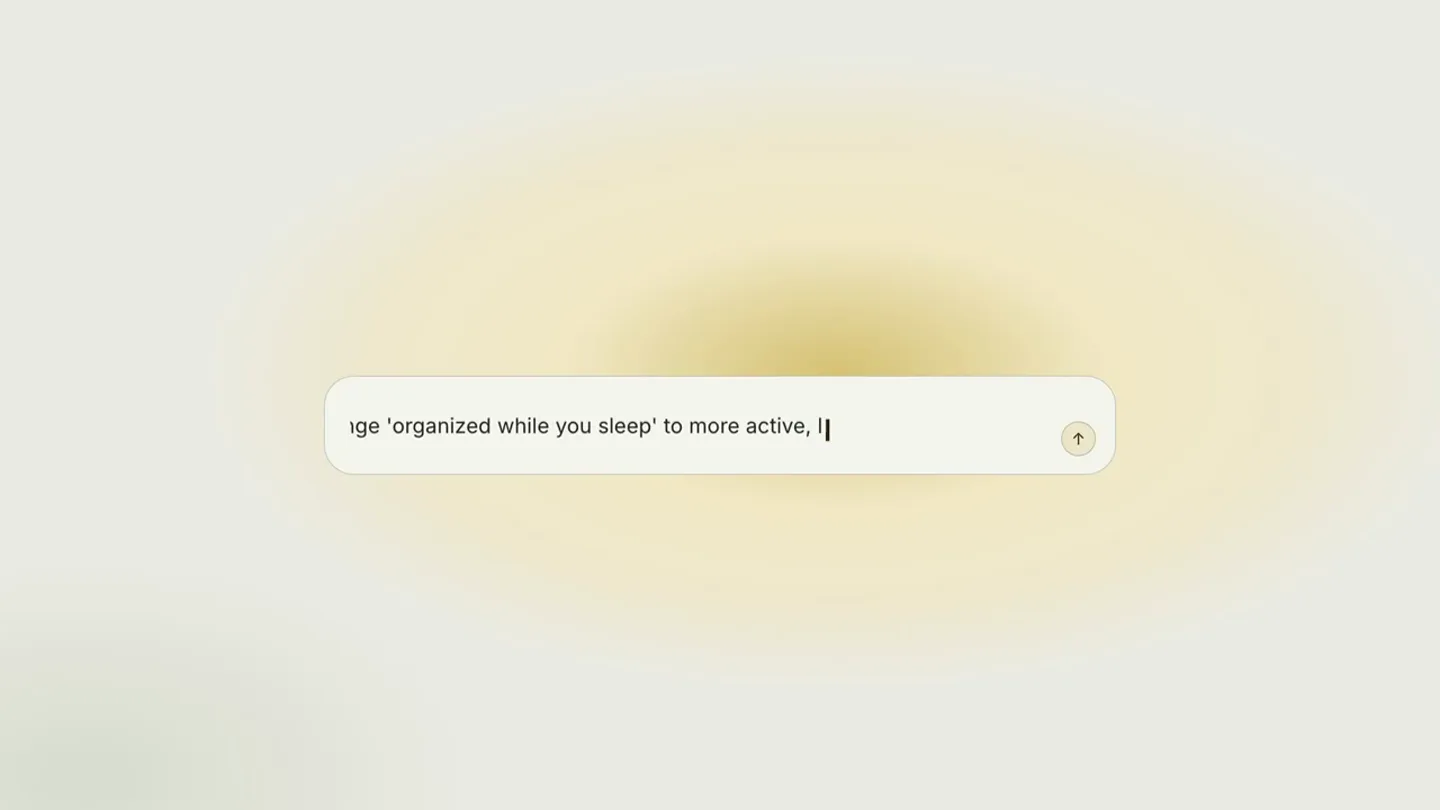
- In the third paragraph, change 'organized while you sleep' to more active, like the outcome, and the CTA should say what you get oh also | Sick of telling AI what to fix in chat?
- Camera
- Static, centered view of a text input field, then a slight zoom out to reveal a headline.
- Motion
- Typing animation within a UI element, followed by a subtle blur and fade-out of the UI, revealing a bold problem statement with a subtle underline animation.
Product Reveal
Introducing In-Line AI Feedback
“(No spoken dialogue — The electronic score continues, maintaining its driving rhythm, with synth stabs emphasizing key visual actions.)”
- On screen
- NIMBUS - TEAM KNOWLEDGE BASE Your team's answers, organized while you sleep Nimbus watches your docs, chats, and tickets, then writes the internal wiki your team never had time to. Search once, get the answer, cite the source. Start free trial Auto-organized Every page filed, linked, and deduplicated without manual gardening. Cited answers Ask in plain English, get the answer with the source doc attached. Always current Stale pages get flagged and rewritten when the source of truth changes. FEEDBACK 0 Saved to landing.html - 2m ago Select text or click an element to comment on it Overall note... Nothing to send yet Build my wiki Edit HTML and Markdown directly FEEDBACK 1 You just now Jump to 'organized while you sleep' Too passive — lead with the outcome. Features grid Cut this — it repeats the first card. Send 1 to agent ⌘+↵ Give AI feedback using in-line comments FEEDBACK 2 Send 2 to agent ⌘+↵ Send 3 to agent ⌘+↵ Feedback delivered
- Camera
- A quick, sharp zoom-in to a full UI screen, followed by subtle camera pans and zooms to highlight specific interactive elements.
- Motion
- Rapid UI element reveals, text highlighting, typing animations, and interactive button states (click, hover, feedback delivered) with a focus on demonstrating the product's core functionality.
Feature Teaser
Batch Feedback for Efficiency
“(No spoken dialogue — The electronic score maintains its energy, with a slight build-up in intensity as the solution is presented.)”
- On screen
- NIMBUS - TEAM KNOWLEDGE BASE Stop answering the same question twice Nimbus watches your docs, chats, and tickets, then writes the internal wiki your team never had time to. Search once, get the answer, cite the source. Build my wiki Auto-organized Every page filed, linked, and deduplicated without manual gardening. Cited answers Ask in plain English, get the answer with the source doc attached. Always current Stale pages get flagged and rewritten when the source of truth changes. FEEDBACK 0 Select text or click an element to comment on it Overall note... Nothing to send yet One batch. AI applies it.
- Camera
- Static full UI shot, then a quick zoom to a new headline appearing above the UI.
- Motion
- Text reveal animation for the headline, emphasizing the efficiency benefit, with the UI remaining stable in the background.
Call to Action
Introducing /human-review & Installation
“(No spoken dialogue — The audio builds with a high-energy riser at 00:26, culminating in a sub-bass drop/impact at 00:27, then fades out with the electronic score.)”
- On screen
- /human-review Edit HTML and Markdown directly or give feedback to AI Install the skill for free at: github.com/petergyang/human-review
- Camera
- Static, centered view of the product name, then text expands below it, followed by a typing animation for the GitHub URL.
- Motion
- Progressive text reveal, with a distinct typing animation for the URL, creating a clear and direct call to action. The background remains a soft, glowing gradient.
Motion design primitives
Synthesizable in Remotion · key components of the developer-tool-launch-minimalist-ui template.
TypingCursorReveal
Text appears character by character, simulating typing, accompanied by a blinking cursor that follows the text input. This is often used within UI input fields or for revealing key information.
+ Code construction recipe
Use `interpolate` to control the `opacity` and `width` of a text layer and a cursor element. The cursor's `left` position should be interpolated based on the length of the revealed text. A `loop` animation for the cursor's `opacity` creates the blinking effect.
HeadlineUnderlineFade
A headline appears, and then a subtle underline animates in from left to right, fading in as it draws. The UI element below simultaneously blurs and fades out.
+ Code construction recipe
Animate the `width` and `opacity` of an SVG line or a `div` with a `border-bottom` using `spring` or `interpolate`. Apply a `filter: blur()` and `opacity` transition to the background UI element, interpolating from clear to blurred and opaque to transparent.
UIHighlightAndComment
Specific UI elements (text, buttons, cards) are highlighted with a yellow background or a yellow border, while a sidebar simultaneously populates with corresponding feedback comments.
+ Code construction recipe
Use `interpolate` to animate the `background-color` or `border-color` of target UI elements. Simultaneously, animate the `opacity` and `transform` (e.g., `translateY`) of new comment components in a sidebar, making them slide in and fade up.
Style DNA & aesthetic system
Visual aesthetic
Typography
Motion
Special effects
Pacing & rhythm
Conceptual story rhythm
- 1
The Frustration
Purpose. Establish a relatable pain point for the target audience (developers/AI users).
Execution. Typing out a convoluted AI prompt, followed by a bold, direct question about the pain point.
- 2
The Solution Revealed
Purpose. Introduce the product's core functionality as the answer to the problem.
Execution. A clean UI demonstrating in-line commenting and feedback submission to AI, highlighting ease of use.
- 3
The Benefit Amplified
Purpose. Showcase a key advantage or efficiency gain of the product.
Execution. A concise headline emphasizing batch processing and AI application, reinforcing the product's value proposition.
- 4
The Call to Action
Purpose. Direct users on how to access and implement the product.
Execution. A clear display of the product name and a GitHub URL with a typing animation, guiding users to installation.
Remix in Animatiq Studio
Master remix prompt · agent-ready
Sample remix
Objective
Launch a new developer tool, /code-audit, that automates code review and suggests fixes.How the recipe adapts
The TypingCursorReveal primitive will be adapted for a terminal-like interface, showing a developer struggling with manual code review comments. The HeadlineUnderlineFade will introduce 'Instant fixes. Zero friction.' after the problem is agitated. The UIHighlightAndComment primitive will be used to demonstrate in-line code suggestions and automated fixes within a code editor UI, with a sidebar showing the applied changes. The final call to action will feature '/code-audit' and a GitHub installation URL, using the same typing animation style.Remix blueprint · developer-tool-launch-minimalist-ui
Scene durations (4 scenes, 30s)
Key Remotion components
Related Developer Tools Product Launches
Explore all Developer Tools launches →
xAI opens voice cloning on its API: build a custom voice in about two minutes or pick from 80+ voices in 28 languages.

Claude can now operate your Mac, opening apps, browsing and filling spreadsheets, as a research preview in Cowork and Claude Code.

Agentic CLI for coding, building apps, and automating workflows.