
Kimi.ai · Launch Video Breakdown: Hook, Pacing & Motion Design
Meet Kimi Web Bridge - Kimi's browser extension. Agent can now interact with websites like a human: search, scroll, click, type and complete tasks. Supports Kimi Code CLI, Claude Code, Cursor, Code…
Scene-by-scene timeline & spoken transcript
The Hook
Introducing Kimi Web Bridge
“(No spoken dialogue — driving electronic beat with synth melodies and sub-bass)”
- On screen
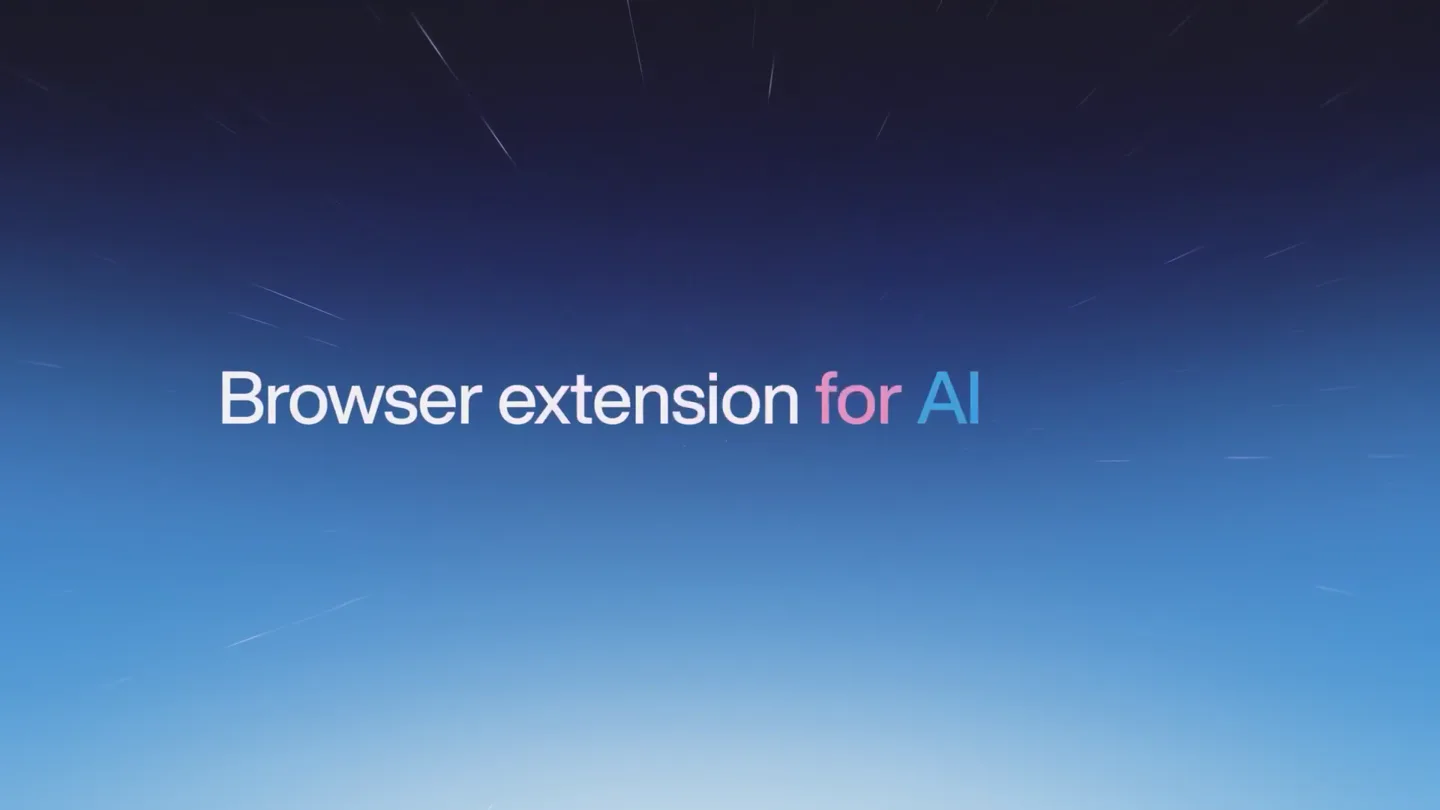
- Introducing Kimi WebBridge Browser extension for AI Agents
- Camera
- Static wide shot of text against a subtly animated blue gradient background with subtle star-like streaks.
- Motion
- Text fade-in and scale, subtle background parallax scroll.
Product Reveal
Automated Web Interaction
“(No spoken dialogue — beat builds with synth riser at 0:06, beat drop at 0:07, subtle sweep at 0:10)”
- On screen
- Tip: send /login to use Kimi for Coding Tip: Spot a bug or have feedback? Type /feedback right in this session — every report makes Kimi better. — input — Use Kimi WebBridge to search for posts about the Kimi k2.6 launch on x.com, Reddit, and Hacker N Use Kimi WebBridge to search for posts about the Kimi k2.6 launch on x.com, Reddit, and Hacker News. Filter for high-engagement content and compile the results into an Excel file, including post title, platform, likes/upvotes, key takeaways, and original link. — input — agent.twitter agent.reddit agent.hackernews "Kimi WebBridge" started debugging this browser Q kimi k2.6 Top Latest People Media Lists OxMarioNawal @RoundtableSpace · May 10 FREE KIMI K2.6 MIGHT BE ONE OF THE BEST OPEN SOURCE AI CODERS AVAILABLE RIGHT NOW. moonshot - Kimi Code - Kimi Code ptr_munge= main_sta... Help for Help Information. Directory: ~ Tip: send /login to use Kimi for Coding Tip: Spot a bug or have feedback? Type /feedback right in this session — every report makes Kimi better. Use Kimi WebBridge to search for posts about the Kimi k2.6 launch on x.com, Reddit, and Hacker News. Filter for high-engagement content and compile the results into an Excel file, including post title, platform, likes/upvotes, key takeaways, and original link. • The user wants me to search for posts about 'Kimi K2.6 launch' on X.com (Twitter), Reddit, and Hacker News. Filter for high-engageme • The user wants to compile results into an Excel file. In the first p read the Kimi webbridge skill to understand how to use it. Used ReadFile (kimi/skills/kimi-webbridge/SKILL.md) • Check webbridge connection • Search X.com for Kimi k2.6 posts • Search Reddit for Kimi k2.6 posts • Search Hacker News for Kimi k2.6 posts • Compile results into Excel file Used Shell (curl -s -X POST http://127.0.0.1:10880/virtual) WebBridge is connected. Let me now search all three platforms in p arallel. Let me get the tasklist: • Check WebBridge connection • Search X.com for Kimi k2.6 posts • Search Reddit for Kimi k2.6 posts • Search Hacker News for Kimi k2.6 posts • Compile results into Excel file — input — agent-1 ctrl-x: toggle mode context: 9.3% (19.2k/200k) Used Agent (Search HN for Kimi k2.6) All three search agents are running in parallel. Let me check on their progress. Used Shell (psql list 2>/dev/null | g...echo "opengpt not found") Good. opengpt is available. Let me check on the agents' progress. Used TaskOutput (agent-opengpt) Running TaskOutput (agent-opengpt) Task ID: agent-opengpt Used TaskOutput (agent-d7f0dnx) Running TaskOutput (agent-d7f0dnx) All three agents are actively extracting data. Let me wait for them to com plete. I will check back shortly. All three agents are actively extracting data. Let me wait for the AI Finish. Used TaskOutput (agent-opengpt) Running TaskOutput (agent-opengpt) Background task completed: Search X.com for Kimi k2.6 Task ID: agent-opengpt Status: completed The HN agent is done. Let me check its full output and also check on the other two agents. HN search is completed! Let me get the full results and check on th e other two agents. Used Shell (Get more sections ...fix...) Used TaskOutput (agent-opengpt) Running TaskOutput (agent-opengpt) Used TaskOutput (agent-opengpt) Running TaskOutput (agent-opengpt) Background task completed: Search Reddit for Kimi k2.6 Task ID: agent-opengpt Status: completed 2. Cost efficiency ~ $4.6M training cost, API at $0.16-$4/M token 3. Agent Swarm – 300 parallel sub-agents × 4,000 steps is a unique fferentiator 4. Coding SOTA – #1 on OpenRouter, SWE-Bench Pro, HLE benchmarks 5. Local deployment – 1T params via MoE (32B active) runs on 2 Mac udios 6. Geopolitical narrative – Chinese open-source beating Western fu d labs — input — open the ex — ctrl-x: toggle mode context: 28.2% (56.3k/200k) Kimi_k2.6_Social_Buzz_ + New File Edit View Insert Format Data Tools Extensions Help Unsynchronized Share Home Insert Page Layout Formulas Data Review View Special Features Conditional Formatting Merge and Center General Kimi k2.6 Posts Author Post Text Likes Replies Key Takeaway Original Link Kimi.ai (@Kimi_Moonshot) Meet Kimi K2.6: OpenRouter, SWE-Bench SOTA, 1T params via MoE, 300 parallel sub-agents, Chinese open-source. 18,144 2,788 913 Official K2.6 launch: SOTA on OpenRouter, SWE-Bench Pro, HLE benchmarks. 1T params via MoE, 300 parallel sub-agents. Chinese open-source. https://kimi.ai/k2.6 Kimi.ai (@Kimi_Moonshot) Video highlights sections, WebGL shaders, real benchmarks. 4,918 108 Agent builds other hero sections, WebGL shaders, real benchmarks. Kimi Code CLI. https://kimi.ai/k2.6 Kimi.ai (@Kimi_Moonshot) Agent Swarm: 300 parallel sub-agents, 4,000 steps. Unique differentiator. 3,716 215 150 Agent Swarm: 300 parallel sub-agents, 4,000 steps. Unique differentiator. https://kimi.ai/k2.6 Vadím (@VadímStrelkov) Kimi K2.6 is literally Open-X. A 1T-param open-source model. 3,481 211 84 Kimi K2.6 is literally Open-X. A 1T-param open-source model. Runs on 2 Mac Studios. https://kimi.ai/k2.6 Kimi.ai (@Kimi_Moonshot) Kimi K2.6 on OpenRouter's weekly LLM leaderboard. 3,367 208 60 K2.6 scores #1 on OpenRouter's programming leaderboard. https://kimi.ai/k2.6 Kimi.ai (@Kimi_Moonshot) API pricing: $0.16-$4/M token. Output $400. 2,787 247 81 API pricing: $0.16-$4/M token. Output $400. Significantly cheaper than competitors. https://kimi.ai/k2.6 Guof Singh (@GuofSingh) K2.6 outperforms Claude on design tasks at 7x lower cost. 2,211 243 85 K2.6 outperforms Claude on design tasks at 7x lower cost. https://kimi.ai/k2.6 Kimi.ai (@Kimi_Moonshot) Kimi K2.6 is #1 on OpenRouter's weekly LLM leaderboard. A huge thank you to every developer building with Kimi. We'll keep our heads down and keep innovating. 2,054 195 173 K2.6 #1 on OpenRouter's assessment LLM leaderboard. https://kimi.ai/k2.6 Felipe Demattos (@fdemattos) Kimi K2.6 is the almost only one in Brazil. Shows great humility. 2,200 188 80 Brazilian/global tech audience. Shows great humility. https://fdemattos.com Yoko Only (@yokoonly) Kimi K2.6 is better than GPT-4. Shows great humility. 1,880 187 40 K2.6 excels at design - tutorial shows building 10k award-winning websites. https://yokoonly.com VitalHealthManager (@VitalHealthManager) Kimi K2.6 is a workhorse model. For many tasks like 1,385 138 68 Kimi K2.6 coding veracity. Comparable to Qwen 3.5 and Opus 4.7. https://vitalhealth.com Alibashan (@Alibashan200) 300 AI agents running in parallel for 12 hours. K2.6 Agent Swarm use cases. 1,300 101 60 300 AI agents running in parallel for 12 hours. K2.6 Agent Swarm use cases. https://alibashan.com All Platforms X.com (Twitter) Reddit Hacker News Summary + Local backup off Average=0 Count=1 Sum=0 100% + Kimi K2.6 Summary Statistics Metric X.com Reddit Hacker News Total Posts Collected 17 16 13 Total Engagement (Likes/Upvotes/Points) 51,638 23,459 4,848 Total Comments/Replies 1,971 4,148 1,877 Top Post Engagement 18,144 4,848 936 Average Engagement 3,038 1,466 323 Key Themes Across Platforms Open-Source Dominance K2.6's open-source release challenges proprietary models like Claude Opus 4.7 and GPT-4.5 on benchmarks. Cost Efficiency Trained for ~$4.6M, API at $0.16-$4/M tokens – a fraction of competitors'. Agent Swarm Innovation 300 parallel sub-agents – 4,000 steps – unique multi-agent architecture for complex tasks. Coding Excellence #1 on OpenRouter's computer programming leaderboard, SOTA on SWE-Bench Pro, SWE-Bench Multilingual. Local Deployment 1T params via MoE (32B active) – runnable on 2 Mac Studios, 1T GDUs. Geopolitical Narrative Chinese open-source AI beating Western funded labs reshapes industry perception. All Platforms X.com (Twitter) Reddit Hacker News Summary + Local backup off Average=0 Count=1 Sum=0 100% + generate 10| generate 10 survey questions on google survey, about "how do people feel about AI?" Your personal AI assistant, at your service agent-a-news WebBridg Kimi.ai Kahoots! Google agent.gforms Untitled New Chrome available "Kimi WebBridge" started debugging this browser Cancel Untitled form All changes saved in Drive Questions Responses Settings How do people feel about AI? A short survey about perceptions, usage, and attitudes toward Artificial Intelligence. Untitled Question Multiple choice Option 1 Add option or "Other" Required Kimi Desktop No, free versions are enough No, I don't use AI 10. Open-Ended "What is one thing you wish AI could do better, or one concern you have about AI?" (Paragraph text response) Want me to open Google Forms in your browser and create this survey for you? I can set up all the questions and format it properly! yes 3 minutes ago Now let me set up Question 1 (Age): Your personal AI assistant, at your service
- Camera
- Close-up on a terminal window, then a split-screen view showing a browser and terminal, followed by a full-screen Excel sheet, then a split-screen with a chat interface and browser.
- Motion
- Rapid cuts, screen transitions (slide, wipe), text typing animation, UI element highlights, zoom-ins on specific UI elements.
Feature Teaser
Website Replication & Analysis
“(No spoken dialogue — synth riser at 0:14, beat drop at 0:15, quick sweep at 0:19)”
- On screen
- Scroll and replicate the website Tip: send /login to use Kimi for Coding Tip: Spot a bug or have feedback? Type /feedback right in this session — every report makes Kimi better. Use kimi-webbridge to open and analyze the following website, then replicate it: https://www.kimi.com/blog/kimi-k2-6 Once finished, you must open your completed website via webbridge and perform a walkthrough review. # Key Requirements * Ensure accuracy when replicating all metrics and data points * Use image/video Kimi AI with K2.6 | Better C... kimi.com/blog/ Kimi.com/blog/kimi-k2-6 moonshot - Kimi Code - Curl Kimi Code ptr_munge= mai... # Key Requirements * Ensure accuracy when replicating all metrics and data points * Use image/video assets directly from the original website * The layout must remain fully consistent with the original site * Ensure the chart-compare data is fully preserved and complete • The user wants me to: 1. Open and analyze the https://www.kimi.com/blog/kimi-k2-6 using kimi webbridge 2. Replicate the website 3. Open the completed website via webbridge and do a walkthrough r eview. Let me start by reading the kimi-webbridge skill to understand how to use it. Used ReadFile (kimi/skills/kimi-webbridge/SKILL.md) I'll start by checking the webbridge connection, then navigate to the blog page to analyze it thoroughly. Used Shell (curl -s -X POST http://127.0.0.1:10880/virtual) The webbridge is connected. Let me now navigate to the blog page a nd analyze it thoroughly. I'll need to: 1. Navigate to the page 2. Take screenshots to understand the visual layout 3. Get a snapshot to understand the structure 4. Extract all the content, data, and assets Let me start by navigating to the page and taking a screenshot. Used SetToMode Navigate to and analyze the original website + Extract all content, assets, data points, and layout details Build the replicated website Open completed site via webbridge and walkthrough review I using Shell (curl -s -X POST http://12.../virtual/"session":"blog") — input — /theme: switch dark/light context: 9.3% (19.2k/200k) Kimi AI with K2.6 | Better C... agent.kimi Kimi K2.6 T... localhost:808/index.html KIMI Try Kimi Claw Eval (pass@3) 80.9 78.4 82.4 82.9 APEX-Agents 27.9 33.3 33.0 32.0 OSWorld-Verified 73.1 75.0 72.7 Coding Terminal-Bench 2.0 (Terminus-2) 66.7 65.4* 68.5 SWE-Bench Pro 58.6 57.7 53.4 54.2 SWE-Bench Multilingual 76.7 77.8 76.9* SWE-Bench Verified 80.2 80.8 80.6 SciCode 52.2 56.6 51.9 58.9 OjBench (python) 60.6 60.3 70.7 moonshot - Kimi Code - Kimi Code ptr_munge= mai... The replicated site at /Users/moonshot/Desktop/kimi-k2-6/blog/index. html (served via http://localhost:8766/) faithfully reproduces the original at https://www.kimi.com/blog/kimi-k2-6. Here's what was v erified: Sections Replicated 1. Header – Sticky dark header with KIMI logo, "Try Kimi" button, burger menu 2. Hero – Title, CTA button, hero planet image from original CDN 3. Intro paragraph – Bold text, blue links to Kimi.com/API/Kimi Co 4. Chart Comparisons – 10 ECharts bar charts across 3 categories ( eral Agents, Coding, Visual Agents) with accurate data values, i bars in blue 5. Long-Horizon Coding – Kimi Code Bench image, two case studies ( CLI, and 8 exchange-core) with exact metrics and images from o rinal 6. Testimonials Carousel – 13 slides with partner logos (opencod olama, etc.), quotes, attribution, and < > navigation 7. Coding-from-Design – Kimi Bench image, 8 video examples in eprised grids with poster images and play overlays 8. Agent Swarm, Elevated – 4 video examples cards in 2x2 grid with ptions 9. Proactive Agents – 5-day wirzlog video, Claw Bench image 10. Bring Your Own Agents – Claw Groups demo video 11. Benchmark Table – 10 rows, 6 columns, 4 categories, Kimi columns, test values bolded, Kimi column highlighted blue 12. Footnotes – All 5 numbered sections with detailed bullet lists Key Requirements Met All metrics/data points accurately replicated from original Image/video assets loaded minified from original CDN URLs Layout consistent with original dark-themed design (>700px co nt width) Chart comparison data fully preserved and complete (10 charts full benchmark table) — input — /ctrl-j: newline context: 78.5% (141k/200k) Kimi AI with K2.6 | Better C... kimi.com KIMI Try Kimi + Agent K2.6 Thinking Kimi Claw is Ready! One-click OpenSource, Aim-for-Kimi/24/7 Kimi AI with K2.6 | Better C... Kimi K2.6 Tech Blog: Advanc... localhost:808/index.html KIMI Try Kimi We used our own Claw Group to make the demo Kimi's Output: Mobile vs Desktop OPAL OPAL We are moving beyond simply asking AI a question or assigning AI a task, and
- Camera
- Text overlay on animated background, then split-screen showing terminal and browser, followed by a full-screen browser view, then split-screen again.
- Motion
- Text reveal, rapid screen transitions, UI interaction simulation (scrolling, typing), data visualization (tables, charts).
Call to Action
Kimi Web Bridge: The Future of AI Agents
“(No spoken dialogue — driving electronic beat with synth melodies, sub-bass, and 808-style percussion, riser at 0:28, beat drop at 0:29, impactful sub-bass drop at 0:58)”
- On screen
- Kimi WebBridge kimi.com/features/webbridge
- Camera
- Final static shot of the Kimi WebBridge logo and URL against the animated blue gradient background.
- Motion
- Logo and URL fade-in, subtle background animation continues.
Motion design primitives
Synthesizable in Remotion · key components of the kimi-webbridge-dev-launch template.
TerminalTypewriterSplit
A split-screen layout where one side displays a browser interacting with a website (scrolling, clicking, typing) and the other side shows a terminal window with text rapidly typing out commands and responses, simulating real-time agent activity.
+ Code construction recipe
Use Remotion's `Sequence` and `AbsoluteFill` for layout. Implement browser simulation with `Video` or `ImageSequence` components. For the terminal, use `Typewriter` component for text animation, `Scroll` for content overflow, and `interpolate` for cursor blinking. Use `spring` for subtle window movements or resizing.
DataGridReveal
A full-screen data grid (like an Excel sheet) that populates with data, highlights specific cells or rows, and then transitions to a summary view, emphasizing data extraction and analysis capabilities.
+ Code construction recipe
Render the data grid using `Table` or custom `div` elements. Animate cell population with `Sequence` and `delay` for staggered reveals. Use `interpolate` for color changes on highlights and `spring` for subtle scaling or position shifts during transitions between detailed and summary views. SVG filters for glow effects on highlighted data.
GradientHorizonWarp
A dynamic background featuring a deep blue to light blue gradient with subtle, fast-moving star-like streaks or light trails, creating a sense of speed and technological advancement.
+ Code construction recipe
Implement with `AbsoluteFill` and a CSS `linear-gradient` for the base. Overlay `Image` or `Canvas` components with semi-transparent PNGs or SVG paths for the streaks. Animate the `transform` (translate/scale) or `opacity` of these streaks using `interpolate` with `easeOutCubic` for a smooth, fast motion. Consider a `noise` or `dither` shader for subtle texture.
Style DNA & aesthetic system
Visual aesthetic
Typography
Motion
Special effects
Pacing & rhythm
Conceptual story rhythm
- 1
The Grand Unveil
Purpose. Immediately capture attention and state the product's core identity.
Execution. Bold, centered product name and tagline against a dynamic, abstract background, with a quick fade-in.
- 2
Problem-Solution Showcase
Purpose. Demonstrate the product solving complex, real-world tasks with ease.
Execution. Rapid-fire split-screen sequences showing AI agent commands in a terminal alongside browser interactions (searching, data extraction, form filling).
- 3
Deep Dive into Capabilities
Purpose. Highlight specific, advanced features and their tangible results.
Execution. Detailed views of data grids, website replication, and verification reports, using highlights and zoom-ins to draw attention to key metrics and successful outcomes.
- 4
Future Vision & Call to Action
Purpose. Reinforce the product's value proposition and guide users to learn more.
Execution. Return to a clean, branded visual with the product logo and a clear URL, maintaining the dynamic background for a sense of continued innovation.
Remix in Animatiq Studio
Master remix prompt · agent-ready
Sample remix
Objective
Launch video for 'CodeFlow AI', an intelligent IDE extension that automates code refactoring and debugging across multiple programming languages.How the recipe adapts
The TerminalTypewriterSplit primitive would show CodeFlow AI's terminal output on one side, detailing refactoring steps, while the other side displays a live IDE, highlighting code changes in real-time. The DataGridReveal primitive could visualize performance improvements or bug fix counts in a project dashboard. The GradientHorizonWarp background would maintain the tech-forward feel. Typography would remain Grotesque Sans-serif for UI and Monospace for code, with rapid cuts synchronized to an electronic beat, emphasizing speed and precision in development workflows.Remix blueprint · kimi-webbridge-dev-launch
Scene durations (4 scenes, 63.4s)
Key Remotion components
Related Developer Tools Product Launches
Explore all Developer Tools launches →
xAI opens voice cloning on its API: build a custom voice in about two minutes or pick from 80+ voices in 28 languages.

Claude can now operate your Mac, opening apps, browsing and filling spreadsheets, as a research preview in Cowork and Claude Code.

Agentic CLI for coding, building apps, and automating workflows.