
Linear · Launch Video Breakdown: Hook, Pacing & Motion Design
Keep work moving from the Linear mobile app: review code changes, comment on specific lines, and send feedback directly to the agent.
Scene-by-scene timeline & spoken transcript
The Hook
Code Review on Mobile
“(No spoken dialogue — A sustained, high-pitched synth pad and low-frequency sub-bass drone create an ethereal, tense atmosphere.)”
- On screen
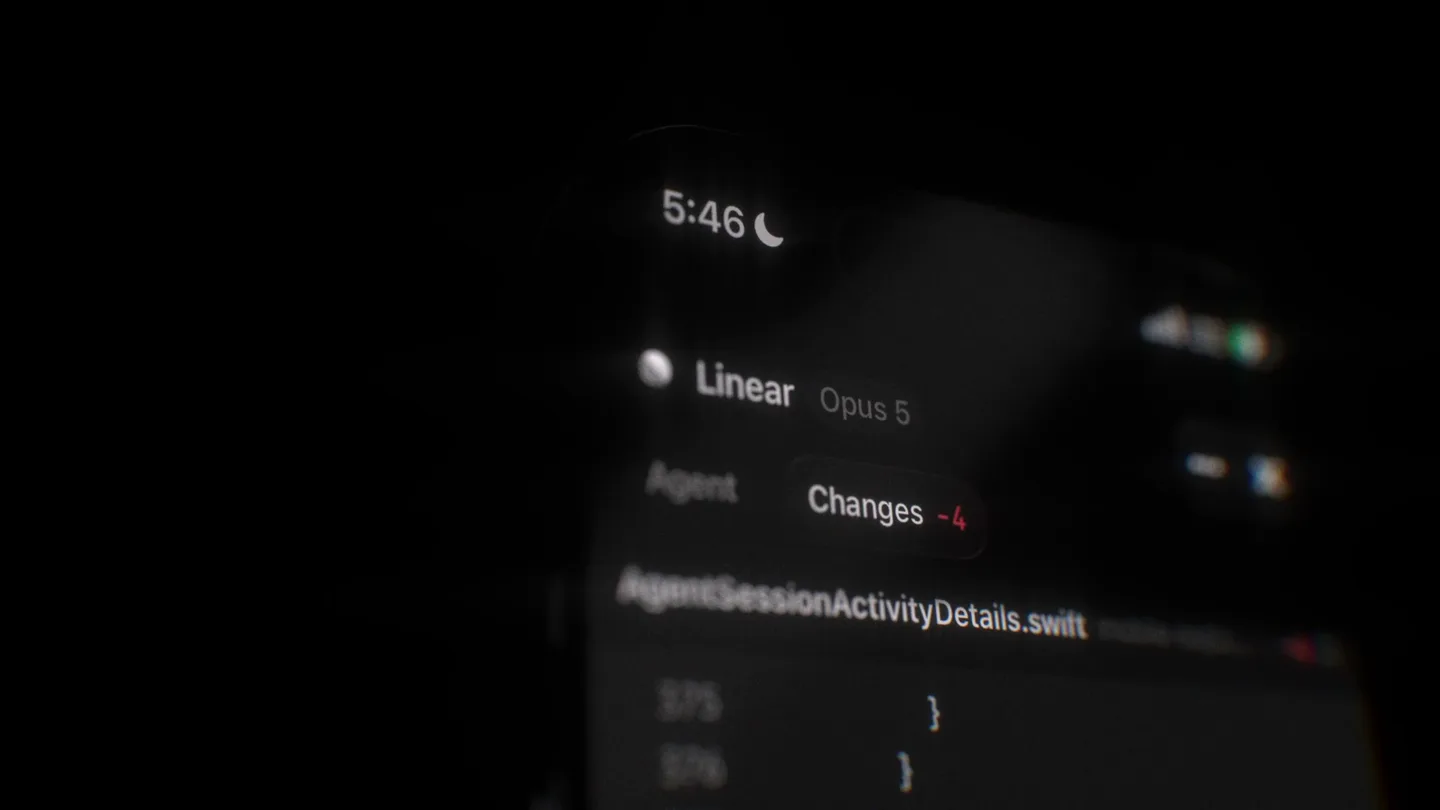
- 5:46 Linear Opus 5 Agent Changes -4 AgentSessionActivityDetails.swift 375 376 377
- Camera
- Close-up, slightly angled shot of a mobile phone screen displaying code, with a subtle rack focus effect.
- Motion
- Subtle rack focus, depth of field manipulation, and UI element highlighting.
Product Reveal
Inline Code Commenting
“(No spoken dialogue — A subtle, percussive 'click' or 'tick' sound is introduced, repeating intermittently, over the sustained synth pad and sub-bass drone.)”
- On screen
- AgentSessionActivityDetails.swift L378 add a preview so I can verify this change. @ Q W E R T Y U I O P
- Camera
- The camera maintains a close-up, slightly angled perspective, focusing on the text input area and keyboard.
- Motion
- Typing animation, text input field interaction, and subtle UI element glow.
Feature Teaser
Feedback Loop Integration
“(No spoken dialogue — A high-energy riser begins, building intensity with a sweeping synth effect, culminating in a subtle sub-bass impact at 0:12. The sustained synth pad and sub-bass drone continue.)”
- On screen
- Jasdev Singh AgentSessionActivityDetails.swift#L378 add a preview so I can verify this change. Working 00:03 Getting ready... 5:50 Linear Opus 5 Agent Changes -4 "Follow-up prompt" preview - starts from .sampleCompletedWithResponse (one finished, collapsed group) with a "Send follow-up" button in the top safe area. Tapping it appends a prompt plus a thought and an action, which is what a sent message produces: the prompt closes the old segment and opens a new active one. The button disables after one tap so activity IDs stay unique. What to look for: the new "Working 0:0K" group
- Camera
- The camera subtly pans and zooms to reveal more context of the mobile app interface, maintaining a dynamic, slightly off-center view.
- Motion
- Smooth UI transitions, content reveal animations, and subtle camera movement to guide attention.
Call to Action
Linear Branding
“(No spoken dialogue — The sustained synth pad and sub-bass drone fade out, leaving a sense of completion.)”
- On screen
- Linear
- Camera
- A static, centered shot of the Linear logo on a black background.
- Motion
- Simple logo reveal with a subtle fade-in.
Motion design primitives
Synthesizable in Remotion · key components of the dark-minimal-ui-focus template.
MobileCodeFocus
A close-up of a mobile screen displaying code, with a dynamic depth of field shift that highlights specific lines or UI elements as the camera subtly adjusts its focus.
+ Code construction recipe
Utilize Remotion's <AbsoluteFill> with a <Sequence> for camera movement. Implement a custom GLSL shader for depth of field or use CSS `filter: blur()` with `interpolate()` for focus transitions. Animate `scale` and `position` for subtle camera adjustments.
InlineTypingReveal
Text appears character by character within a UI input field, simulating real-time typing, accompanied by a subtle cursor animation.
+ Code construction recipe
Use Remotion's `spring()` or `interpolate()` for character opacity and position. A `Text` component with `split()` and `map()` can render characters individually. A blinking cursor can be achieved with `opacity` animation on a `View` element.
DynamicUIContextShift
The mobile UI smoothly transitions between different views or expands to reveal more information, with elements sliding, fading, or scaling into place, often accompanied by a subtle camera pan.
+ Code construction recipe
Employ `spring()` or `interpolate()` for `transform` properties (translate, scale, opacity) of UI components. Use `Sequence` and `AbsoluteFill` to manage scene composition and camera movements. SVG masks or `overflow: hidden` can create smooth content reveals.
Style DNA & aesthetic system
Visual aesthetic
Typography
Motion
Special effects
Pacing & rhythm
Conceptual story rhythm
- 1
Initial Immersion
Purpose. Draws the viewer into the product's environment, establishing the context of code review on a mobile device.
Execution. Close-up, slightly blurred shot of the mobile screen, gradually coming into focus on the code.
- 2
Problem-Solving Interaction
Purpose. Demonstrates the core functionality of commenting on code, highlighting ease of use and precision.
Execution. Typing animation in the comment box, showing the user providing feedback directly on a line of code.
- 3
Workflow Integration
Purpose. Showcases how the mobile interaction integrates into a larger development workflow, emphasizing collaboration.
Execution. UI transitions revealing the comment being sent and integrated into a user's activity feed, with subtle camera movement.
- 4
Brand Reinforcement
Purpose. Concludes the video with a strong brand presence, leaving a lasting impression.
Execution. Clean, static display of the company logo on a dark background.
Remix in Animatiq Studio
Master remix prompt · agent-ready
Sample remix
Objective
A new AI-powered design tool that allows real-time collaboration and feedback on mobile.How the recipe adapts
The MobileCodeFocus primitive would adapt to MobileDesignFocus, showcasing a close-up of the design tool's canvas on a mobile device, with dynamic depth of field highlighting specific design elements or layers. The InlineTypingReveal would become InlineFeedbackReveal, demonstrating users typing comments directly on design mockups. DynamicUIContextShift would be used for DesignWorkflowIntegration, showing how feedback is submitted and integrated into a collaborative design project, with smooth transitions between design views and comment threads. The overall dark aesthetic and ambient electronic score would be maintained to convey sophistication and focus.Remix blueprint · dark-minimal-ui-focus
Scene durations (4 scenes, 20.9s)
Key Remotion components
Related Developer Tools Product Launches
Explore all Developer Tools launches →
xAI opens voice cloning on its API: build a custom voice in about two minutes or pick from 80+ voices in 28 languages.

Claude can now operate your Mac, opening apps, browsing and filling spreadsheets, as a research preview in Cowork and Claude Code.

Agentic CLI for coding, building apps, and automating workflows.