
Ibelick · Launch Video Breakdown: Hook, Pacing & Motion Design
mesurer 0.0.11 adds a color picker plus settings to customize guides, colors, and rulers. Install via npm or the Chrome extension.
Scene-by-scene timeline & spoken transcript
The Hook
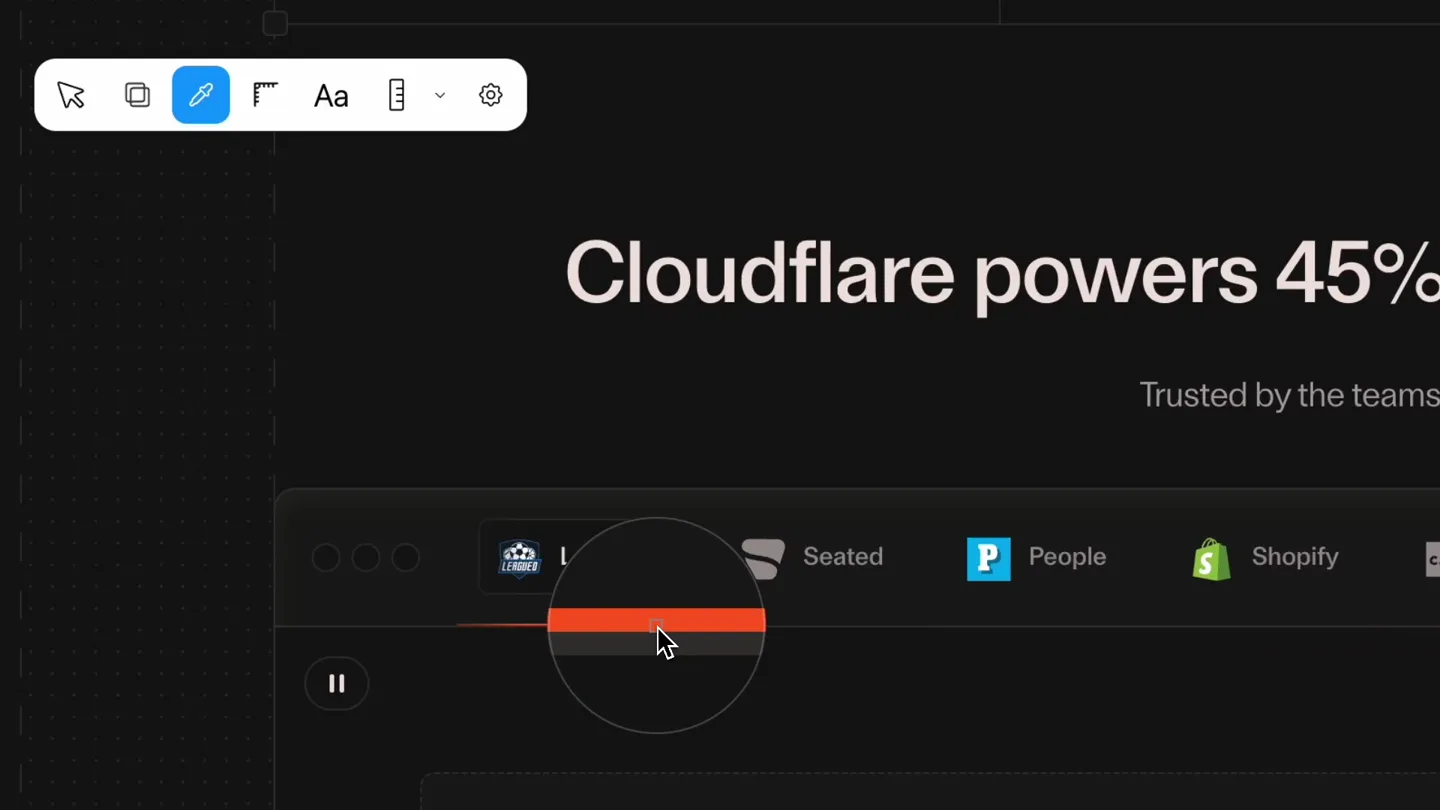
Color Picker Introduction
“(No spoken dialogue — Silent video with ambient visual focus.)”
- On screen
- Color picker P #ff5e20 rgb(255, 94, 32) oklch(0.687 0.207 38.7) hsl(16.7 100% 56.3%) Copied!
- Camera
- Static overhead view of a UI, with a mouse cursor interacting with elements.
- Motion
- Precise cursor interaction, tooltip reveals, and color value display with copy confirmation.
Product Reveal
Guide Customization Entry
“(No spoken dialogue — Silent video with ambient visual focus.)”
- On screen
- Message DeepSeek DeepThink Search AI-generated, for reference only
- Camera
- Static overhead view of a UI, with a mouse cursor interacting with elements.
- Motion
- Cursor navigation to the settings icon, highlighting the 'guides' functionality.
Feature Teaser
Detailed Guide Settings
“(No spoken dialogue — Silent video with ambient visual focus.)”
- On screen
- Guides Select Color Rulers General Color D50116 100% Weight 1px Pattern Length 18px Gap 17px Snap Highlight Message DeepSeek DeepThink Search AI-generated, for reference only
- Camera
- Static overhead view of a UI, with a mouse cursor interacting with elements.
- Motion
- Interactive UI elements, slider adjustments, and real-time visual feedback on guide patterns and spacing.
Motion design primitives
Synthesizable in Remotion · key components of the ui-feature-showcase template.
CursorInteractionHighlight
A mouse cursor precisely navigates and clicks UI elements, triggering tooltips and state changes, with a subtle hover effect.
+ Code construction recipe
Use `useCurrentFrame` and `interpolate` for cursor path animation. Implement `spring` for button hover and click feedback. Tooltips can be conditionally rendered with `AbsoluteFill` and `z-index`.
ColorPickerReveal
Upon clicking a color picker icon, a detailed color information panel appears, displaying hex, RGB, OKLCH, and HSL values, with a 'Copied!' confirmation.
+ Code construction recipe
Animate the `opacity` and `transform` (scale/translate) of the color panel using `spring`. Use `Sequence` to time the 'Copied!' text appearance and fade out.
InteractiveSettingsPanel
A settings panel with tabs, sliders, and toggles is displayed. User interaction with sliders dynamically changes visual properties like guide patterns, length, and gap.
+ Code construction recipe
Utilize `interpolate` for slider value changes and map these values to SVG stroke-dasharray properties for guide patterns. Toggles can be animated with `spring` for their on/off states.
Style DNA & aesthetic system
Visual aesthetic
Typography
Motion
Special effects
Pacing & rhythm
Conceptual story rhythm
- 1
Introducing the New Tool
Purpose. Showcase the immediate utility of the new color picker feature.
Execution. Cursor selects color picker, samples a color, and displays detailed color codes, ending with a 'Copied!' confirmation.
- 2
Accessing Customization
Purpose. Transition to the broader customization options available.
Execution. Cursor navigates to the settings icon and selects the 'guides' tab, revealing the customization panel.
- 3
Demonstrating Flexibility
Purpose. Highlight the granular control users have over visual guides.
Execution. Sliders are adjusted to change guide patterns, length, and gap, with real-time visual updates on the screen.
- 4
Empowering User Control
Purpose. Conclude by emphasizing the product's ability to adapt to user preferences.
Execution. The final adjustments to guide settings demonstrate the depth of customization, leaving the user with a sense of empowered control.
Remix in Animatiq Studio
Master remix prompt · agent-ready
Sample remix
Objective
Demonstrate 'CodeFlow's' new live code sharing and custom theme features.How the recipe adapts
The CursorInteractionHighlight primitive will show a cursor selecting a 'Share' button, then a 'Theme Settings' icon. The ColorPickerReveal will adapt to a 'Theme Color Picker' showing hex codes for syntax highlighting. The InteractiveSettingsPanel will be used for adjusting font sizes, line spacing, and selecting pre-built code themes, with immediate visual updates to the code editor background and text colors.Remix blueprint · ui-feature-showcase
Scene durations (3 scenes, 16s)
Key Remotion components
Related Creative Tools Product Launches
Explore all Creative Tools launches →
A vibe design partner with an AI-native canvas for turning ideas into UI.

We heard you wanted to use Codex rate limit resets on your own time. Starting today, we’re rolling out the ability to save rate limit resets to use later. We’re starting Go, Plus, Pro, and Business

There's a hidden tax on every knowledge worker in the world, and nobody talks about it: The design tax. You're a strategist, a sales lead, a marketer. You were hired for what you know. But every me…