
Paper · Launch Video Breakdown: Hook, Pacing & Motion Design
Paper Snapshot copies a live website into Paper as editable layers so you can iterate from what users actually see.
Scene-by-scene timeline & spoken transcript
The Hook
Capture Live Websites as Editable Layers
“(No spoken dialogue — High-energy riser at 0:00.5, followed by a sub-bass drop/impact at 0:01.0. Upbeat electronic score with synthesized percussion.)”
- On screen
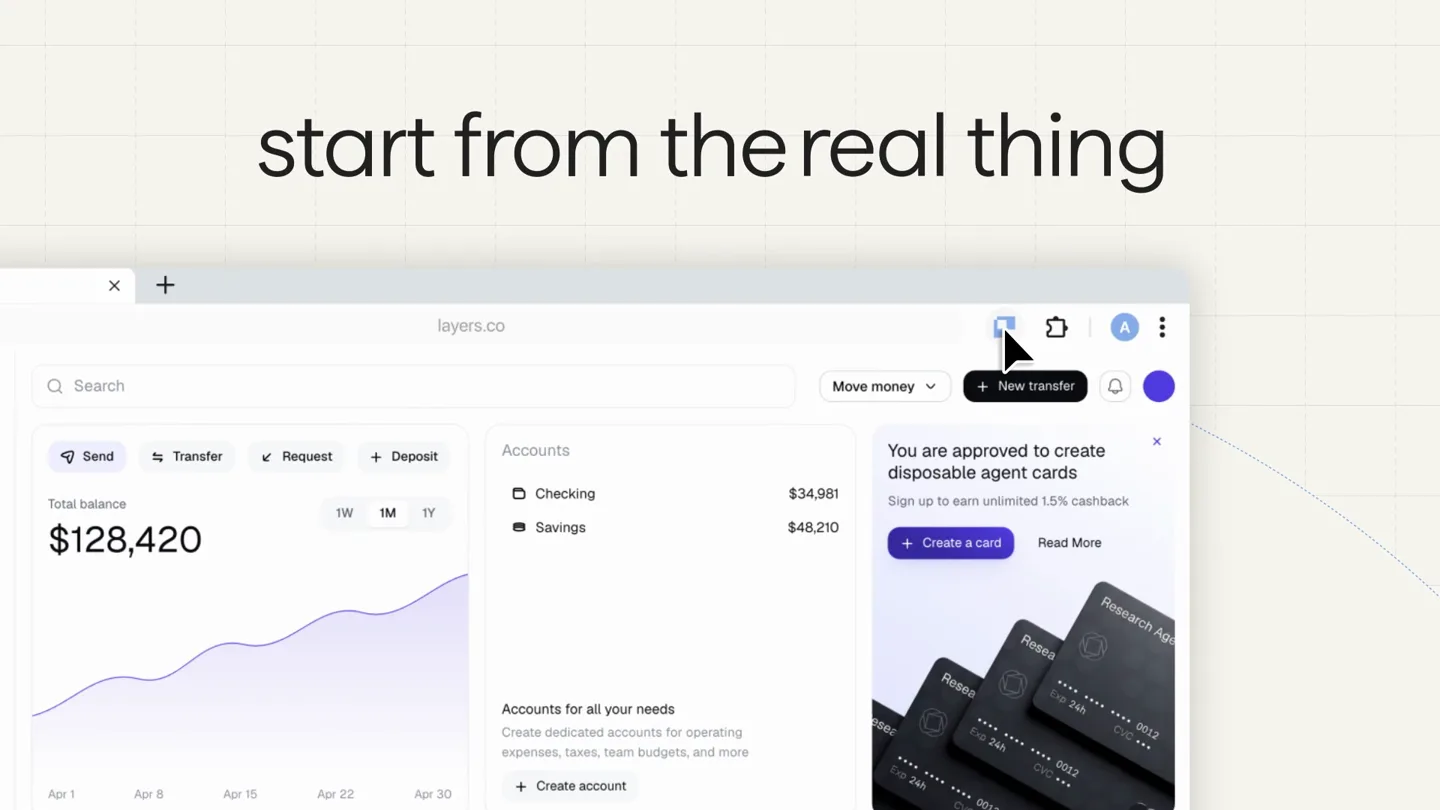
- Paper Snapshot Paper start from the real thing Click or to capture to capture all to fine-tune target Esc to cancel Capturing selection... 91% Copied to clipboard. no more screenshots
- Camera
- Static overhead shot of a grid background, then a close-up on a browser window, followed by a slight zoom out.
- Motion
- Text reveals with subtle scaling, UI element interactions (mouse clicks, progress bar), and a quick transition to a new text overlay.
Product Reveal
Seamlessly Paste and Iterate with AI
“(No spoken dialogue — Driving four-on-the-floor kick drum and prominent sub-bass line continue. Arpeggiated synth melodies build energy.)”
- On screen
- paste editable layers Claude Code > please ite| Claude Code > implement the banner components > agent-card.ts /** * from Paper * https://app.paper.design/file/ @JKYD45E7Z0Z9QBCKYQ5CH9PA/R-8/N92-0 * on Jul 13, 2026 */ export default function BannerCard() { return ( <div style={ alignItems: 'center', alignSelf: 'stretch', backgroundImage:
- Camera
- Static overhead shot, then a slight pan and zoom to highlight specific UI elements and code snippets.
- Motion
- Text reveals, UI element manipulation (dragging, resizing, color picker), AI-powered code generation simulation, and rapid visual iteration of design elements.
Feature Teaser
Eliminate Redundant Rebuilding
“(No spoken dialogue — Electronic percussive elements become more intricate. Synth pads provide a rich background texture.)”
- On screen
- no more rebuilding what already exists
- Camera
- A series of quick cuts and pans across multiple browser windows and design interfaces, showcasing various states and applications.
- Motion
- Rapid-fire montage of UI elements, demonstrating the product's versatility and integration. Text overlays emphasize key benefits.
Call to Action
Paper: Iterate from Reality
“(No spoken dialogue — Significant riser at 0:30.5, leading into a final sub-bass impact at 0:31.0. The music resolves with a final flourish.)”
- On screen
- Paper
- Camera
- Zoom out to a full view of the grid background, then a final static shot of the company logo.
- Motion
- A concluding visual flourish with the company logo appearing centrally, reinforcing brand identity.
Motion design primitives
Synthesizable in Remotion · key components of the ui-interaction-fast-cut-montage template.
GridBackgroundReveal
A subtle grid pattern background that appears to recede or expand slightly, providing a clean, technical aesthetic for UI elements.
+ Code construction recipe
Use a Remotion <AbsoluteFill> with a background image or SVG pattern. Animate its scale or perspective transform using `interpolate` or `spring` for subtle depth changes.
UITextPopIn
On-screen text elements appear with a quick, slightly bouncy scale-up and fade-in, often accompanied by a subtle shadow or glow.
+ Code construction recipe
Apply `spring` for scale and opacity to a <Text> component. Use `delay` and `duration` props to sequence multiple text elements. Consider a `drop-shadow` CSS filter for depth.
BrowserWindowInteraction
Simulated browser windows and UI elements that animate with mouse clicks, drags, and content changes, often with a slight parallax or depth effect.
+ Code construction recipe
Compose multiple <AbsoluteFill> or <Sequence> components for browser frames and content. Animate `x`, `y`, `scale`, and `opacity` using `interpolate` for mouse movements and `spring` for click feedback. Use `z-index` for layering.
Style DNA & aesthetic system
Visual aesthetic
Typography
Motion
Special effects
Pacing & rhythm
Conceptual story rhythm
- 1
The Problem
Purpose. Introduce the inefficiency of current workflows (screenshots) that Paper Snapshot solves.
Execution. Show a user attempting to capture a website, highlighting the limitations of traditional methods with text overlays like 'no more screenshots'.
- 2
The Solution
Purpose. Demonstrate Paper Snapshot's core functionality: capturing live websites as editable layers.
Execution. Visually show the 'snapshot' process, followed by the website content appearing as editable layers within the Paper interface, with text 'paste editable layers'.
- 3
The Benefit
Purpose. Showcase the power of iterating directly from live content, including AI integration.
Execution. Illustrate rapid design iterations, AI-powered code generation, and seamless integration into development workflows, with text 'no more rebuilding what already exists'.
- 4
The Call to Action
Purpose. Reinforce the brand and encourage adoption.
Execution. A final, impactful display of the Paper logo, summarizing the product's value proposition.
Remix in Animatiq Studio
Master remix prompt · agent-ready
Sample remix
Objective
Launch a new AI-powered code refactoring tool called 'RefactorFlow' that automatically optimizes legacy codebases.How the recipe adapts
The video would open with a 'RefactorFlow' title card, followed by a 'start from the real code' text overlay. Instead of a browser, a code editor UI would be shown, demonstrating the 'snapshot' of a messy codebase. The 'paste editable layers' equivalent would be 'apply optimized code', showing the AI transforming code blocks. The 'no more rebuilding' message would become 'no more manual refactoring', with rapid-fire examples of code improvements. The final call to action would feature the RefactorFlow logo.Remix blueprint · ui-interaction-fast-cut-montage
Scene durations (4 scenes, 37s)
Key Remotion components
Related Creative Tools Product Launches
Explore all Creative Tools launches →
Anthropic Labs launches Claude Design, which turns conversation into prototypes, slides and one-pagers, powered by Claude Opus 4.7.

A vibe design partner with an AI-native canvas for turning ideas into UI.

Your work tools in Claude are now available on mobile. Explore Figma designs, create Canva slides, check Amplitude dashboards, all from your phone. Give it a try: