
Aiden Bai · Launch Video Breakdown: Hook, Pacing & Motion Design
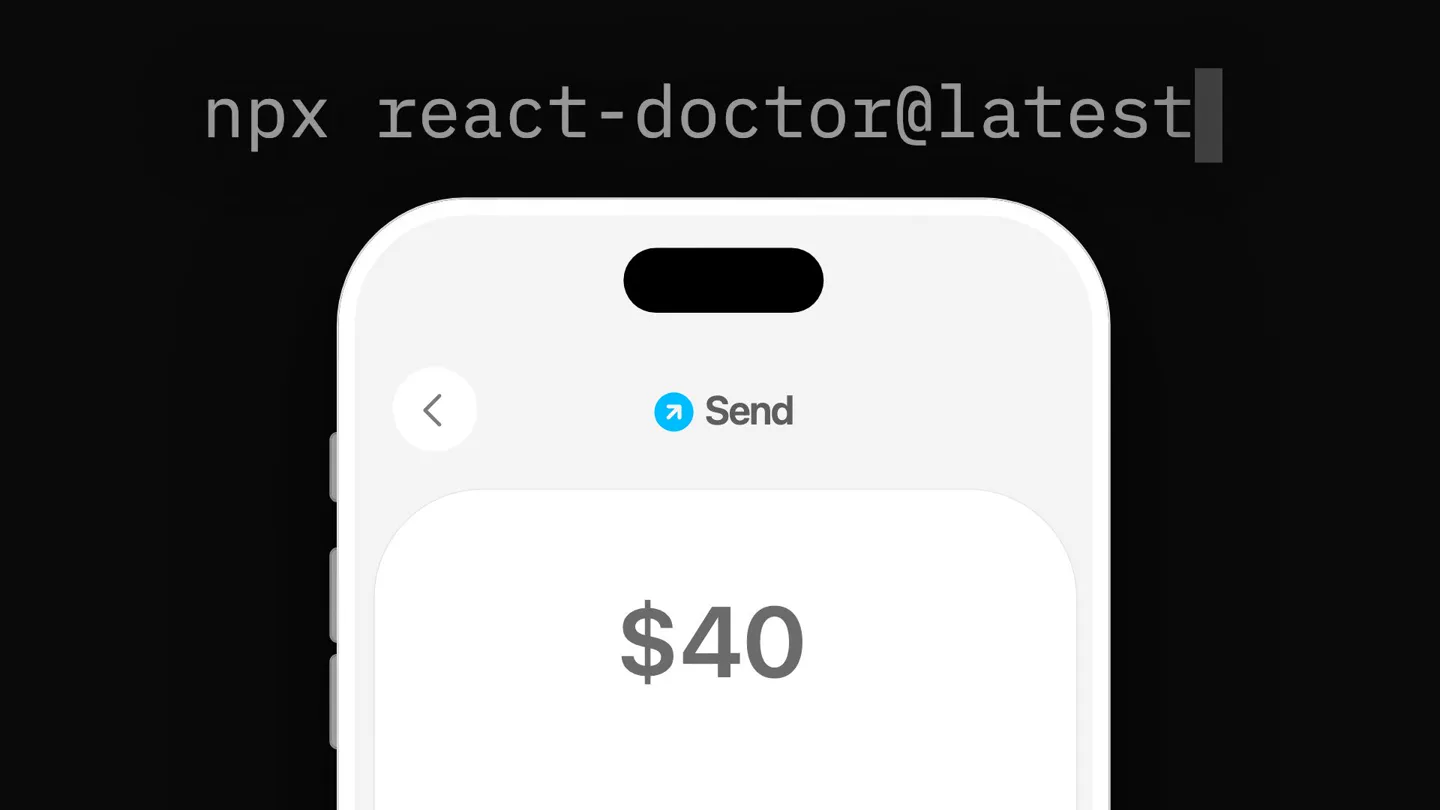
Introducing React Native Doctor Find performance and security bugs in your mobile app Run via CLI and fix with agents. Fully open source npx react-doctor@latest
Scene-by-scene timeline & spoken transcript
The Hook
CLI Command & Problem Agitation
“(No spoken dialogue — High-energy audio riser peaks at 0:01, followed by a sub-bass drop/impact. Driving synth bassline at 120 BPM begins.)”
- On screen
- npx react-doctor@latest ! Fix crash from unwrapped text ! Fix slow list scrolling ProductCard.tsx:31 SearchResults.tsx:18
- Camera
- Static wide shot of a terminal window and a mobile phone screen, with text appearing dynamically.
- Motion
- Text typing animation, dynamic highlighting of issues on the mobile screen, and a subtle zoom out.
Problem Agitation
Scanning for Issues
“(No spoken dialogue — Evolving synth pads and subtle percussive elements build tension. A significant audio riser builds from 0:08 to 0:09, culminating in a powerful sub-bass impact.)”
- On screen
- Scan your React Native app ! Fix slow image loading ! Fix janky animation ! Fix slow scrolling ! Fix slow list handlers ! Fix outdated dependency ! Fix slow screen load ! Fix janky press feedback ! Fix wasteful styling ! Fix broken rotation layout ! Fix broken list rows ! Fix dead code in list ! Fix missing shadow ! Fix non-native bottom sheet ! Fix non-native navigation ! Fix stale animation value ! Fix list layout jump ! Fix collapsing scroll view ! Fix crash from unwrapped text ! Fix slow list scrolling ! Fix slow list rendering ! Fix crash from rendering 0 ! Fix outdated button ! Fix slow list updates ! Fix slow row rendering ! Fix crash from removed module 35 / 100 Critical
- Camera
- Static wide shot, focusing on the terminal output and mobile screen. The mobile screen shows interactive highlights.
- Motion
- Rapid-fire text reveal, scrolling list of issues, progress bar fill animation, and dynamic UI element highlighting on the mobile device.
Product Reveal
AI-Powered Fixes
“(No spoken dialogue — The driving synth bassline continues with dynamic sound effects emphasizing build-up and release.)”
- On screen
- Claude Code Opus 4.6 Claude API /Users/you/my-app > fix my React Native code : Fixing issues... ! Fix wasteful styling ! Fix broken rotation layout ! Fix broken list rows ! Fix dead code in list ! Fix missing shadow ! Fix non-native bottom sheet ! Fix laggy scrolling ! Fix slow screen load ! Fix slow image loading ! Fix slow scrolling ✓ All issues fixed ✓ Fix slow-list-rendering ✓ Fix broken rotation layout ✓ Fix janky animation ✓ Fix dead code in list ✓ Fix slow list updates ✓ Fix slow screen load 42 / 100 Critical 75 / 100 Great 100 / 100 Great
- Camera
- Static wide shot, maintaining focus on the terminal and mobile screen. The terminal output changes to show AI interaction.
- Motion
- Text typing animation for AI command, issue list transforming from '!' to '✓', and a progress bar filling from red to green, indicating improvement.
Call to Action
Achieve 100% Greatness
“(No spoken dialogue — The music reaches a triumphant peak with a final sub-bass impact and celebratory sound design.)”
- On screen
- 28 / 100 Critical https://react.doctor 88 / 100 Great 100 / 100 Great
- Camera
- Full screen view of the progress bar and URL, with a celebratory confetti animation.
- Motion
- Progress bar filling, score increasing, emoji changing from sad to happy, and a confetti burst animation.
Motion design primitives
Synthesizable in Remotion · key components of the cli-devtool-launch-template template.
TerminalCodeReveal
Text appears character by character in a monospace font, simulating a command-line interface. Lines of code or issues scroll dynamically.
+ Code construction recipe
Use Remotion's <Sequence> and <AbsoluteFill> for layout. Implement character-by-character text reveal with `interpolate` for opacity and `delay` for each character. For scrolling, use `useCurrentFrame` and `spring` to animate `transform: translateY` on a container of text lines.
MobileUIHighlight
Specific UI elements on a mobile phone screen are highlighted with a red outline, then transition to a green outline as issues are resolved.
+ Code construction recipe
Overlay SVG shapes (rectangles, circles) with `stroke` and `stroke-width` properties. Animate `stroke` color using `interpolateColor` and `stroke-dasharray` for a 'drawing' effect. Use `spring` for subtle scaling or pulsing on highlight activation.
DynamicProgressBar
A horizontal bar fills from left to right, changing color from red to green, accompanied by a numerical score update and an emoji transition.
+ Code construction recipe
Create a `<View>` for the bar's background and another for the fill. Animate the `width` of the fill `<View>` using `interpolate` or `spring`. Use `interpolateColor` for the background color transition. Animate the numerical score with `useCurrentFrame` and `interpolate` for smooth counting. Emoji changes can be handled by conditional rendering based on the score.
Style DNA & aesthetic system
Visual aesthetic
Typography
Motion
Special effects
Pacing & rhythm
Conceptual story rhythm
- 1
The Problem Unveiled
Purpose. Immediately establish the core problem: buggy, slow React Native apps.
Execution. A CLI command initiates a scan, revealing a cascade of critical issues on both the terminal and a live mobile app UI.
- 2
The Diagnosis
Purpose. Showcase the depth and breadth of the product's diagnostic capabilities.
Execution. A scrolling list of diverse performance and security bugs, with a 'Critical' score indicating the severity.
- 3
The Solution
Purpose. Demonstrate the product's ability to automatically fix complex issues.
Execution. An AI agent is invoked via CLI, and the list of issues rapidly transforms into 'fixed' statuses, with the score improving dramatically.
- 4
The Triumph
Purpose. Conclude with a clear call to action and a sense of achievement.
Execution. A full-screen progress bar reaches 100% 'Great', accompanied by a happy emoji, confetti, and the product's URL.
Remix in Animatiq Studio
Master remix prompt · agent-ready
Sample remix
Objective
A new CLI tool, 'TypeGuard', that automatically refactors JavaScript to TypeScript, improving type safety and reducing errors.How the recipe adapts
The TerminalCodeReveal primitive would show 'npx typeguard@latest' followed by a list of 'Untyped Function' or 'Any Usage' warnings. The MobileUIHighlight would adapt to highlight specific code blocks in an IDE view. The DynamicProgressBar would track 'Type Safety Score' from 'Poor' to 'Excellent', with the emoji transitioning from a confused face to a confident one. The celebratory confetti would mark 100% type safety.Remix blueprint · cli-devtool-launch-template
Scene durations (4 scenes, 17.8s)
Key Remotion components
Related Developer Tools Product Launches
Explore all Developer Tools launches →
xAI opens voice cloning on its API: build a custom voice in about two minutes or pick from 80+ voices in 28 languages.

Claude can now operate your Mac, opening apps, browsing and filling spreadsheets, as a research preview in Cowork and Claude Code.

Agentic CLI for coding, building apps, and automating workflows.