
Sketch · Launch Video Breakdown: Hook, Pacing & Motion Design
Sketch stacks now support min/max sizes, relative sizing, negative gap, and z-index. The update also includes blurs on groups plus glass and fade combined.
Scene-by-scene timeline & spoken transcript
The Hook
Introducing Enhanced Stacks
“(No spoken dialogue — Driving electronic score with pizzicato synths and sub-bass. High-energy audio transition at 0:02, sub-bass drop at 0:03.)”
- On screen
- (No on-screen text)
- Camera
- Static, centered on a 3D diamond icon, then a quick cut to a top-down isometric view of a UI element.
- Motion
- Geometric icon reveal, followed by a quick cut to a UI demonstration with subtle parameter adjustments.
Feature Teaser
Min/Max Sizing & Relative Sizing
“(No spoken dialogue — Electronic score continues with consistent tempo. High-energy audio transitions at 0:05, 0:08, 0:11. Sub-bass drops at 0:06, 0:09.)”
- On screen
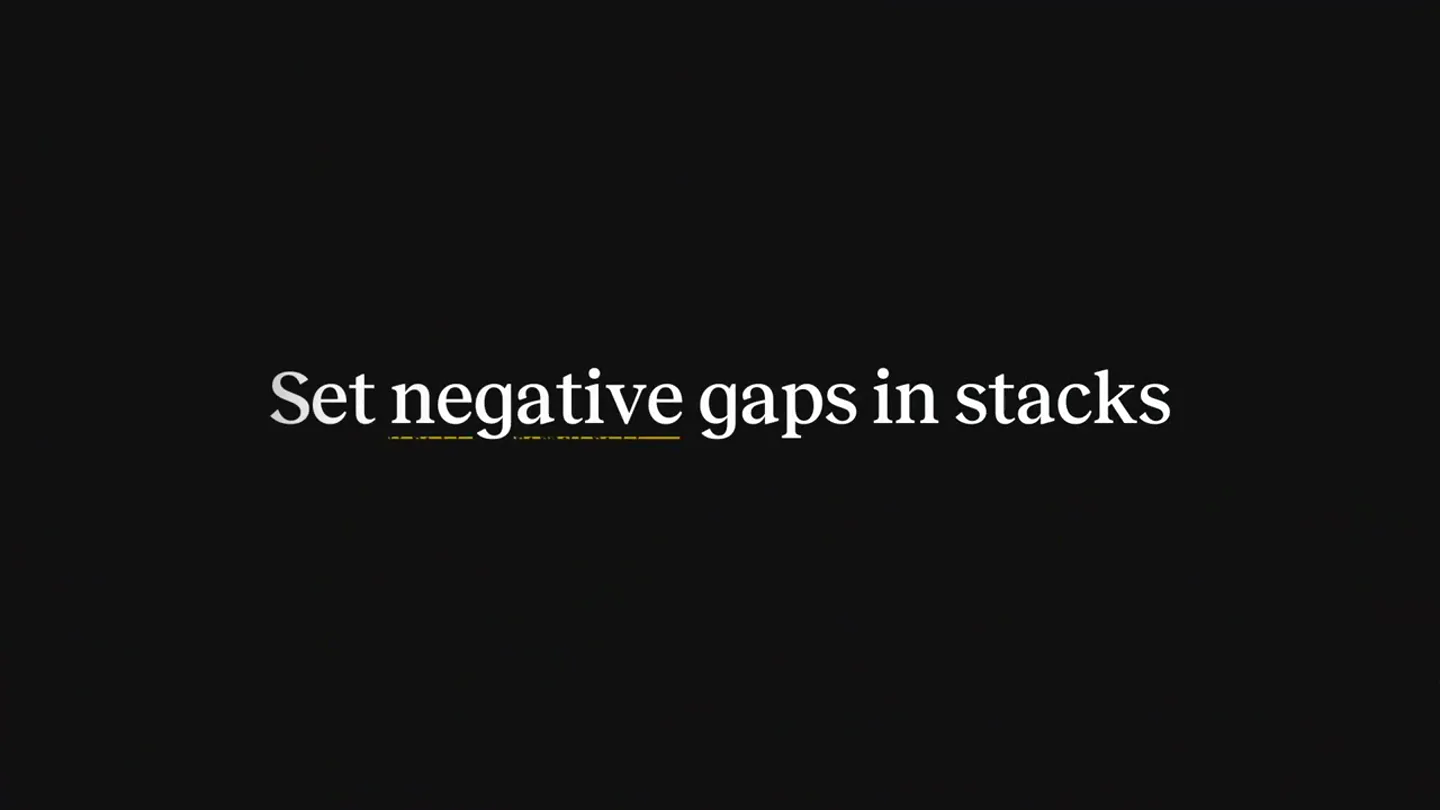
- Set min/max sizes
- Camera
- Static, showcasing UI elements and their dynamic resizing. The camera remains fixed on the interface.
- Motion
- On-screen text reveal with a subtle underline animation, followed by direct manipulation of UI elements demonstrating min/max and relative sizing with smooth transitions.
Feature Teaser
Negative Gap & Z-Index Control
“(No spoken dialogue — Electronic score maintains intensity. High-energy audio transitions at 0:14, 0:17. Sub-bass drops at 0:12, 0:15, 0:18.)”
- On screen
- Along with relative sizes
- Camera
- Static, focusing on UI elements demonstrating layering and spacing adjustments. The camera maintains a consistent perspective.
- Motion
- Text reveal, followed by interactive UI demonstrations of negative gap and z-index adjustments, with elements smoothly reordering and overlapping.
Product Reveal
Sketch Stacks: The Full Update
“(No spoken dialogue — Electronic score builds in intensity, culminating in a final impact at 0:42. High-energy audio transitions at 0:20, 0:23, 0:26, 0:29, 0:32, 0:35, 0:38. Sub-bass drops at 0:21, 0:24, 0:27, 0:30, 0:33, 0:36, 0:39.)”
- On screen
- Even better stacks, now in Sketch
- Camera
- Static, centered on the Sketch logo, then a rapid sequence of UI demonstrations with quick cuts and dynamic element interactions.
- Motion
- Logo reveal, followed by a montage of rapid-fire UI interactions showcasing various stack features, including blurs on groups, glass, and fade effects, all synchronized with the driving beat.
Motion design primitives
Synthesizable in Remotion · key components of the dynamic-ui-feature-showcase template.
DynamicStackAdjust
UI elements within a 'stack' dynamically resize, reorder, and adjust their spacing (including negative values) in response to parameter changes in an adjacent control panel. Elements smoothly animate to their new positions and sizes.
+ Code construction recipe
Utilize Remotion's 'interpolate' for smooth value transitions (e.g., width, height, x/y position, z-index, opacity) based on user input or simulated parameter changes. Employ 'spring' animations for a natural, bouncy feel on element repositioning. Use 'measureText' for dynamic text sizing within UI components.
InteractivePropertyPanel
A floating UI panel with controls (sliders, toggles, input fields) appears and highlights as values are adjusted. The panel itself can subtly animate into view or shift position.
+ Code construction recipe
Implement a 'spring' animation for the panel's entrance and exit. Use 'interpolate' for highlighting active controls (e.g., background color change, border glow). Input fields can simulate typing or value changes using 'sequence' and 'delay' for character-by-character reveals or number increments.
TextUnderlineReveal
On-screen text appears, and a subtle, animated underline draws itself beneath specific words or phrases, emphasizing key features.
+ Code construction recipe
Render text using a 'Text' component. For the underline, use an SVG 'line' element or a 'div' with a 'border-bottom' style. Animate the 'stroke-dasharray' and 'stroke-dashoffset' properties for SVG lines, or the 'width' property for a div, using 'interpolate' to create a drawing effect.
Style DNA & aesthetic system
Visual aesthetic
Typography
Motion
Special effects
Pacing & rhythm
Conceptual story rhythm
- 1
Abstract Intrigue
Purpose. To immediately capture attention and establish a premium, technical tone without revealing the product directly.
Execution. A 3D diamond icon with architectural grid lines, hinting at precision and design, followed by a quick cut to a minimalist UI element.
- 2
Feature Spotlight Montage
Purpose. To rapidly showcase the core new functionalities of 'stacks' through concise, direct UI demonstrations.
Execution. Quick cuts between different UI scenarios, each highlighting a specific feature (min/max sizes, relative sizing, negative gap, z-index) with on-screen text overlays and interactive panel adjustments.
- 3
Enhanced Capabilities Showcase
Purpose. To demonstrate the broader impact and versatility of the updated 'stacks' across various design contexts.
Execution. A series of diverse UI examples (e.g., user avatars, wallet cards, text documents) dynamically responding to stack settings, including blur and layering effects.
- 4
Brand Reinforcement & Call to Action
Purpose. To conclude with a strong brand statement and encourage users to engage with the updated product.
Execution. A clear, concise headline summarizing the update, followed by the iconic Sketch logo, reinforcing brand identity.
Remix in Animatiq Studio
Master remix prompt · agent-ready
Sample remix
Objective
Launch a new AI-powered code refactoring tool called 'SyntaxFlow'.How the recipe adapts
The video would open with an abstract, glowing neural network icon, replacing the diamond. Feature spotlights would demonstrate SyntaxFlow's ability to automatically refactor code, adjust indentation, and optimize variable names. The InteractivePropertyPanel would show settings for refactoring depth and language preferences. TextUnderlineReveal would highlight 'Automated Refactoring' and 'Intelligent Optimization'. The UI would feature code editor interfaces with dynamic code changes, using the same clean aesthetic and vibrant highlights for code blocks. The final scene would reveal the 'SyntaxFlow' logo with a tagline like 'Code Smarter, Not Harder'.Remix blueprint · dynamic-ui-feature-showcase
Scene durations (4 scenes, 45s)
Key Remotion components
Related Creative Tools Product Launches
Explore all Creative Tools launches →
A vibe design partner with an AI-native canvas for turning ideas into UI.

We heard you wanted to use Codex rate limit resets on your own time. Starting today, we’re rolling out the ability to save rate limit resets to use later. We’re starting Go, Plus, Pro, and Business
There's a hidden tax on every knowledge worker in the world, and nobody talks about it: The design tax. You're a strategist, a sales lead, a marketer. You were hired for what you know. But every me…