
Spline · Launch Video Breakdown: Hook, Pacing & Motion Design
Spline V2 rebuilds the 3D editor: new UI, AI Agent Mode and Spline MCP, a faster WebGPU engine, PBR/HDR workflows, and custom code and scripting.
Scene-by-scene timeline & spoken transcript
The Hook
AI Agent Mode & Rapid 3D Scene Generation
“(No spoken dialogue — A prominent riser at [00:01] followed by a sub-bass drop/impact at [00:02] and another riser at [00:06] emphasize a dynamic, futuristic feel.)”
- On screen
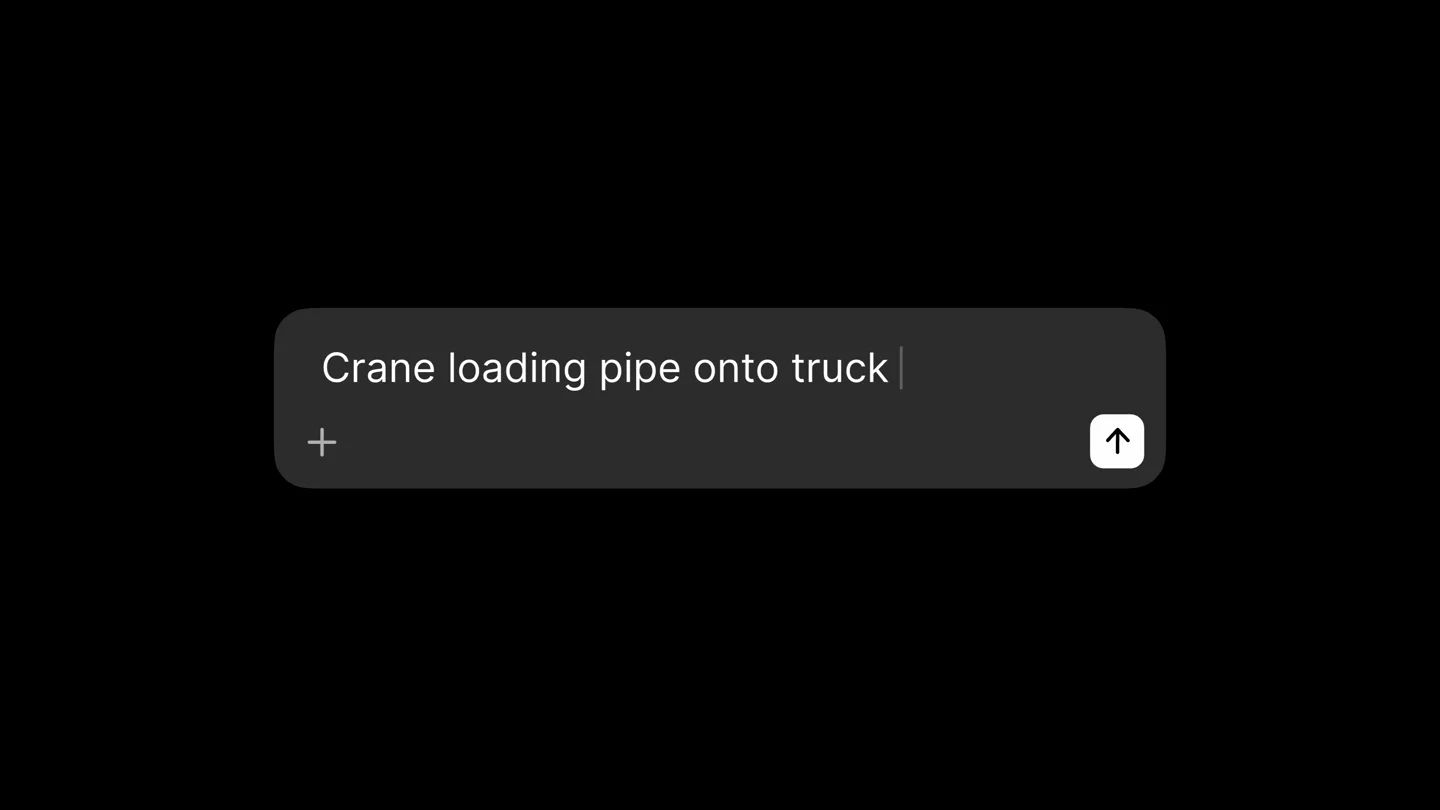
- Crane loading pipe on | +
- Camera
- Initial close-up on a text input field, then a rapid zoom-out and pan across various 3D scenes, showcasing different models and environments within the Spline editor.
- Motion
- Fast-paced cuts, quick camera pans, and zooms, with a focus on demonstrating the AI agent's ability to generate complex 3D scenes from text prompts.
Feature Teaser
Core Feature Showcase: WebGPU, PBR, AI Agents, Code Tab
“(No spoken dialogue — A sweep at [00:10] and a significant sub-bass drop/impact at [00:12] mark transitions, followed by a riser at [00:16] and another sweep at [00:20].)”
- On screen
- PBR Workflow WebGPU Renderer </> Code Tab <> Spline MCP AI Agents Make your own
- Camera
- Static shots on feature callouts, followed by quick cuts to different 3D scenes, some with code editors visible, demonstrating the features in action.
- Motion
- Text reveals with subtle glows, rapid scene transitions, and UI element highlights to draw attention to key features like the code tab and rendering capabilities.
Product Reveal
Interactive 3D & Custom Code Integration
“(No spoken dialogue — A sub-bass drop/impact at [00:22] and a riser at [00:26] build tension, leading into a sweep at [00:30].)”
- On screen
- recreate this in Spline 3D recreation in Spline DISTANCE 24m
- Camera
- Dynamic camera movements within the 3D editor, showcasing interactive elements and code integration, with a focus on user interaction and real-time feedback.
- Motion
- Smooth camera glides, interactive UI elements responding to mouse input, and seamless transitions between 3D viewport and code editor views.
Feature Teaser
Advanced Workflows: PBR/HDR & Custom Scripting
“(No spoken dialogue — A sub-bass drop/impact at [00:32], a riser at [00:36], a sweep at [00:40], and a final sub-bass drop/impact at [00:42] provide high-energy transitions.)”
- On screen
- MARBLE REVEALED INTERACTIVE 3D EXPERIENCE Discover Marie Antoinette Explore the elegance beneath the marble. Click to bring the sculpture to life. START EXPLORING → MARIE ANTOINETTE Marie Antoinette of France c. 1770 - Polychrome study ROTATE ZOOM LIGHT HELP Reveal Colors
- Camera
- Showcases complex 3D models with advanced rendering, followed by a close-up on interactive elements and a final shot of a vibrant, abstract sphere.
- Motion
- High-fidelity rendering, subtle camera rotations to highlight PBR/HDR details, and a final abstract animation to signify creative potential.
Call to Action
Spline V2: The Future of 3D Design
“(No spoken dialogue — The driving synth bassline and atmospheric pads continue, building to a final impactful sound design element at the end.)”
- On screen
- Spline V2 Rebuilds the 3D editor. New UI. AI Agent Mode. Spline MCP. Faster WebGPU engine. PBR/HDR workflows. Custom code & scripting. Spline.design
- Camera
- Dynamic text animations revealing key features, culminating in a full-screen display of the Spline V2 logo and website.
- Motion
- Kinetic typography, text wipes, and scale animations, with a final impactful reveal of the brand and call to action.
Motion design primitives
Synthesizable in Remotion · key components of the spline-v2-launch-remix template.
AIAgentSceneReveal
A text input field animates with typing, then rapidly transitions to a fully rendered 3D scene generated from the text, followed by quick cuts to other diverse 3D scenes.
+ Code construction recipe
Use `interpolate` for typing animation. Implement `Sequence` for rapid scene cuts. Utilize `spring` for subtle camera movements and object pop-ins within each 3D scene. Consider `WebGL` or `Three.js` integration for rendering the 3D content.
FeatureCalloutGlow
Key feature names appear as glowing, rounded rectangles, then quickly transition to a demonstration of that feature within the Spline editor UI.
+ Code construction recipe
Apply `CSS filters` for glow effects on text and shapes. Use `scale` and `opacity` animations with `spring` for the reveal. Employ `Composition` to layer the feature callout over a blurred background before cutting to the detailed UI.
KineticFeatureList
A list of product features animates onto the screen sequentially with a dynamic, fast-paced rhythm, often accompanied by a visual wipe or scale effect.
+ Code construction recipe
Utilize `Sequence` and `delay` for staggered text reveals. Implement `translateX` or `scale` with `cubic-bezier` easing for snappy, impactful animations. Combine with `mask` or `clipPath` for wipe effects.
Style DNA & aesthetic system
Visual aesthetic
Typography
Motion
Special effects
Pacing & rhythm
Conceptual story rhythm
- 1
AI-Powered Creation
Purpose. Immediately hook the viewer by demonstrating the most innovative feature: AI-driven 3D scene generation from text prompts.
Execution. Starts with a text input field, rapidly transitions to a complex 3D scene, then quickly showcases diverse AI-generated environments.
- 2
Technical Prowess
Purpose. Highlight the core technological advancements and powerful new features that underpin Spline V2.
Execution. Feature callouts for WebGPU, PBR, AI Agents, and Code Tab, followed by quick cuts demonstrating these features in action within the editor.
- 3
Creative Freedom
Purpose. Emphasize the versatility and customizability of the tool, showing how users can build interactive experiences and integrate custom code.
Execution. Showcases interactive 3D models, code editor views, and examples of complex, custom-built scenes and games.
- 4
The Future of 3D
Purpose. Reinforce the product's value proposition and call the audience to action, summarizing the key benefits of Spline V2.
Execution. Kinetic typography listing key features, culminating in the Spline V2 logo and website, with a final impactful sound design.
Remix in Animatiq Studio
Master remix prompt · agent-ready
Sample remix
Objective
Launch a new AI-powered vector graphics editor that generates illustrations from text prompts and offers advanced collaboration features.How the recipe adapts
The AIAgentSceneReveal primitive would be adapted to show text input generating vector illustrations. FeatureCalloutGlow would highlight 'AI Co-creation' and 'Real-time Collaboration' with glowing text. KineticFeatureList would enumerate benefits like 'Infinite Canvas' and 'Version History'. The overall pacing and dark UI aesthetic would be maintained, but the 3D scenes would be replaced with 2D vector art examples.Remix blueprint · spline-v2-launch-remix
Scene durations (5 scenes, 58s)
Key Remotion components
Related Creative Tools Product Launches
Explore all Creative Tools launches →
Anthropic Labs launches Claude Design, which turns conversation into prototypes, slides and one-pagers, powered by Claude Opus 4.7.

A vibe design partner with an AI-native canvas for turning ideas into UI.

Your work tools in Claude are now available on mobile. Explore Figma designs, create Canva slides, check Amplitude dashboards, all from your phone. Give it a try: