
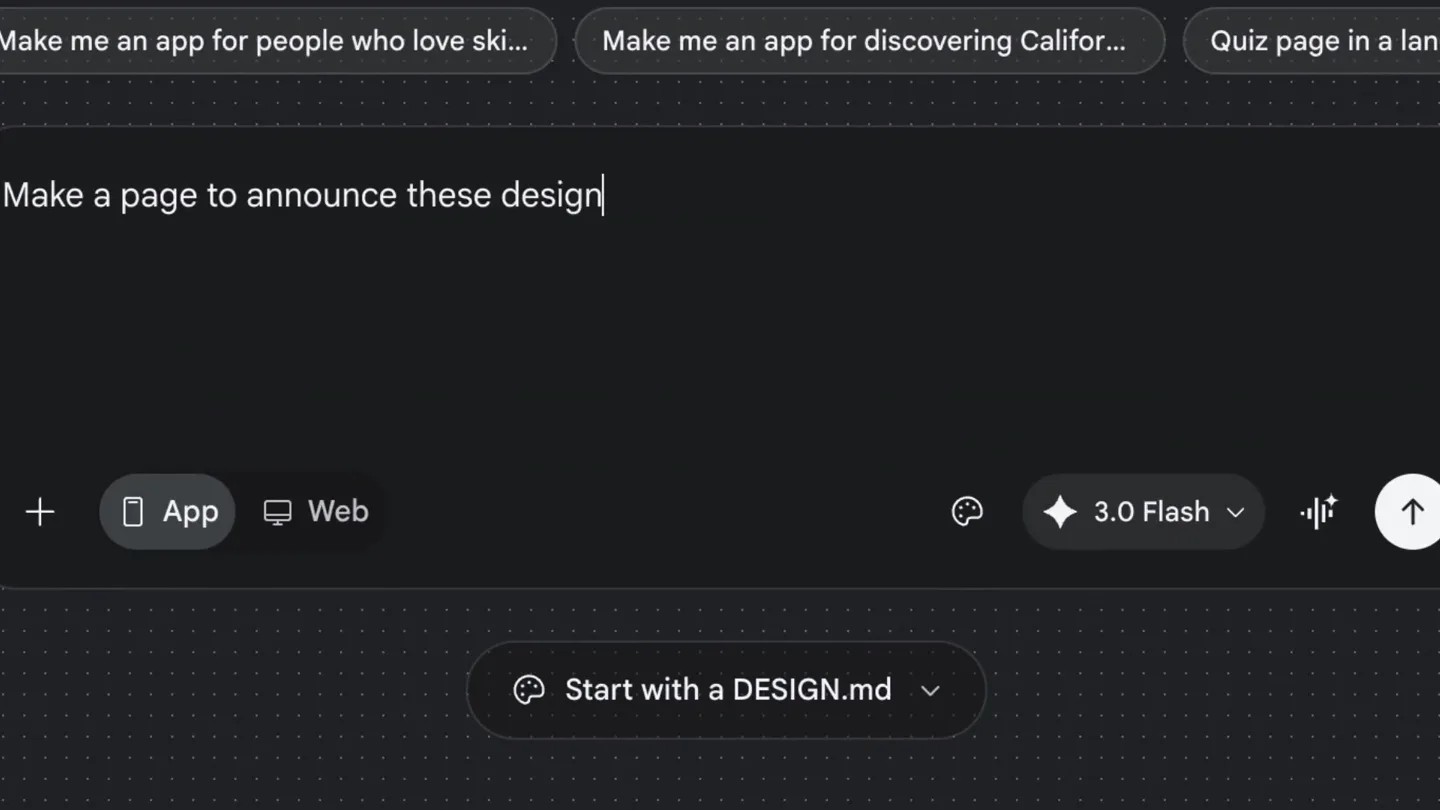
Stitch by Google · Launch Video Breakdown: Hook, Pacing & Motion Design
The DESIGN.md upgrade is officially live in Stitch! 🚀 Yesterday we open-sourced the spec, and today we are giving you more tools to use it: 📄 Start with DESIGN.md: Attach a DESIGN.md right at the…
Scene-by-scene timeline & spoken transcript
The Hook
AI-Powered Design System Generation
“(No spoken dialogue — Typing sound effects and UI clicks)”
- On screen
- Welcome to Stitch.. Make an app for people who love ski... Make an app for discovering Califor... Quiz page in a langua Make a page to announce these design Start with a DESIGN.md App Web 3.0 Flash Make a page to announce these design system updates: Start with DESIGN.md: Attach a DESIGN.md right at the start of a project. Don't have one? Our new wizard will help you extract one from your code base or the web. Instant Translation: Upload a DESIGN.md file to generate a full Design System on the canvas. Token Support: We now fully support design tokens! Add them to your file and Stitch will seamlessly incorporate them. Clean Up: (You asked, we listened) You can now easily delete a design system.
- Camera
- Static wide shot of the Stitch UI, focusing on the central input area.
- Motion
- Rapid text typing animation, UI element reveals, and content expansion.
Product Reveal
DESIGN.md Integration Workflow
“(No spoken dialogue — UI clicks and subtle hover sounds)”
- On screen
- Start with a DESIGN.md DESIGN.md is a design system document that describes the desired look and feel of your product. Learn more Upload a DESIGN.md Paste a DESIGN.md Generate from codebase From the web Back Generate from codebase Copy this prompt into your coding agent. It will analyze your codebase and produce a DESIGN.md file at the project root. Examples from the spec repo: https://github.com/google-labs-code/design.md/blob/main/examples/atmospheric-glass/DESIGN.md https://github.com/google-labs-code/design.md/blob/main/examples/paws-and-paths/DESIGN.md Open docs Copy prompt Prompt copied to clipb Back Paste a DESIGN.md Paste the contents of a DESIGN.md file below, then save to continue. # DESIGN.md ## Overview Describe the product, users, and goals... ## Screens - Home ⌘ V Clear Save | Name | Duration | Easing | Description | |---|---|---|---| | Enter | 300ms | ease | Scale 0.9 → 1.0 entrance | | Leave | 500ms | ease | Scale 1.0 → 0.7, fade out | | Slide Up | 400ms | ease-out | Translate Y + fade entrance | | Working Dash | continuous | linear | Traveling dashed border on screens being processed by AI |
- Camera
- Static wide shot, with focus shifting via UI pop-ups and modal transitions.
- Motion
- Modal pop-up animations, button hover states, text input, and copy-to-clipboard feedback.
Feature Teaser
AI-Driven Design System Application
“(No spoken dialogue — Subtle UI sound effects)”
- On screen
- New Project Export Share Agent log What would you like to change or create? App Web 3.0 Flash 75% Design System Feature Updates Make a page to announ... I'm creating a mobile announcement page for the new Stitch updates. I'll start by setting up the design system from your DESIGN.md file to ensure the page matches the brand's glassmorphic dark-first aesthetic perfectly. Mapping out the components se design system update... Agent log Stitch Design System Primary #2569F3 Headline Plus Jakarta Sans Aa Secondary Primary Inverted Outlined #836c86 Body Aa Plus Jakarta Sans Tertiary #B95303 Label Aa Neutral #787888 Label Search Generate Modify Preview More Export Share Stitch Updates Announcement (with Logo) Stitch UPDATE V2.4 What's New in Stitch Streamlining your design-to-code workflow with new DESIGN.md and token features. Make the logo bigger impactful, acting as a stronger anchor for the header while remaining within the bounds of the glassmorphic TopAppBar. Layout Balance: I've maintained the spacing and alignment with the user profile avatar to ensure the top bar feels balanced and premium. The rest of the announcement page remains unchanged, preserving the glassmorphic cards and the 'Try the Wizard' CTA. Make the logo bigger Add the Stitch logo to the page Make a page to announce the... Agent log Start with DESIGN.md Attach a DESIGN.md right at the start of a project. Don't have one? Our new wizard will help you extract one from your code base or the web. Instant Translation Upload a DESIGN.md file to generate a full Design System on the canvas. Token Support We now fully support design tokens! Add them to your file and Stitch will seamlessly incorporate them. Clean Up (You asked, we listened) You can now easily delete a design system.
- Camera
- Dynamic UI interactions, including side panel expansion, content generation, and scrolling within the design canvas.
- Motion
- Content generation animation, smooth panel transitions, and scroll-based reveals of features.
Call to Action
Comprehensive Design System Management
“(No spoken dialogue — UI sound effects continue)”
- On screen
- Design System Feature Updates Generate Modify Preview More Export Share Stitch Updates Announcement (with Logo) Stitch UPDATE V2.4 What's New in Stitch Streamlining your design-to-code workflow with new DESIGN.md and token features. Make the logo bigger impactful, acting as a stronger anchor for the header while remaining within the bounds of the glassmorphic TopAppBar. Layout Balance: I've maintained the spacing and alignment with the user profile avatar to ensure the top bar feels balanced and premium. The rest of the announcement page remains unchanged, preserving the glassmorphic cards and the 'Try the Wizard' CTA. Make the logo bigger Add the Stitch logo to the page Make a page to announce the... Agent log Start with DESIGN.md Attach a DESIGN.md right at the start of a project. Don't have one? Our new wizard will help you extract one from your code base or the web. Instant Translation Upload a DESIGN.md file to generate a full Design System on the canvas. Token Support We now fully support design tokens! Add them to your file and Stitch will seamlessly incorporate them. Clean Up (You asked, we listened) You can now easily delete a design system.
- Camera
- Continued dynamic UI interactions, focusing on the generated design system and feature cards.
- Motion
- Scrolling content, card reveals, and subtle highlight animations on key features.
Motion design primitives
Synthesizable in Remotion · key components of the ai-code-genius-launch template.
AITypingReveal
Text appears character by character as if being typed by an AI, followed by a rapid expansion of generated content below the input field.
+ Code construction recipe
Use `Sequence` and `spring` for character-by-character text reveal. Implement `interpolate` for opacity and scale transitions on the generated content block, with a slight `delay` after typing completes.
ModalFlowTransition
UI modals slide in from the bottom or side, overlaying the main content, with interactive elements highlighting on hover and click.
+ Code construction recipe
Utilize `AbsoluteFill` for modal containers. Animate `translateY` or `translateX` with `spring` for entry/exit. Apply `interpolate` for `opacity` on background dimming. Button hovers use `scale` and `brightness` filters.
DynamicCanvasGeneration
A blank canvas dynamically populates with design system components, color palettes, and content, simulating an AI-driven design process.
+ Code construction recipe
Employ `Sequence` to orchestrate the appearance of different UI elements (color swatches, typography, cards). Use `spring` for individual component entry animations (e.g., `scale`, `translate`). Implement `delay` between component renders for a staggered effect.
Style DNA & aesthetic system
Visual aesthetic
Typography
Motion
Special effects
Pacing & rhythm
Conceptual story rhythm
- 1
Problem & Solution Intro
Purpose. Introduce the core problem of design system creation and immediately present Stitch as the AI-powered solution.
Execution. Rapid AI typing generates a problem statement, followed by the immediate reveal of the DESIGN.md integration features.
- 2
Workflow Demonstration
Purpose. Showcase the seamless process of integrating and generating design systems using DESIGN.md.
Execution. Interactive UI walkthrough of generating from codebase, pasting, and uploading DESIGN.md files, highlighting ease of use.
- 3
AI-Powered Creation
Purpose. Illustrate Stitch's ability to transform a DESIGN.md into a functional design system and apply it to a project.
Execution. The canvas populates with design components, color palettes, and a generated announcement page, demonstrating the AI's output.
- 4
Feature Deep Dive & CTA
Purpose. Highlight key features like token support and cleanup, reinforcing the product's value proposition.
Execution. Scrolling through the generated announcement page, revealing feature cards with concise descriptions, and a subtle call to action implied by the comprehensive demonstration.
Remix in Animatiq Studio
Master remix prompt · agent-ready
Sample remix
Objective
Launch video for 'CodeGenius', an AI tool that generates React components from natural language descriptions.How the recipe adapts
The AITypingReveal primitive would generate code snippets instead of design system updates. ModalFlowTransition would guide users through selecting frameworks and libraries. DynamicCanvasGeneration would populate a code editor with generated React components and a live preview, demonstrating the instant translation from prompt to functional code. The dark theme and responsive UI interactions would be preserved, emphasizing the tool's efficiency and modern appeal.Remix blueprint · ai-code-genius-launch
Scene durations (4 scenes, 33s)
Key Remotion components
Related Creative Tools Product Launches
Explore all Creative Tools launches →
Anthropic Labs launches Claude Design, which turns conversation into prototypes, slides and one-pagers, powered by Claude Opus 4.7.

A vibe design partner with an AI-native canvas for turning ideas into UI.

Your work tools in Claude are now available on mobile. Explore Figma designs, create Canva slides, check Amplitude dashboards, all from your phone. Give it a try: