
Even Realities · Launch Video Breakdown: Hook, Pacing & Motion Design
You can now run your coding terminal from your glasses, wherever you are. Terminal Mode is live. #DevTools #BuildInPublic #coding
Scene-by-scene timeline & spoken transcript
The Hook
AI-Assisted Coding Terminal
“(No spoken dialogue — The track begins with a sustained, low-frequency drone and a high-pitched, almost metallic, ticking sound, creating a sense of anticipation.)”
- On screen
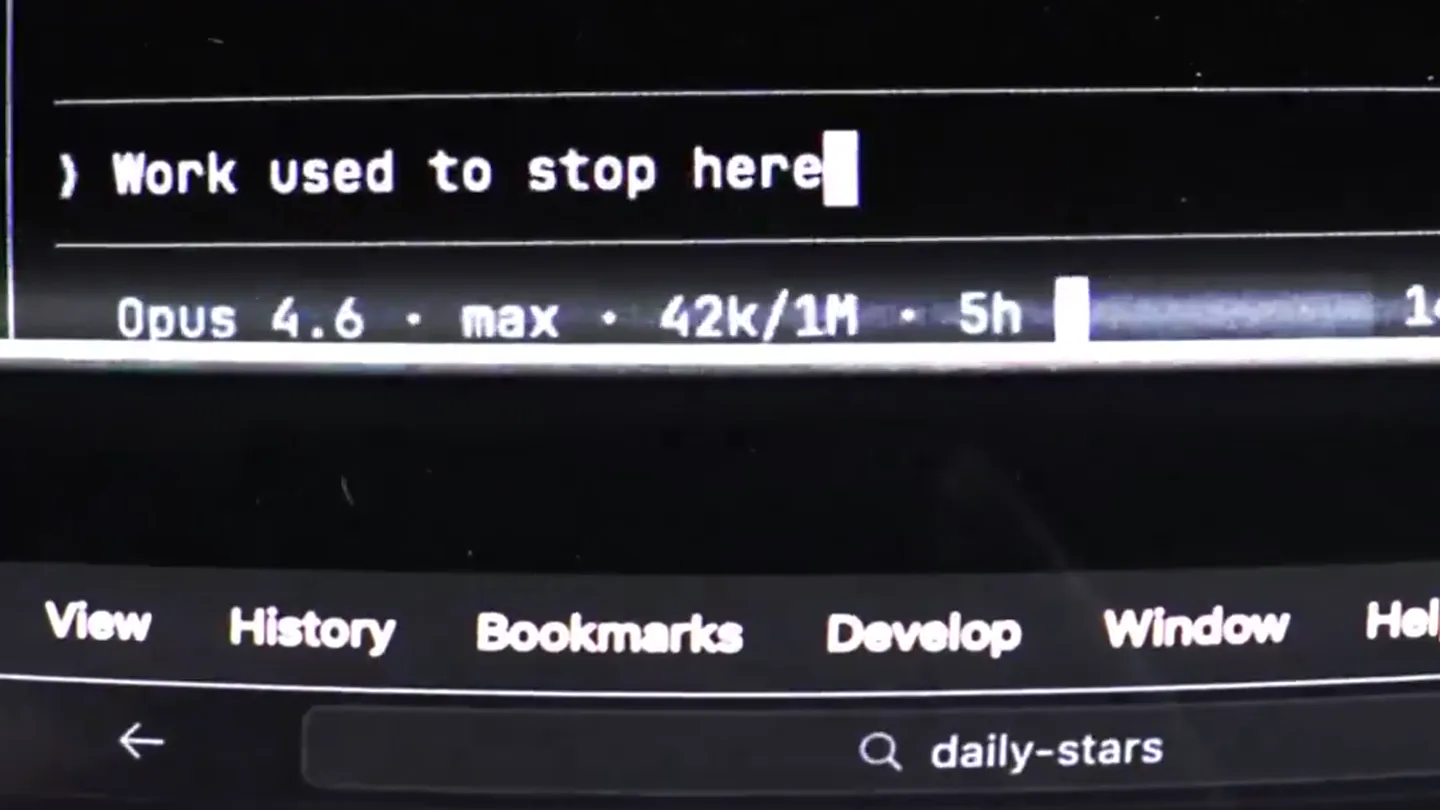
- Reference vibe I should match the poli Locked. Batch 2 - going deeper on motion, s User answered Claude's questions: Motion library stack - pick the flavo How aggressive should motion be - Tee Typography direction for TE/Arc flavo Color palette - how loud? -> Full Even + Blanching... (53s ↑ 1.3k tokens) ) Work Opus 4.6 max 40k/1M 5h View History Bookmarks Develop Window Hel daily-stars ntPages eState extends AppState { runtimeState = { state: [''], suggestions: [''], tarot: [''] }, ng: [''], suggestions: [''], tarot: [''] }, : EvenAppBridge | null = null pers: Array<() => void> = [] Final batch - 2 questions on structure & * Blanching... (55s ↓ 1.3k tokens) ) Work used to stop here Opus 4.6 max 42k/1M 5h To ensure we are on the exact same page, please ensure the following: 1. We are editting HTML, not the OS canvas, 2. We are following the Even Guidelines for this, 3. We are not using any external libraries (like Framer Motion or Three.js), keeping it vanilla CSS. 4. "Done" for this task is just generating a reference spec. / Waiting input [Tap & hold to input] Great. get the file ready [Release to finish recording] Great, get the file ready and get to work. > Yes... No
- Camera
- The camera is static, focusing on a laptop screen and an external monitor displaying code and AI terminal interactions. The perspective is a slightly elevated, eye-level shot of a desk setup.
- Motion
- Text appears and disappears rapidly within the terminal interface, simulating real-time AI interaction and coding. Green bounding boxes highlight active UI elements, suggesting an augmented reality overlay.
Product Reveal
Terminal Mode in Augmented Reality
“(No spoken dialogue — At [00:11], a sharp, percussive impact introduces a driving electronic beat with a prominent sub-bass line and crisp, synthetic percussion.)”
- On screen
- / Great, start a new branch & get to work. Before I start applying the Even Realities Design System (DS 3.0) and polishing this UI, we need to clarify the exact surface we are designing for, because it dictates the entire tech envelope. > Heads up - quick reality-check: Real 62 hardware does not render HTML/CSS on the lenses. The glasses display SDK containers (strictly text strings and 1-bit bitmap images a 576x288 monochrome green canvas. So a "CSS/SVG tarot flip" isn't physically possible on the glasses. Thinking... [Tap & hold to stop response] Allow Claude to Run grep -rn 'tarot' in > Allow once Always allow for this session webview settings UI (localhost:9002) Minimal (DS 3.0) - FK Grotesk, white/ #3CFA44 accent, zero ornament) Tech: Vanilla CSS and inline SVGs only Hero Interaction: 3D tarot card flip Motion: Gentle ambient (matching the physical hardware's ethos) Deliverable: Comprehensive visual reference spec (no code changes to your active repo) I will now synthesize the design tokens, layout geometry, CSS state machine logic for the 3D flip, and ambient motion choreography into a master reference document. > Write CLAUDE_OUTPUT to daily-stars-webview-reference. Thinking... [Tap & hold to stop response] typography colors (#F5F5F5 and #888888), and the signature Even Green (#3CFA44) for active states, 2. The AI CSS State Machine I wrote out the exact perspective: transform-style: preserve-3d' and 'backface-visibility: hidden' CSS structures you will need to achieve a buttery-smooth card flip without JavaScript physics. Thinking... [Tap & hold to stop response]
- Camera
- The camera shifts to a first-person perspective, simulating the view through AR glasses. The environment changes rapidly from an outdoor park to a subway, then a city street, and finally a gym, with the green terminal overlay persisting.
- Motion
- Rapid scene cuts synchronize with the driving beat, creating a dynamic montage. The green terminal UI remains a constant overlay, demonstrating its portability across diverse real-world environments. Text scrolls and updates within the AR interface.
Feature Teaser
Terminal Mode Live
“(No spoken dialogue — The track transitions into a more rhythmic, high-energy section with a consistent tempo.)”
- On screen
- Terminal Mode Avaliable Now
- Camera
- A static, clean shot on a light grey background.
- Motion
- Text animates in with a subtle, clean reveal. The pixelated icon next to 'Terminal Mode' appears with a quick, digital glitch effect, emphasizing the tech-forward nature.
Problem Agitation
Code Anywhere
“(No spoken dialogue — The high-energy electronic beat continues.)”
- On screen
- Keep coding no matter where you are.
- Camera
- A static, clean shot on a light grey background.
- Motion
- Text animates in with a clean, direct reveal, emphasizing the core benefit of the product. The pixelated elements from the previous scene briefly appear as a transition.
Call to Action
Even Realities Branding
“(No spoken dialogue — A significant sub-bass drop/impact at [00:25] concludes the piece.)”
- On screen
- Even Realities
- Camera
- A static, clean shot on a light grey background.
- Motion
- The company logo and name animate in with a clean, confident reveal. The pixelated icon from the 'Terminal Mode' title briefly appears and then resolves into the full logo, reinforcing brand identity.
Motion design primitives
Synthesizable in Remotion · key components of the ar-design-canvas-launch template.
AROverlayTerminal
A semi-transparent, bright green bounding box appears over real-world footage, containing monospace text that simulates a coding terminal or AI interaction. Text scrolls, types, and highlights dynamically within this overlay.
+ Code construction recipe
Use a `<div>` with `position: absolute`, `top`, `left`, `width`, `height` for the bounding box. Apply `background-color: rgba(60, 250, 68, 0.2)` for transparency and `border: 2px solid #3CFA44`. For text, use a monospace font, `color: #3CFA44`. Implement text typing effects with `interpolate` and `substring` on a `Text` component, and scrolling with `transform: translateY` based on text length. Highlighted sections can use a `<span>` with a solid background color.
RapidSceneCutMontage
Multiple short, high-energy video clips of diverse real-world environments are cut together rapidly, often synchronized with a driving musical beat, while a persistent UI element (like the AR terminal) remains overlaid.
+ Code construction recipe
Utilize `Sequence` components for each short video clip. Set precise `from` and `durationInFrames` for each sequence to align with audio cues. The AR terminal overlay should be a `Fixed` component or a `Sequence` that spans the entire montage duration, ensuring it stays on top of all video layers. Use `spring` or `interpolate` for subtle camera shakes or quick zooms on scene transitions if desired, though this video uses hard cuts.
PixelatedIconReveal
A pixelated icon or text element appears with a brief, digital glitch or blocky animation, then resolves into its final, clean form or transitions into another element.
+ Code construction recipe
Create an SVG icon. For the pixelation effect, use a `filter` with `feGaussianBlur` and `feComponentTransfer` to simulate pixelation, or render multiple small `rect` elements. Animate the `opacity` and `scale` of these pixel blocks using `interpolate` or `spring` to create the reveal. For the glitch, rapidly change `transform: translateX` or `opacity` of duplicate layers for a few frames. Transition to the clean form by animating the pixelated version's `opacity` to 0 while the clean version's `opacity` animates to 1.
Style DNA & aesthetic system
Visual aesthetic
Typography
Motion
Special effects
Pacing & rhythm
Conceptual story rhythm
- 1
The Setup: AI-Powered Dev Environment
Purpose. Introduces the core technology (AI-assisted coding) and establishes the problem of being tethered to a desk.
Execution. Close-up shots of a coding terminal and AI interaction on a desktop setup, with green UI elements highlighting the digital workflow.
- 2
The Breakthrough: AR Terminal Mode
Purpose. Reveals the product's innovative solution: a portable, augmented reality coding terminal.
Execution. First-person POV shots through AR glasses, showing the green terminal UI overlaid on diverse real-world environments (park, subway, city, gym), demonstrating portability.
- 3
The Promise: Code Anywhere
Purpose. Highlights the key benefit and freedom offered by the product.
Execution. Clean, minimalist typography on a light background, stating 'Terminal Mode Avaliable Now' and 'Keep coding no matter where you are.' with subtle digital effects.
- 4
The Brand: Even Realities
Purpose. Reinforces the company identity and calls the viewer to action.
Execution. The Even Realities logo and name appear with a clean, confident animation, concluding the video.
Remix in Animatiq Studio
Master remix prompt · agent-ready
Sample remix
Objective
Launch 'Spatial Canvas,' an AR design tool that allows collaborative 3D modeling in real-world environments.How the recipe adapts
The AROverlayTerminal primitive will become 'ARDesignCanvas,' featuring a vibrant blue bounding box with 3D model wireframes and design tool controls. The RapidSceneCutMontage will show designers interacting with these blue AR models in a coffee shop, a park, and an office, maintaining the fast-paced, beat-synced transitions. The PixelatedIconReveal will be adapted for the 'Spatial Canvas' logo, using blue pixelation. Typography will shift to a clean sans-serif for marketing text and a technical monospace for UI elements within the AR canvas.Remix blueprint · ar-design-canvas-launch
Scene durations (5 scenes, 30s)
Key Remotion components
Related Developer Tools Product Launches
Explore all Developer Tools launches →
xAI opens voice cloning on its API: build a custom voice in about two minutes or pick from 80+ voices in 28 languages.

Claude can now operate your Mac, opening apps, browsing and filling spreadsheets, as a research preview in Cowork and Claude Code.

Agentic CLI for coding, building apps, and automating workflows.