
Hassan El Mghari · Launch Video Breakdown: Hook, Pacing & Motion Design
variate is an open-source design skill that iterates on UIs by generating multiple design variations. Works in Claude Code, Codex, and OpenCode.
Scene-by-scene timeline & spoken transcript
The Hook
Introducing Variate: AI-Powered UI Iteration
“(No spoken dialogue — The track begins with a sustained, evolving pad sound, followed by a distinct 'click' sound effect at 00:03.)”
- On screen
- variate Four real versions of one file, on your own localhost.
- Camera
- Static, centered text on a dark background.
- Motion
- Pixelated text reveal, followed by a subtle text fade-in.
Problem Agitation
Command Line UI Generation
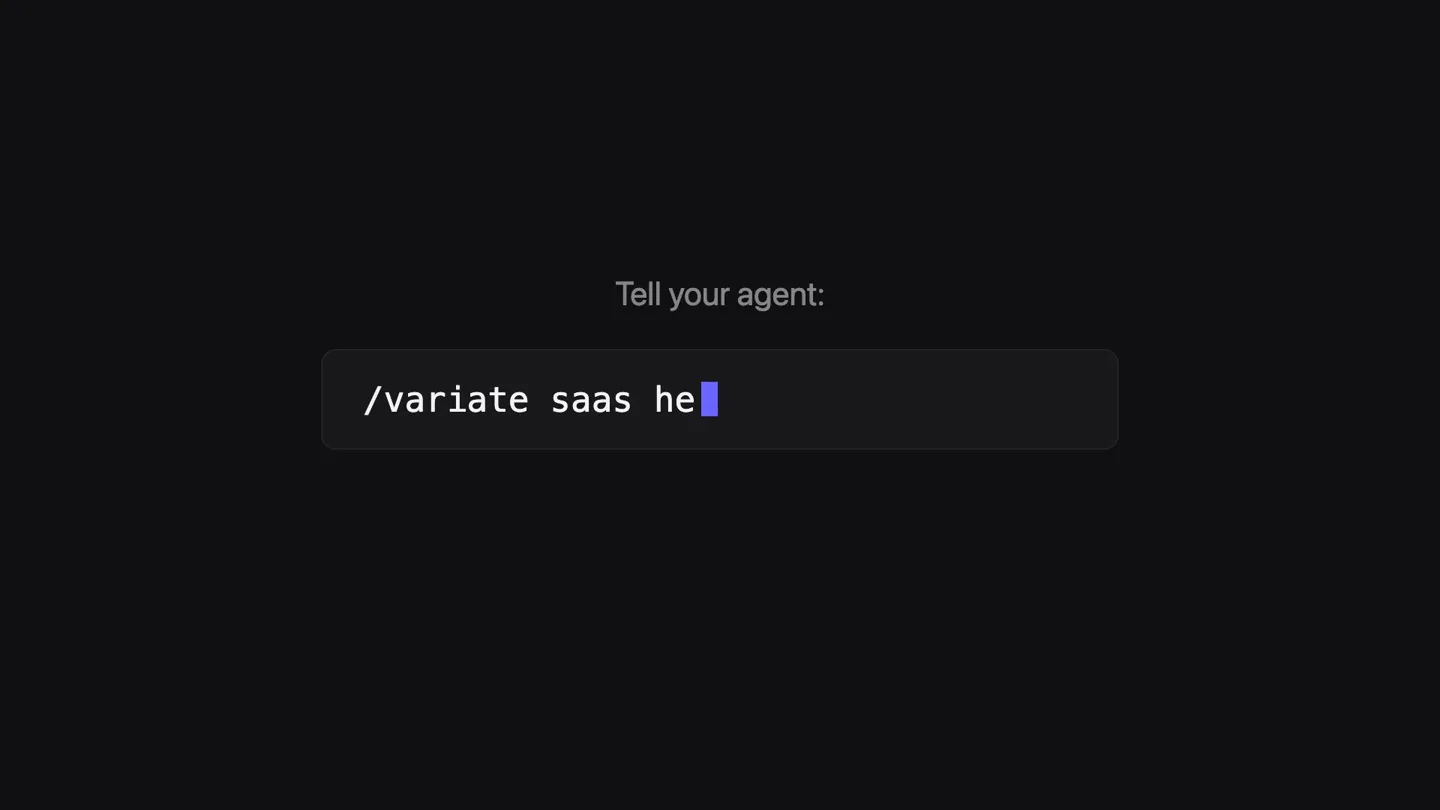
“(No spoken dialogue — A series of rapid, rhythmic 'clicks' from 00:04 to 00:07 accompanies the typing animation.)”
- On screen
- Tell your agent: /variate saas hero section writing four takes
- Camera
- Static, centered view of a command line interface.
- Motion
- Typing animation with a blinking cursor, revealing text in a terminal-like input field. Numbered pagination appears below.
Product Reveal
Dynamic UI Variations Showcase
“(No spoken dialogue — A distinct 'click' at 00:09, followed by a more pronounced 'snap' or 'thwack' sound at 00:11.)”
- On screen
- Plot Product Pricing Changelog Sign in Start free New - Funnels 2.0 Product analytics for busy teams Plot turns raw events into answers your whole team can read. No SQL, no dashboards to babysit. Start free Book a demo Overview ACTIVE USERS 12,480 +8.2% RETENTION 44% +3.1% TIME TO ANSWER 3 min -82% hero < 1 2 3 4 > - as it was PRODUCT ANALYTICS See what your users actually do. Raw events in, plain answers out. Built for teams who would rather ship than query. Start free Book a demo Overview ACTIVE USERS 12,480 +8.2% RETENTION 44% +3.1% TIME TO ANSWER 3 min -82% hero < 1 2 3 4 > 2 - night shift PRODUCT ANALYTICS The numbers, in plain English. Plot reads your product's events and writes back what changed, why it matters, and what to try next. Start free Read the docs "Plot noticed the drop before we did." HEAD OF PRODUCT, FERNWOOD 12,480 ACTIVE USERS THIS WEEK 44% 3 min hero < 1 2 3 4 > 3 - editorial PRODUCT ANALYTICS Every answer on one screen Metrics, funnels, and the why behind them, side by side. Plot keeps the whole picture where your team already looks. Start free Book a demo Overview CONVERSION 6.4% +1.9% NORTH STAR On track +4.6 ACTIVE USERS 12,480 +8.2% RETENTION 44% +3.1% TIME TO ANSWER 3 min -82% HATCH FERNWOOD BRIGHTWORK JUNIPER COASTAL hero < 1 2 3 4 > 4 - the split refine somew refine somewhere between 2 and 4 writing four takes : somewhere between 2 and 4
- Camera
- Full-screen view of a web UI, with a focus on a bottom navigation bar.
- Motion
- Rapid, seamless transitions between different UI designs, simulating a user iterating through design variations. A text input field appears and disappears with typing animation.
Call to Action
Finalizing and Integrating Variate
“(No spoken dialogue — A series of rapid 'clicks' from 00:12 to 00:15, concluding with a final 'click' at 00:15.)”
- On screen
- Plot Product Pricing Changelog Sign in Start free PRODUCT ANALYTICS See what your users actually do. Raw events in, plain answers out. Built for teams who would rather ship than query. Start free Book a demo Overview CONVERSION 6.4% +1.9% NORTH STAR On track +4.6 ACTIVE USERS 12,480 +8.2% RETENTION 44% +3.1% TIME TO ANSWER 3 min -82% hero < 1 2 3 4 > 1 - still night PRODUCT ANALYTICS See what shipped actually did Every release, measured in plain language. Plot watches the events so nobody has to watch a dashboard. Start free Book a demo Overview CONVERSION 6.4% +1.9% NORTH STAR On track +4.6 ACTIVE USERS 12,480 +8.2% RETENTION 44% +3.1% TIME TO ANSWER 3 min -82% hero < 1 2 3 4 > 2 - daybreak PRODUCT ANALYTICS Every answer, itemized One column of questions, one column of numbers. Nothing you have to hunt for. Start free Docs Overview SIGNUPS 1,204 ACTIVATION 38% WEEKLY EVENTS 1.2M ANSWER TIME 3 min ACTIVE USERS 12,480 +8.2% RETENTION 44% +3.1% TIME TO ANSWER 3 min -82% hero < 1 2 3 4 > 3 - the ledger PRODUCT ANALYTICS See what your users actually do. Raw events in, plain answers out. Built for teams who would rather ship than query. Start free Book a demo Overview CONVERSION 6.4% +1.9% NORTH STAR On track +4.6 ACTIVE USERS 12,480 +8.2% RETENTION 44% +3.1% TIME TO ANSWER 3 min -82% hero < 1 2 3 4 > 4 - signal enter kept 4 - signal That version is your file now. git diff shows nothing else. variate npx skills add Nutlope/variate variate-skill.vercel.app
- Camera
- Full-screen UI view, then a return to the static, centered text on a dark background.
- Motion
- Rapid UI variations, followed by a text overlay confirming a 'git diff' action. The video concludes with a command line installation instruction and a URL, using typing animation and a final pixelated text reveal.
Motion design primitives
Synthesizable in Remotion · key components of the pixel-terminal-ui-carousel template.
PixelatedTextReveal
Text appears letter by letter, or word by word, with a distinct pixelated or blocky aesthetic, as if being rendered on an old digital display. It then smoothly transitions to a cleaner font or fades out.
+ Code construction recipe
Use a custom font that mimics pixel art or apply a pixelation shader/filter to text. Animate `opacity` and `scale` with `interpolate` or `spring` for a 'build-up' effect. For the pixelation, consider SVG filters or a Canvas-based approach for more control over individual 'pixels'.
TerminalTypingAnimation
Text is revealed character by character in a command-line interface style, accompanied by a blinking cursor. This simulates real-time typing, often within an input field.
+ Code construction recipe
Implement a `useState` hook to progressively reveal characters of a string. Use `setTimeout` or `requestAnimationFrame` for character timing. A separate `Cursor` component can animate its `opacity` or `scale` to create the blinking effect, using `loop` and `spring`.
RapidUIVariationCarousel
Multiple distinct UI designs are presented in quick succession, giving the impression of rapid iteration or A/B testing. Transitions are sharp and immediate, highlighting the differences between versions.
+ Code construction recipe
Pre-render or create multiple `UIComponent` instances, each representing a design variation. Use `Sequence` and `AbsoluteFill` to layer them. Animate `opacity` or `translateX` with `interpolate` and a `cubic-bezier` curve for fast, impactful cuts. Sound effects should be precisely synced to each transition.
Style DNA & aesthetic system
Visual aesthetic
Typography
Motion
Special effects
Pacing & rhythm
Conceptual story rhythm
- 1
The Digital Genesis
Purpose. Introduce the product name and its core promise in a visually striking, technical manner.
Execution. Pixelated 'variate' text appears, followed by a concise tagline, setting a tech-forward tone.
- 2
The Command & Create
Purpose. Demonstrate the product's interaction model: generating UI variations via a simple command.
Execution. A terminal-like interface shows a command being typed, followed by a 'writing four takes' prompt, indicating AI generation.
- 3
The Iteration Showcase
Purpose. Visually prove the product's capability by rapidly cycling through diverse UI design variations.
Execution. A full-screen web UI cycles through four distinct designs, highlighting the speed and breadth of variations.
- 4
The Integration & Call
Purpose. Show how a chosen variation is integrated and provide clear instructions for adoption.
Execution. A final UI variation is selected, a 'git diff' confirmation appears, and the video concludes with an installation command and product URL.
Remix in Animatiq Studio
Master remix prompt · agent-ready
Sample remix
Objective
Launch a new AI-powered code refactoring tool called 'RefactorFlow' that generates multiple optimized code snippets from a single input.How the recipe adapts
The PixelatedTextReveal will introduce 'RefactorFlow'. The TerminalTypingAnimation will show a user inputting a code snippet and a command like '/refactorflow optimize function'. The RapidUIVariationCarousel will then display multiple optimized code snippets side-by-side or in quick succession, highlighting different optimization strategies. The final call to action will be an 'npm install refactorflow' command and a link to the documentation.Remix blueprint · pixel-terminal-ui-carousel
Scene durations (4 scenes, 20s)
Key Remotion components
Related Creative Tools Product Launches
Explore all Creative Tools launches →
Anthropic Labs launches Claude Design, which turns conversation into prototypes, slides and one-pagers, powered by Claude Opus 4.7.

A vibe design partner with an AI-native canvas for turning ideas into UI.

Your work tools in Claude are now available on mobile. Explore Figma designs, create Canva slides, check Amplitude dashboards, all from your phone. Give it a try: