
Vercel · Launch Video Breakdown: Hook, Pacing & Motion Design
Vercel Sandbox now ships Ubuntu by default with preinstalled coding agents (Codex, Claude etc.) and customizable open-source base images. Try with `npx sandbox@latest sh`.
Scene-by-scene timeline & spoken transcript
The Hook
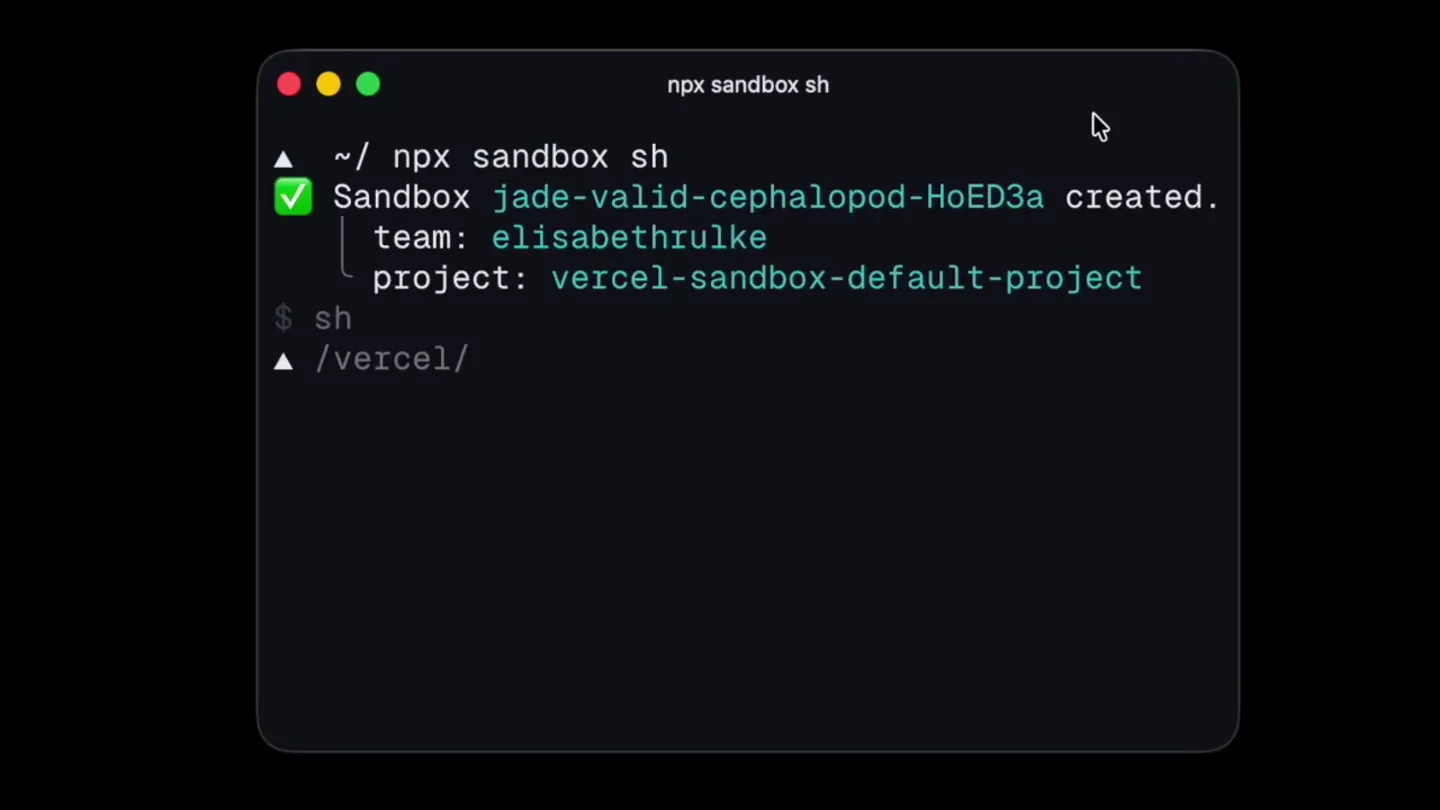
Instant Sandbox Provisioning
“(No spoken dialogue — Rapid, percussive electronic clicks and whirs simulate fast digital input and processing.)”
- On screen
- ~/ npx sandbox sh Sandbox jade-valid-cephalopod-HoED3a created. team: elisabethrulke project: vercel-sandbox-default-project $ sh /vercel/
- Camera
- Static, centered view of a terminal window, simulating a screen recording.
- Motion
- Rapid text typing animation with instant command execution feedback, highlighting speed and efficiency.
Product Reveal
Ubuntu Default & OS Details
“(No spoken dialogue — Consistent rapid electronic clicks and whirs, maintaining a high-tempo digital interface feel.)”
- On screen
- ~/ npx sandbox sh Sandbox jade-valid-cephalopod-HoED3a created. team: elisabethrulke project: vercel-sandbox-default-project $ sh /vercel/ cat /etc/os-release | head -n 1 PRETTY_NAME="Ubuntu 26.04 LTS" /vercel/
- Camera
- Static, centered view of the terminal, with a subtle cursor highlight on 'Ubuntu 26.04 LTS'.
- Motion
- Typing animation revealing system information, with a brief highlight to emphasize the Ubuntu version. The cursor blinks rapidly.
Feature Teaser
AI Coding Agent Integration
“(No spoken dialogue — The digital soundscape continues, with slightly more varied clicks and short whirs as new text appears.)”
- On screen
- ~/ npx sandbox sh Sandbox jade-valid-cephalopod-HoED3a created. team: elisabethrulke project: vercel-sandbox-default-project $ sh /vercel/ cat /etc/os-release | head -n 1 PRETTY_NAME="Ubuntu 26.04 LTS" /vercel/ code Welcome to Codex, OpenAI's command-line coding agent Preparing device code login Requesting a one-time code... Press esc to cancel Signed in with your ChatGPT account Before you start: Decide how much autonomy you want to grant Codex For more details see the Codex docs Codex can make mistakes Review the code it writes and commands it runs You are in /vercel Do you trust the contents of this directory? Working with untrusted contents comes with higher risk of prompt injection. Trusting the directory allows project-local config, hooks, and exec policies to load. 1. Yes, continue vercel OpenAI Codex (v0.147.0) model: gpt-5.6-terra /model to change directory: ~ Tip: New For a limited time, Codex is included in your plan for free - let's build together. Write tests for @filename
- Camera
- Static terminal view, with content scrolling and new UI elements (like the Codex prompt box) appearing dynamically.
- Motion
- Dynamic UI element reveal, text typing, and content scrolling within the terminal, simulating an interactive AI agent setup and prompt.
Call to Action
Seamless Exit & Clear
“(No spoken dialogue — The electronic clicks and whirs conclude with a final, decisive set of digital sounds, signaling completion.)”
- On screen
- vercel Shutting down... /Users/elisabethrulke /vercel/ exit connection to jade-valid-cephalopod-HoED3a closed. ~/ clear
- Camera
- Static terminal view, showing the shutdown sequence and return to a clean prompt.
- Motion
- Text typing and rapid output, demonstrating a clean and efficient exit from the sandbox environment, ending with a clear command.
Motion design primitives
Synthesizable in Remotion · key components of the terminal-dev-tool-launch template.
TerminalTypewriterEffect
Text appears character by character, simulating real-time typing in a command-line interface, often with a blinking cursor. Lines of output appear instantly or with a slight delay after a command is 'typed'.
+ Code construction recipe
Use `interpolate` for character visibility based on time. Implement a `spring` for the blinking cursor's opacity. Output lines can be rendered instantly using `Sequence` or with a `delay` prop.
DynamicTerminalUI
New UI elements, such as prompt boxes or status messages, slide in or fade in within the terminal window, adapting to the content flow.
+ Code construction recipe
Utilize `spring` for subtle slide-in or fade-in animations for new UI components. Control visibility and position with `interpolate` based on the scene's progress.
ContentHighlightPulse
Specific text or elements briefly highlight or change color to draw attention, then return to their original state, emphasizing key information.
+ Code construction recipe
Apply `interpolate` on `backgroundColor` or `color` properties for a quick pulse effect. Use `loop` or `Sequence` with `delay` to control the timing and duration of the highlight.
Style DNA & aesthetic system
Visual aesthetic
Typography
Motion
Special effects
Pacing & rhythm
Conceptual story rhythm
- 1
The Command Line Hook
Purpose. Immediately establishes the product's core interaction method and speed, appealing directly to developers.
Execution. Rapid typing of `npx sandbox sh` followed by instant creation confirmation, setting a high-speed tone.
- 2
Under the Hood Reveal
Purpose. Showcases a key technical feature (Ubuntu default) and the underlying environment.
Execution. Typing `cat /etc/os-release` to reveal 'Ubuntu 26.04 LTS', emphasizing the robust base image.
- 3
AI Agent Integration
Purpose. Highlights advanced capabilities and ease of integrating powerful coding agents.
Execution. Typing `code` to launch OpenAI Codex, showing login, setup, and a prompt for writing tests.
- 4
Seamless Workflow Conclusion
Purpose. Demonstrates the product's efficiency and clean exit, reinforcing a smooth developer experience.
Execution. Quick shutdown of Codex, exiting the sandbox, and clearing the terminal, showing a complete cycle.
Remix in Animatiq Studio
Master remix prompt · agent-ready
Sample remix
Objective
Launch a new CLI tool for managing serverless functions, demonstrating quick deployment and real-time log streaming.How the recipe adapts
The TerminalTypewriterEffect will show `deploy-cli deploy my-function --region us-east-1` with instant success output. DynamicTerminalUI will introduce a small, scrolling log window within the terminal for real-time streaming. ContentHighlightPulse will briefly highlight the 'Deployment successful' message and then the 'Live logs' header. The overall pacing will remain rapid, driven by quick command-response cycles and continuous log updates, all within the dark terminal theme and accompanied by digital sound effects.Remix blueprint · terminal-dev-tool-launch
Scene durations (4 scenes, 17.2s)
Key Remotion components
Related Developer Tools Product Launches
Explore all Developer Tools launches →
xAI opens voice cloning on its API: build a custom voice in about two minutes or pick from 80+ voices in 28 languages.

Claude can now operate your Mac, opening apps, browsing and filling spreadsheets, as a research preview in Cowork and Claude Code.

Agentic CLI for coding, building apps, and automating workflows.