
Warp · Launch Video Breakdown: Hook, Pacing & Motion Design
A CLI coding agent with Warp's auto routers and SOTA model selection, full shell access, and orchestration built in.
Scene-by-scene timeline & spoken transcript
The Hook
Introducing Warp Agent CLI
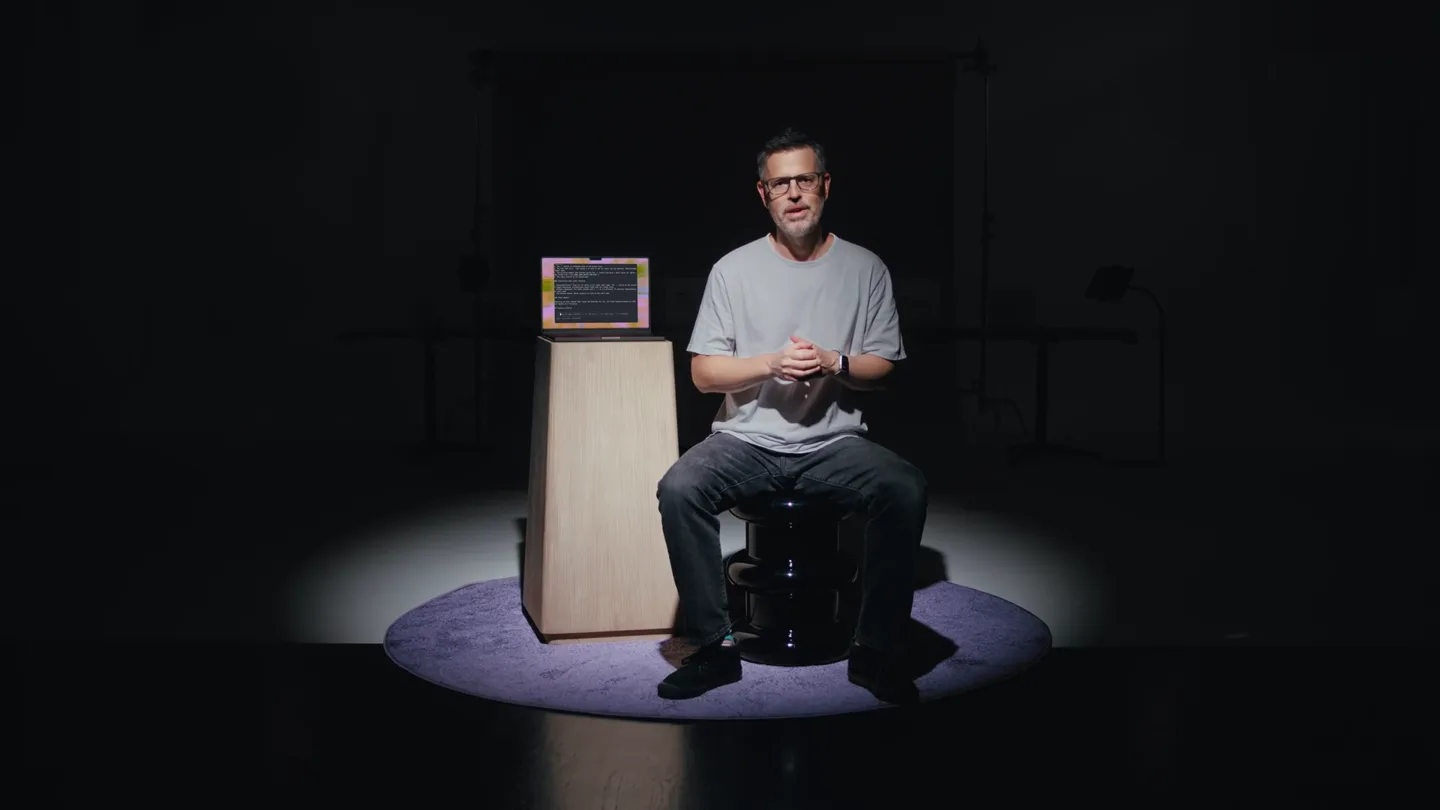
“Hey everyone, I'm excited to introduce the Warp Agent CLI. This is a CLI coding agent with Warp's auto routers and SOTA model selection, full shell access, and orchestration built in. It's compatible with any terminal, so you can use it in iTerm, VS Code, Cursor, or whatever you use. It's also compatible with any model, so you can use it with Claude, GPT, Grok, Gemini, Kimi, GLM, Qwen, and more. And it's also compatible with any shell, so you can use it with Bash, Zsh, Fish, or whatever you use. We've built it to be a comprehensive agent experience, so you can use it to do anything from simple tasks to complex workflows. Let's dive in.”
- On screen
- Cursor Models Claude Fable 5 Claude Opus 5 gpt-5.6-sol gpt-5.5 grok 4.5 Gemini 3.6 Flash kimi k3 glm 5.2 qwen 3.7 plus + more : Warping... auto
- Camera
- Medium shot of the presenter, then close-up, then wide shot with laptop, then close-up again. Camera is static, focusing on the presenter.
- Motion
- Subtle camera zooms and cuts between presenter and screen elements. Text overlays animate in with a quick fade and slide.
Product Reveal
Warp Agent CLI in Action
“(No spoken dialogue — Driving electronic score with pizzicato synths and 808 percussion. High-energy audio transitions punctuate scene changes.)”
- On screen
- warp agent cli Claude Code 1. The '!' prefix is prepended back to the buffer text. 2. The full text (e.g. '!git status') is sent to the CLI agent via the existing 'SubmitCLIAgen tInput' path. 3. The existing submit path already splits the '!' prefix byte with a small delay for agents l ike Claude Code ('CLI_AGENT_MODE_SWITCH_PREFIXES'). 4. The input reverts to AI locked mode. ### Interaction with other features - **Autodetection**: Does not run while in CLI agent shell mode. The '!' prefix is the explici t toggle mechanism: autodetection would fight with the locked state. - **Slash commands**: The slash command menu ('/') is not affected. It operates independently of shell mode. - **Context menu**: Works normally in both AI and shell mode. ### Other Agents Starting off with Claude Code, Codex and OpenCode for now. Can check behavior/expand to other CLI agents in a follow-up. ### Success criteria > Ask the agent anything • ? for shortcuts • ! for shell mode • / for commands ctrl-c to return to command warpdotdev/warp (14 issues) Issues #14497 Dummy test issue created by O needs-info triaged repro:unknown #14484 Input editor remains visible triaged repro:high #14468 File-path links with line num #14464 [Windows] Zero-size resize lo triaged repro:medium Preview #14497 Dummy test issue created by Oz Author: johnturcoo Created: 2026-07-29 Labels: needs-info, triaged, repro:unknown This is a dummy issue created by the Oz agent to demonstrate Github issue creation via the gh CLI. Feel free to close this. 1 comments Type to filter Enter/Esc: done Backspace: delete Agent is monitoring command ctrl-c to take control > Ask the agent anything • ? for shortcuts • ! for shell mode • / for commands My coding router ~/.../onboarding-demo-github-issue-triage-101 ~ main | +28 -8 Warp Agent CLI dev build Signed : p.dev ~/Projects/warp AIZENTS.md loaded 41 skills discovered MCP Models auto (responsive) auto (cost-efficient) auto (genius) auto (open-weights) PaLM 2 My coding router claude fable 5 (low) claude fable 5 (medium) ↓ > for shortcuts • / for commands • + for conversations auto (genius) ~/.../warp ⇥ oz-agent/implement-issue-1a387 | +2 -2 Claude Code v.2.1.220 Fable 5 Claude Max ~/Projects/warp Select model Default (recommended) Opus (in context) Fable 5 Gemini > auto auto (genius) ~/.../warp ⇥ oz-agent/implement-issue-1a387 | +2 -2
- Camera
- Static overhead shots of terminal interfaces. The camera is fixed, presenting the UI directly.
- Motion
- Split-screen comparisons, text highlighting, and rapid UI element transitions. Content slides in and out, emphasizing key features.
Feature Teaser
Advanced Orchestration & Cloud
“(No spoken dialogue — Energetic electronic music continues, building intensity with risers and sub-bass drops.)”
- On screen
- name: My coding router type: prompt default: grok-4-5-medium routing: - description: Design work model: claude-5-opus-high - description: Feature planning / grilling sessions model: claude-5-opus-high - description: Well-scoped code implementation model: gpt-5-6-sol-high ~/.warp-local/custom_model_routers/my_coding_router.yaml VISUAL LINE -- Ctrl + Shift + d to use agent Custom Routers Agents: orchestrator || • issue-13972 • issue-13975 • issue-13973 [ { "description": "Warp Drive objects, sync, sharing, cloud object management, and pers isted artifacts.", "color": "0e8a16", }, { "id": "LA_kwO0Fua7vs8AAAACJNE7WQ", "name": "warp:auto-triage-review", "description": "", "color": "aaaaaa", } ] state": "OPEN", "title": "App tests: two async tests use fixed real-wall-clock 'Timer::after' waits with no retry margin, and fail intermittently under full-parallel PR-gate load" } ✓ Spawned 6 agents : Warping... (0s) Auto approve off Ctrl + C to stop > Ask the agent anything • ? for shortcuts • Shift + ↑ for other agents • ! for shell My coding router ~/.../warp ⇥ oz-agent/implement-issue-1a387 | +2 -2 /orchestrate echo '---' && gh issue view 13973 --repo warpdotdev/warp --json title,body,labels,state && echo '---' && gh issue view 13972 --repo warpdotdev/warp --json title,body,labels,state && echo '---' && gh issue view 13975 --repo warpdotdev/warp --json title,body,labels,state && echo '---' && gh issue view 13979 --repo warpdotdev/warp --json title,body,labels,state' ✓ Ran 'git --no-pager status -sb && git --no-pager log -5 --oneline && git --no-pager branch --show-current' Thought for 1 second I have the six issue writeups. Next I'll inspect the cited call sites and apply the isolation fixes they describe. ■ Can I start additional agents for this task? Edit agent configuration Where should the agents run? (1) Cloud (2) Local Enter to accept Tab or ← → to navigate Esc to go back Warp Cloud Platform 78 / 98 ^ View session Parent run Done Investigate Code Review File Load Error Warp Accepted PR #14655 at 773f9b41f1d18be84b0d13a48d798778861. The staged renamed-and-modified regression is fixed, independent computer-use verification rendered, old.txt = new.txt, with a +2 -1 line-by-line diff and no fallback banner. Required CI is green; the formatter and both focused regression tests passed. APP-511 is set to In Review with review-done, and the Linear ticket plus PR body include final screenshot/video and the review run link. Artifacts screenshot-1.png Code Review diff for renamed-and-modified file 019cf6c-ba69-7ace-b5a2-b5a2-b8a83812c526-thumb.png screenshot-2.png screenshot-3.png Code Review renders staged rename-modify diff 019cf6c-dbc5-72a1-bd3b-997435767f10 Run ID 019cf6c-dbc5-72a1-bd3b-997435767f10 Warp Cloud Platform
- Camera
- Static overhead shots of terminal interfaces and web UI. The camera is fixed, presenting the UI directly.
- Motion
- Text highlighting, code block animations, and UI element reveals. Content slides in and out, emphasizing key features and workflows.
Call to Action
The Future of CLI Agents
“This is just the beginning for the Warp Agent CLI. We're excited to see what you build with it. We're committed to making it the best CLI coding agent out there. Thank you.”
- On screen
- (No on-screen text)
- Camera
- Medium shot of the presenter, then a slow zoom out to a wide shot, ending with a blurred shot of the presenter and laptop.
- Motion
- Subtle camera zoom out, ending with a soft focus blur. The overall motion is calm and conclusive.
Motion design primitives
Synthesizable in Remotion · key components of the warp-agent-cli-dev-tool-launch template.
TerminalSplitReveal
Two terminal windows appear side-by-side, one revealing code or text content with a typing effect, while the other displays a static or subtly animating interface. Text labels animate in below each terminal.
+ Code construction recipe
Use `AbsoluteFill` for layout. Implement `Sequence` for staggered appearance of terminal windows. For text, use `Typewriter` component with `spring` for character reveal. `interpolate` for opacity and `translateX` for labels.
CodeHighlightScroll
A single terminal window displays code or configuration. Specific lines or blocks of text are highlighted with a background color, and the content scrolls vertically to reveal more information.
+ Code construction recipe
Render terminal content as a `Text` component within a `Scroll` component. Use `AbsoluteFill` for the terminal frame. Implement `interpolate` for `backgroundColor` and `translateY` to simulate scrolling and highlighting. `spring` for smooth highlight transitions.
UIElementReveal
Various UI elements (e.g., dropdown menus, issue cards, buttons) appear dynamically within a terminal or web interface, often with a subtle fade-in and slide-up or scale effect.
+ Code construction recipe
Wrap UI elements in `AbsoluteFill` or `View` components. Use `spring` for `opacity`, `scale`, and `translateY` animations to create a natural reveal. Stagger `Sequence` for multiple elements.
Style DNA & aesthetic system
Visual aesthetic
Typography
Motion
Special effects
Pacing & rhythm
Conceptual story rhythm
- 1
The Vision
Purpose. Introduce the founder and the core problem/solution, establishing authority and product scope.
Execution. Presenter in a spotlight, direct address to camera, interspersed with quick text overlays of key features and compatible technologies.
- 2
The Mechanics
Purpose. Demonstrate the product's core functionality and user interaction through detailed UI walkthroughs.
Execution. Rapid-fire split-screen terminal views, code highlighting, and interactive command-line demonstrations with animated text.
- 3
The Power-Ups
Purpose. Showcase advanced features like custom routing, orchestration, and cloud integration, highlighting scalability and complexity handling.
Execution. Detailed views of configuration files, multi-agent orchestration, and web-based cloud platform interfaces, with dynamic UI element reveals.
- 4
The Future
Purpose. Reiterate the product's impact and future potential, ending with a call to action or concluding statement.
Execution. Return to the presenter, with a broader framing, conveying a sense of vision and inviting engagement.
Remix in Animatiq Studio
Master remix prompt · agent-ready
Sample remix
Objective
Launch a new AI-powered database migration tool called 'SchemaShift'.How the recipe adapts
The 'TerminalSplitReveal' primitive would show a legacy database schema on one side and the AI-optimized target schema on the other, with animated diffs. 'CodeHighlightScroll' would demonstrate the migration script generation and execution, highlighting key commands and progress. 'UIElementReveal' would showcase the SchemaShift dashboard for monitoring migration status and resolving conflicts. The founder would introduce the pain points of manual migration and the AI's solution, followed by detailed visual demonstrations of the tool's capabilities, all set to an energetic electronic score.Remix blueprint · warp-agent-cli-dev-tool-launch
Scene durations (5 scenes, 137s)
Key Remotion components
Related Developer Tools Product Launches
Explore all Developer Tools launches →
xAI opens voice cloning on its API: build a custom voice in about two minutes or pick from 80+ voices in 28 languages.

Claude can now operate your Mac, opening apps, browsing and filling spreadsheets, as a research preview in Cowork and Claude Code.

Agentic CLI for coding, building apps, and automating workflows.