
Warp · Launch Video Breakdown: Hook, Pacing & Motion Design
Warp launches Factories: configure cloud software factories as code, plug in any model or harness, and eval quality on your own data.
Scene-by-scene timeline & spoken transcript
The Hook
Introducing Warp Factories: Cloud Software Factories as Code
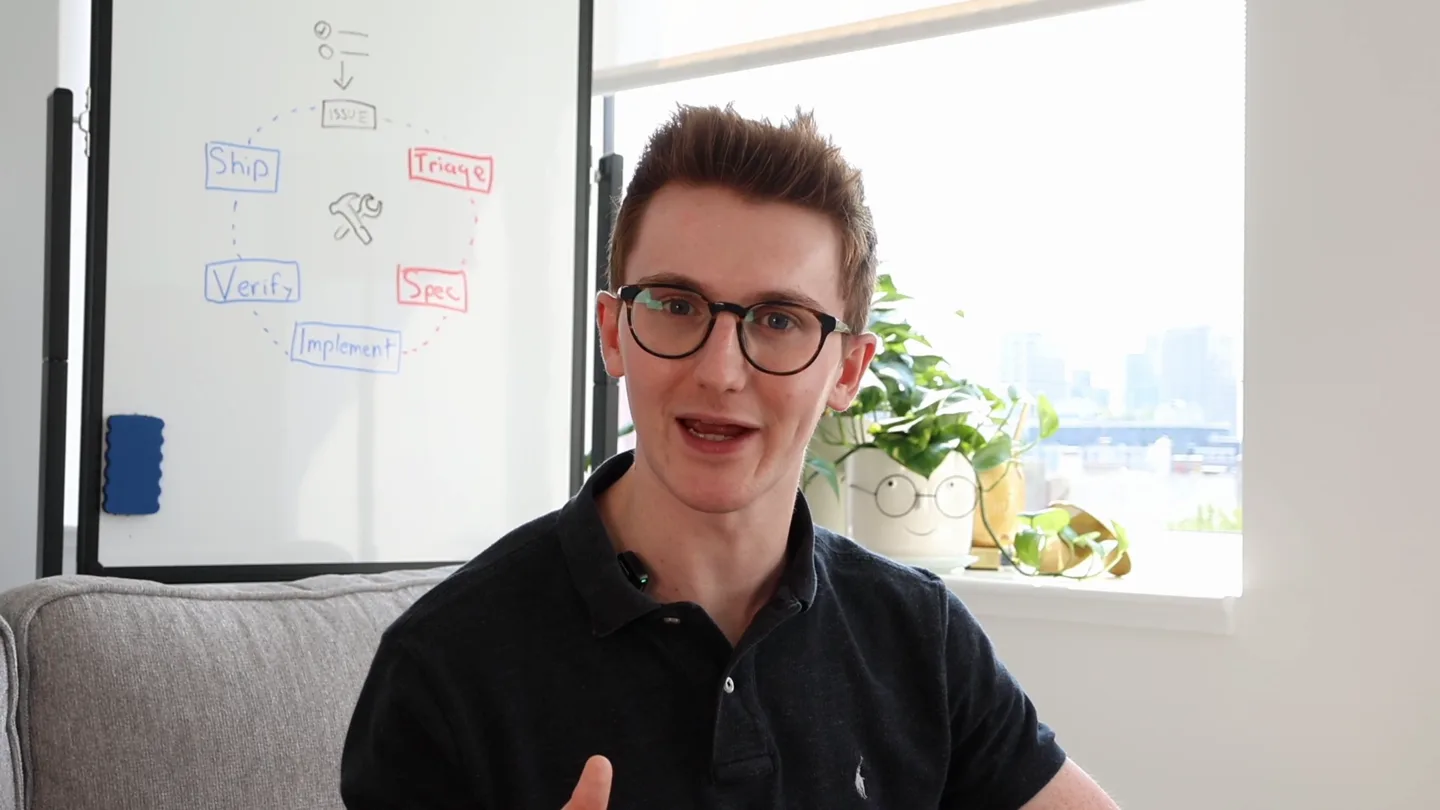
“Hey everyone, I'm Ben, and I'm excited to introduce Warp Factories, now in early access. Warp Factories are cloud software factories as code. They help your team build, manage, and review tasks, code, and performance, all in one place. Let's dive in.”
- On screen
- Warp Factories configure cloud software factories as code, plug in any model or harness, and eval quality on your own data.
- Camera
- Medium shot of presenter, with screen capture of product UI in an L-shaped overlay. Camera is static on presenter, product UI pans and zooms.
- Motion
- Split-screen composition with dynamic UI pan and zoom, emphasizing key features as dialogue progresses. Subtle UI element highlights.
Problem Agitation
The Challenge of Manual Code Review and Agent Management
“Many teams struggle with the overhead of manual code reviews and managing complex agent workflows. It's hard to ensure consistency, track progress, and integrate new models seamlessly. This often leads to bottlenecks and inconsistent quality.”
- On screen
- Review Problem Root Cause Cost per PR
- Camera
- Continues split-screen. UI focuses on problem areas like code review comments, agent configuration, and cost metrics. Presenter maintains eye contact.
- Motion
- UI elements are highlighted with subtle glows and cursor interactions, drawing attention to specific pain points. Data visualizations animate to show cost trends.
Product Reveal
Warp Factories: Automated, Flexible, and Integrated
“Warp Factories solve these challenges by providing a flexible, automated system. You can configure cloud software factories as code, plug in any model or harness, and evaluate quality on your own data. Our system integrates with your existing tools like GitHub and Slack, making it easy to manage agents, automations, and scorers.”
- On screen
- Factories Agents Automations Scorers GitHub Slack Linear
- Camera
- Split-screen continues. UI showcases the main dashboard, agent creation, automation setup, and integration points. Presenter gestures to emphasize points.
- Motion
- Smooth transitions between different sections of the Warp UI. Interactive elements like dropdowns and buttons are animated to simulate user interaction. Integration logos appear with a subtle fade-in.
Feature Teaser
Self-Improving Agents and Quality Evaluation
“One of the most powerful features is the ability for agents to self-improve. You can define custom scorers to evaluate code quality, efficiency, and compliance, ensuring your agents continuously learn and adapt. This allows for unprecedented control over your software development lifecycle.”
- On screen
- Scorers Efficiency Code Quality Rule Compliance Benchmarks
- Camera
- Split-screen. UI focuses on the 'Scorers' and 'Benchmarks' sections, showing various metrics and configurations. Presenter leans in, emphasizing the innovation.
- Motion
- Data visualizations animate to show improvements over time. Text highlights and cursor movements guide the viewer through the scoring mechanisms. Subtle glow effects on key metrics.
Call to Action
Join the Waitlist and Get Started
“Warp Factories are in early access. Join the waitlist today, and qualified teams can get factory usage. We're excited to see what you build!”
- On screen
- Warp Factories Early Access Join the Waitlist
- Camera
- Full-screen product UI with a clear call to action. Presenter smiles and gestures invitingly.
- Motion
- Call to action text animates with a subtle bounce or scale effect. The Warp logo appears prominently with a clean reveal. A final, confident hold on the product UI.
Motion design primitives
Synthesizable in Remotion · key components of the warp-factories-inspired-launch template.
SplitScreenUIReveal
A dynamic split-screen composition where a live-action presenter occupies a corner, while the main product UI is revealed and animated in the larger screen area. The UI elements pan, zoom, and highlight in sync with the narration.
+ Code construction recipe
Use Remotion's <AbsoluteFill> for the main canvas. Position a <Video> component for the presenter in a corner using CSS positioning. For the UI, use a combination of <Img> or <Sequence> components for static UI elements, and animate their 'transform' (translate, scale) and 'opacity' properties using `interpolate` or `spring` functions. Implement cursor movements with SVG paths and animated strokes. Highlight elements with <Rect> components animated with `backgroundColor` and `opacity`.
InteractiveDataViz
Animated data visualizations (e.g., line graphs, bar charts) that dynamically update and highlight specific data points or trends as they are discussed. Values and labels animate in with a subtle reveal.
+ Code construction recipe
Utilize Remotion's <Canvas> or SVG components. For line graphs, animate `strokeDasharray` and `strokeDashoffset` on <path> elements. For bar charts, animate the `height` property of <Rect> components. Use `interpolate` with `easeOutCubic` for smooth growth. Text labels can animate in with `opacity` and `translateY` using `spring` for a bouncy effect.
SeamlessAppTransition
Smooth, rapid transitions between different application screens or modules, often involving a quick pan or fade, maintaining a consistent visual language. Key elements like sidebar navigation or tab changes are emphasized.
+ Code construction recipe
Employ Remotion's <Sequence> component for each app screen. Use `spring` for `translateX` or `opacity` to create quick, fluid transitions between sequences. For navigation highlights, animate the `backgroundColor` or `border` of the active menu item. Ensure consistent timing across transitions for a cohesive feel.
Style DNA & aesthetic system
Visual aesthetic
Typography
Motion
Special effects
Pacing & rhythm
Conceptual story rhythm
- 1
The Setup: Problem & Promise
Purpose. Introduce the core problem faced by developers and hint at Warp Factories as the innovative solution.
Execution. Split-screen with presenter and initial UI shots, showing complex code environments and the promise of simplification.
- 2
The Deep Dive: Feature Exploration
Purpose. Demonstrate key features and functionalities, showing how Warp Factories address specific pain points.
Execution. Extensive UI walkthroughs, highlighting agent configuration, automation flows, and integration points with dynamic cursor movements and element highlights.
- 3
The Impact: Benefits & Results
Purpose. Showcase the tangible benefits, such as improved code quality, efficiency, and cost savings.
Execution. Animated data visualizations, dashboards showing performance metrics, and examples of successful agent-driven workflows.
- 4
The Future: Vision & Call to Action
Purpose. Inspire viewers with the future potential of the product and guide them on how to get started.
Execution. Concluding full-screen UI shot with a clear call to action, reinforced by the presenter's final remarks.
Remix in Animatiq Studio
Master remix prompt · agent-ready
Sample remix
Objective
Launch a new AI-powered data analytics platform called 'InsightFlow' that helps businesses visualize complex data, automate reporting, and collaborate on insights.How the recipe adapts
The SplitScreenUIReveal primitive will be adapted to show the InsightFlow founder in the corner, while the main screen dynamically displays the platform's dashboards. The InteractiveDataViz primitive will animate line graphs and bar charts representing business metrics, with specific data points highlighting as the founder explains their significance. The SeamlessAppTransition primitive will be used for quick, fluid transitions between the data visualization module, the automated report builder, and the collaborative sharing interface. The color palette will shift to reflect InsightFlow's branding, perhaps incorporating blues and greens, while maintaining the dark/light mode contrast. The audio will retain its electronic, high-energy feel, with sub-bass drops emphasizing the 'aha!' moments of data discovery. Typography will remain monospace for any query language examples and a clean sans-serif for the UI.Remix blueprint · warp-factories-inspired-launch
Scene durations (5 scenes, 536s)
Key Remotion components
Related Developer Tools Product Launches
Explore all Developer Tools launches →
xAI opens voice cloning on its API: build a custom voice in about two minutes or pick from 80+ voices in 28 languages.

Claude can now operate your Mac, opening apps, browsing and filling spreadsheets, as a research preview in Cowork and Claude Code.

Agentic CLI for coding, building apps, and automating workflows.