
Wonder · Launch Video Breakdown: Hook, Pacing & Motion Design
Design faster, ship real code — now all from your dock. Wonder leaves the browser and lands on the desktop.
Scene-by-scene timeline & spoken transcript
The Hook
Desktop App Installation & UI Exploration
“(No spoken dialogue — Electronic beat with pizzicato synths and sub-bass. High-energy audio transitions.)”
- On screen
- Wonder, Applications, Wondering..., 9:40, Welcome, Deals, New in town, Highlights, Browse Categories, Delivery in 20-30 min, Sobaya Kumo Tonkotsu Ramen, Large - Extra Chashu, 1, 14,50 €, From: Sobaya Kumo, Mitte, Dolci Dora Tiramisu Jar, 2 pieces, 8,00 €, From: Dolci Dora, Kreuzberg, Currently unavailable, Grüne Bowl Matcha Bowl, Regular, Check out, Berlin, Cart, Browse, Pizza, Sushi, Burgers, Healthy, Desserts, Groceries, Restaurants, New In, Overview, Runs, Accounts, Agents, Toolkit, Edit, Run Task, Box, Drop, Text, 1, 2, 16, 4, 000000, 100 %, Inset Shadow, New folder, Variables, Icons, Properties, Position, Layout, Flex, Padding, Margin, Appearance, Clip content, For experimenting and exploring, Included in Free:, $3 of monthly AI usage, 3 private files, feature 3, feature 4, Current Plan, Upgrade, Pro, $16 / seat / month, For pro users, Everything in Free, plus:, $20 of monthly AI usage per seat, Unlimited private files, Access to 600+ shaders, Invite editors and free viewers, Usage-based billing available, Priority support, Shadow, Choose Shader, SVG, Image, Search (Command+K), Email Templates, Component Kit, User Research, Northbeam Labs, Marketing, Pricing, Remove background, Mercury 1, Mercury 2, Mercury 3, Mercury 4, Frosted Glass..., Swirl Highlight, Blob Color, Swirl Shadow, Blob Fill, Blob Accent, Highlight Color, Halo Color, Glow Color 1, Glow Color 2, Glow Color 3, HEX, FFFFFF, FFF373, 8373FF
- Camera
- Static overhead shot of a desktop, then close-ups and pans across various UI elements within the Wonder application, simulating user interaction.
- Motion
- Rapid cuts, UI element reveals, simulated mouse clicks and drags, smooth scrolling, and dynamic content loading animations. The camera often zooms into specific UI components.
Product Reveal
Core Design & Code Features Showcase
“(No spoken dialogue — Driving electronic beat with rhythmic synth melodies and impactful sub-bass drops.)”
- On screen
- Wonder, Design faster, ship real code. Now all from your dock. Wonder leaves the browser and lands on the desktop.
- Camera
- Dynamic camera movements, including sweeping pans and zooms, showcasing the product's interface and its capabilities in a fast-paced montage.
- Motion
- Fast-paced montage of UI interactions, code snippets, and design elements. Uses quick transitions, wipes, and reveals to highlight key features. Text animations are used for product tagline.
Feature Teaser
Advanced Capabilities & Workflow Integration
“(No spoken dialogue — Energetic electronic track with rising synth lines and percussive elements, building intensity.)”
- On screen
- (No on-screen text)
- Camera
- Fluid camera movements, often orbiting around 3D representations of UI elements or smoothly transitioning between different application views.
- Motion
- Complex 3D UI animations, data visualizations, and simulated real-time collaboration. Features smooth camera transitions, depth of field effects, and dynamic lighting to emphasize the product's advanced capabilities.
Call to Action
Final Product Vision & Call to Action
“(No spoken dialogue — The electronic beat intensifies with more prominent 808s and high-energy sweeps, culminating in a powerful sub-bass impact.)”
- On screen
- Wonder, Design faster, ship real code. Now all from your dock. Wonder leaves the browser and lands on the desktop. Get Wonder.
- Camera
- Wide shots of the full application interface, followed by a zoom-in on the call to action. Camera movement is deliberate and impactful.
- Motion
- Hero shot of the product, followed by a clear, animated call to action. Uses impactful text reveals and a final, strong visual statement. The overall pacing slows slightly to allow the message to land.
Motion design primitives
Synthesizable in Remotion · key components of the wonder-desktop-launch template.
UIDragAndDrop
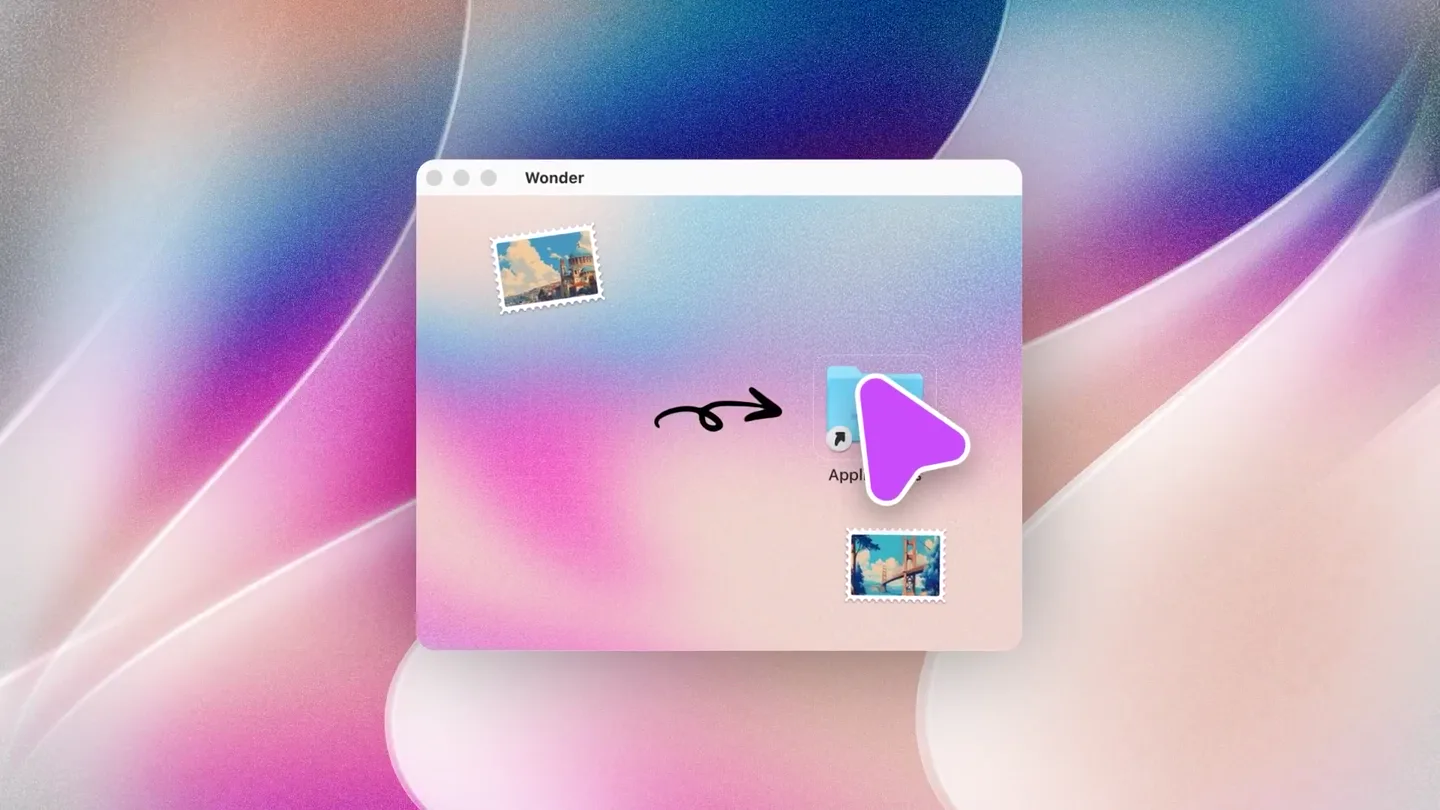
Simulates a user dragging an icon from the desktop into an 'Applications' folder, followed by a rapid sequence of UI interactions like scrolling, clicking, and typing within the application.
+ Code construction recipe
Utilize Remotion's `interpolate` for position and scale changes, `spring` for realistic bounce on drop. Implement `Sequence` for precise timing of UI events. Use SVG paths for the drag arrow and `AbsoluteFill` for desktop background. Mouse cursor animation can be achieved with `Path` and `interpolate`.
DynamicFeatureMontage
A fast-paced sequence of UI elements, code snippets, and design tools rapidly appearing, transforming, and transitioning across the screen, often with a sense of depth and layered information.
+ Code construction recipe
Employ `AbsoluteFill` for scene containers. Use `spring` for entrance and exit animations of individual UI components (e.g., cards, text blocks). Leverage `ClipPath` and `Mask` for dynamic reveals and wipes. `OffthreadVideo` can be used for pre-rendered complex UI interactions, composited with `Layer`.
InteractivePropertyPanel
A detailed view of a design property panel, where values like padding, margin, color, and shadow properties are dynamically adjusted, showing immediate visual feedback on a corresponding UI element.
+ Code construction recipe
Create a `Canvas` or `SVG` component for the UI element being modified. Use `interpolate` to animate numerical values (e.g., padding, border-radius) and color changes. Implement `useCurrentFrame` to drive these animations based on the timeline. `Text` components with `measureText` can simulate dynamic input fields.
Style DNA & aesthetic system
Visual aesthetic
Typography
Motion
Special effects
Pacing & rhythm
Conceptual story rhythm
- 1
The Desktop Arrival
Purpose. To establish the product's new desktop presence and ease of installation, immediately showing its integration into a familiar OS environment.
Execution. A clear, concise animation of the Wonder icon being dragged into the Applications folder, followed by the app launching and its initial UI appearing.
- 2
Feature Blitz
Purpose. To rapidly showcase the breadth and depth of Wonder's core design and coding capabilities, highlighting key functionalities without dwelling on any single one.
Execution. A montage of quick cuts demonstrating various UI interactions, design tools, code editing, and real-time updates, all presented with dynamic motion graphics.
- 3
Deep Dive & Customization
Purpose. To illustrate the product's advanced customization options and the power it gives users to fine-tune their designs and workflows.
Execution. Detailed close-ups of property panels, shader selections, and layout adjustments, showing immediate visual feedback on the canvas, emphasizing control and flexibility.
- 4
The Grand Vision
Purpose. To summarize the product's overarching benefit and deliver a clear call to action, leaving a lasting impression of its transformative potential.
Execution. A hero shot of the complete Wonder interface, followed by the tagline and a prominent 'Get Wonder' call to action, reinforcing the product's value proposition.
Remix in Animatiq Studio
Master remix prompt · agent-ready
Sample remix
Objective
Launch an AI-powered project management tool called 'FlowState' that automates task assignments and generates smart reports.How the recipe adapts
The UIDragAndDrop primitive would be adapted to show dragging a task into an 'AI Automation' zone. The DynamicFeatureMontage would showcase rapid transitions between Gantt charts, Kanban boards, and AI-generated insights. The InteractivePropertyPanel would demonstrate customizing AI rules or report parameters. The overall aesthetic would maintain the clean, modern UI with subtle gradients and fast cuts, but with a color palette leaning towards blues and greens to signify calm and efficiency. The soundtrack would retain the energetic electronic feel, with sound design elements emphasizing AI processing and task completion.Remix blueprint · wonder-desktop-launch
Scene durations (4 scenes, 125s)
Key Remotion components
Related Creative Tools Product Launches
Explore all Creative Tools launches →
Anthropic Labs launches Claude Design, which turns conversation into prototypes, slides and one-pagers, powered by Claude Opus 4.7.

A vibe design partner with an AI-native canvas for turning ideas into UI.

Your work tools in Claude are now available on mobile. Explore Figma designs, create Canva slides, check Amplitude dashboards, all from your phone. Give it a try: