
Astral · Launch Video Breakdown: Hook, Pacing & Motion Design
An AI agent that makes a launch video every time you ship. This launch video took Astral under an hour.
Scene-by-scene timeline & spoken transcript
The Hook
The Pain of Manual Launches
“(No spoken dialogue — Upbeat electronic score with driving beat and arpeggiated synths begins, building energy.)”
- On screen
- You ship A launch video takes WEEK 1 By then, you've shipped again. v2.1 is live just now
- Camera
- Static camera, then a subtle zoom out, followed by a quick cut to a new static frame.
- Motion
- Text reveals with subtle fades and scale, followed by a hard cut. Progress bar animation to illustrate time passing.
Product Reveal
Introducing Astral: The AI Launch Agent
“(No spoken dialogue — Electronic score intensifies with a significant riser and impact at 0:05, introducing a deeper sub-bass line. Subtle sweep at 0:08.)”
- On screen
- Astral Launch Send it anything. New video Make a launch vi Make the video RESEARCH Astral-Agent/astral-video-agent README.md src/app/page.tsx src/components/stage.tsx tokens.css Launch videos for everything you ship. Send a link or a few screenshots. Our AI agent makes the finished video. Make your launch video See more examples Type / It reads everything. Makes the finished video Under an hour Checks its own cut MUSIC It scores it. 109 BPM whoosh DESIGN Departure It designs it. SCENES It animates it. Type / Build anything. LAYERS Editor UI Headline Cursor Button Music Sound effects SCALE IN WORD BY WORD TYPE ON ON THE BEAT
- Camera
- Dynamic camera movements, including a rapid zoom-in, quick pans, and a 3D rotation revealing multiple UI elements.
- Motion
- Fast cuts, UI element reveals, text typing animation, progress bar fills, and a 3D carousel effect for showcasing different product capabilities.
Feature Teaser
Astral's End-to-End Automation
“(No spoken dialogue — The energetic electronic score continues, maintaining a driving rhythm.)”
- On screen
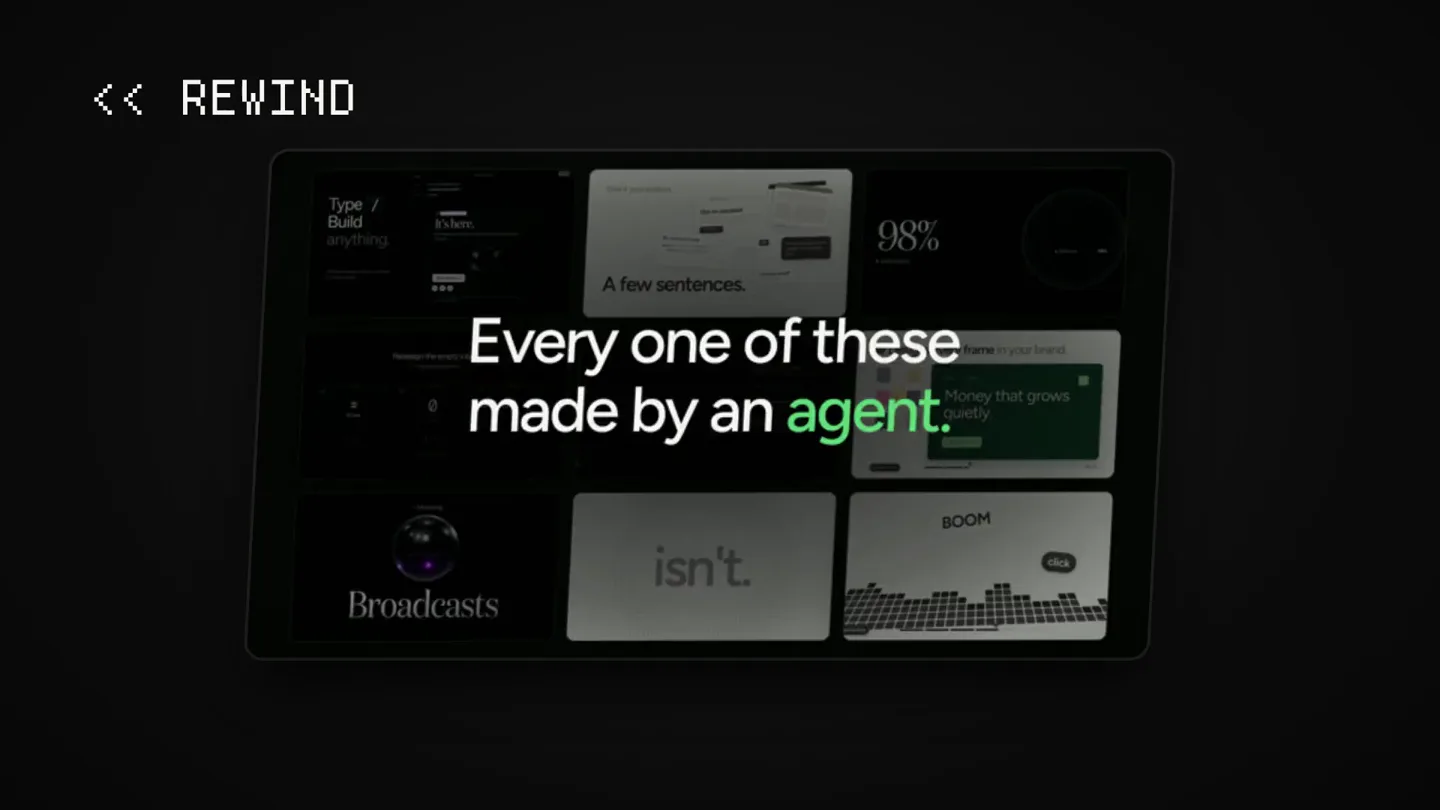
- Here's what Made by Astral. Type / Build anything. Headings, images, buttons, variables. No code needed. Inbox Search misses archived threads Fixed, and the tests pass. Merge it? Export a thread as markdown Added to the menu. Tests pass. Merge it? Redesign the empty inbox Three directions for you to pick from. Unread count is off by one The failing test passes now. Merge it? Keyboard focus lost after closing Focus returns to the list. Tests pass. Merge it? Show token usage per thread 01 It researches your product. "We finished a week of ops work before lunch." Built for ops teams at 400 companies. Agent running 00:58 Give it your product. Ops on autopilot. A GitHub repo. 88% Delivered 98% Every one of these made by an frame in your brand. 5x One click. Northwind Watches its own cut. Introducing Broadcasts From a link to a finished video 47:23 in under an by Astral.
- Camera
- Rapid cuts between various UI mockups, each with a slight camera pan or zoom to highlight specific features. A grid of screens is revealed with a subtle 3D perspective shift.
- Motion
- Quick transitions, text highlights, UI element pop-ins, and a grid layout animation to display multiple examples simultaneously. Digital clock countdown effect.
Call to Action
Experience Astral: Launch Videos for Everything
“(No spoken dialogue — The electronic score builds to a climax with a pronounced riser leading into a sub-bass drop at 0:48, then fades out with a final flourish.)”
- On screen
- Introducing Broadcasts Type / Build anything. Astral Launch videos for everything you ship. Make your launch video astral.now Then makes a sharper v2. A week of ops work. Done before lunch. Designs every frame in your brand. Magic links. Password resets. Redesign the empty inbox pop! whoosh SNACKS THAT BACK. GET THE APP
- Camera
- A wide shot revealing a complex grid of animated UI elements, followed by a slow zoom out to reveal the product name and call to action. Subtle camera shake on impact moments.
- Motion
- Grid animation, text reveals, button hover states, and a final full-screen product display with a clear call to action. Sound-reactive animations (e.g., 'pop!' text).
Motion design primitives
Synthesizable in Remotion · key components of the astral-fast-cut-ai-launch template.
FastCutGridReveal
Multiple UI screens or content cards rapidly appear and arrange themselves into a grid, often with a slight 3D perspective shift or quick scale-in. Individual elements within the grid may have subtle animations.
+ Code construction recipe
Use `Sequence` and `AbsoluteFill` for scene management. Implement `spring()` for scale and opacity on individual grid items. Utilize `map()` to render an array of `GridItem` components, each with a `delay` based on its index for staggered entry. Apply `rotateY` or `rotateX` for subtle 3D perspective shifts.
TypingProgressDisplay
Text appears character by character as if being typed, often accompanied by a blinking cursor. A progress bar or loading indicator animates simultaneously, showing completion of a task.
+ Code construction recipe
For typing, use `splitChars()` on text and `interpolate()` `opacity` and `translateX` for each character based on `frame`. A blinking cursor can be a simple `Rectangle` with `spring()` `opacity`. The progress bar can be a `LinearGradient` or `Rectangle` with `interpolate()` `width` based on a `progress` value.
DynamicUIHighlight
Specific UI elements (buttons, text fields, checkboxes) are highlighted, scaled, or animated into view to draw attention to their functionality, often with a subtle glow or outline effect.
+ Code construction recipe
Wrap target UI elements in a `spring()` animated `View` component. Use `scale`, `opacity`, and `translate` for entry and exit animations. Apply `BoxShadow` or `Border` with `interpolate()` `color` and `width` for highlight effects. SVG filters can be used for glow effects.
Style DNA & aesthetic system
Visual aesthetic
Typography
Motion
Special effects
Pacing & rhythm
Conceptual story rhythm
- 1
The Problem Setup
Purpose. Establish the pain point of manual, time-consuming launch video creation.
Execution. Simple, clean text animations highlighting the problem, contrasted with a 'week' counter and a 'shipped again' message.
- 2
The Solution Introduction
Purpose. Introduce Astral as the innovative AI agent that solves the problem.
Execution. Dramatic reveal of 'Astral' with particle effects, followed by a rapid sequence of UI interactions demonstrating its core functionality (input, research, score, design, animate).
- 3
Feature Deep Dive & Proof
Purpose. Showcase Astral's capabilities and validate its efficiency and output quality.
Execution. Fast-cut montage of various UI examples, a digital timer counting down, and a grid of diverse video outputs, all emphasizing 'Made by Astral' and 'under an hour'.
- 4
Call to Action
Purpose. Prompt the viewer to engage with Astral and experience its benefits.
Execution. A comprehensive grid of all showcased video examples, culminating in a clear brand statement and a prominent 'Make your launch video' button with the website URL.





