brrr · Launch Video Breakdown: Hook, Pacing & Motion Design
Push notifications to your own devices. Instantly.
Scene-by-scene timeline & spoken transcript
The Hook
App Icon Tap & Onboarding
“(No spoken dialogue — Silent video with ambient visual cues.)”
- On screen
- 08.36 brrr Q Search 1
- Camera
- Static, top-down view of an iPhone home screen.
- Motion
- Simulated finger tap, app launch transition.
Problem Agitation
Notification Permission Flow
“(No spoken dialogue — Silent video with ambient visual cues.)”
- On screen
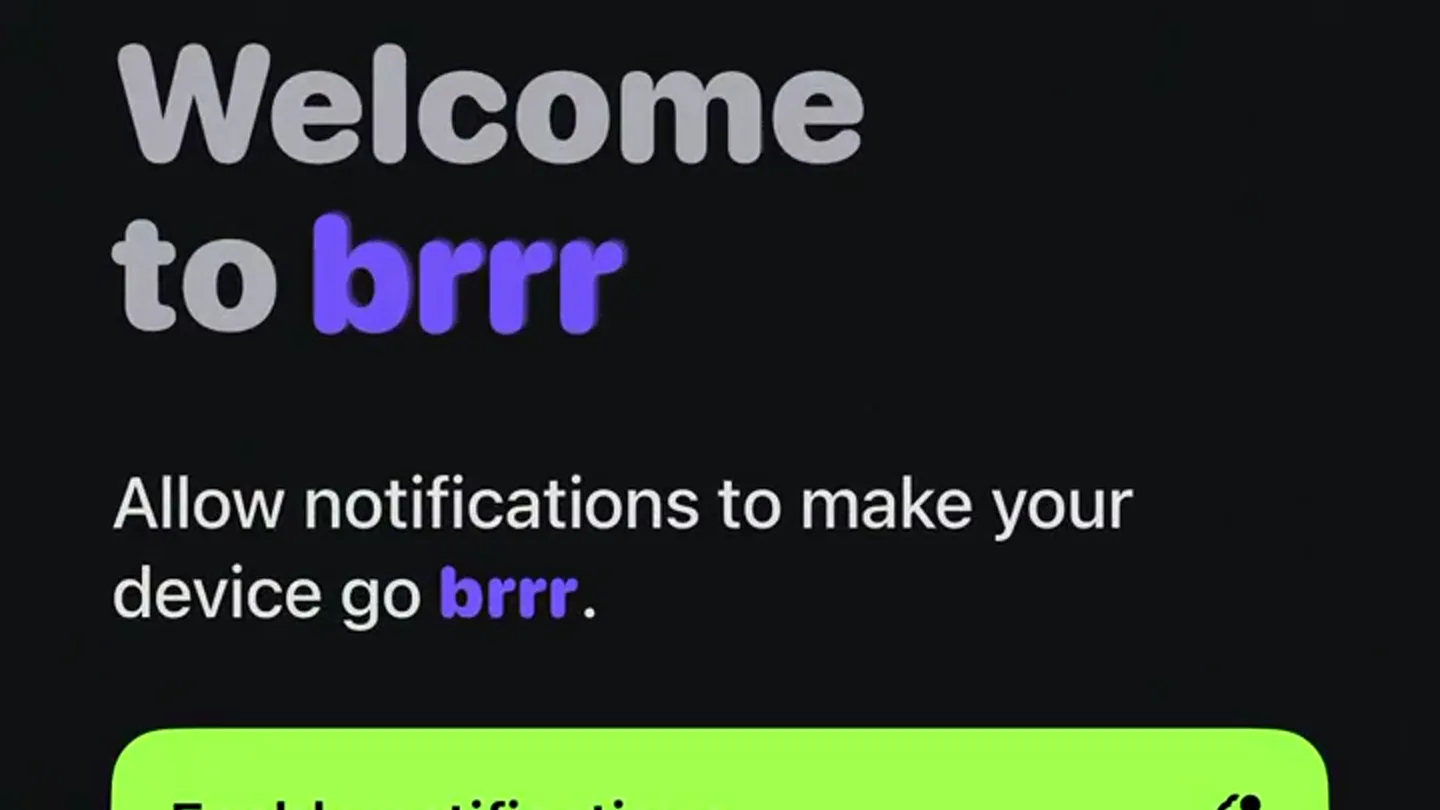
- 08.36 Welcome to brrr Allow notifications to make your device go brrr. Enable notifications "brrr" Would Like to Send You Notifications Notifications may include alerts, sounds, and icon badges. These can be configured in Settings. Don't Allow Allow Requesting...
- Camera
- Static, full-screen app view.
- Motion
- Modal overlay animation (iOS-style blur and scale-up), button tap feedback.
Product Reveal
API Integration & Code Snippet
“(No spoken dialogue — Silent video with ambient visual cues.)”
- On screen
- 08.36 Welcome to brrr Make this device go brrr by sending a notification with the API call below. Bash Send Test curl -X POST https://api.brrr.n -d 'Hello world! 🚀' Copy Share Read docs Copy Secret Copy URL Copy cURL
- Camera
- Static, full-screen app view.
- Motion
- Dropdown menu reveal (fade and slide), button tap feedback, text highlight/selection.
Feature Teaser
Instant Notification Delivery
“(No spoken dialogue — Silent video with ambient visual cues.)”
- On screen
- 08.36 brrr Hello world! 🚀 now Welcome to brrr Make this device go brrr by sending a notification with the API call below. Bash Send Test curl -X POST https://api.brrr.n -d 'Hello world! 🚀' Copy Share Read docs
- Camera
- Static, full-screen app view.
- Motion
- iOS notification banner animation (slide down, hold, slide up), button tap feedback.
Motion design primitives
Synthesizable in Remotion · key components of the ios-api-demo-template template.
AppLaunchSequence
Simulates an app icon tap, followed by a quick transition to the app's welcome screen. Includes a subtle bounce or scale effect on the icon.
+ Code construction recipe
Use `spring` for icon scale/bounce. `AbsoluteFill` for screen transitions. Interpolate `opacity` and `transform` (scale, translateY) for a smooth app launch effect.
ModalOverlayReveal
A system-style modal dialog appears from the center, slightly scaling up and fading in, often with a background blur effect.
+ Code construction recipe
Employ `interpolate` for `opacity` and `scale` from 0.9 to 1.0. Use `backdropFilter: 'blur(Xpx)'` for the background. Ensure z-index layering for the modal.
NotificationBannerDrop
An iOS-style notification banner slides down from the top of the screen, pauses briefly, and then slides back up.
+ Code construction recipe
Animate `translateY` from -100% to 0% (hold) then back to -100%. Use `spring` for a natural, slightly bouncy feel on arrival and departure. `AbsoluteFill` for the banner container.
Style DNA & aesthetic system
Visual aesthetic
Typography
Motion
Special effects
Pacing & rhythm
Conceptual story rhythm
- 1
Introduction to brrr
Purpose. Showcases the app's presence on a device and initiates the user journey.
Execution. App icon tap leading to the welcome screen.
- 2
Permission & Setup
Purpose. Guides the user through essential permissions for the app's core functionality.
Execution. Notification permission modal and 'Enable notifications' button interaction.
- 3
Core Functionality Reveal
Purpose. Demonstrates how to trigger the app's primary feature (sending a notification) via an API call.
Execution. Display of a `curl` command, 'Send Test' button interaction, and copy options.
- 4
Instant Gratification
Purpose. Visually confirms the successful and immediate delivery of a notification.
Execution. An iOS notification banner appearing at the top of the screen.