
Che Wei Lee · Launch Video Breakdown: Hook, Pacing & Motion Design
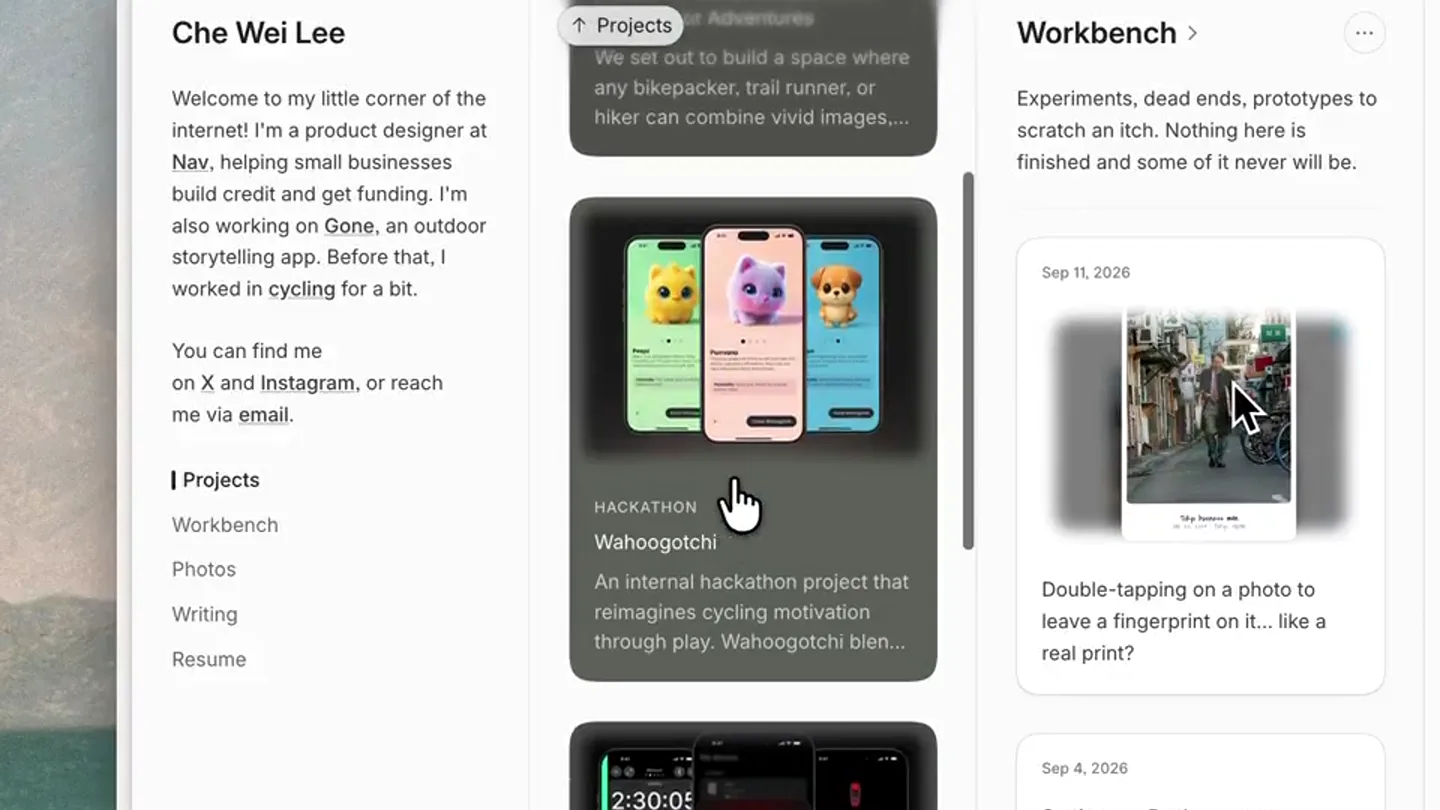
Che Wei Lee rebuilt his site on Payload CMS with a TweetDeck-esque layout.
Scene-by-scene timeline & spoken transcript
The Hook
Initial Site Scroll & Navigation
“(No spoken dialogue — ambient visual with mouse clicks)”
- On screen
- Che Wei Lee Welcome to my little corner of the internet! I'm a product designer at Nav, helping small businesses build credit and get funding. I'm also working on Gone, an outdoor storytelling app. Before that, I worked in cycling for a bit. You can find me on X and Instagram, or reach me via email. I Projects Workbench Photos Writing Resume Projects > Work that shipped, or got far enough to be worth explaining. Gone — A Storytelling Platform for Outdoor Adventures We set out to build a space where any bikepacker, trail runner, or hiker can combine vivid images.... HACKATHON Wahoogotchi An internal hackathon project that reimagines cycling motivation through play. Wahoogotchi blen... Workbench > Experiments, dead ends, prototypes to scratch an itch. Nothing here is finished and some of it never will be. Sep 11, 2026 Double-tapping on a photo to leave a fingerprint on it... like a real print? Sep 4, 2026 Settings -> Bank accounts
- Camera
- Static overhead shot of a desktop browser window. The camera remains fixed, observing the screen.
- Motion
- Simulated mouse cursor interaction with smooth scrolling and hover states.
Product Reveal
Workbench Section Focus
“(No spoken dialogue — ambient visual with mouse clicks)”
- On screen
- Che Wei Lee Welcome to my little corner of the internet! I'm a product designer at Nav, helping small businesses build credit and get funding. I'm also working on Gone, an outdoor storytelling app. Before that, I worked in cycling for a bit. You can find me on X and Instagram, or reach me via email. Projects I Workbench Photos Writing Resume Workbench > Experiments, dead ends, prototypes to scratch an itch. Nothing here is finished and some of it never will be. Sep 11, 2026 Double-tapping on a photo to leave a fingerprint on it... like a real print? Sep 4, 2026 Settings -> Bank accounts Photos > Places, rides, light. Mostly Fujifilm or iPhone.
- Camera
- Static overhead shot. The browser content scrolls horizontally to reveal new sections.
- Motion
- Horizontal content scroll, simulating a user navigating a website. Mouse cursor hovers over 'Workbench'.
Feature Teaser
Photos Section Exploration
“(No spoken dialogue — ambient visual with mouse clicks)”
- On screen
- Che Wei Lee Welcome to my little corner of the internet! I'm a product designer at Nav, helping small businesses build credit and get funding. I'm also working on Gone, an outdoor storytelling app. Before that, I worked in cycling for a bit. You can find me on X and Instagram, or reach me via email. Projects Workbench I Photos Writing Resume Workbench > Experiments, dead ends, prototypes to scratch an itch. Nothing here is finished and some of it never will be. Sep 11, 2026 Double-tapping on a photo to leave a fingerprint on it... like a real print? Sep 4, 2026 Settings -> Bank accounts Photos > Places, rides, light. Mostly Fujifilm or iPhone. Crust Evasion Lite - upstate New York May 22, 2024. Putnam County, United States.
- Camera
- Static overhead shot. The browser content scrolls horizontally to reveal new sections.
- Motion
- Horizontal content scroll, simulating a user navigating a website. Mouse cursor hovers over 'Photos'.
Call to Action
Writing & Resume Sections
“(No spoken dialogue — ambient visual with mouse clicks)”
- On screen
- Che Wei Lee Welcome to my little corner of the internet! I'm a product designer at Nav, helping small businesses build credit and get funding. I'm also working on Gone, an outdoor storytelling app. Before that, I worked in cycling for a bit. You can find me on X and Instagram, or reach me via email. Projects Workbench Photos I Writing Resume Photos > Places, rides, light. Mostly Fujifilm or iPhone. Crust Evasion Lite - upstate New York May 22, 2024. Putnam County, United States. Writing > Longer pieces on whatever else I've been chewing on. 101 Sep 30, 2019 Blurring the Lines Between Prototype and Real Product Designing with data is becoming the new norm. Excel sheets, APIs, data Test randomisers are all... Resume Education Master of Architecture (Prof), - The University of Auckland Bachelor of Architectural Stud Architecture - The University (2008-2011) Experience Nav Technologies - 2025-Pr Wahoo Fitness - 2019-2025 Koordinates - 2017-2019 Vond by Lightspeed - 2014-2 AECOM (Architecture) - 2012 Talks Introduction to Framer - Roa Auckland, New Zealand (2020 Jacky Lee, Designer + Develo design interview podcast (202 Prototyping with Bluetooth De Framer Loupe, Amsterdam (20 Design with Code - Crimson Auckland, New Zealand (2018
- Camera
- Static overhead shot. The browser content scrolls horizontally to reveal new sections, then scrolls back to the initial view.
- Motion
- Horizontal content scroll, simulating user navigation. Mouse cursor hovers over 'Writing' and then returns to 'Projects'.
Motion design primitives
Synthesizable in Remotion · key components of the horizontal-ui-carousel-template template.
HorizontalContentCarousel
A wide content area scrolls horizontally, revealing new columns of information as if navigating a multi-pane interface. The scroll is smooth and responsive to simulated user input.
+ Code construction recipe
Implement using a `ScrollView` or `FlatList` with `horizontal` prop. Control scroll position with `Animated.Value` and `interpolate` for smooth transitions. Use `PanResponder` or `GestureHandler` for simulated drag interactions, or simply `scrollTo` with `animated: true` for programmatic navigation.
InteractiveCursorHover
A mouse cursor moves across the screen, highlighting interactive elements with a subtle hover effect (e.g., background change, slight scale). Clicks are indicated by a brief visual feedback.
+ Code construction recipe
Render a custom cursor component that follows `Animated.Value` for X/Y coordinates. Use `useSpring` or `withTiming` for smooth cursor movement. Apply `hover` CSS states or `Animated.View` transformations (e.g., `scale`, `backgroundColor`) to elements when the cursor's position overlaps their bounding box.
DynamicColumnLayout
A responsive grid-like layout where content columns appear and disappear or shift position as the user navigates, maintaining a consistent visual hierarchy.
+ Code construction recipe
Utilize CSS Grid or Flexbox for the main layout. Animate column `opacity`, `transform` (translateX), or `width` properties using `withTiming` or `useSpring` when content changes. Ensure smooth transitions between different column configurations.
Style DNA & aesthetic system
Visual aesthetic
Typography
Motion
Special effects
Pacing & rhythm
Conceptual story rhythm
- 1
Introduction to the Creator
Purpose. Establishes the identity and professional background of Che Wei Lee, setting the context for his personal website.
Execution. The initial view of the website's 'About Me' section, with the mouse cursor hovering over introductory text.
- 2
Showcasing Projects
Purpose. Highlights the 'Projects' section, demonstrating the breadth of Che Wei Lee's work and creative endeavors.
Execution. Horizontal scroll revealing project cards, with the cursor interacting with 'Projects' and 'Workbench' navigation.
- 3
Personal Interests & Content
Purpose. Reveals personal aspects and content categories like 'Photos' and 'Writing', adding depth to the creator's profile.
Execution. Continued horizontal scrolling to 'Photos' and 'Writing' sections, showing image galleries and article snippets.
- 4
Professional Overview & Return
Purpose. Briefly touches upon the 'Resume' section for professional context, then loops back to the main 'Projects' view, reinforcing key offerings.
Execution. Scroll to 'Resume' section, followed by a reverse scroll back to the 'Projects' section, ending the loop.
Remix in Animatiq Studio
Master remix prompt · agent-ready
Sample remix
Objective
Launch video for a new productivity dashboard application.How the recipe adapts
The recipe adapts by showcasing different dashboard widgets and features as distinct columns. The mouse cursor navigates between 'Tasks', 'Calendar', and 'Analytics' sections with smooth horizontal scrolling. Hover effects highlight interactive elements like 'Add New Task' buttons or data visualizations. The video maintains a static overhead view of the dashboard, letting the UI's fluid transitions and user interaction demonstrate the app's capabilities.Remix blueprint · horizontal-ui-carousel-template
Scene durations (4 scenes, 15s)
Key Remotion components
Related Creative Tools Product Launches
Explore all Creative Tools launches →
A vibe design partner with an AI-native canvas for turning ideas into UI.

We heard you wanted to use Codex rate limit resets on your own time. Starting today, we’re rolling out the ability to save rate limit resets to use later. We’re starting Go, Plus, Pro, and Business
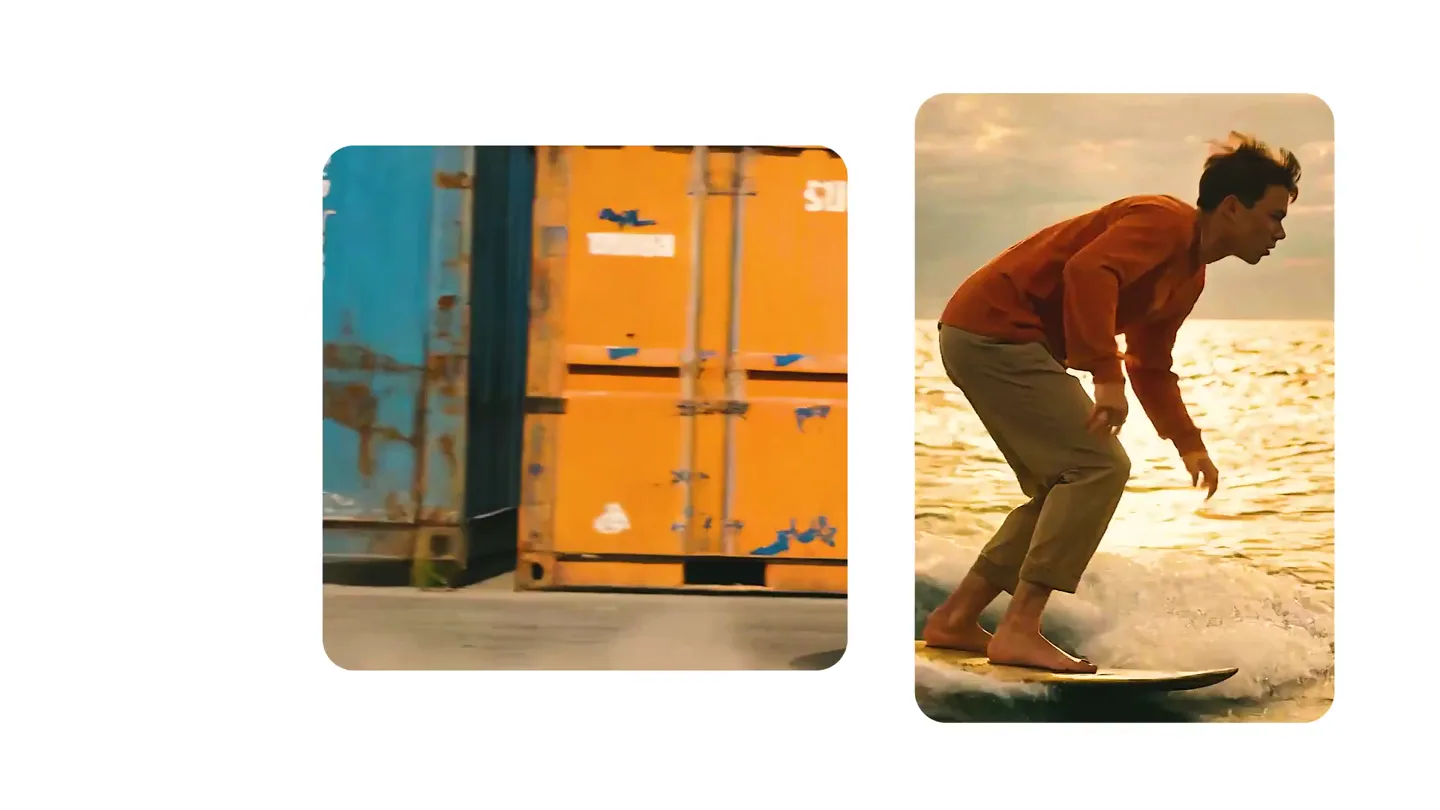
We just launched something the VFX community has been waiting for. OpenArt VFX lets you apply real visual effects to footage you already have. It lets you mask any region of your video and replace it with AI-generated content that matches the scene's lighting and physics. https://t.co/dnQjrZCWC4