Clucky · Launch Video Breakdown: Hook, Pacing & Motion Design
Clucky is a loud rooster alarm clock with no snooze. Invite friends to a flock: one alarm, everyone up.
Scene-by-scene timeline & spoken transcript
The Hook
Abstract Intro & Brand Reveal
“(No spoken dialogue — Pizzicato synths with deep sub-bass, high-energy audio riser at 0:00.800 leading into a subtle impact.)”
- On screen
- (No on-screen text)
- Camera
- Static, centered view on an abstract oval shape.
- Motion
- Minimalist shape animation, subtle scaling and color shift.
Product Reveal
App Interface Showcase
“(No spoken dialogue — Continued rhythmic pizzicato synths and sub-bass.)”
- On screen
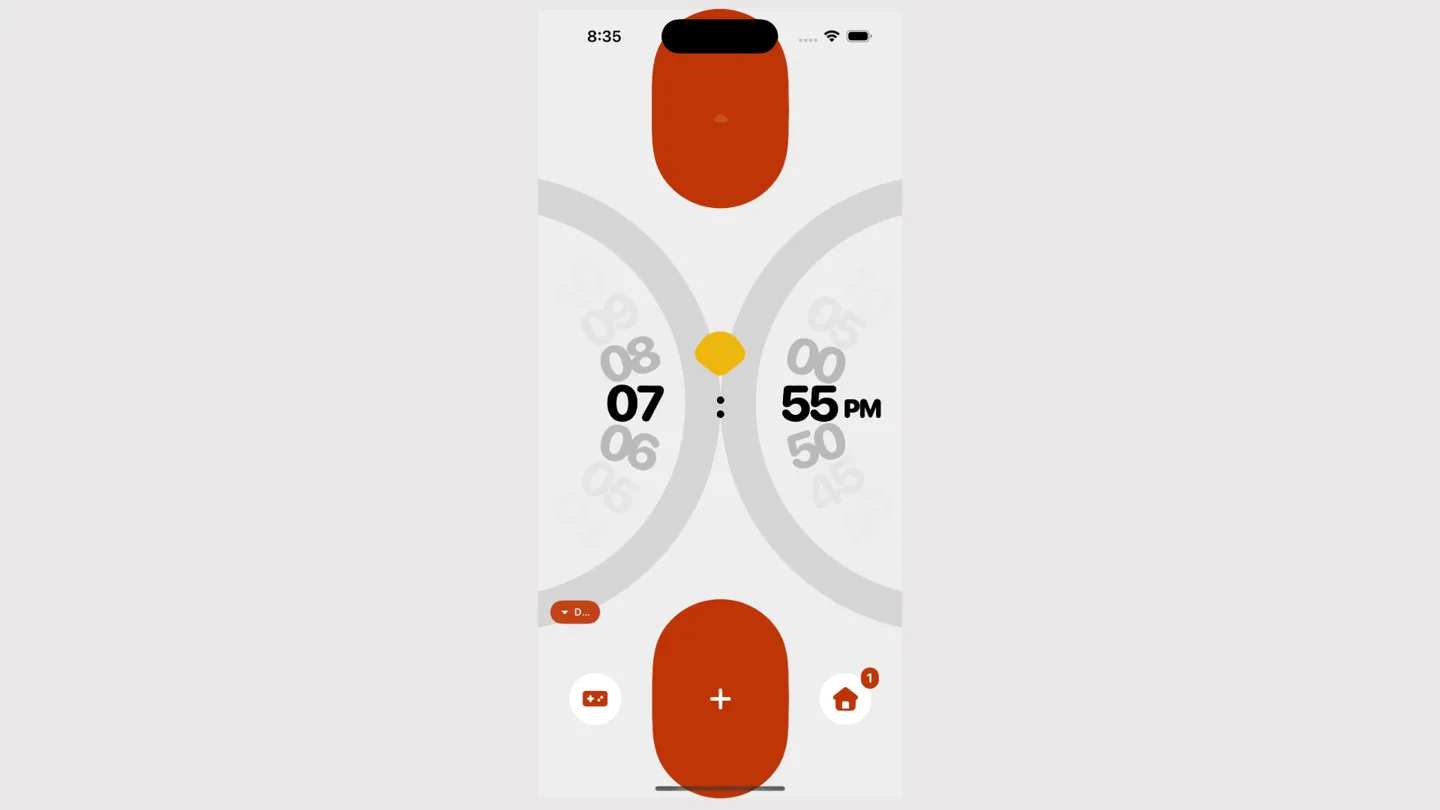
- Wake up differently. Clucky Alarms Missions Next Wakeup Tomorrow 6:30 AM Colors Rooster Morning stats 100% Up within 3 min 55s Average wake 8:31 8:33 8:35 8:35 6:30 AM Weekdays Colors Rooster 7:00 AM Once Memory Digital Beep 7:30 AM Every day Shake Gentle Chimes 8:00 AM Weekends Slide Peaceful Birds Missions Tap to add hold to play Math Memory Typing Shake Walk Push Ups
- Camera
- Dynamic zoom-out from a central element to reveal multiple app screens, then a vertical pan.
- Motion
- Multi-screen reveal, rapid UI element animation, vertical parallax scroll.
Feature Teaser
Mission-Based Alarm Features
“(No spoken dialogue — Audio riser builds from 0:06.000 to 0:07.000, culminating in a distinct sub-bass drop/impact at 0:07.000.)”
- On screen
- Missions Tap to add hold to play Memory Typing Shake Walk Meet your new wake-up call.
- Camera
- Close-up on app mission icons, then a wide shot revealing the brand mascot.
- Motion
- Grid-based icon reveal, character introduction with subtle bounce animation.
Call to Action
Mascot Engagement & Availability
“(No spoken dialogue — Rhythmic pizzicato synths continue, fading out towards the end.)”
- On screen
- Clucky now available
- Camera
- Static, centered view of the mascot, then a slight zoom out to reveal text.
- Motion
- Character animation (typing, walking), subtle text reveal with a fade-in.
Motion design primitives
Synthesizable in Remotion · key components of the clucky-style-product-launch template.
AbstractShapeReveal
A central, rounded rectangular shape scales up and subtly shifts color, then quickly transitions to a multi-screen app interface.
+ Code construction recipe
Use `interpolate` for scale and color transitions. Employ `spring` for a slight overshoot on the initial shape reveal. A `Sequence` component can manage the timing of the shape animation before the scene cut.
MultiScreenParallaxScroll
Multiple app screens are revealed in a dynamic grid, then a central screen performs a vertical parallax scroll, showcasing various UI elements and features.
+ Code construction recipe
Utilize `AbsoluteFill` for screen positioning. Implement `interpolate` for X/Y position and opacity for the initial grid reveal. For the parallax scroll, use `useCurrentFrame` and `interpolate` to animate the `translateY` property of content within the scrolling screen.
CharacterActionReveal
A cute mascot character is introduced with a gentle bounce, then performs various actions (typing, walking) in quick succession, leading to a final availability message.
+ Code construction recipe
Animate character elements (eyes, wings, legs) using `spring` for a natural, bouncy feel. Use `Sequence` to orchestrate the timing of different character actions. Text reveal can be a simple `FadeIn` component.
Style DNA & aesthetic system
Visual aesthetic
Typography
Motion
Special effects
Pacing & rhythm
Conceptual story rhythm
- 1
Intrigue & Anticipation
Purpose. To immediately grab attention and set a modern, tech-forward tone.
Execution. Abstract shape animation with a strong audio riser, creating a sense of impending reveal.
- 2
Product Immersion
Purpose. To quickly demonstrate the app's core functionality and user interface.
Execution. Rapid multi-screen reveal and vertical parallax scrolling through key app features.
- 3
Brand Personality & Feature Highlight
Purpose. To introduce the brand's unique character and showcase engaging features.
Execution. Introduction of the Clucky mascot alongside a dynamic display of alarm 'missions'.
- 4
Call to Action & Memorability
Purpose. To reinforce the brand and guide the user to download the app.
Execution. Mascot performing actions related to the app's missions, followed by a clear 'available now' message.