Cmf Buds Neo (by CMF by Nothing) · Launch Video Breakdown: Hook, Pacing & Motion Design
CMF by Nothing introduces Buds Neo.
Scene-by-scene timeline & spoken transcript
The Hook
Brand Introduction & Product Tease
“(No spoken dialogue — Rapid, high-pitched synth arpeggio builds tension, leading to a distinct 'whoosh' sound effect and sub-bass drop.)”
- On screen
- cmf BY NOTHING
- Camera
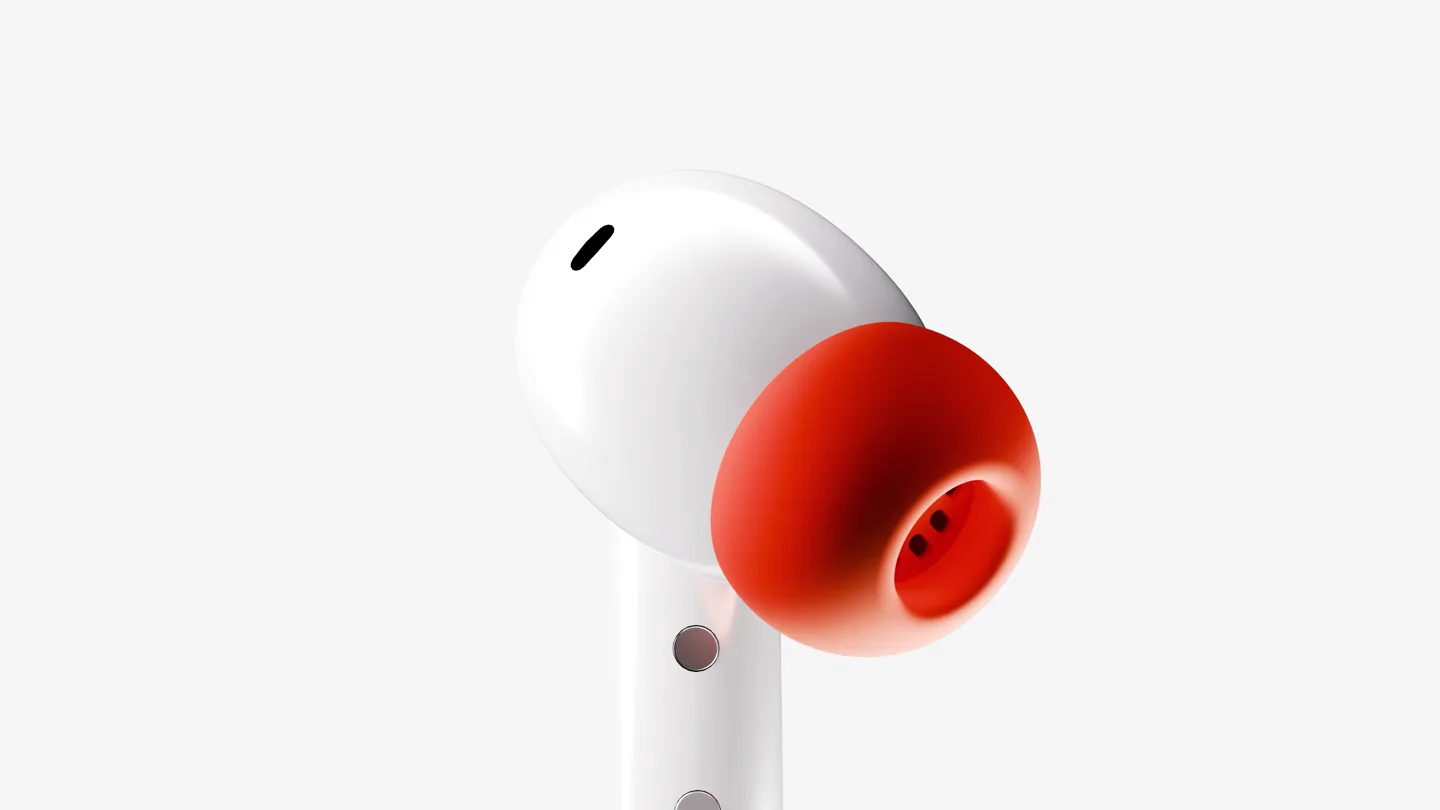
- Close-up on product casing, slowly rotating and zooming out to reveal the brand logo.
- Motion
- 3D product rendering with subtle camera rotation and zoom, text appears with a pixelated reveal effect.
Product Reveal
Design & Colorways Showcase
“(No spoken dialogue — Driving electronic beat with pizzicato synths. A high-energy riser and sweep occur towards the end of this segment.)”
- On screen
- DUAL-TONE DESIGN
- Camera
- Dynamic rotation and arrangement of multiple product units, showcasing different color options. Camera orbits around the products.
- Motion
- Multi-product 3D animation, synchronized rotation, and staggered appearance of product variations. Text animates in with a subtle fade and scale.
Feature Teaser
Key Features Highlight
“(No spoken dialogue — Consistent electronic beat with sound design elements emphasizing feature reveals. Another high-energy riser and sweep at 0:18-0:19.)”
- On screen
- 12.4mm DYNAMIC DRIVER, UP TO 52 HRS OF PLAYBACK, UP TO 35dB ADAPTIVE ANC, FEEDFORWARD MIC, TALK MIC, 4 HD MICS FOR CLEAR CALLS
- Camera
- Close-up on individual earbud, then an exploded view of internal components. Followed by a wide shot of the case with a clock graphic, then a close-up of the earbud with sound wave visualization. Finally, a diagrammatic view highlighting microphones.
- Motion
- Exploded 3D product view, abstract graphic overlays (clock, sound waves), animated text reveals, and spotlighting of specific components.
Call to Action
Product Branding & Final Call
“(No spoken dialogue — The electronic beat continues, building to a final energetic sweep at 0:24-0:25, then fades out with a concluding sound effect.)”
- On screen
- BUDS NEO PRETTY PERFECT, cmf BY NOTHING
- Camera
- Dynamic arrangement of multiple product cases, rotating and settling into a final composition. Concludes with a full-screen brand logo.
- Motion
- Synchronized 3D product rotation and arrangement, text animation with pixelated reveal, and a final brand logo animation.
Motion design primitives
Synthesizable in Remotion · key components of the minimalist-tech-product-launch template.
PixelatedTextReveal
Text appears by animating individual pixels or small blocks, giving a digital, retro-tech aesthetic. The pixels resolve into clear characters.
+ Code construction recipe
Use a Remotion Sequence component. For each character, render a grid of small rectangles. Animate the opacity and scale of these rectangles over time, or use a shader to simulate a pixel dissolve/build effect. Stagger the animation for each character.
DynamicProductOrbit
Multiple 3D product models rotate and orbit around a central point, often changing their relative positions and angles to showcase different features or colorways.
+ Code construction recipe
Utilize Remotion's 3D capabilities with React Three Fiber. Define a central orbit point and animate the position (x, y, z) and rotation (Rx, Ry, Rz) of multiple <mesh> components representing the products. Use spring or ease-in-out interpolation for smooth, dynamic movement.
ExplodedViewHighlight
A 3D product model disassembles into its constituent parts, which then float apart to reveal internal components, often with a specific part highlighted or animated.
+ Code construction recipe
Import a 3D model (GLTF/GLB) into React Three Fiber. Identify key component meshes. Animate the position of these individual meshes along their respective axes (e.g., z-axis for separation) using `interpolate` or `spring` functions. Use a spotlight or emissive material to highlight specific internal parts.
Style DNA & aesthetic system
Visual aesthetic
Typography
Motion
Special effects
Pacing & rhythm
Conceptual story rhythm
- 1
Initial Intrigue & Brand Identity
Purpose. To immediately capture attention and establish the brand's modern, tech-forward identity.
Execution. Close-up product tease with pixelated brand logo reveal, synchronized with a high-energy audio build-up and drop.
- 2
Design & Aesthetic Showcase
Purpose. To highlight the product's visual appeal, color options, and unique design elements.
Execution. Dynamic 3D rotations and arrangements of multiple product units, emphasizing the 'Dual-Tone Design' with clear on-screen text.
- 3
Feature Deep Dive
Purpose. To inform the viewer about the product's key technical specifications and benefits.
Execution. Exploded 3D views, abstract graphic overlays (clock, sound waves), and diagrammatic highlights of features like drivers, battery life, ANC, and microphones.
- 4
Reinforcement & Call to Action
Purpose. To reiterate the product's name and brand, leaving a lasting impression and encouraging further engagement.
Execution. Final dynamic product arrangement, prominent display of product name ('BUDS NEO PRETTY PERFECT'), and a concluding brand logo animation.