
Co Invest Imessage (by Liquid) · Launch Video Breakdown: Hook, Pacing & Motion Design
Today we’re introducing Co-Invest iMessage: the first way to trade directly from your texts. It’s Co-Invest, built into iMessage, bringing AI-powered investing to those who don’t live in brokerages…
Scene-by-scene timeline & spoken transcript
The Hook
iMessage Integration Reveal
“(No spoken dialogue — High-energy sub-bass drop and impact at 0:00, driving electronic score begins.)”
- On screen
- coinvest.ai
- Camera
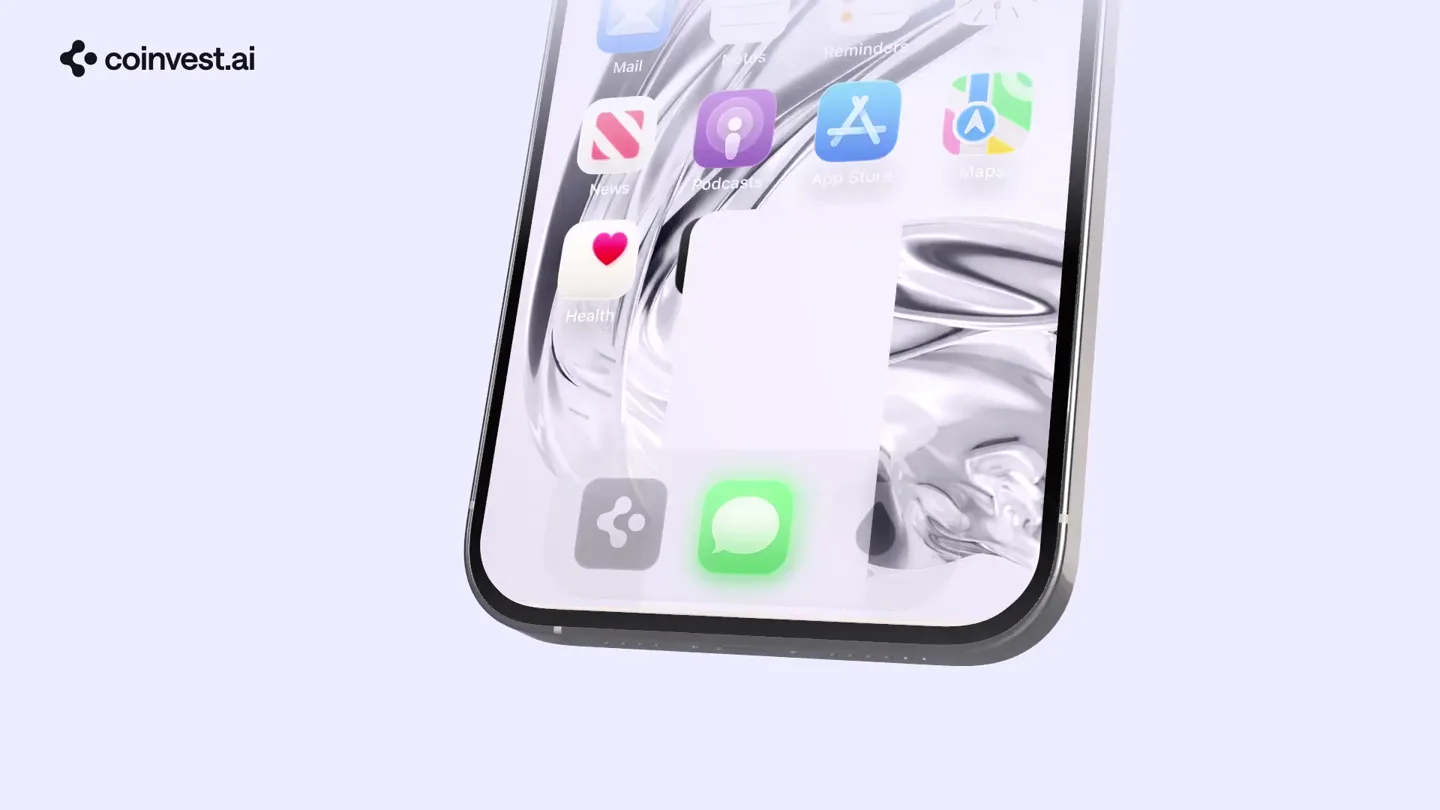
- Close-up on an iPhone screen, slowly zooming out and rotating to reveal the device.
- Motion
- 3D device animation, UI element pop-in, subtle camera pan and zoom.
Product Reveal
Conversational Trading Demo
“(No spoken dialogue — Electronic score continues with pizzicato synths.)”
- On screen
- coinvest.ai, Hey Co-Invest, how's the market?, SpaceX is trading around US$207.77. Momentum is holding steady, with price currently above the US$200 buy level., Buy $500 SpaceX at US$200, I can prepare a SpaceX limit buy order at US$200.00., Confirm SpaceX Buy, Limit Order, Type, Limit Buy, Price, US$200.00, Amount, $500.00, Est. SPX, 2.5000 SPCX, Fee, ~$0.35, Reply YES to confirm this trade., YES, Done, SpaceX Buy, Order placed. Your SpaceX limit buy order is now open at US$201.80.
- Camera
- Static, top-down view of the iMessage interface, focusing on text bubbles.
- Motion
- Typing animation, message bubble pop-in, confirmation UI elements appearing and fading.
Feature Teaser
AI-Powered Trading Capabilities
“(No spoken dialogue — Electronic score builds with a sweep at 0:17.)”
- On screen
- coinvest.ai, Co-Invest, Intel, NVIDIA, Microsoft, S&P500, SpaceX, Ask, Confirm, Trade, Hey Co-Invest, how's the market?, What's the best CBRS entry right now?, Can you help me place a NVDA order?, Confirm to proceed., YES, I can prepare an INTC buy order, Done, Buy $500 MSFT at $390.34, Confirm S&P 500 Buy, Limit Order, Limit Buy, $7,293.36, $500.00, 0.0685 SPX, ~$0.35
- Camera
- Dynamic camera movement, zooming out from the phone, then a rapid pan and zoom through a circular, abstract UI.
- Motion
- Fast cuts, UI elements orbiting and scaling, radial wipe transitions, text reveals, and a 'Done' checkmark animation.
Call to Action
Your Trading Assistant, Inside iMessage
“(No spoken dialogue — Electronic score maintains energy, impactful sub-bass drop at 0:28.)”
- On screen
- coinvest.ai, Text 'Hey' to +1 (646) 206-2835 now., Your Trading Assistant, Inside iMessage, Ask. Confirm. Trade., Hey Co-Invest, how's the market?, NVDA is trading around US$207.77. Momentum is holding steady, with price currently above the US$207 area., Buy $500 NVDA at US$207, I can prepare an NVDA limit buy order at US$207.41., Confirm NVDA Buy, Limit Order, Order placed. Your NVDA limit buy order is now open at US$207.41., NVDA Position, Hey Co-Invest, how's the market?, SpaceX is trading around US$207.77. Momentum is holding steady, with price currently above the US$200 buy level., Buy $500 SpaceX at US$200, I can prepare a SpaceX limit buy order at US$200.00., Confirm SpaceX Buy, Limit Order, Reply YES to confirm this trade., SpaceX Buy, Order placed. Your SpaceX limit buy order is now open at US$201.80., SpaceX Position
- Camera
- Two iPhones rotate and slide into frame, displaying parallel trading conversations. The camera slowly zooms out.
- Motion
- Multi-device display, synchronized UI animations, text reveal, and a clear call to action with phone number.
Motion design primitives
Synthesizable in Remotion · key components of the ai-chat-finance-launch template.
iMessageBubbleFlow
Simulates iMessage text bubbles appearing sequentially with a subtle pop-in and typing animation, followed by interactive elements like confirmation buttons.
+ Code construction recipe
Use `Sequence` and `spring` for pop-in and typing effects. Implement `AbsoluteFill` for background. Text content can be dynamically rendered using `Map` over an array of message objects. Utilize `interpolate` for opacity and scale transitions.
RadialUIReveal
Abstract circular UI elements expand and contract, revealing key action words like 'Ask', 'Confirm', 'Trade' with a glowing, futuristic effect.
+ Code construction recipe
Employ `Canvas` or `SVG` for drawing concentric circles. Use `spring` for scale and opacity animations. Apply `filter: blur()` and `box-shadow` for glow effects. Text elements can be positioned absolutely and animated with `interpolate` for fade-in.
MultiDeviceSyncDisplay
Multiple 3D phone models animate into view, displaying synchronized or parallel UI interactions, emphasizing the product's multi-tasking or multi-user capabilities.
+ Code construction recipe
Render 3D phone models using `ThreeCanvas` or pre-rendered `Lottie` animations. Synchronize internal UI animations (e.g., `iMessageBubbleFlow`) across devices using shared `AbsoluteFill` components. Animate device positions and rotations with `spring`.
Style DNA & aesthetic system
Visual aesthetic
Typography
Motion
Special effects
Pacing & rhythm
Conceptual story rhythm
- 1
The Seamless Entry
Purpose. Immediately establishes the product's core value proposition: trading directly within iMessage.
Execution. A 3D iPhone animates into view, highlighting the iMessage app, followed by a quick zoom into the chat interface.
- 2
Conversational Power
Purpose. Demonstrates the intuitive, AI-powered interaction for market queries and trade execution.
Execution. A rapid sequence of iMessage bubbles showing a user asking about the market, receiving AI insights, and placing a trade with simple confirmations.
- 3
Beyond the Chat
Purpose. Expands on the underlying AI capabilities and the breadth of assets supported.
Execution. Abstract circular UI elements with glowing effects, showcasing 'Ask', 'Confirm', 'Trade' and a list of tradable assets (NVIDIA, Microsoft, S&P500, SpaceX).
- 4
The Integrated Future
Purpose. Reinforces the product's identity as a comprehensive trading assistant and provides a clear call to action.
Execution. Multiple iPhones display parallel trading scenarios, with a prominent text overlay: 'Your Trading Assistant, Inside iMessage' and a phone number to text.





