
Cue (by Manus) · Launch Video Breakdown: Hook, Pacing & Motion Design
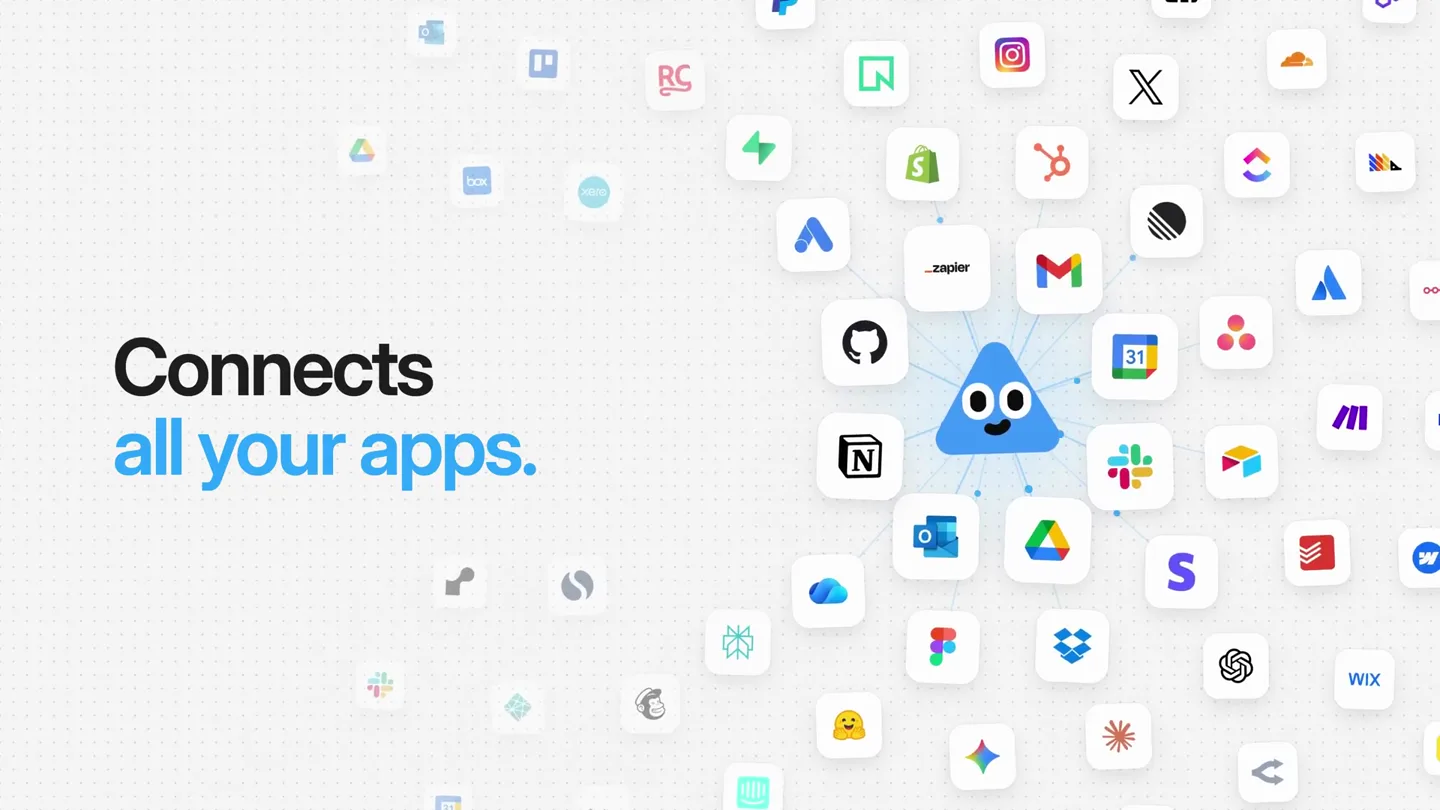
Cue, by Manus, connects all your apps. Email, phone, and computer each have an identity of their own, on its own computer rather than your laptop.
Scene-by-scene timeline & spoken transcript
The Hook
Introducing Cue: Your Personal AI Agent Team
“(No spoken dialogue — Upbeat electronic music with a high-energy riser transition at 0:00-0:01 and a sweep at 0:08-0:09.)”
- On screen
- Meet cue Cue! by manus Your personal team of AI agents. I have my own Email Christine@bo Sign up on your behalf I'll use it to join the services you need. Surface the info you care about I'll surface what matters and sort out the rest. Assign work by email I can take calls, too I'll pick up for you I can answer or place calls when you're busy. I'll sit on hold I can call support, ask for a refund, and follow up. Choose my number +1 (415) 555-0142 +1 (415) 555-0199 +1 (628) 555-0117 Show me more I have my own computer I can buy stuff
- Camera
- Static wide shots, then close-up UI views, followed by a centered icon reveal.
- Motion
- Character reveals with subtle bounces, UI elements sliding in, text highlights, and icon-to-text transitions.
Product Reveal
Seamless Agent Management & Collaboration
“(No spoken dialogue — Energetic electronic music with a riser transition at 0:15-0:16 and a sweep at 0:22-0:23.)”
- On screen
- Christine Mail christine@cue.im Phone Computer Payment Apps Automations Morning briefing Receipts to Drive Call the dentist New automations Agents New group Create Tokyo trip Travel Planner Stay Scout Fun Finder Health Coach Put them in a group chat. Hotel Koen Shibuya $238 4.6 · 3 nights · Free cancellation / night Fun Finder Holding 2 tickets for Saturday night: Night Garden Light Show Sat, Oct 17 · 7:00 PM · 2 tickets On hold + Message They split the work. Connects all your apps. Uses them. Manages them. Christine · Gmail Replied to 12 emails Christine · Google Calendar Booked Thu, 3:00 PM
- Camera
- Panning across UI, static shots of app integrations, and a dynamic zoom into a central agent icon.
- Motion
- UI scrolling, agent icon distribution, text reveals with color changes, and notification pop-ups.
Feature Teaser
Agents from QR Codes: Expanding Possibilities
“(No spoken dialogue — Upbeat electronic music with a riser/impact transition at 0:29-0:30 and a sweep at 0:36-0:37.)”
- On screen
- Lucky Dumpling Scan to order pickup Every QR code out there... ...could be an agent. CREATE FROM SCAN Creating an agent from this QR code... Saved to your team. Lucky Dumpling New Now Ready to take your order Christine Your Resy account is confirm... Travel Planner Found 3 nonstop flights to To... Stay Scout Hotel shortlist is ready
- Camera
- Static text reveal, real-world camera footage with UI overlay, then a transition to abstract particle animation, followed by a UI shot.
- Motion
- Text color emphasis, QR code scanning animation, particle burst transition, and UI list updates with 'New' badges.
Problem Agitation
Effortless Task Automation & Real-World Integration
“(No spoken dialogue — Energetic electronic music with a riser/impact transition at 0:44-0:45 and a sweep at 0:51-0:52.)”
- On screen
- Lucky Dumpling On it: 2x pork & chive dumplings, 1x chili wontons. Lucky Dumpling wants to place an order at lucky-dumpling.shop Estimated total $14.80 VISA Credit Card •••• 1234 Deny Allow Pickup at 7? Done. Every QR code, an agent Florist Give it a cue.
- Camera
- UI interaction sequence, then a wide shot of a stylized street with animated agents, concluding with a centered text and agent lineup.
- Motion
- UI button interactions, text reveals, agent icons animating into a street scene, and a final agent lineup with subtle character movements.
Call to Action
Experience Cue: The Future of AI Agents
“(No spoken dialogue — Upbeat electronic music with a sweep at 0:59-01:00, a riser at 01:06-01:07, and a final impact/sweep at 01:10-01:11.)”
- On screen
- (No on-screen text)
- Camera
- Rapid sequence of abstract motion graphics, culminating in a final brand reveal.
- Motion
- Fast-paced abstract particle animations, shape morphing, and a final logo reveal with a subtle glow.
Motion design primitives
Synthesizable in Remotion · key components of the ai-agent-launch-synapse template.
AgentCharacterReveal
Individual AI agent characters (icons) appear with a slight bounce and subtle rotation, often accompanied by a text label or UI element sliding in. They maintain a playful, expressive quality.
+ Code construction recipe
Use `spring()` for bounce and rotation, `interpolate()` for opacity and scale. SVG paths for character shapes, with `transform-origin` set to the bottom for a natural bounce. Combine with `Sequence` and `AbsoluteFill` for precise timing and positioning.
DynamicUITextHighlight
Key words within a sentence change color or scale slightly, drawing attention to specific product benefits or actions. Often paired with a subtle background pulse or underline animation.
+ Code construction recipe
Employ `interpolate()` for `color` and `scale` properties on individual `<span>` elements within a `Text` component. Use `delay` in `Sequence` to animate words sequentially. Consider a `spring()` for a subtle 'pop' effect on the highlighted word.
ParticleBurstTransition
A scene transitions via a burst of small, colored particles that expand outwards from a central point, then dissipate, revealing the next scene. The particles often match the brand's color palette.
+ Code construction recipe
Implement using a Canvas or SVG with many small, randomly positioned shapes (circles, squares). Animate `opacity`, `scale`, and `position` using `spring()` or `interpolate()` with a fast duration. Control particle distribution with `Math.random()` and a central origin point.
Style DNA & aesthetic system
Visual aesthetic
Typography
Motion
Special effects
Pacing & rhythm
Conceptual story rhythm
- 1
The Agent Introduction
Purpose. Introduce the core concept of AI agents and their individual identities.
Execution. Animated character icons appear with their associated functions (Email, Phone, Computer), establishing their distinct roles.
- 2
Seamless Integration & Collaboration
Purpose. Demonstrate how agents work together and connect with existing apps.
Execution. UI walkthroughs showing agents in group chats, splitting tasks, and connecting to a hub of popular applications.
- 3
Real-World Agent Creation
Purpose. Showcase a unique feature: creating agents from real-world inputs like QR codes.
Execution. A QR code scan animation, followed by a particle burst transition, and the new agent appearing in the user's team list.
- 4
Empowering Automation
Purpose. Illustrate the practical benefits of agents automating tasks and simplifying life.
Execution. UI showing an agent ordering food, followed by a stylized street scene with agents performing various tasks, reinforcing their omnipresence.





