
Devin Auto Triage (by Cognition) · Launch Video Breakdown: Hook, Pacing & Motion Design
Introducing Devin Auto-Triage: Your AI first-responder with long-term memory. Devin can monitor incoming bugs, alerts, and incidents, investigate them, and come back with context, next steps, or a PR.
Scene-by-scene timeline & spoken transcript
The Hook
Introducing Auto-Triage
“Introducing Auto Triage. Your AI first responder with long-term memory.”
- On screen
- Introducing Auto-Triage
- Camera
- Static shot, centered product logo and title text. Subtle background animation.
- Motion
- Subtle glow and particle effects around the central hexagonal logo, with text fading in.
Product Reveal
Devin in Action: Bug Triage Workflow
“Devin can monitor incoming bugs, alerts, and incidents, investigate them, and come back with context, next steps, or a PR. It can even learn from your team's past actions and apply that knowledge to new incidents, getting faster and more accurate with every interaction.”
- On screen
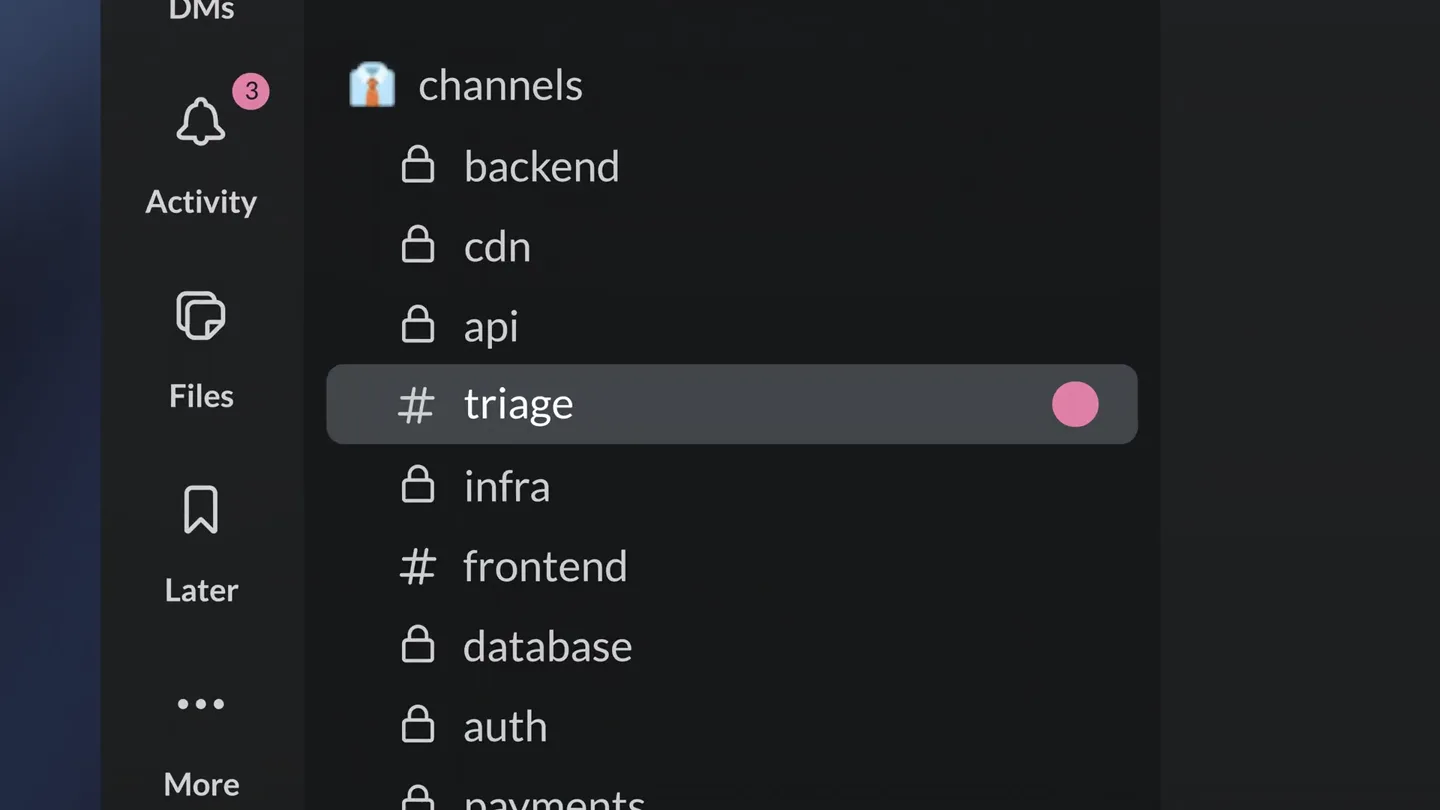
- Directories channels backend cdn api triage infra frontend database - Queue worker 500s or connectivity issues Show more Notified @on-call Mute Monitor Declare Incident Create Case Run Workflow View in Log Explorer 1 reply Last reply today at 9:48 AM Message @triage Thread Pylon APP Today at 6:19 AM Tanner | #4218 View in Pylon | Internal thread Task events are getting dropped in the web UI Issue opened in Pylon Added by Pylon Devin Apr 19th at 9:38 PM Looking into this. devin_event.py src/services/events 5 lines 1 All 255 lines 5 lines except Exception: logger.exception(f"Failed to set pending_question for devin {devin_id}") asyncio.create_task(_publish_to_sns(devin_event.event_ devin_event.devin_id)) return devin_event 2 replies Devin Apr 19th at 9:38 PM Looking into this. @waldenyan Root cause identified: PR 31297 caused regression in asyncio.create_task() in _defer_sns_publish( session: psycopg.AsyncConnection | AsyncSession, devin_event_id: str, devin_id: str, ) -> None: """Queue the sns publish to fire after the transaction commits """ New PR #32513 - fix: publish devin events to SNS after session commit Devin View PR Devin Review Open Devin Session Walden Apr 19th at 9:40 PM Looks good! Open Review git/cognition #32513 fix: publish devin events to SNS after session commit Devin git/devin → main waldenyan 12 files +8 -2 Squash & merge Devin learns over time
- Camera
- Dynamic screen capture with zooms, pans, and highlights, simulating user interaction within a UI. Transitions between different application views.
- Motion
- UI element highlighting, simulated mouse clicks, text input animation, split-screen views for code and chat, and rapid scene cuts to demonstrate workflow.
Feature Teaser
Learning & Security
“It can even learn from your team's past actions and apply that knowledge to new incidents, getting faster and more accurate with every interaction. Auto Triage also adds extra security against prompt injection and data exfiltration.”
- On screen
- Devin learns over time faster than the last one. Like de-duplicated alerts. Auto-triage adds extra security against prompt injection and data exfiltration.
- Camera
- Static shots with animated overlays. Zoom out to reveal a network of PRs. Static shot of a padlock icon.
- Motion
- Text reveals with subtle fades, animated network graph representing learning, binary code overlay forming a padlock icon, and subtle background particle movement.
Problem Agitation
Enterprise Trust & Testimonial
“Top teams are already using Auto Triage to ship faster and more securely. It's exciting. It's better than a lot of the tools I've used in the past for auto-triage.”
- On screen
- Trusted by enterprise teams Microsoft Infosys ANDURIL Mercedes-Benz U.S. ARMY cognizant Booking.com Zillow Itaú exa MongoDB. MITSUBISHI HEAVY INDUSTRIES “It’s exciting. It’s better than a lot of the tools I’ve used — Hari Subbaraj, Member of Technical Staff Modal “It’s exciting. It’s better than a lot of the tools I’ve used in the past for auto-triage.” — Hari Subbaraj, Member of Technical Staff Modal
- Camera
- Slow pan across a grid of enterprise logos. Medium shot of a speaker delivering a testimonial.
- Motion
- Smooth horizontal pan across a grid of logos, with logos subtly fading in. Testimonial text animates in with a soft wipe effect.
Call to Action
Available Now
“Devin Auto Triage is available now in Devon Automations.”
- On screen
- Devin Devin Auto-Triage Available now in Devin Automations devin.ai/auto-triage
- Camera
- Static shot, centered product name and call to action text.
- Motion
- Product name and tagline animate in with a clean fade and slight scale. URL appears with a subtle wipe.
Motion design primitives
Synthesizable in Remotion · key components of the ai-agent-tech-launch template.
HexagonGlowReveal
A central hexagonal logo appears with an intense blue glow, radiating subtle particles outwards, creating a high-tech, energetic introduction.
+ Code construction recipe
Use a `Sequence` component for timing. Animate `opacity` and `scale` for the hexagon. Apply a `box-shadow` with a `radial-gradient` for the glow, animating its `spread` and `color`. Implement a `ParticleEmitter` component for the radiating particles, controlling `density`, `speed`, and `direction`.
CodeThreadSplitScreen
A split-screen layout dynamically shows a chat thread on one side and a code editor on the other, with elements like mouse cursors, text highlights, and code changes animating in sync.
+ Code construction recipe
Utilize `AbsoluteFill` with `Flex` for the split layout. Animate `transform: translateX` for panel transitions. Simulate mouse interaction with an SVG cursor path and `interpolate` for its position. Use `typewriter` effect for text input and `highlight` components for code changes, animating `background-color` and `border-left`.
BinaryPatternOverlay
Abstract shapes like a brain or a padlock are formed by animating binary code (0s and 1s) that subtly shifts and flows within the shape's boundaries.
+ Code construction recipe
Render a `Canvas` or `SVG` shape. Inside, use a `Text` component with a monospace font to display random binary strings. Animate the `transform: translateY` of individual binary characters or rows to create a flowing effect. Apply a `mask` to the shape to contain the binary animation within its form.
Style DNA & aesthetic system
Visual aesthetic
Typography
Motion
Special effects
Pacing & rhythm
Conceptual story rhythm
- 1
The AI Unveiling
Purpose. Introduce the product and its core promise as an intelligent first-responder.
Execution. A glowing, abstract hexagonal logo appears, followed by the product name, setting a futuristic and innovative tone.
- 2
Problem-Solution Demo
Purpose. Demonstrate the product's functionality by showing a real-world problem (bug triage) and how the AI agent solves it efficiently.
Execution. Rapid-fire screen captures of a UI workflow, simulating a bug being identified, investigated, and resolved by the AI, with dynamic highlights and text animations.
- 3
Feature Reinforcement & Trust Building
Purpose. Highlight key benefits like learning and security, then build credibility through social proof.
Execution. Abstract data visualizations (brain, padlock) representing learning and security, followed by a dynamic grid of enterprise logos and a direct customer testimonial.
- 4
Call to Action
Purpose. Direct viewers on how to access the product.
Execution. A clean, final screen displaying the product name, availability, and a clear URL, reinforcing the brand.





