Elgato · Launch Video Breakdown: Hook, Pacing & Motion Design
Introducing Wave Cast. Simplify your dual PC audio setup: ✨ Auto pairing, no hardware needed 🎮 Route any app or everything 🔄 Control from either PC Now available:
Scene-by-scene timeline & spoken transcript
Problem Agitation
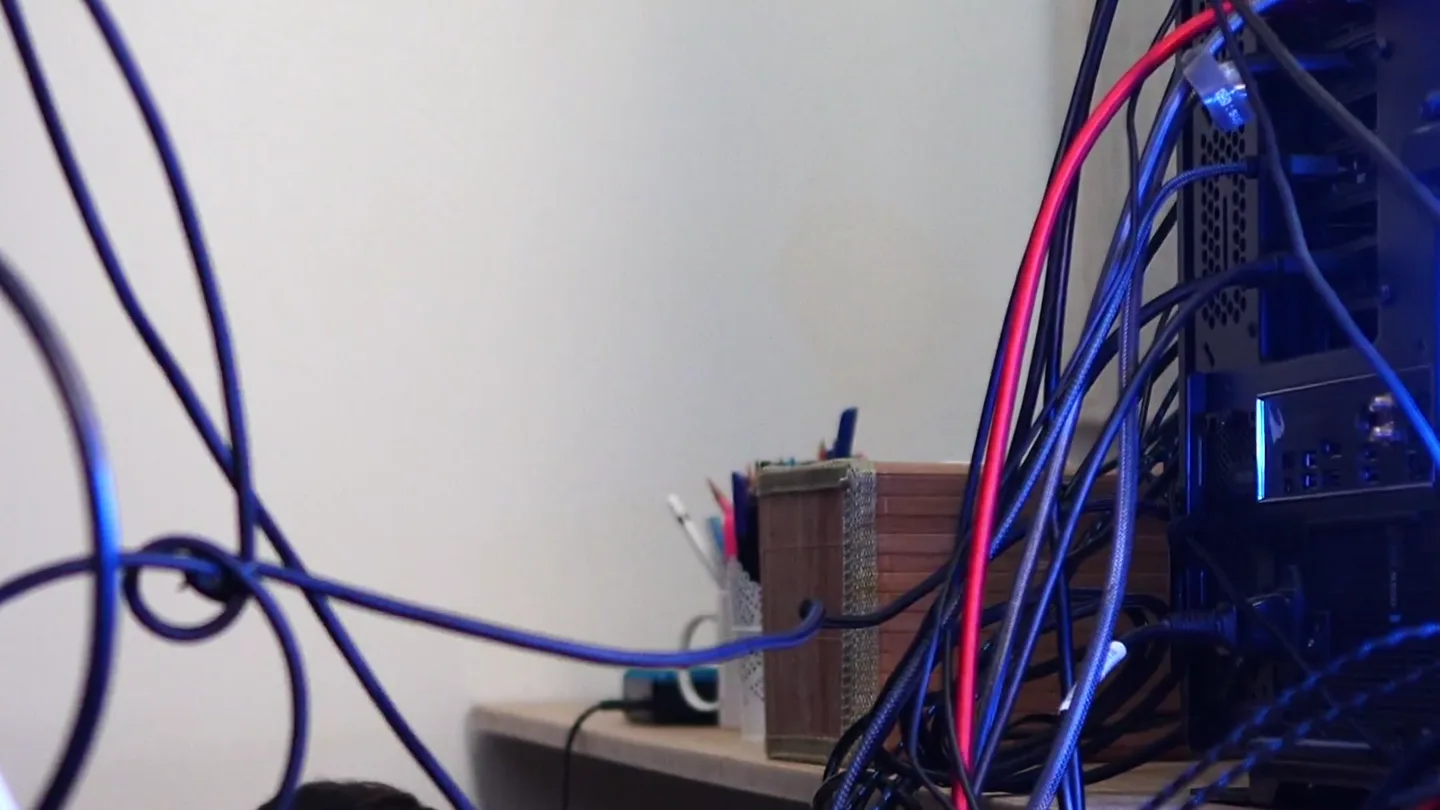
The Cable Mess Nightmare
“(No spoken dialogue — Ambient electronic score with synth pads and light percussive beat)”
- On screen
- (No on-screen text)
- Camera
- Static, medium close-up shot of a person looking frustrated at a tangled mess of cables behind a PC.
- Motion
- Live-action footage with a focus on human emotion and relatable pain points.
Product Reveal
Wave Cast Introduction
“(No spoken dialogue — Ambient electronic score with synth pads and light percussive beat)”
- On screen
- WAVE CAST
- Camera
- Static, full-screen shot of the product logo.
- Motion
- Digital graphic animation: logo fades in and color fills, creating a clean, modern reveal.
Feature Teaser
Seamless Dual PC Connection
“Connect your gaming PC to your streaming PC. Transfer audio from your gaming PC to your streaming PC. Send your streaming PC's microphone to your gaming PC for in-game chat.”
- On screen
- Connect Connect to Wave Cast on your remote PC Remote PC LUH-PC Connect Connected Ready to send or receive audio This PC LUTFI-PC Remote PC LUH-PC Application Choose output device Choose application audio Altavoces (Audioengine) Hollow Knight Silksong Microphone Choose mic for in-game chat TC-HELICON GoXLR (TC Wave Cast (Elgato Virtual Audio for
- Camera
- Alternates between a wide shot of a gamer at a dual-monitor setup and close-up screen recordings of the Wave Cast application.
- Motion
- Screen recording with UI element highlights and animated cursor interactions, intercut with live-action footage.
Feature Teaser
Flexible Audio Routing
“Route any app or everything. Send your microphone to your gaming PC for in-game chat. It's simple, and it works with any gear. No audio interfaces, no cables.”
- On screen
- HOLLOW KNIGHT SILKSONG LOGROS EXTRAS SALIR DEL JUEGO Connect Connect to Wave Cast on your remote PC Remote PC LUH-PC Connected Ready to send or receive audio This PC LUH-PC Remote PC LUTFI-PC Application Choose application audio All Audio Altavoces (Audioengine) Microphone Wave Cast (Elgato Virtual Audio for Choose mic for in-game chat Headset Microphone ( Foreground All Audio Running Apps: Hollow Knight Silksong Device Turned Off Default (TC-HELICON GoXLR (TC-HELICON GoXLR)) Chat Mic (TC-HELICON GoXLR) Elgato 4K Pro Audio (Elgato 4K Pro) Game Capture 4K60 Pro MK.2 Audio (Game Capture 4K60 Pro MK.2) Headset Microphone (CORSAIR HS80 RGB Wireless Gaming Receiver) Sample (TC-HELICON GoXLR) TC-HELICON GoXLR (TC-HELICON GoXLR)
- Camera
- Dynamic cuts between close-up screen recordings demonstrating app features and a wider shot of the dual-monitor setup.
- Motion
- Screen recording with animated dropdown menus and selections, demonstrating user interaction and feature functionality. Quick cuts maintain engagement.
Call to Action
Experience Simplified Audio
“Now available.”
- On screen
- (No on-screen text)
- Camera
- Wide shot of the gamer actively playing and streaming, showcasing the product in a real-world, high-performance scenario.
- Motion
- Live-action footage of gameplay, emphasizing the seamless integration and benefit of the product in a user's workflow. Ends with a confident, active shot.
Motion design primitives
Synthesizable in Remotion · key components of the elgato-wavecast-launch-template template.
ProblemAgitationZoom
A static, slightly off-kilter shot of a person looking frustrated at a complex setup, emphasizing the problem through relatable human emotion and visual clutter.
+ Code construction recipe
Use a static <Img> component for the background, with a slight 'rotate' transform for off-kilter framing. Overlay a subtle 'vignette' filter for mood. No camera motion, focus on subject's expression.
GradientLogoReveal
A product logo fades in and then animates with a vibrant color fill, transitioning from a subtle outline to a fully colored, prominent display against a gradient background.
+ Code construction recipe
Implement a <Sequence> with two <AbsoluteFill> components. The first shows the logo as an outline, fading in with 'opacity' interpolation. The second uses an SVG path for the logo, animating 'fill' and 'stroke' properties with a 'spring' curve, transitioning to a vibrant gradient. Background uses a CSS 'linear-gradient' with animated color stops.
UIInteractionHighlight
Screen recordings of a software interface where specific UI elements (buttons, dropdowns, text fields) are highlighted and animated to simulate user interaction, demonstrating functionality.
+ Code construction recipe
Utilize <Video> components for screen recordings. Overlay transparent <AbsoluteFill> layers with 'border' and 'background-color' (low opacity) to highlight interactive elements. Animate 'scale' and 'opacity' on these overlays with 'ease-in-out' interpolation to simulate clicks and selections. Use a custom cursor SVG that animates 'translate' to follow interaction points.
Style DNA & aesthetic system
Visual aesthetic
Typography
Motion
Special effects
Pacing & rhythm
Conceptual story rhythm
- 1
The Frustration Hook
Purpose. Immediately establishes a relatable problem for the target audience (gamers/streamers with complex audio setups).
Execution. Close-up live-action shot of a person looking overwhelmed by tangled cables, conveying exasperation.
- 2
The Solution Reveal
Purpose. Introduces the product as the direct answer to the agitated problem.
Execution. Clean, animated logo reveal of 'WAVE CAST' against a vibrant gradient, signaling a shift to a modern solution.
- 3
Feature Demonstration
Purpose. Educates the viewer on how the product solves the problem through clear, step-by-step visual explanations.
Execution. Intercutting live-action shots of a gamer with detailed screen recordings of the Wave Cast UI, highlighting key functionalities like connecting PCs and routing audio.
- 4
Real-World Application & CTA
Purpose. Shows the product in action, reinforcing its benefits, and prompts the viewer to take the next step.
Execution. Dynamic live-action footage of a gamer seamlessly using the product while playing, followed by a direct 'Now available' message (implied by the end of the dialogue).