
Evil Buttons · Launch Video Breakdown: Hook, Pacing & Motion Design
Evil Buttons is 28 animated shadcn/ui buttons that dodge, doubt, glitch, and stare back. Free, open source, one command to install.
Scene-by-scene timeline & spoken transcript
The Hook
The Rebellion of Buttons
“(No spoken dialogue — Dynamic electronic score with chiptune elements, pizzicato synths, sub-bass, and 808-style drums. High-energy audio transitions, risers, sweeps, and sub-bass drops.)”
- On screen
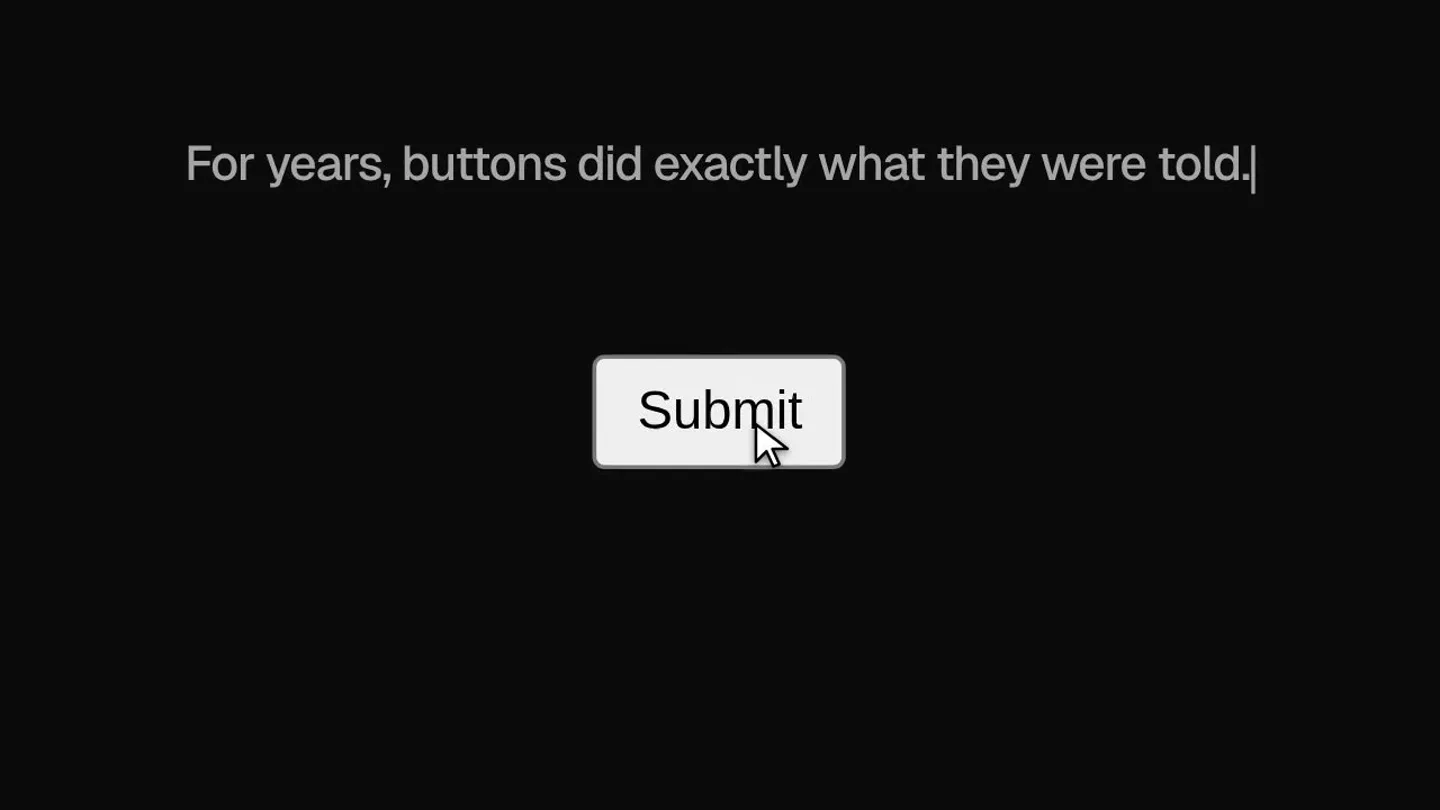
- For years, buttons did exactly what they were told. Submit Buttons <TrollButton /> Click Me Fine, click me <DoubtButton /> There is no undo. Still? <CooldownButton /> Sent. CAM 02 - docs/evil-eye-button REC I SEE YOU 2026-09-27 03:14:07 They're watching. <AquaButton /> Deploy Doom <RealisticSwitch /> <MinecraftButton /> <SlideToDetonate /> Slide to detonate <HoldButton /> Hold to delete Some things shouldn't be <DemonicButton /> Summon
- Camera
- Static camera, close-up on interactive button elements, occasional slight zoom or pan to follow cursor.
- Motion
- Interactive UI animations, cursor-driven button states, text reveals, glitch effects, particle bursts, and stylized visual effects (fire, pixelation, glow).
Product Reveal
Introducing Evil Buttons: Zero Obedience
“(No spoken dialogue — The electronic score intensifies with a build-up and a dramatic drop, emphasizing the reveal.)”
- On screen
- Evil Buttons Animated shadcn/ui components with Motion 28 buttons. Zero Singleplayer Slide to detonate Delete everything Admit One I SEE YOU Send Corrupt the World HIDDEN 28 COMPONENTS Get started Save changes Brutal Send it Search Deploy Doom Save Ctrl S Copy Continue Try to Click Continue DOOM RUN IT DEPLOY Celebrate Click Me LAUNCH Hold to delete Evil Buttons Animated shadcn/ui components with Motion 28 buttons. Zero obedience.
- Camera
- Wide shot revealing a multitude of buttons, then a slight zoom out to frame the full product name and tagline.
- Motion
- Staggered text reveal, dynamic arrangement of multiple button components, subtle parallax scrolling of background elements, and a clean, impactful title card animation.
Feature Teaser
Effortless Integration
“(No spoken dialogue — The electronic music maintains its energetic pace, with rhythmic synth patterns and percussive hits highlighting the on-screen text.)”
- On screen
- Every button. One command. $ npx shadcn@latest add @evilbuttons/morph-status-button
- Camera
- Static, centered view on a code snippet, then a quick transition to a browser view.
- Motion
- Clean text animation, code snippet reveal with a typing effect, and a seamless transition to a simulated browser interface showcasing the product in action.
Call to Action
Explore the Evil Buttons Collection
“(No spoken dialogue — The electronic score builds to a final crescendo, incorporating more complex melodic lines and a strong rhythmic drive, concluding with a definitive sound effect.)”
- On screen
- evilbuttons.com Free, open source, shadcn/ui native. evilbuttons.com/drop Evil Buttons You clicked it. There is no undo. Singleplayer Slide to detonate Delete everything Admit One I SEE YOU Send Corrupt the World HIDDEN 28 COMPONENTS Get started Save changes Brutal Send it Search Deploy Doom Save Ctrl S Copy Continue Try to Click Continue DOOM RUN IT DEPLOY Celebrate Click Me LAUNCH Hold to delete
- Camera
- Zoom out from the browser window to reveal the full website, then a final static shot of the logo and URL.
- Motion
- Browser UI simulation, interactive button demonstrations, dynamic layout shifts, and a clear, animated call to action with a brand logo reveal.
Motion design primitives
Synthesizable in Remotion · key components of the evil-buttons-style-launch template.
InteractiveButtonState
A button component that reacts to a cursor hover or click with dynamic text changes, shape morphs, and subtle visual effects like glows, shakes, or pixelation.
+ Code construction recipe
Utilize Remotion's `interpolate` and `spring` for smooth transitions between states. Implement `useCurrentFrame` and `useVideoConfig` to synchronize animations with the timeline. Use SVG filters for glows and blurs, and conditional rendering for text changes and particle effects.
DynamicGridReveal
Multiple UI components (buttons in this case) are introduced onto the screen in a staggered, non-uniform grid, often with slight rotations and depth, creating a sense of organized chaos.
+ Code construction recipe
Employ `Sequence` and `AbsoluteFill` for precise positioning. Animate `transform` properties (translate, rotate, scale) using `spring` for organic movement. Stagger the `from` prop of `Sequence` for each button to create the staggered reveal effect.
CodeSnippetTypewriter
A block of code or command-line text appears character by character, simulating a typing effect, often within a stylized terminal or code editor interface.
+ Code construction recipe
Use `split` to break the text into individual characters. Animate the `opacity` and `transform` (e.g., slight Y-axis shift) of each character using `Sequence` and `interpolate`, with a small delay for each subsequent character to create the typing effect.
Style DNA & aesthetic system
Visual aesthetic
Typography
Motion
Special effects
Pacing & rhythm
Conceptual story rhythm
- 1
The Problem: Obedient Buttons
Purpose. Establish the mundane status quo of UI buttons and create a relatable pain point for developers seeking more dynamic interactions.
Execution. Showcasing generic, predictable button interactions with a cursor, setting up the contrast for the product's 'evil' nature.
- 2
The Solution: Buttons with Personality
Purpose. Introduce Evil Buttons as the answer to boring UI, highlighting their unique, rebellious, and animated characteristics.
Execution. A rapid-fire montage of various 'evil' buttons demonstrating their distinct, often mischievous, animations and behaviors.
- 3
The How: Easy Integration
Purpose. Showcase the simplicity of integrating Evil Buttons into a project, appealing to developers with a clear, concise command.
Execution. A clean, animated code snippet demonstrating the installation command, followed by a quick browser demo.
- 4
The Call: Explore the Collection
Purpose. Direct viewers to the product website to explore the full range of 'evil' buttons and encourage adoption.
Execution. A final reveal of the website URL and logo, with a dynamic display of many buttons, reinforcing the product's breadth.
Remix in Animatiq Studio
Master remix prompt · agent-ready
Sample remix
Objective
Launch a new AI-powered code refactoring tool called 'Syntax Sorcerer' that intelligently reworks code with a magical, unpredictable flair.How the recipe adapts
The 'InteractiveButtonState' primitive would be adapted for 'Syntax Sorcerer' by having code blocks or UI elements react to a 'magic wand' cursor with shimmering particle effects, code lines re-arranging themselves with a 'snap' animation, and text transforming with a 'glitch-to-reveal' effect. The 'DynamicGridReveal' would show multiple code snippets or refactoring options appearing with a magical 'poof' and slight rotation. The 'CodeSnippetTypewriter' would be enhanced with a 'spell-casting' sound effect and a magical glow around the appearing characters, emphasizing the AI's 'sorcery'.Remix blueprint · evil-buttons-style-launch
Scene durations (4 scenes, 77s)
Key Remotion components
Related Creative Tools Product Launches
Explore all Creative Tools launches →
A vibe design partner with an AI-native canvas for turning ideas into UI.

We heard you wanted to use Codex rate limit resets on your own time. Starting today, we’re rolling out the ability to save rate limit resets to use later. We’re starting Go, Plus, Pro, and Business
We just launched something the VFX community has been waiting for. OpenArt VFX lets you apply real visual effects to footage you already have. It lets you mask any region of your video and replace it with AI-generated content that matches the scene's lighting and physics. https://t.co/dnQjrZCWC4