
Exa · Launch Video Breakdown: Hook, Pacing & Motion Design
Introducing Exa Agent: frontier web research at less than half the cost of GPT 5.5 and Opus. /agent orchestrates a mixture of cost-effective models to complete any web research task, from simple data enrichments to building gigantic lists. https://t.co/xdnbiUKhSX
Scene-by-scene timeline & spoken transcript
The Hook
Introducing Exa Agent: The Future of Web Research
“(No spoken dialogue — The track features a driving, rhythmic electronic pulse created by arpeggiated synth patterns and a prominent sub-bass line. Percussive elements include crisp, high-frequency clicks and subtle snare-like sounds.)”
- On screen
- Introducing Exa Agent
- Camera
- Close-up on a person's face looking at a screen, then a close-up on hands typing on a keyboard. The camera is static.
- Motion
- Rapid cuts between live-action footage and UI elements, with text overlays fading in and out.
Product Reveal
Unleashing Hundreds of Web Agents
“(No spoken dialogue — The track features a driving, rhythmic electronic pulse created by arpeggiated synth patterns and a prominent sub-bass line. Percussive elements include crisp, high-frequency clicks and subtle snare-like sounds. There is a high-energy audio transition, including a noticeable riser at [00:08] leading into a sub-bass drop/impact at [00:09].)”
- On screen
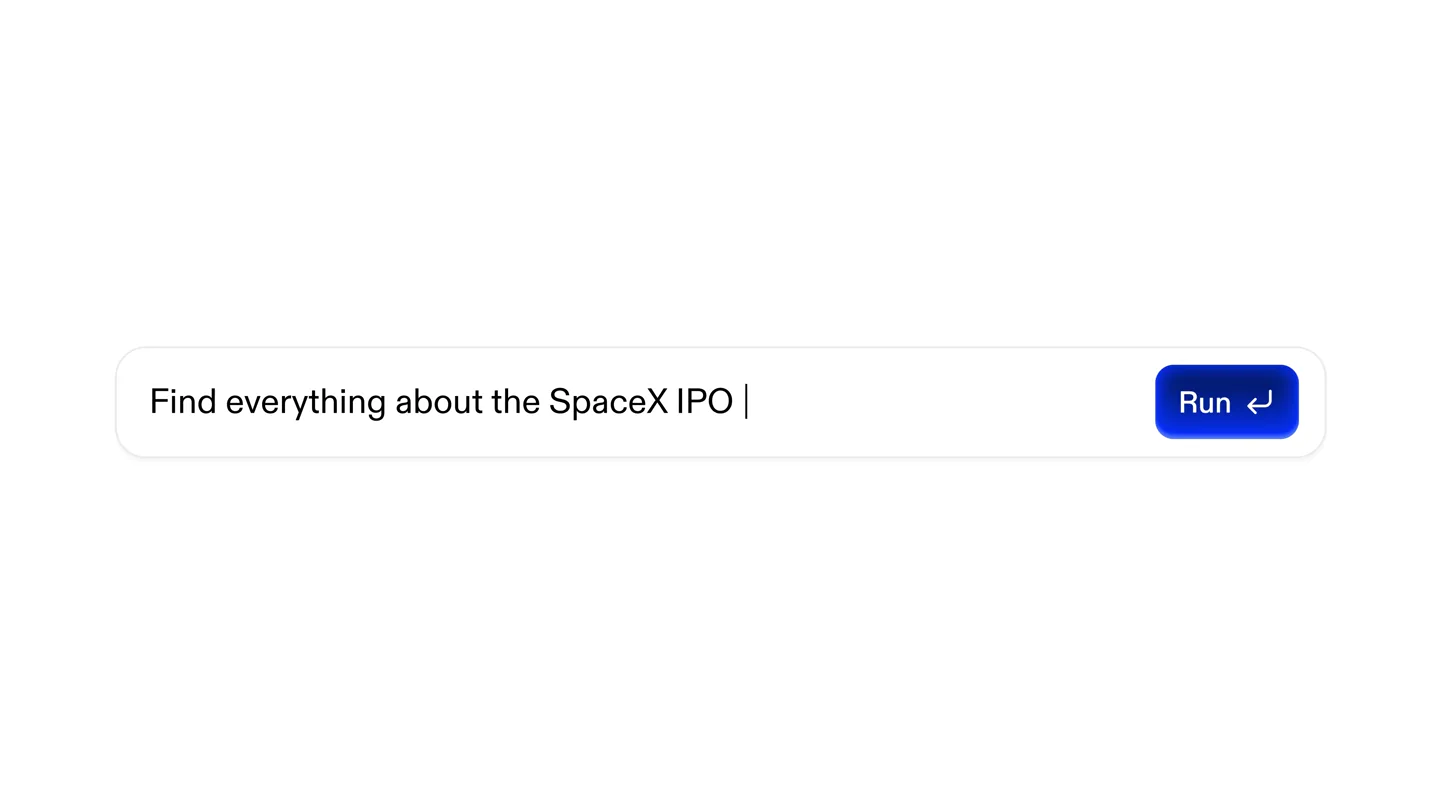
- Run 100s of web agents on every task LOADING EXA AGENT 72% Find everything about the SpaceX IPO and create a financial research report Run
- Camera
- Wide shot of an office with multiple people working, then a static shot of the product UI.
- Motion
- Visual multiplication effect of people in an office, combined with UI typing animation and a loading bar. Text overlays animate in.
Feature Teaser
Instant, Structured Financial Research
“(No spoken dialogue — The track features a driving, rhythmic electronic pulse created by arpeggiated synth patterns and a prominent sub-bass line. Percussive elements include crisp, high-frequency clicks and subtle snare-like sounds. Another significant riser occurs at [00:17] culminating in a powerful sub-bass drop/impact at [00:18].)”
- On screen
- query: "Find me everything about the SpaceX IPO and create a financial research report"; effort: "auto" output: text: ## SpaceX IPO financial research report - as of 2026-06-16 **Bottom line:** SpaceX completed... structured: { executive_summary: "As of 2026-06-16, SpaceX is no longer merely a rumored IPO: it listed on Nasdaq under ticker SPCX on June 12, 2026. The offering raised about $75B via 555.6M Class A shares...", ipo_terms_and_timeline: { "confidential filing": "April 2026" Company Ticker Sector IPO date Governance lockup sector: "Space, satellite, internet, ae... ticker: "SPCX" company: "Space Exploration Technologies Corp. (SpaceX)" sources: "www.reniassancecap ital.com/IPO-..." SpaceX SPCX Space, satellite internet, ae... 2026-06-12 366-day restriction for Elon Musk and... Innio Holding INIO Distributed energy / power... 2026-06-05 Restrictions end 180 days after the fina... Cerebras CBRS AI computing / semicondu... 2026-05-15 Directed share program purchasers ge... Hemab Therapeutics COAG Biotechnology 2026-05-01 Company, executive officers, directors,... Arxis ARXS Aerospace, defense, indus... 2026-04-16 180-day lock-up after the prospectus d... BETA Technologies BETA Electric aerospace 2025-11-04 IPO lock-up agreements covered com... Medline Inc. MDLN Health Care 2025-12-17 180-day lock-up ending 2026-06-15... HawkEye 360 HAWK Defense & space / signals... 2026-05-08 Directed-share details, underwriters had... Seaport Therapeutics SPTX Biotechnology 2026-05-04 Directed share program shares for EquipmentShare EQPT Industrial / equipment rental 2026-01-26 Co-founders held about 80.8% voting... Silver Bow Mining SBMN Materials / precious metals... 2026-04-29 180-day lock-up for directors, officers... PayPay Corporation PAYP Financial technology / services 2026-03-13 180-day ADS lock-up with customary... Find everything about the SpaceX IPO and create a financial research report Run Exa Agent
- Camera
- Static shots of the product UI displaying code, then a table of data. The camera is static.
- Motion
- Text typing animation, data populating into a table, and a quick cut to a repeated visual multiplication effect of people working.
Call to Action
Exa Agent: Frontier Web Research
“(No spoken dialogue — The track features a driving, rhythmic electronic pulse created by arpeggiated synth patterns and a prominent sub-bass line. Percussive elements include crisp, high-frequency clicks and subtle snare-like sounds. A final, more intense riser builds from [00:27] to [00:28], followed by a strong sub-bass impact at [00:29].)”
- On screen
- Find everything about the SpaceX IPO from every corner Run Exa Agent: frontier web research at less than half the cost of GPT 5.5 and Opus. exa.ai
- Camera
- Close-up on a person's face, then a wide shot of an office with a visual multiplication effect. Finally, a static shot of the product UI and a final title card.
- Motion
- Typing animation in UI, visual multiplication effect, and a final title card with a strong brand statement.
Motion design primitives
Synthesizable in Remotion · key components of the ai-agent-launch-template template.
UITypingReveal
Text appears character by character in a search bar or code editor, simulating real-time typing, often accompanied by a blinking cursor. This creates a dynamic and interactive feel for UI demonstrations.
+ Code construction recipe
Use `Sequence` and `spring` for character-by-character opacity and scale animations. Implement a blinking cursor with a `Loop` and `interpolate` for opacity. Text content can be passed as a prop.
MultipliedAgentGrid
A single subject or object is duplicated and arranged in a grid or pattern across the screen, creating a visual metaphor for scale, efficiency, or parallel processing. The duplicates often appear with a subtle delay or ripple effect.
+ Code construction recipe
Utilize `map` over an array of positions to render multiple instances of a `Composition` or `Image`. Animate `opacity` and `scale` with `delay` based on index or position to create a ripple effect. Consider `CSS grid` or `flexbox` for layout.
DataPopulateCascade
Structured data, such as rows in a table or key-value pairs in JSON, animates into view sequentially or in a cascading fashion, emphasizing the rapid generation and organization of information.
+ Code construction recipe
For table rows, use `Sequence` and `spring` for `y-position` and `opacity` on each row, with a staggered `delay`. For JSON, animate individual key-value pairs with `opacity` and `x-position` using `interpolate` and `delay`.
Style DNA & aesthetic system
Visual aesthetic
Typography
Motion
Special effects
Pacing & rhythm
Conceptual story rhythm
- 1
Human-AI Synergy
Purpose. Establish the user's interaction with the AI agent, showing ease of use and immediate results.
Execution. Opening with a user typing, transitioning to a clean UI with typing animation and instant data generation.
- 2
Scale and Efficiency
Purpose. Demonstrate the power and breadth of the AI agent's capabilities, highlighting its ability to handle massive tasks.
Execution. Visual multiplication of agents/people working, combined with text overlays like 'Run 100s of web agents'.
- 3
Deep Dive & Structure
Purpose. Showcase the agent's ability to perform complex research and present it in a structured, actionable format.
Execution. Detailed UI shots displaying generated code, financial reports, and organized data tables.
- 4
Value Proposition & Call to Action
Purpose. Reiterate the core benefit (cost-effectiveness, advanced capability) and guide the viewer to the next step.
Execution. Final title card with a strong tagline and website URL, reinforced by a powerful audio impact.





