
Figma · Launch Video Breakdown: Hook, Pacing & Motion Design
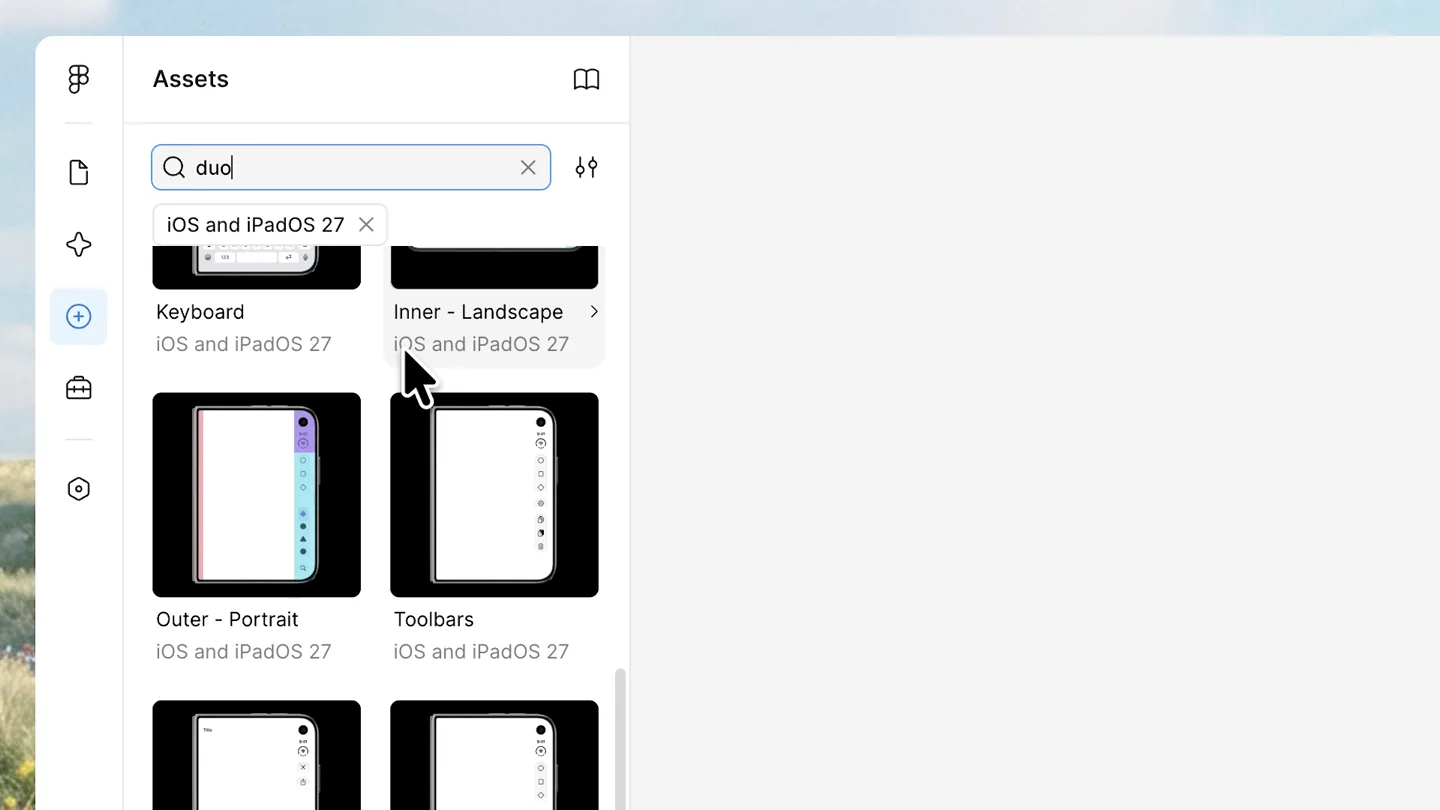
Figma updated the iOS and iPadOS 27 UI Kit, now with Duo.
Scene-by-scene timeline & spoken transcript
The Hook
Navigating the Figma UI Kit
“(No spoken dialogue — Driving arpeggiated synth melody with sub-bass and 808 percussion.)”
- On screen
- Assets Search all libraries All libraries iOS and iPadOS 27 UI Kit Apple Design Resources Beta iOS and iPadOS 27 173 components Add more libraries
- Camera
- Static screen capture, mouse cursor interaction.
- Motion
- Screen recording with animated mouse cursor for guided interaction.
Product Reveal
Discovering Duo Components
“(No spoken dialogue — Driving arpeggiated synth melody with sub-bass and 808 percussion continues.)”
- On screen
- Assets Search in this library duo iOS and iPadOS 27 Outer - Portrait iOS and iPadOS 27 Inner - Portrait iOS and iPadOS 27 Outer Display Lens Inner - Landscape Keyboard Inner - Landscape Outer - Portrait Toolbars
- Camera
- Static screen capture, mouse cursor interaction, scrolling.
- Motion
- Screen recording with animated mouse cursor, smooth scrolling, and search bar text input animation.
Feature Teaser
Dynamic UI Kit Adaptability
“(No spoken dialogue — Driving arpeggiated synth melody with sub-bass and 808 percussion continues.)”
- On screen
- Assets Search in this library duo iOS and iPadOS 27 Keyboard Inner - Landscape Outer - Portrait Toolbars Sheets (Modals) Tab Bars Outer - Landscape Inner - Portrait Sheets (Modals) Design Prototype Share Page F5F5F5 Styles Export Title 9:41 Sheets (Modals) iOS and iPadOS 27 To switch between light and dark modes, use the apply variable mode menu in the Appearance... Screen Inner Orientation Portrait Type Full Screen Position X -586 Y -598 L 0° W 466 H 678 Clip content Layout Appearance 100% Mixed Fill Stroke Effects Selection colors Inner Inner (Folded) Landscape Portrait Outer Small Detent Medium Detent Large Detent Full Screen W 678 H 466
- Camera
- Zoom into a specific UI element, then static screen capture with mouse interaction on dropdown menus.
- Motion
- Smooth zoom transition, animated dropdown menu interactions, and UI state changes (e.g., 'Inner' to 'Outer', 'Portrait' to 'Landscape').
Call to Action
Figma's Updated UI Kit
“(No spoken dialogue — High-energy audio transition with riser and sweep at 00:16, culminating in a sub-bass drop/impact at 00:17.)”
- On screen
- Updated Updated iOS 27 UI Kit, now in Figma
- Camera
- Static full-screen text, then abstract geometric shapes, finally the Figma logo.
- Motion
- Kinetic typography with color changes, abstract shape animation with scaling and rotation, and a final logo reveal with a subtle bounce.
Motion design primitives
Synthesizable in Remotion · key components of the syntax-flow-ai-refactor-launch template.
GuidedScreenInteraction
Simulates a user interacting with a software interface, featuring precise mouse cursor movements, clicks, text input, and scrolling to highlight specific features or workflows.
+ Code construction recipe
Utilize `Sequence` for timed events. Implement `AbsoluteFill` for the screen recording. Animate cursor position with `interpolate` and `spring` for natural movement. Use `typewriter` effect for text input. Overlay interactive elements with `z-index`.
DynamicUIDisplay
Showcases UI elements dynamically changing states, such as dropdown menus expanding, options being selected, and the overall layout or content of a component adapting in real-time.
+ Code construction recipe
Employ `spring` for smooth dropdown expansions and element resizing. Use `interpolate` for opacity and scale changes. Conditional rendering based on state variables to switch between UI variations (e.g., 'Inner' vs 'Outer' screen).
KineticLogoReveal
Features bold, animated typography that builds up a message, followed by abstract geometric shapes that resolve into a brand logo with a impactful, rhythmic animation.
+ Code construction recipe
Animate text characters with `Sequence` and `spring` for staggered appearance and color changes. Use `AbsoluteFill` for background. Animate SVG paths or `Canvas` shapes with `interpolate` for position, scale, rotation, and color, culminating in a final `spring` animation for the logo reveal.
Style DNA & aesthetic system
Visual aesthetic
Typography
Motion
Special effects
Pacing & rhythm
Conceptual story rhythm
- 1
Contextual Setup
Purpose. Orient the viewer within the Figma environment and introduce the UI Kit.
Execution. Screen recording showing navigation through Figma's asset libraries.
- 2
Feature Demonstration
Purpose. Showcase the specific new 'Duo' components and their dynamic capabilities.
Execution. Interactive screen recording demonstrating searching for 'duo' and manipulating UI states (e.g., 'Inner'/'Outer', 'Portrait'/'Landscape').
- 3
Benefit Highlight
Purpose. Emphasize the adaptability and utility of the updated UI Kit.
Execution. Close-up UI interaction showing seamless transitions between different display modes and orientations.
- 4
Brand Reinforcement
Purpose. Conclude with a strong brand statement and logo reveal.
Execution. Kinetic typography building the key message, followed by abstract shapes resolving into the Figma logo.
Remix in Animatiq Studio
Master remix prompt · agent-ready
Sample remix
Objective
Launch a new AI-powered code refactoring tool called SyntaxFlow.How the recipe adapts
The GuidedScreenInteraction primitive will show a developer's IDE, with the mouse cursor selecting messy code. The DynamicUIDisplay will adapt to show the SyntaxFlow plugin's interface, demonstrating real-time code refactoring and optimization. The KineticLogoReveal will use abstract data stream animations that coalesce into the SyntaxFlow logo, with the tagline 'Clean Code, Faster Flow' appearing via kinetic typography.Remix blueprint · syntax-flow-ai-refactor-launch
Scene durations (3 scenes, 18s)
Key Remotion components
Related Creative Tools Product Launches
Explore all Creative Tools launches →
A vibe design partner with an AI-native canvas for turning ideas into UI.

We heard you wanted to use Codex rate limit resets on your own time. Starting today, we’re rolling out the ability to save rate limit resets to use later. We’re starting Go, Plus, Pro, and Business
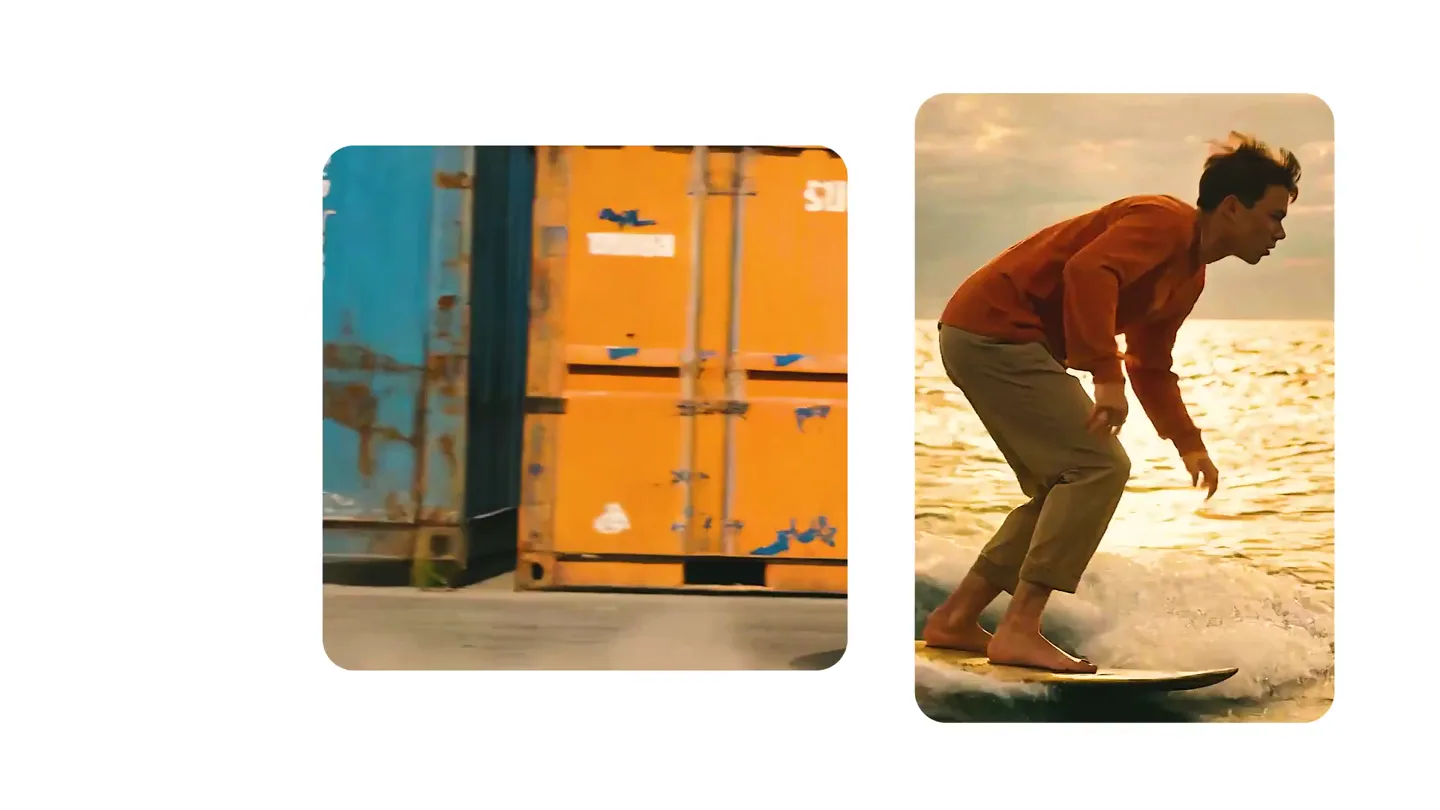
We just launched something the VFX community has been waiting for. OpenArt VFX lets you apply real visual effects to footage you already have. It lets you mask any region of your video and replace it with AI-generated content that matches the scene's lighting and physics. https://t.co/dnQjrZCWC4