
Framer · Launch Video Breakdown: Hook, Pacing & Motion Design
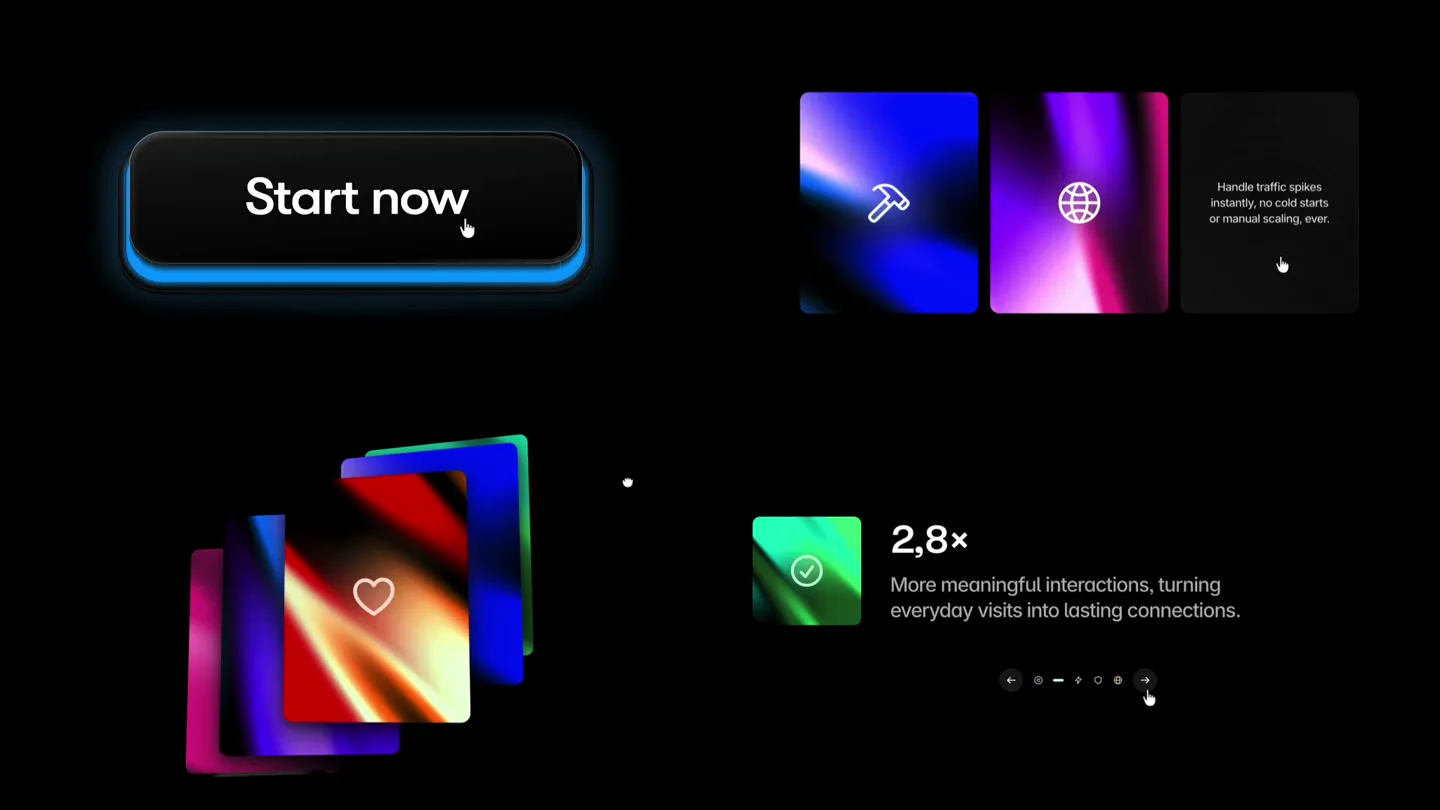
Four website components built with the Framer Agent: a glowing Start now button, gradient icon cards, a flipping card stack, and a stat that counts up.
Scene-by-scene timeline & spoken transcript
The Hook
Interactive Component Showcase
“(No spoken dialogue — High-energy audio transition/riser, leading to a subtle sub-bass drop/impact.)”
- On screen
- Start now
- Camera
- Static, wide shot displaying four distinct UI components simultaneously.
- Motion
- Simultaneous micro-interactions across multiple UI elements: button glow, gradient card icon changes, card stack flip, and stat count-up.
Feature Teaser
Dynamic UI Interactions
“(No spoken dialogue — Pizzicato synths with rhythmic arpeggiated melody and sub-bass foundation. Subtle sub-bass drop/impact at 0:05.)”
- On screen
- Start now Fast hydration, smooth page rendering, and responsive interactions everywhere. 15,04% Searches that convert into product purchases, proving search as a primary revenue driver.
- Camera
- Static, wide shot. Focus is on the individual component animations.
- Motion
- Sequential and parallel animations: button hover state, card stack flipping with content changes, and a percentage stat counting up with accompanying descriptive text.
Feature Teaser
Continuous Component Engagement
“(No spoken dialogue — Pizzicato synths with rhythmic arpeggiated melody and sub-bass foundation.)”
- On screen
- Start now Lightning-fast responses worldwide, powered by a global edge network. Handle traffic spikes instantly, no cold starts or manual scaling, ever. 2,8x More meaningful interactions, turning everyday visits into lasting connections. 32% Less time spent searching, more time discovering what matters. 72,4% Consistent performance that keeps every experience running smoothly.
- Camera
- Static, wide shot. Continues to display all four components.
- Motion
- Sustained interactive animations: button glow, gradient icon cards cycling, flipping card stack revealing new icons and text, and the stat counter updating with new descriptions.
Call to Action
Brand Logo Reveal
“(No spoken dialogue — Pizzicato synths fade out, sub-bass sustains then fades.)”
- On screen
- (No on-screen text)
- Camera
- Cut to a full-screen, static shot of the Framer logo.
- Motion
- Abrupt scene cut to a clean, static logo reveal, providing a clear brand attribution.
Motion design primitives
Synthesizable in Remotion · key components of the interactive-component-showcase template.
GlowButtonHover
A 'Start now' button features a subtle, pulsing blue glow around its perimeter, intensifying slightly on a simulated hover interaction.
+ Code construction recipe
Use `interpolate` for color and `box-shadow` properties, transitioning between a default state and a glowing state. Implement a `spring` animation for a smooth, responsive feel on hover/click events.
GradientIconCardFlip
Cards with vibrant gradient backgrounds and central icons flip horizontally to reveal new icons and descriptive text, then flip back.
+ Code construction recipe
Utilize `transform: rotateY()` for the 3D flip effect. Animate `opacity` and `scale` for the icon and text content. Employ `interpolate` for gradient color shifts and `spring` for the flip's easing.
CountingStatReveal
A percentage or multiplier stat counts up rapidly, accompanied by a brief, descriptive text that appears and disappears.
+ Code construction recipe
Implement a custom `Counter` component using `interpolate` for the number value. Animate `opacity` and `translateY` for the descriptive text to slide in and out, synchronized with the stat update.
Style DNA & aesthetic system
Visual aesthetic
Typography
Motion
Special effects
Pacing & rhythm
Conceptual story rhythm
- 1
Interactive Introduction
Purpose. Immediately showcase the product's interactive capabilities and visual appeal.
Execution. Four distinct UI components animate simultaneously, demonstrating dynamic states and transitions.
- 2
Feature Highlight Loop
Purpose. Detail specific features through their corresponding UI components, emphasizing benefits.
Execution. Each component cycles through its interactive states, revealing different icons, text, and numerical data.
- 3
Sustained Engagement
Purpose. Reinforce the product's versatility and continuous value proposition.
Execution. The interactive loop continues, showcasing more variations and data points across all four components.
- 4
Brand Resolution
Purpose. Conclude with clear brand attribution and a memorable visual.
Execution. A sharp cut to the Framer logo, providing a clean and impactful brand reveal.
Remix in Animatiq Studio
Master remix prompt · agent-ready
Sample remix
Objective
Launch a new AI-powered design tool called 'PixelFlow' with a focus on its intuitive UI and powerful generative capabilities.How the recipe adapts
The 'GlowButtonHover' primitive adapts to a 'Generate Design' button with a pulsing green glow. The 'GradientIconCardFlip' primitive becomes 'AI Template' cards, flipping to reveal categories like 'Web Layouts', 'Mobile UI', and 'Illustrations'. The 'CountingStatReveal' primitive tracks 'Project Progress' from 0% to 95%. The overall dark aesthetic and vibrant gradients are maintained, with the sound design adjusted to a more futuristic, AI-inspired electronic score. The final logo reveal will be for 'PixelFlow'.Remix blueprint · interactive-component-showcase
Scene durations (4 scenes, 14.4s)
Key Remotion components
Related Creative Tools Product Launches
Explore all Creative Tools launches →
A vibe design partner with an AI-native canvas for turning ideas into UI.

We heard you wanted to use Codex rate limit resets on your own time. Starting today, we’re rolling out the ability to save rate limit resets to use later. We’re starting Go, Plus, Pro, and Business
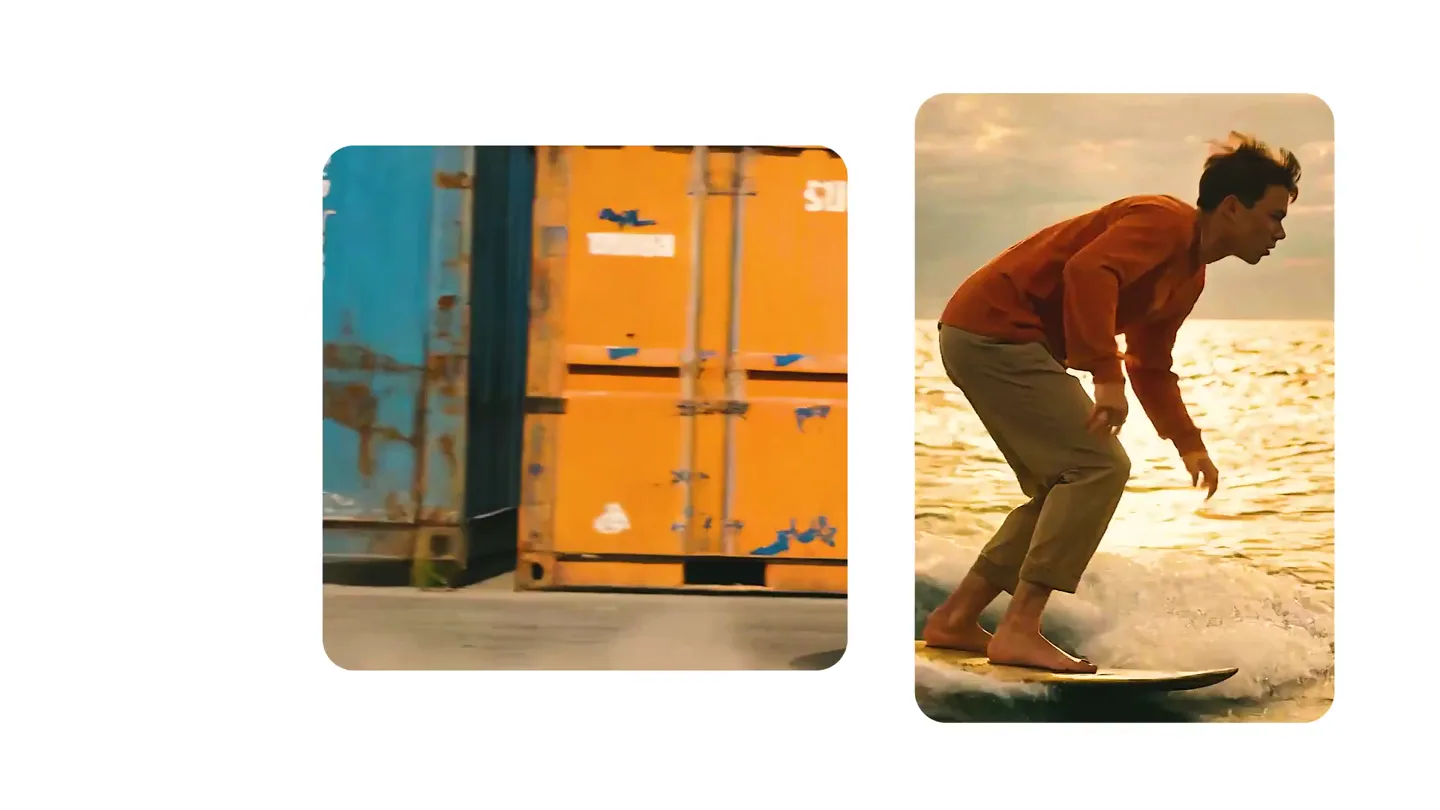
We just launched something the VFX community has been waiting for. OpenArt VFX lets you apply real visual effects to footage you already have. It lets you mask any region of your video and replace it with AI-generated content that matches the scene's lighting and physics. https://t.co/dnQjrZCWC4