
Google Ai Voice Dictation App (by Shubham Saboo) · Launch Video Breakdown: Hook, Pacing & Motion Design
This is INSANE. Google just dropped a free AI voice dictation app for iOS and Mac. Every premium feature works without any subscription. 100% free, runs fully local, powered by Gemma 4.
Scene-by-scene timeline & spoken transcript
The Hook
Instant AI Voice Dictation
“(No spoken dialogue — Driving electronic pulse with sub-bass line begins, building energy.)”
- On screen
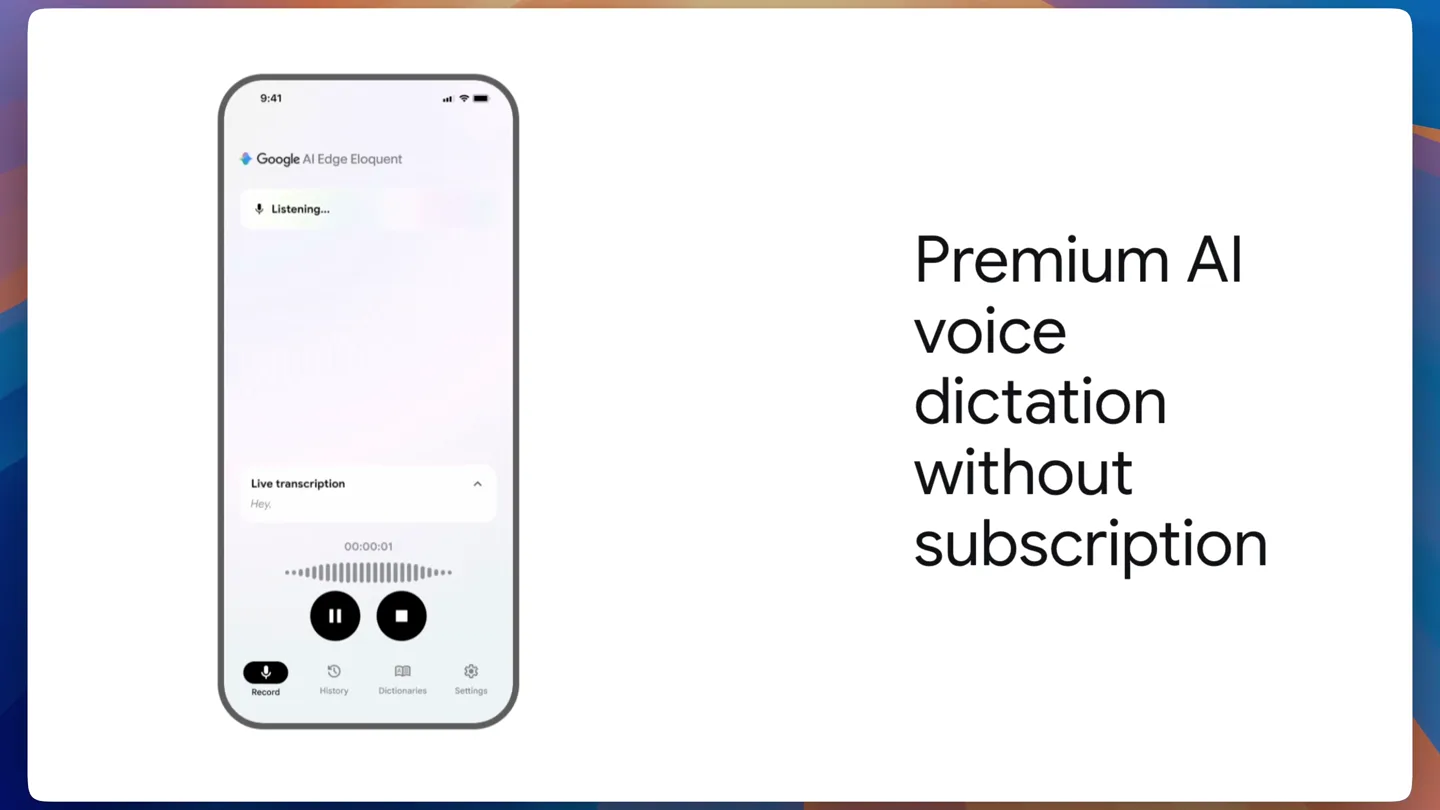
- Premium AI voice dictation without subscription
- Camera
- Static wide shot of an iPhone screen displaying the app, with text on the right.
- Motion
- Live screen recording of the app's transcription feature, with text appearing dynamically.
Product Reveal
Real-time Transcription & Polishing
“(No spoken dialogue — High-energy audio riser and sweep, culminating in a sub-bass drop/impact at 0:08. Electronic pulse continues.)”
- On screen
- Premium AI voice dictation without subscription
- Camera
- Static wide shot of an iPhone screen, showing the app's 'Polishing transcript...' state.
- Motion
- App UI state changes, showing a loading animation and then a polished transcript with highlighted text.
Feature Teaser
Advanced Editing & Summarization
“(No spoken dialogue — Another impactful sub-bass drop at 0:16, followed by a sustained, evolving electronic texture.)”
- On screen
- Premium AI voice dictation without subscription
- Camera
- Static wide shot of an iPhone screen, demonstrating various text editing and summarization features.
- Motion
- Interactive UI elements, text highlighting, and dynamic content changes within the app interface.
Call to Action
Seamless App Experience
“(No spoken dialogue — Final sub-bass impact at 0:24, then fades out.)”
- On screen
- Premium AI voice dictation without subscription
- Camera
- Static wide shot of an iPhone screen, showing a simplified app interface.
- Motion
- Subtle UI transitions and a clean presentation of the app's core functionality.
Motion design primitives
Synthesizable in Remotion · key components of the minimalist-app-showcase template.
LiveTranscriptionReveal
Text appears character by character or word by word in real-time within a mobile app interface, simulating live dictation. The text then highlights and changes color to indicate processing or editing.
+ Code construction recipe
Use Remotion's `Sequence` and `spring` for character/word reveal, combined with `interpolate` for color changes and opacity shifts on text elements. Implement a `delay` prop for staggered animation.
UIStateTransition
The mobile app UI seamlessly transitions between different states, such as 'Listening...', 'Polishing transcript...', and displaying usage stats, with subtle loading indicators and content shifts.
+ Code construction recipe
Employ `AbsoluteFill` for the app screen, using `spring` for smooth scaling and position changes of UI elements. Utilize `Conditional` rendering to swap between different UI components based on the app's state, with `Fade` transitions.
InteractiveTextHighlight
Specific words or phrases within the transcribed text are highlighted, underlined, or change color to indicate different editing modes (e.g., 'Polish', 'Key points', 'Formal', 'Short') or suggested changes.
+ Code construction recipe
Wrap individual words or phrases in `Text` components with dynamic `style` props. Use `interpolate` to animate `backgroundColor`, `textDecoration`, or `color` properties based on user interaction or state changes, triggered by `onClick` or `onHover` events.
Style DNA & aesthetic system
Visual aesthetic
Typography
Motion
Special effects
Pacing & rhythm
Conceptual story rhythm
- 1
The Unveiling
Purpose. Immediately showcases the core product functionality: live, free AI voice dictation.
Execution. The app screen appears, and text begins to transcribe in real-time, establishing the product's primary value proposition.
- 2
Processing Power
Purpose. Highlights the AI's ability to process and refine spoken input.
Execution. The UI transitions to a 'polishing' state, demonstrating the AI's backend work before presenting a cleaned-up transcript.
- 3
Refinement & Control
Purpose. Emphasizes the user's control over the output and the app's advanced features.
Execution. Different editing modes and summarization options are interactively demonstrated, showing the versatility of the AI.
- 4
Simplicity & Accessibility
Purpose. Reinforces the product's ease of use and its 'free, no subscription' benefit.
Execution. A final, clean view of the app interface, underscoring its straightforward design and the overarching benefit of premium features without cost.





