
Hermes Agent V0 19 (by Nous Research) · Launch Video Breakdown: Hook, Pacing & Motion Design
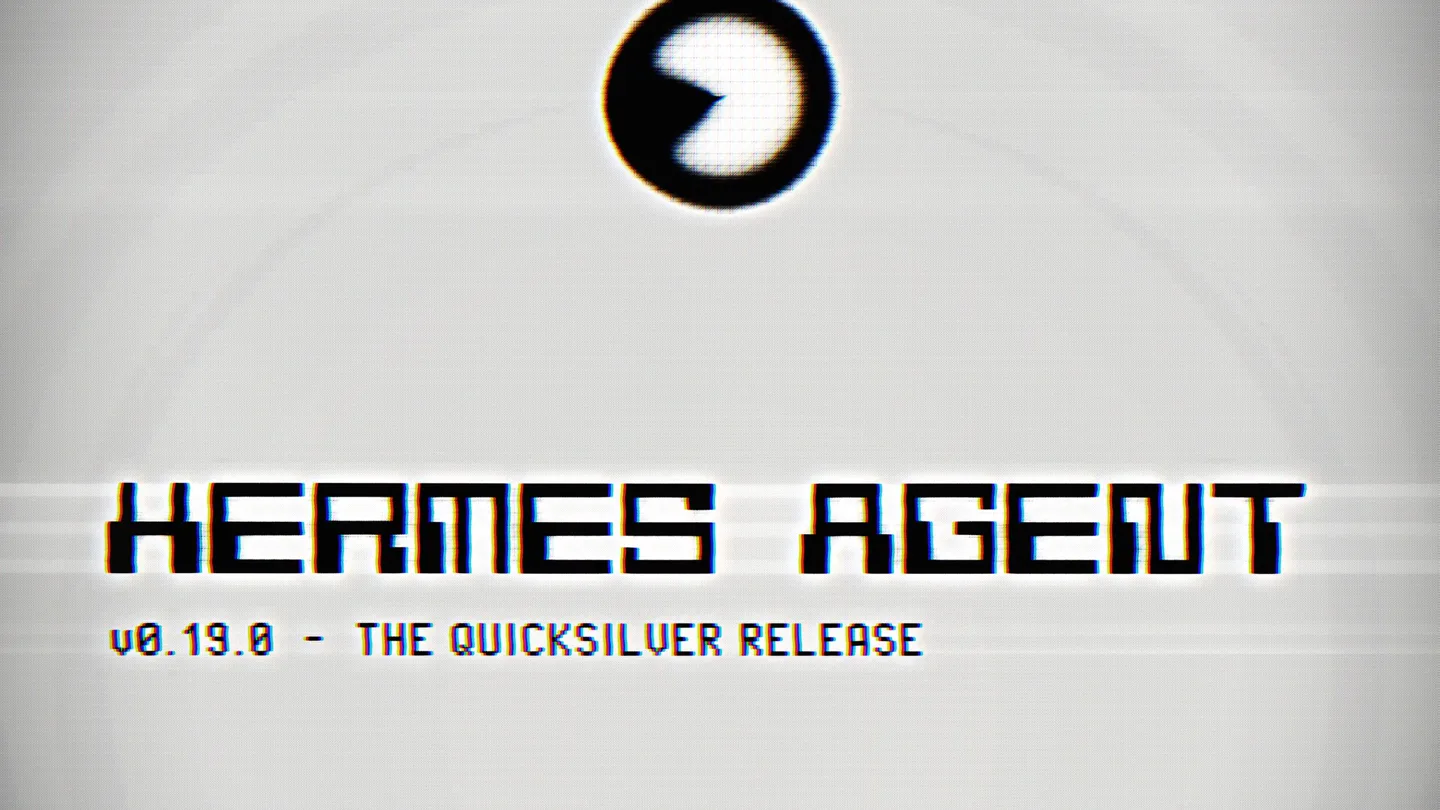
Hermes Agent v0.19.0: the Quicksilver release.
Scene-by-scene timeline & spoken transcript
The Hook
Hermes Agent: The Quicksilver Release
“(No spoken dialogue — Glitchy, retro electronic sounds with pizzicato synths and heavy sub-bass introduce the product name.)”
- On screen
- hermes-agent ^ quicksilver 01 / 15 HERMES AGENT v0.19.0 - THE QUICKSILVER RELEASE nousresearch / hermes-agent T+00 02
- Camera
- Static, centered frame with a slight digital zoom effect.
- Motion
- Text reveals with a digital glitch effect, accompanied by a subtle screen shake and scanline overlay.
Product Reveal
Telemetry & Performance Boosts
“(No spoken dialogue — The electronic score builds intensity with trap and dubstep elements, featuring 808s and sound effects for transitions.)”
- On screen
- hermes-agent ^ quicksilver 02 / 15 TELEMETRY since v0.18.0 COMMITS ~2,130 PULL REQUESTS ~1,015 ISSUES CLOSED ~3,300 FILES CHANGED ~2,400 LINES ADDED ~290,000 nousresearch / hermes-agent T+00 06
- Camera
- Static, centered frame.
- Motion
- Numerical data animates with a rapid count-up effect, while text appears with a quick, pixelated reveal. Abstract blob-like shapes morph and flow to represent data or processes.
Feature Teaser
Core Feature Showcase
“(No spoken dialogue — The music maintains its energetic pace, using sound effects to punctuate each feature reveal and visual transition.)”
- On screen
- hermes-agent ^ quicksilver 03 / 15 FIRST TOKEN, FAST Cold start used to burn 4.3 seconds before your first turn reached the model. Now it takes 0.9. The cut lands on every platform, and reason m nousresearch / hermes-agent T+00 13
- Camera
- Static, centered frame for each feature.
- Motion
- Each feature is introduced with a new headline and descriptive text, accompanied by a unique, abstract animation of the 'blob' elements. These blobs stretch, merge, split, and reconfigure to visually represent the feature's concept (e.g., speed, connection, security).
Call to Action
And More / Nous Research
“(No spoken dialogue — The electronic score reaches a climax before fading out with a final glitchy sound effect.)”
- On screen
- hermes-agent ^ quicksilver 14 / 15 AND MORE > a security hardening round across the stack > the TUI renders markdown incrementally > inline choice pickers on Telegram and Discord > WhatsApp polls and location sharing > /model --once for one-turn overrides > stacked slash-skill invocations nousresearch / hermes-agent T+01 31
- Camera
- Static, centered frame, then a final zoom out.
- Motion
- A list of additional features appears with a subtle text reveal. The video concludes with the Nous Research logo appearing with a glitch and distortion effect, then fading to black.
Motion design primitives
Synthesizable in Remotion · key components of the glitch-terminal-launch template.
GlitchTextReveal
Text appears with a rapid, pixelated, and horizontally distorted glitch effect, often accompanied by a subtle screen shake. Characters might briefly scramble before settling into place.
+ Code construction recipe
Utilize Remotion's `interpolate` for character-level opacity and position shifts, combined with `spring` for a subtle bounce. Implement a `Shader` or `SVG filter` for the pixelation and horizontal distortion, triggered by a `Sequence` for precise timing.
MorphingBlobSystem
Abstract, organic, black-and-white 'blob' shapes fluidly morph, split, merge, and move across the screen, representing data flow, connections, or processes. They often have a liquid-like, almost ferrofluid appearance.
+ Code construction recipe
Employ `Canvas` or `SVG` for drawing and animating the blob shapes. Use `d3-interpolate` or custom interpolation functions for smooth shape transitions. Implement `spring` for organic movement and `SVG filters` (e.g., `feGaussianBlur`, `feColorMatrix`) to achieve the liquid, merging effect.
DigitalScanlineOverlay
A persistent, subtle overlay of horizontal scanlines and occasional horizontal screen tearing/flicker, giving the entire video a retro, CRT-like digital aesthetic.
+ Code construction recipe
Apply a global `Overlay` component with a semi-transparent `SVG` pattern for scanlines. Use `interpolate` or `spring` on the `opacity` and `position` of a `div` with a `linear-gradient` background to simulate the horizontal tearing/flicker effect, triggered periodically.
Style DNA & aesthetic system
Visual aesthetic
Typography
Motion
Special effects
Pacing & rhythm
Conceptual story rhythm
- 1
The Glitchy Introduction
Purpose. Immediately grab attention and establish the technical, high-performance nature of the product.
Execution. Product name appears with aggressive digital glitches and screen shakes, setting a high-energy, tech-forward tone.
- 2
Data-Driven Validation
Purpose. Provide immediate, quantifiable proof of performance and development velocity.
Execution. Rapid-fire display of impressive development metrics (commits, lines added) with quick numerical animations and abstract data visualizations.
- 3
Feature Blitz
Purpose. Showcase a wide array of new features and improvements in a concise, visually engaging manner.
Execution. Each feature is presented with a distinct headline, brief description, and a unique, abstract 'blob' animation that visually interprets its function, maintaining a relentless pace.
- 4
Concluding Impact
Purpose. Summarize additional benefits and reinforce brand identity.
Execution. A quick list of 'and more' features, followed by a final, impactful brand logo reveal with glitch effects, leaving a lasting impression.





