
Hermes Voice Activation (by Nous Research) · Launch Video Breakdown: Hook, Pacing & Motion Design
Say the wake word and Hermes opens a new session and listens for your command — hands-free in the CLI, TUI, or desktop app. Detection is local and off by default.
Scene-by-scene timeline & spoken transcript
The Hook
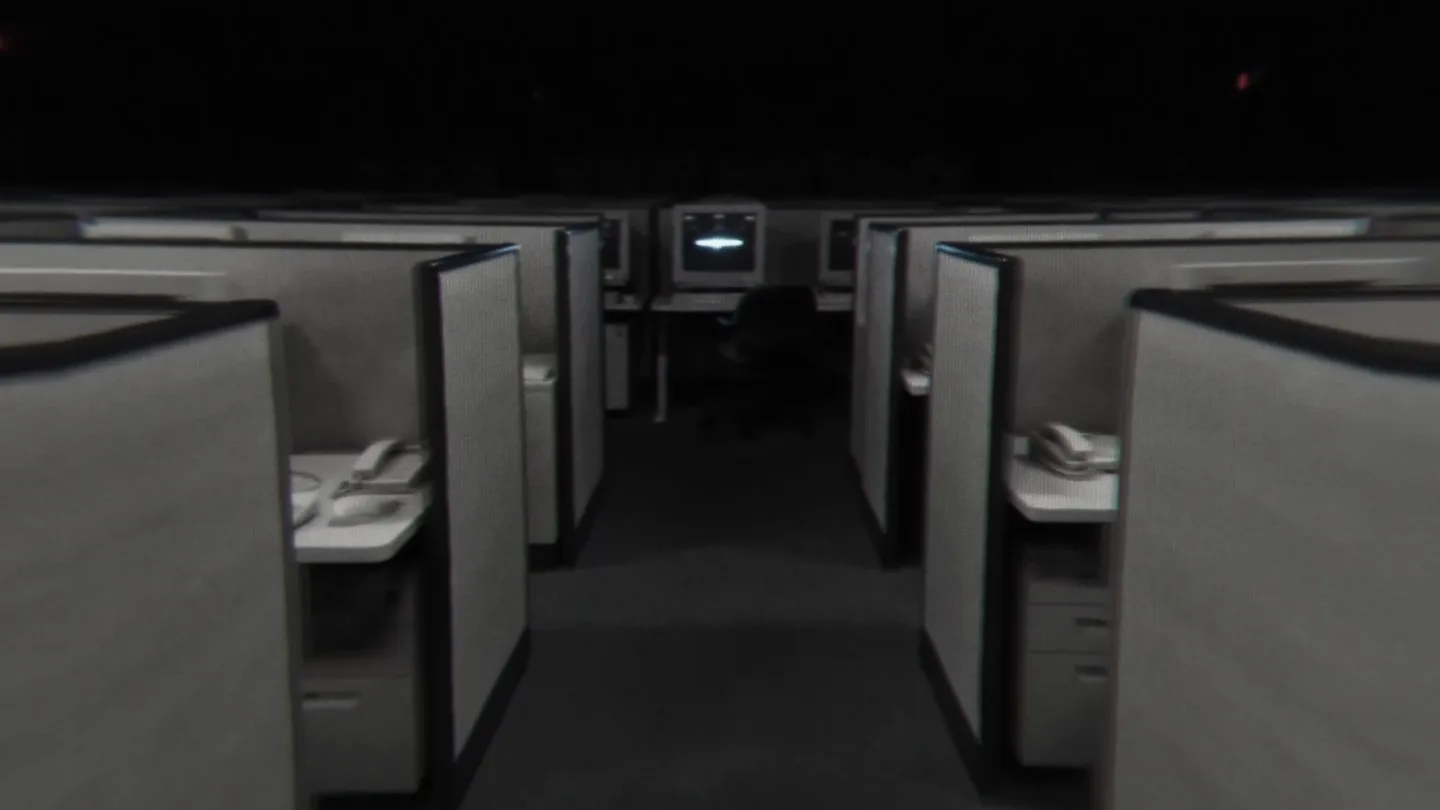
Retro Office Drone Intro
“(No spoken dialogue — Ambient electronic score with driving tempo, building anticipation.)”
- On screen
- (No on-screen text)
- Camera
- Slow, steady forward dolly through a dimly lit, retro-futuristic office cubicle farm, creating a sense of journey and mystery.
- Motion
- Subtle camera push-in with depth of field shift, enhanced by scanline and chromatic aberration effects for a vintage tech feel.
Product Reveal
System Activation & Hermes Agent
“(No spoken dialogue — High-energy riser and sweep culminating in a sub-bass drop/impact at 0:07-0:08, followed by continued ambient score.)”
- On screen
- (No on-screen text)
- Camera
- Rapid zoom-in to a central CRT monitor, followed by a wide-angle pull-out revealing an array of glowing monitors in the background.
- Motion
- Fast zoom with a 'glitch' transition, then a wide-angle reveal with a 'power-up' effect on the background monitors, using light bloom and screen flicker.
Feature Teaser
Hermes Agent Identity
“Hermes. How may I help you?”
- On screen
- HERMES AGENT
- Camera
- Close-up on the central CRT monitor, maintaining a fixed perspective.
- Motion
- Text animation appearing with a 'typewriter' effect, followed by a subtle 'search bar' graphic animation, all within the CRT screen aesthetic.
Call to Action
Voice Activation & Brand Reveal
“(No spoken dialogue — Static/noise sound effect, followed by a sub-bass impact and metallic 'clank' at 0:18, then a final ambient tone.)”
- On screen
- VOICE ACTIVATION NOUS
- Camera
- Extreme close-up on the CRT monitor, then a slight pull-back to reveal the full monitor and surrounding desk.
- Motion
- Screen static/glitch transition, text reveal with a 'digital noise' effect, followed by a clean brand logo reveal with a subtle glow and scanline overlay.
Motion design primitives
Synthesizable in Remotion · key components of the retro-tech-agent-launch template.
RetroDollyZoom
A slow, forward camera dolly through a repeating environment, culminating in a rapid zoom to a central element, all while maintaining a vintage CRT aesthetic.
+ Code construction recipe
Use `interpolate` for camera position (z-axis) and field of view. Apply `spring` for the rapid zoom. Implement `Shader` components for scanlines, chromatic aberration, and subtle lens distortion. Use `Canvas` for background elements and `SVG` for UI overlays.
CRTScreenGlitchReveal
Text or graphics appear on a simulated CRT screen, preceded by a burst of static or a digital glitch effect, often accompanied by a sound design cue.
+ Code construction recipe
Utilize `interpolate` for opacity and scale of text. Implement a custom `Shader` for dynamic screen static (noise texture, pixelation) and a `spring` animation for the 'impact' of the glitch. Text can be rendered with a monospace font and a subtle glow effect.
AmbientMonitorArray
Multiple background monitors or screens subtly flicker and glow, creating an atmospheric, active environment without drawing primary attention.
+ Code construction recipe
Render multiple `Composition` instances for each monitor. Apply `interpolate` for subtle opacity and color shifts (glow effect) on each screen. Use a `loop` function for continuous, asynchronous flickering. `SVG` shapes can define the monitor bezels.
Style DNA & aesthetic system
Visual aesthetic
Typography
Motion
Special effects
Pacing & rhythm
Conceptual story rhythm
- 1
The Unsettling Setup
Purpose. Establish a mysterious, slightly dystopian retro-tech environment and build anticipation for a breakthrough.
Execution. Slow dolly through dark cubicles, focusing on the empty, waiting screens, with subtle visual noise.
- 2
The Awakening
Purpose. Introduce the core AI agent and its activation, signaling a shift from dormancy to activity.
Execution. Rapid zoom to a central monitor, followed by a 'power-up' of surrounding screens, accompanied by a strong audio impact.
- 3
The Identity & Promise
Purpose. Clearly name the product and hint at its core functionality (assistance, search).
Execution. Text 'HERMES AGENT' appears on the CRT, followed by a subtle search bar animation, with spoken dialogue.
- 4
The Breakthrough & Brand
Purpose. Highlight a key feature (voice activation) and reveal the company brand, solidifying the product's capability and origin.
Execution. Screen static transition, 'VOICE ACTIVATION' text reveal, then a clean brand logo reveal, all within the CRT aesthetic.





