
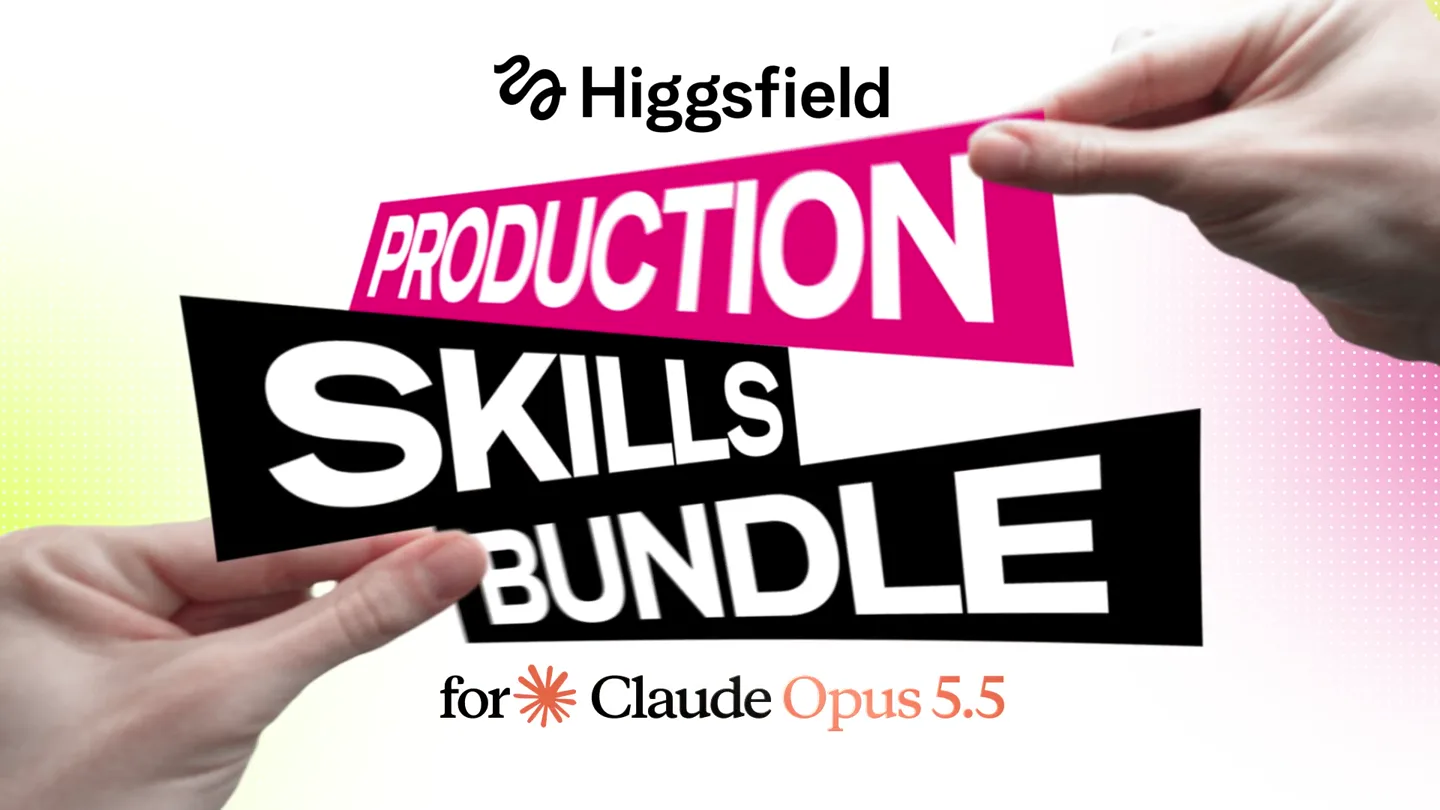
Higgsfield · Launch Video Breakdown: Hook, Pacing & Motion Design
The Higgsfield Production Skills Bundle for Claude Opus 5.5 adds skills for Blender, After Effects, DaVinci Resolve, and TouchDesigner.
Scene-by-scene timeline & spoken transcript
The Hook
Dynamic Title Reveal & Product Introduction
“(No spoken dialogue — High-energy riser and impactful sub-bass drop introduce the product name with a futuristic electronic beat.)”
- On screen
- Higgsfield PRODUCTION SKILLS BUNDLE Claude Opus 5.5
- Camera
- Static shot with hands framing the text, then a quick cut to a dynamic split-screen.
- Motion
- Kinetic typography with layered text elements, followed by a 'before/after' split-screen reveal.
Feature Teaser
Rapid-Fire Skill Demonstrations
“(No spoken dialogue — Driving electronic beat with percussive hits and synth pads accompanies rapid visual transitions between skill demonstrations.)”
- On screen
- /destruction-studio Generates destruction scenes in Blender: car crashes, building and bridge collapses, and more. Configures fracturing, debris physics, breakable constraints, dust, and camera movement - driving the workflow from base model to final animation. BEFORE AFTER /color-grading A color grading skill for DaVinci Resolve Studio. Analyzes shots and references to balance exposure, white balance, contrast, and saturation while preserving natural skin tones and shot-to-shot consistency. All generated node trees remain fully controllable. /exploded-view Animates layer-by-layer assembly or disassembly of objects and full scenes in Blender. Perfect for high-impact product reveals that showcase internal mechanics, components, and device architecture. /shot-composer A skill for crafting VFX shots in After Effects. Works with green screen footage or existing layers, generating missing pass layers motion-matched to the source video as needed. /shot-cleanup A dedicated skill for cleaning up plates in After Effects. Removes markers, unwanted objects while seamlessly reconstructing clean plates, matching texture. /image-fixer Cleans up unnatural textures or unwanted objects from sets, smooths surfaces, fixes visual anomalies, and enhances detail in noisy areas. /use-touchdesigner Simplifies Touchdesigner workflows by creating, tweaking, and controlling real-time video FX via an AI agent. Select effects from the library or describe them using text or image references.
- Camera
- Mix of static shots, subtle pans, and zooms, often featuring split-screen 'before/after' comparisons.
- Motion
- Fast cuts, split-screen reveals, object disassembly/assembly, and real-time visual effects demonstrations.
Product Reveal
Reinforcing the Core Offering
“(No spoken dialogue — A brief pause in the rapid-fire demonstrations, with a sustained synth pad and a subtle beat, emphasizing the product name again.)”
- On screen
- Higgsfield PRODUCTION SKILLS BUNDLE Proprietary Higgsfield skills built for Claude Opus 5.5
- Camera
- Static shot focusing on the product title.
- Motion
- Re-introduction of kinetic typography, with text appearing and settling dynamically.
Feature Teaser
Continued Skill Showcase
“(No spoken dialogue — The driving electronic beat returns with renewed intensity, featuring more risers and sub-bass drops, propelling the viewer through additional skill examples.)”
- On screen
- /project-sorter /image-fixer /shot-cleanup /shot-composer /exploded-view /color-grading /destruction-studio /use-touchdesigner
- Camera
- Dynamic camera movements, including rotations, zooms, and tracking shots, often within complex 3D environments or split-screen layouts.
- Motion
- Complex 3D scene animations, data visualization, and seamless transitions between different software interfaces and visual effects.
Call to Action
Final Call to Action
“(No spoken dialogue — The electronic track builds to a final crescendo with a powerful sub-bass drop, leading into the call to action.)”
- On screen
- PRODUCTION SKILLS BUNDLE FOR CLAUDE OPUS 5.5 AVAILABLE NOW ON HIGGSFIELD.AI
- Camera
- Static shot with text centered.
- Motion
- Clean, impactful text reveal with a subtle background animation.
Motion design primitives
Synthesizable in Remotion · key components of the higgsfield-skill-bundle-launch template.
SplitScreenBeforeAfter
A vertical or diagonal line rapidly wipes across the screen, revealing a 'before' state on one side and an 'after' state on the other, often with 'BEFORE' and 'AFTER' labels animating in.
+ Code construction recipe
Utilize Remotion's <AbsoluteFill> and <Sequence> components. Implement a CSS clip-path or mask property animated with `interpolate` for the wipe effect. Text labels can use `spring` for a bouncy entrance.
KineticTextStack
Large, bold text elements appear in a staggered, layered fashion, often rotated or skewed, creating a dynamic, overlapping composition.
+ Code construction recipe
Employ multiple <Text> components, each with its own `spring` animation for `x`, `y`, `rotation`, and `scale`. Use `delay` in `Sequence` to stagger their appearance. SVG filters can add subtle texture or glow.
CodeCommandReveal
A command-line style text, often prefixed with a slash and an icon, slides in from the left, followed by a descriptive paragraph that fades or types in.
+ Code construction recipe
Combine a <Text> component for the command, animating its `x` position with `spring`. The descriptive text can use `interpolate` for `opacity` and a character-by-character reveal effect for a typing animation.
Style DNA & aesthetic system
Visual aesthetic
Typography
Motion
Special effects
Pacing & rhythm
Conceptual story rhythm
- 1
The Power Statement
Purpose. Immediately grab attention and state the core value proposition: a bundle of powerful production skills.
Execution. Kinetic typography with 'PRODUCTION SKILLS BUNDLE' in bold, contrasting colors, framed by hands, setting a dynamic and hands-on tone.
- 2
Skill Showcase Blitz
Purpose. Demonstrate the breadth and impact of each AI agent skill through rapid, compelling 'before/after' visuals.
Execution. Fast-cut montage of split-screen comparisons, 3D animations, and UI demonstrations, each introduced by a command-line style skill name.
- 3
Reinforce & Reiterate
Purpose. Re-emphasize the product's identity and its target platform after the initial feature barrage.
Execution. Return to the main product title card, reinforcing 'Higgsfield Production Skills Bundle for Claude Opus 5.5' with a slightly more detailed tagline.
- 4
The Call to Action
Purpose. Direct viewers to where they can access the product.
Execution. Clear, concise text displaying 'AVAILABLE NOW ON HIGGSFIELD.AI' against a clean background, concluding the video.





