
Kapso Mcp Whatsapp Numbers For Agents (by Andrés Matte) · Launch Video Breakdown: Hook, Pacing & Motion Design
Today we are launching the Kapso MCP: WhatsApp numbers for agents. 1️⃣ Add MCP server 2️⃣ "Get a WhatsApp number" Done, your agent is on WhatsApp. https://t.co/vOCPFgjs8H
Scene-by-scene timeline & spoken transcript
The Hook
WhatsApp for Agents Intro
“Shot”
- On screen
- WhatsApp for your agents
- Camera
- Static, centered text on a black background.
- Motion
- Rapid text reveal with a hard cut, synchronized with audio impact.
Product Reveal
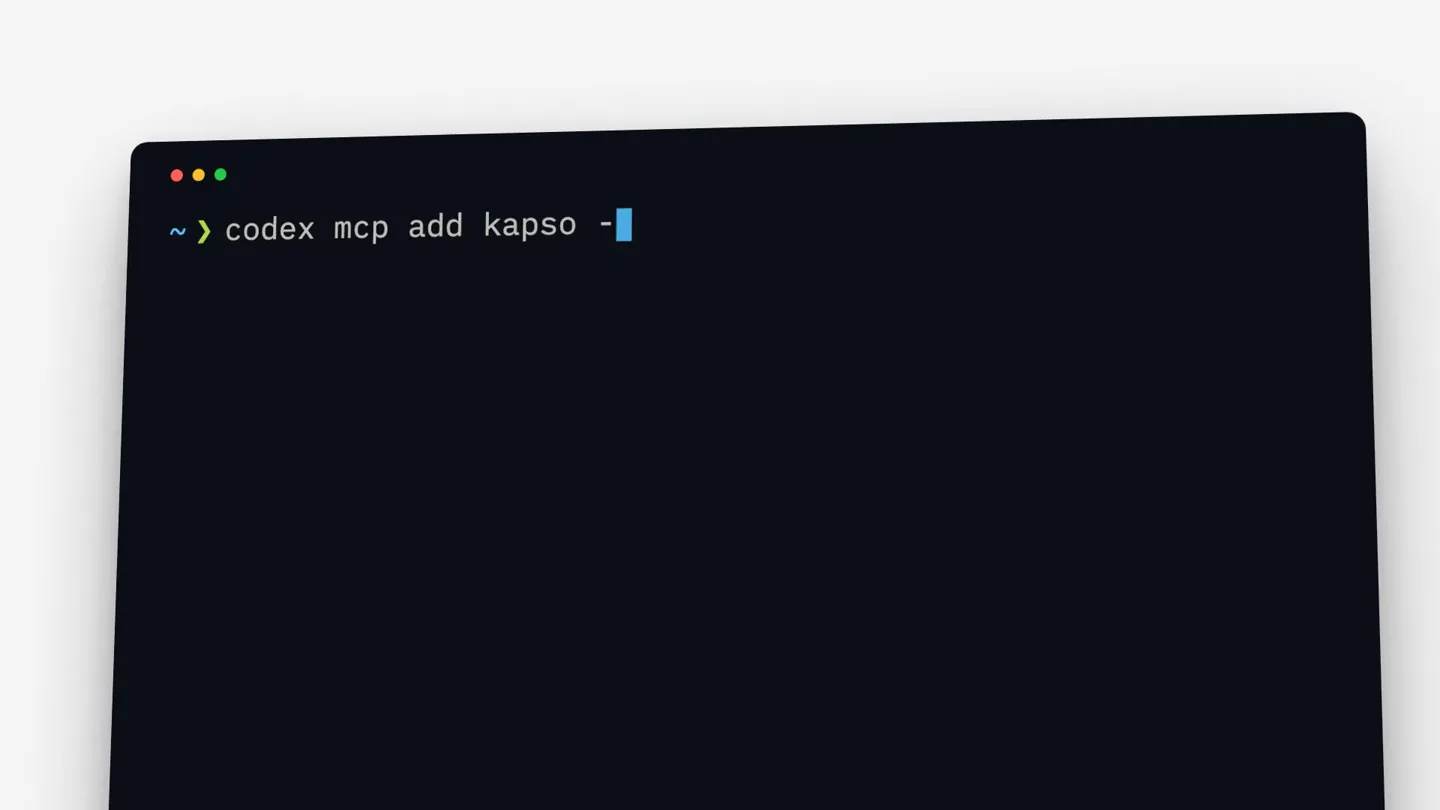
Kapso MCP Server Setup
“(No spoken dialogue — Driving electronic beat with synth elements and sub-bass.)”
- On screen
- ~ > codex mcp add kapso ~ > codex mcp add kapso --url https://api.kapso.ai/mcp :connecting.. ✓ Kapso MCP server added kapso-marketing on master took 3m47s > codex > _ OpenAI Codex (v0.132.0) model: gpt-5.5 xhigh fast /model to change > get a whatsapp nu > get a whatsapp number • kapso_setup_link('create') _ Open this URL to get a WhatsApp number: https://app.kapso.ai/setup/sk_wa8xK2mP
- Camera
- Static, close-up on a terminal window, simulating screen recording.
- Motion
- Typing animation, text reveal, and status updates within a terminal UI, mimicking real-time interaction.
Feature Teaser
WhatsApp Agent Interaction
“Yeah”
- On screen
- 12:31 Kapso Kapso Support Si el video superara ese límite o viene con codec no compatible, el envío puede fallar. Today Hey I need your help 12:31 Hey there! Thanks for reaching out. Please share some details about your question. The more context, the faster we can help! If relevant, include: • Your Kapso email • Project ID (found in your dashboard URL) • Phone number ID We speak English and Spanish. 12:31 Tell me about Kapso 12:31 Kapso is a developer platform for WhatsApp. In short, it helps you build WhatsApp products faster without dealing with all the raw Meta API complexity. Main things you can do with Kapso: • Send WhatsApp messages (text, media, interactive, templates) • Run broadcasts • Build automations with visual workflows + Al agents • Use serverless functions and webhooks • Onboard customers so each one connects their own WhatsApp account • Manage conversation history and integrations from one place It's especially useful for SaaS, support, notifications, and multi- client WhatsApp setups.
- Camera
- Slow, subtle rotation of a 3D phone model, revealing WhatsApp chat interface.
- Motion
- 3D object rotation, text scrolling within a mobile UI, simulating a live chat conversation.
Call to Action
Key Benefits & Brand Reinforcement
“Yeah, Yeah, Yeah”
- On screen
- Get a number Send messages Any agent Official Meta API Kapso
- Camera
- Static, centered text on a black background.
- Motion
- Rapid, punchy text reveals with hard cuts, emphasizing key features and brand name.
Motion design primitives
Synthesizable in Remotion · key components of the kapso-mcp-launch-template template.
TerminalTypewriter
Text appears character by character within a terminal interface, simulating live typing, with occasional command execution feedback like 'connecting...' or '✓ server added'.
+ Code construction recipe
Use `Sequence` and `AbsoluteFill` for the terminal background. Implement `spring` for character opacity and position, with `interpolate` for typing speed. Utilize `delay` for sequential line reveals and `useCurrentFrame` to control character visibility.
FloatingPhoneReveal
A 3D smartphone model rotates slowly on its Y-axis, revealing its screen content, which then scrolls to display a chat conversation.
+ Code construction recipe
Employ `ThreeCanvas` for the 3D phone model. Use `interpolate` with `easeOutCubic` for the Y-axis rotation. Implement `spring` for the chat content's vertical scroll, with `delay` to start scrolling after the phone rotation is complete.
ImpactTextFlash
Bold, white text appears instantly on a black background, often accompanied by a sharp audio cue, then quickly transitions to the next text element.
+ Code construction recipe
Utilize `AbsoluteFill` for the black background. Use `spring` with high stiffness and low damping for text opacity and scale, creating a punchy, immediate appearance. Synchronize `Sequence` cuts precisely with audio events.
Style DNA & aesthetic system
Visual aesthetic
Typography
Motion
Special effects
Pacing & rhythm
Conceptual story rhythm
- 1
The Direct Hook
Purpose. Immediately states the core value proposition to capture attention.
Execution. Rapid text flash: 'WhatsApp' then 'for your agents' on a black screen, synchronized with a sharp audio hit.
- 2
Technical Demonstration
Purpose. Shows the product in action, demonstrating ease of setup and core functionality.
Execution. Simulated terminal typing and command execution, showing 'add Kapso MCP server' and 'get a WhatsApp number' commands.
- 3
User Experience Visualization
Purpose. Illustrates the end-user interaction and the product's practical application.
Execution. 3D phone model rotating to reveal a WhatsApp chat, scrolling through a conversation with 'Kapso Support'.
- 4
Feature Reinforcement & Brand Call
Purpose. Summarizes key benefits and reinforces the brand name for memorability.
Execution. Quick succession of text flashes: 'Get a number', 'Send messages', 'Any agent', 'Official Meta API', 'Kapso'.





