
kool-brushez · Launch Video Breakdown: Hook, Pacing & Motion Design
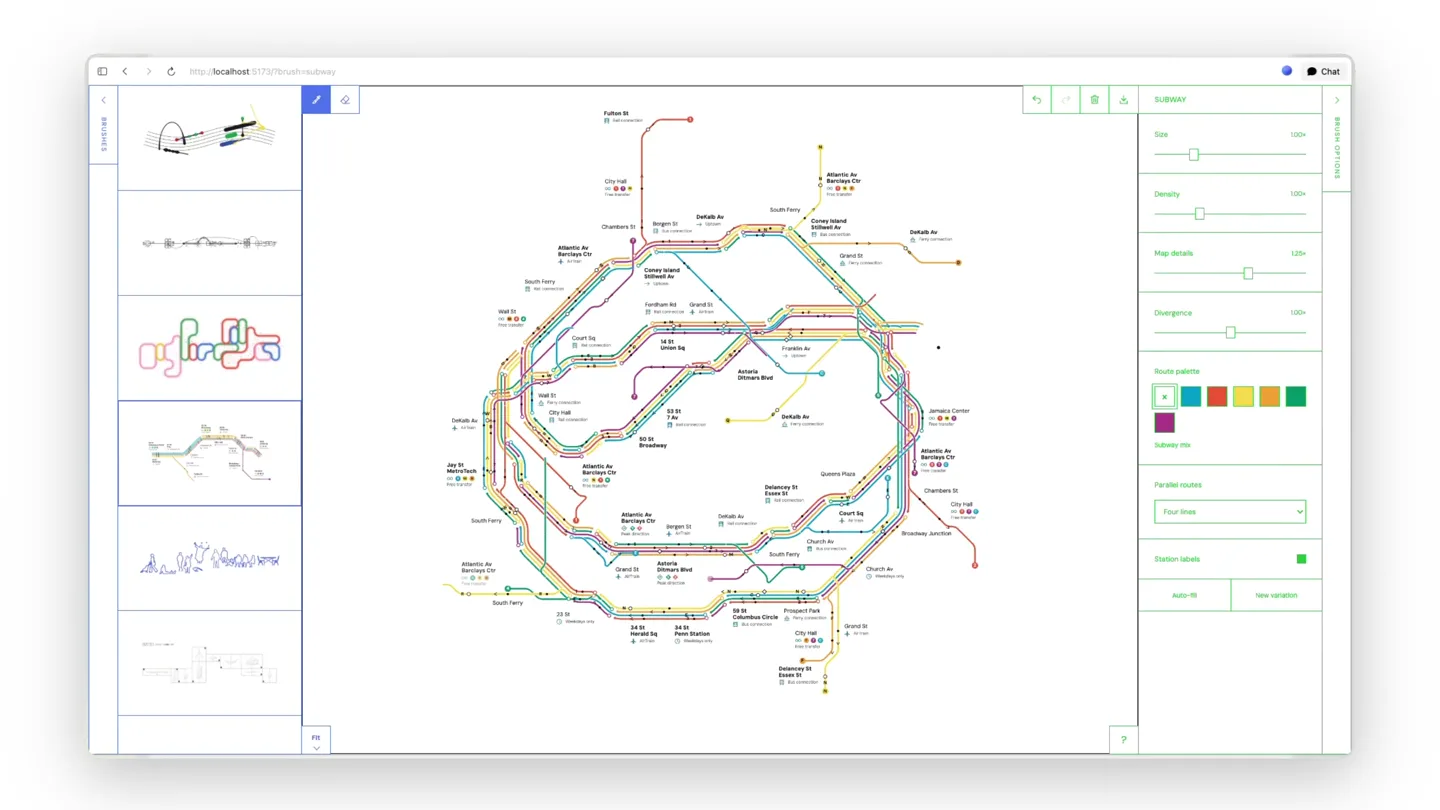
Three new brushes for kool-brushez: NYC subway lines, little figures from architecture drawings, and gunpla components. The UI now lets you try many brushes at once.
Scene-by-scene timeline & spoken transcript
The Hook
NYC Subway Lines Brush Reveal
“(No spoken dialogue — High-energy riser/sweep followed by sub-bass drop/impact, driving electronic beat begins.)”
- On screen
- Subway Size Density Map details Divergence Route palette Subway 99 Parallel routes Four lines Station labels Auto-fill New variation
- Camera
- Static, wide shot of the application UI. The canvas content animates within the fixed frame.
- Motion
- Generative line drawing animation, revealing a complex subway map structure. UI elements dynamically update.
Feature Teaser
Gunpla Components Brush Reveal
“(No spoken dialogue — Driving electronic beat with arpeggiated synth melody continues.)”
- On screen
- Gunpla Size Density Style variation Details Surface grain Plastic color White plastic Components Complete kit Part numbers Add all New variation Canvas cleared. Undo to restore.
- Camera
- Static, wide shot of the application UI. The canvas content animates within the fixed frame.
- Motion
- Canvas clear animation, followed by a generative drawing of intricate gunpla model components. UI panel switches to 'Gunpla' settings.
Feature Teaser
Architectural Figures Brush Reveal
“(No spoken dialogue — Driving electronic beat with arpeggiated synth melody continues, bright plucked synth enters.)”
- On screen
- Crowd Size Density Spread Objects Outline color People Everyday mix Animate people Add all New variation
- Camera
- Static, wide shot of the application UI. The canvas content animates within the fixed frame.
- Motion
- Generative drawing of numerous small architectural figures, filling the canvas. UI panel switches to 'Crowd' settings.
Product Reveal
Multi-Brush Canvas & UI Interaction
“is water”
- On screen
- Subway Size Density Map details Divergence Route palette Subway 99 Parallel routes Four lines Station labels Auto-fill New variation
- Camera
- Static, wide shot of the application UI. The canvas content animates within the fixed frame.
- Motion
- Simultaneous generative drawing of subway lines, architectural figures, and gunpla components on the same canvas, demonstrating multi-brush functionality. UI panel switches back to 'Subway' settings.
Motion design primitives
Synthesizable in Remotion · key components of the generative-brush-showcase template.
GenerativeLineDraw
Lines and shapes appear to be drawn onto the canvas over time, as if by an invisible hand, revealing complex structures like subway maps or component outlines.
+ Code construction recipe
Utilize SVG path animations with `stroke-dasharray` and `stroke-dashoffset` properties, interpolating the offset from full to zero. For more complex shapes, use `interpolatePaths` or `morphSVG` techniques. Control timing with `spring` or `linear` interpolation for drawing speed.
UIPanelSwitch
A sidebar UI panel smoothly transitions its content, revealing new settings and controls relevant to the selected brush, often accompanied by a subtle background shift or tab highlight.
+ Code construction recipe
Implement a `spring` animation for the opacity and `translateY` or `translateX` of the content within the panel. Use `Sequence` and `AbsoluteFill` for managing different UI states. Ensure smooth data updates for sliders and dropdowns.
CanvasClearAndReveal
The entire canvas content quickly fades out or wipes away, followed by a new set of generative elements drawing in, creating a distinct scene transition.
+ Code construction recipe
Animate the `opacity` of the canvas content to 0, or use a `scale` and `opacity` combination for a 'zoom out and clear' effect. Follow with a `delay` and then trigger a new `GenerativeLineDraw` animation for the next set of elements.
Style DNA & aesthetic system
Visual aesthetic
Typography
Motion
Special effects
Pacing & rhythm
Conceptual story rhythm
- 1
Initial Brush Showcase
Purpose. Introduce the first new brush (NYC subway lines) and demonstrate its core functionality.
Execution. A generative drawing of a subway map unfolds on the canvas, with UI elements updating to reflect 'Subway' settings.
- 2
Second Brush Introduction
Purpose. Showcase the second new brush (gunpla components) and its unique visual output.
Execution. The canvas clears, and intricate gunpla model components are drawn, with the UI switching to 'Gunpla' settings.
- 3
Third Brush Introduction
Purpose. Present the third new brush (architectural figures) and its distinct style.
Execution. More architectural figures are drawn onto the canvas, and the UI updates to 'Crowd' settings.
- 4
Multi-Brush Power Reveal
Purpose. Highlight the product's key innovation: the ability to use multiple brushes simultaneously.
Execution. All three brush types (subway, gunpla, figures) are drawn together on the same canvas, demonstrating the combined creative potential.
Remix in Animatiq Studio
Master remix prompt · agent-ready
Sample remix
Objective
Showcase 'SynthFlow', a generative music composition tool with new sound wave brushes.How the recipe adapts
The GenerativeLineDraw primitive will be adapted to draw complex, evolving sound wave patterns instead of subway lines or figures. The UIPanelSwitch will transition between 'Harmonic Cascade', 'Rhythmic Grid', and 'Ambient Swirl' parameter controls. The CanvasClearAndReveal will reset the visualizer for each new wave type. The final scene will layer all three wave patterns, demonstrating the multi-brush capability for sound visualization.Remix blueprint · generative-brush-showcase
Scene durations (4 scenes, 16.6s)
Key Remotion components
Related Creative Tools Product Launches
Explore all Creative Tools launches →
A vibe design partner with an AI-native canvas for turning ideas into UI.

We heard you wanted to use Codex rate limit resets on your own time. Starting today, we’re rolling out the ability to save rate limit resets to use later. We’re starting Go, Plus, Pro, and Business
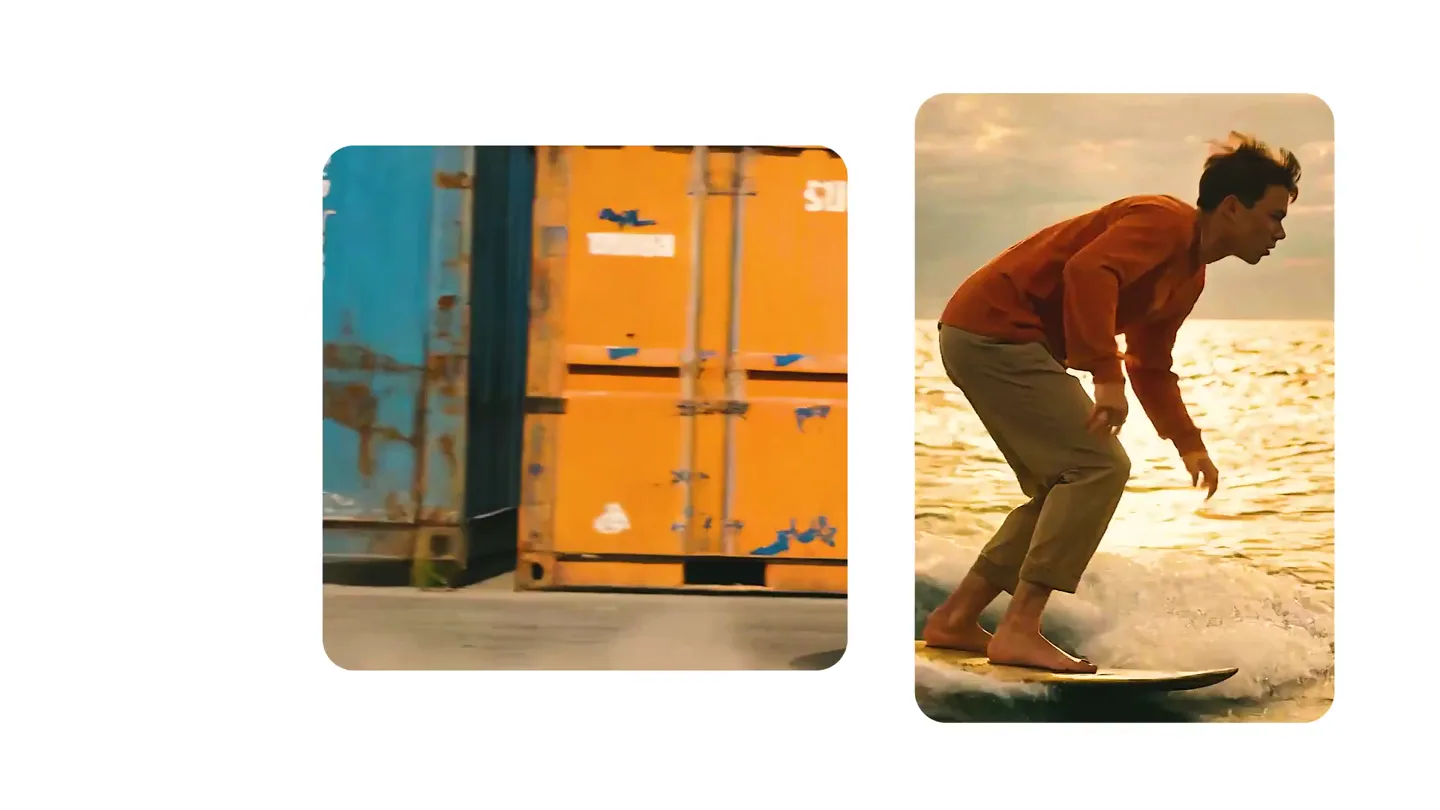
We just launched something the VFX community has been waiting for. OpenArt VFX lets you apply real visual effects to footage you already have. It lets you mask any region of your video and replace it with AI-generated content that matches the scene's lighting and physics. https://t.co/dnQjrZCWC4