
Launchvideo · Launch Video Breakdown: Hook, Pacing & Motion Design
Launchvideo is a local-first, AI-native set of skills and references so your agent can make tasteful product videos directly in the codebase. No subscription.
Scene-by-scene timeline & spoken transcript
The Hook
Problem Statement & Audio Impact
“(No spoken dialogue — High-energy audio transition/riser, followed by a sub-bass drop/impact at 0:01.)”
- On screen
- Launch videos are hard.
- Camera
- Static, centered text.
- Motion
- Subtle text blur/focus transition on 'hard'.
Problem Agitation
AI-Native Prompt & Generation
“(No spoken dialogue — Sustained, evolving synth pad with additional percussive synth elements entering around 0:04.)”
- On screen
- Describe your launch video Create a launch 5 video skills Create a launch video for our new outline view. Here's Reply Here's your launch video. Read 128 components, 64 design tokens and 312 icons
- Camera
- Simulated screen recording, close-up on a text input field, then zooming out to reveal a UI.
- Motion
- Typing animation, UI element reveals (buttons, progress bars), content loading animations, simulated mouse clicks.
Product Reveal
Video Playback & Core Value
“(No spoken dialogue — Significant sub-bass impact at 0:08, followed by a brief, glitch-like electronic flourish.)”
- On screen
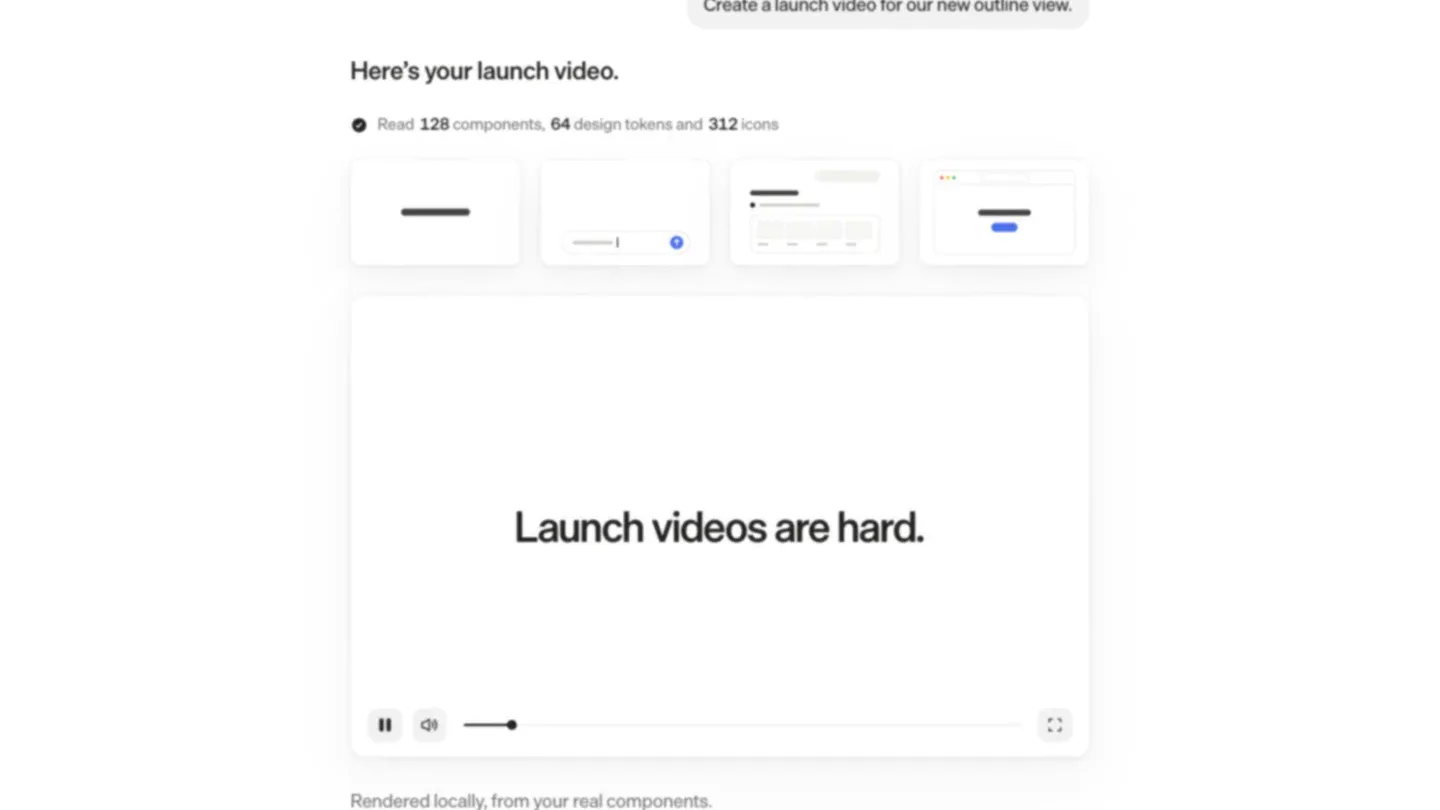
- Here's your launch video. Read 128 components, 64 design tokens and 312 icons Launch videos are hard. Rendered locally, from your real components. Reply
- Camera
- Static UI view, focusing on the generated video player.
- Motion
- Simulated video playback within a UI component, text reveal for 'Rendered locally...'
Feature Teaser
Agent Training & Product Benefit
“(No spoken dialogue — Consistent, building energy with a sense of anticipation.)”
- On screen
- Teach your agent to film Teach your agent to film your product.
- Camera
- Zoomed-in text overlay, with the background UI blurred and scaled.
- Motion
- Text reveal (typing effect), background blur and scale for emphasis.
Call to Action
Brand & Call to Action
“(No spoken dialogue — Driving, rhythmic electronic pulse with a prominent sub-bass line, maintaining energy.)”
- On screen
- lau launchvideo.dev Unlock now
- Camera
- Simulated browser address bar typing, then full screen brand reveal, followed by a button click.
- Motion
- Typing animation, text scale and position animation, button hover and click state.
Motion design primitives
Synthesizable in Remotion · key components of the ui-driven-product-reveal template.
TypingCursorReveal
Text appears character by character, simulating typing, often accompanied by a blinking cursor. This is used for user input fields and key messaging.
+ Code construction recipe
Use Remotion's `Sequence` and `spring` or `interpolate` for character opacity and position. A `useState` hook can manage the cursor's blink state. `measureText` for accurate text width.
UIDynamicLoad
UI elements (like cards, progress bars, or icons) animate into view with a subtle bounce or slide, simulating a dynamic content load or generation process.
+ Code construction recipe
Employ `spring` for position and scale animations with varying delays for a staggered effect. `AbsoluteFill` and `OffthreadVideo` can manage background UI elements while foreground elements animate.
TextFocusZoom
Key text elements animate into focus, often with a slight scale increase and a background blur/scale to draw attention to the message.
+ Code construction recipe
Utilize `interpolate` for text scale and opacity. Apply `blur` and `scale` CSS transforms to a background `AbsoluteFill` component, driven by `spring` or `interpolate` for smooth transitions.
Style DNA & aesthetic system
Visual aesthetic
Typography
Motion
Special effects
Pacing & rhythm
Conceptual story rhythm
- 1
The Pain Point
Purpose. Immediately establishes a relatable problem for the target audience.
Execution. Bold, simple text 'Launch videos are hard.' with a subtle blur effect, paired with a strong audio impact.
- 2
The Solution Demo
Purpose. Demonstrates the product's core functionality and ease of use.
Execution. Simulated UI interaction: typing a prompt, generating a video, and showing the output within the product interface.
- 3
The Core Benefit
Purpose. Highlights the unique value proposition and technological advantage.
Execution. Text overlay 'Teach your agent to film your product.' with a blurred background, emphasizing the AI-native aspect.
- 4
The Call to Action
Purpose. Directs viewers to the product for further engagement.
Execution. Browser URL typing animation, revealing 'launchvideo.dev' and a prominent 'Unlock now' button.
Remix in Animatiq Studio
Master remix prompt · agent-ready
Sample remix
Objective
Create a launch video for a new AI-powered code refactoring tool that works locally.How the recipe adapts
The video would open with a problem statement like 'Refactoring code is tedious.' followed by a simulated IDE screen where a user types a refactoring prompt. Dynamic UI elements would animate, showing the AI processing and suggesting changes. Key benefits like 'Local-first, AI-native refactoring.' would appear as focused text overlays. The call to action would be the tool's website, 'refactorai.dev', with an 'Optimize now' button.Remix blueprint · ui-driven-product-reveal
Scene durations (5 scenes, 15.9s)
Key Remotion components
Related Creative Tools Product Launches
Explore all Creative Tools launches →
A vibe design partner with an AI-native canvas for turning ideas into UI.

We heard you wanted to use Codex rate limit resets on your own time. Starting today, we’re rolling out the ability to save rate limit resets to use later. We’re starting Go, Plus, Pro, and Business

You can now mod Claude Code: - Change how it behaves - Customize the UI - Swap in your own features Write one with a few lines of TypeScript, or have Claude build it for you. Mods ship inside plugin