
Lucy 2 5 (by Decart) · Launch Video Breakdown: Hook, Pacing & Motion Design
Meet Lucy 2.5, our most advanced Live AI model yet. Lucy edits videos in realtime, now with more capabilities and greater control. See how it's being used across streaming, e-commerce, advertising,…
Scene-by-scene timeline & spoken transcript
The Hook
Shocking Intro & Product Name Reveal
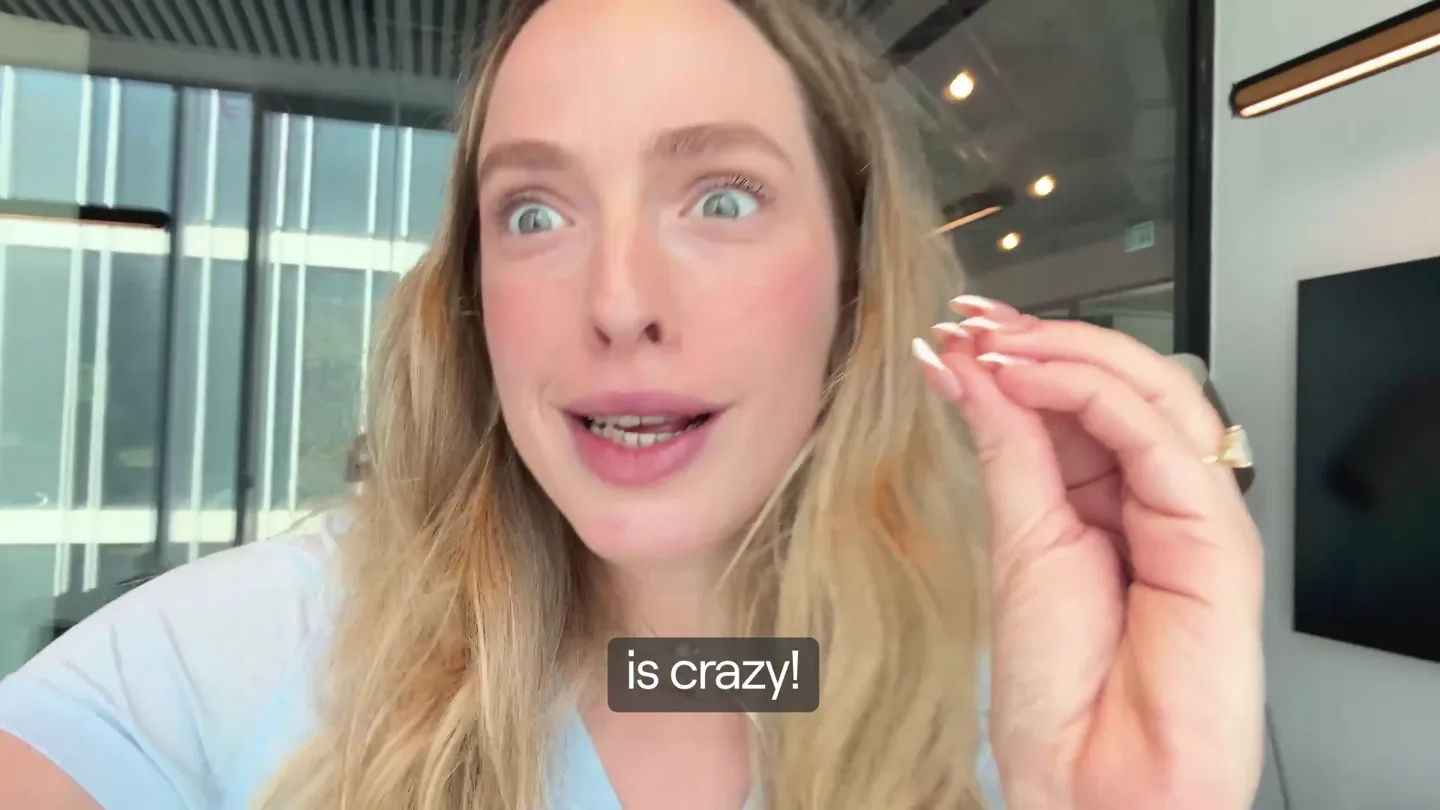
“Lucy 2.5 is crazy!”
- On screen
- Lucy 2.5 is crazy!
- Camera
- Close-up on a presenter, then a quick cut to the same presenter with a 'crazy' visual effect (dirt on face, goggles).
- Motion
- Rapid jump cut, visual transformation effect on presenter, subtle text reveal.
Product Reveal
Interactive Shopping & Dynamic Ads
“(No spoken dialogue — driving electronic beat with synth melody and sub-bass drops)”
- On screen
- Endless possibilities. Shopping gets interactive One ad becomes infinite Variations
- Camera
- Static wide shots of product demonstrations (AR try-on, virtual models).
- Motion
- Text reveals with subtle scaling and position shifts, object pop-ins, dynamic text morphing (Variations).
Feature Teaser
Creator Empowerment & Real-time Streaming
“(No spoken dialogue — energetic electronic beat continues with risers and sweeps)”
- On screen
- Creators can make anything happen Streame Games take over the real world
- Camera
- Medium shots of a phone on a ring light, then screen captures of live streams.
- Motion
- Text reveals with color changes and subtle animations, UI element pop-ups, screen recording overlays.
Call to Action
Live AI Momentum & Brand Reveal
“(No spoken dialogue — final impactful sub-bass drop and synth melody resolution)”
- On screen
- Live AI is taking off with Lucy 2.5 + decart
- Camera
- First-person perspective in a futuristic game, then a montage of diverse users, concluding with static logo reveals.
- Motion
- Fast-paced montage of user-generated content, text reveals with tracking markers, logo animation with a plus symbol.
Motion design primitives
Synthesizable in Remotion · key components of the ai-product-launch-fast-cut template.
DynamicTextMorph
A word or phrase dynamically transforms its font, style, or character set, often with a glitch or organic growth effect, to emphasize a concept like 'infinite variations'.
+ Code construction recipe
Utilize Remotion's <Text> component with `fontFamily` and `fontWeight` interpolation. Implement character-level animation using `map` over characters, applying `transform` (scale, rotate) and `opacity` with `spring` or `interpolate` for a fluid, yet impactful morph.
FloatingUIElements
Small, illustrative UI elements (hearts, flames, chat bubbles, product icons) appear and subtly float or drift across the screen, often with a slight parallax effect.
+ Code construction recipe
Create individual <AbsoluteFill> or <Sequence> components for each UI element. Animate `top`, `left`, `opacity`, and `scale` properties using `spring` for a bouncy, organic feel. Introduce slight random delays for staggered entry.
RapidMontageGrid
Multiple video clips or images rapidly cut and arrange themselves into a dynamic grid or collage, often with skewed perspectives or rounded corners, to showcase diverse applications.
+ Code construction recipe
Use a `map` function to render multiple <Video> or <Img> components within a parent container. Apply `transform` (rotate, skew, scale) and `borderRadius` with `interpolate` for a quick, energetic transition. Stagger `from` and `duration` in <Sequence> for each clip.
Style DNA & aesthetic system
Visual aesthetic
Typography
Motion
Special effects
Pacing & rhythm
Conceptual story rhythm
- 1
The Intriguing Problem
Purpose. Immediately grab attention with a surprising visual and introduce the product's name with a hint of its transformative power.
Execution. Jump cut from a normal presenter to a 'crazy' version, followed by a bold text reveal 'Endless possibilities'.
- 2
The Solution Unveiled
Purpose. Demonstrate the product's core capabilities across key use cases like e-commerce and advertising.
Execution. Showcase AR try-on, virtual product placement, and dynamic ad variations with animated text and product shots.
- 3
Empowering Creators
Purpose. Highlight how the AI empowers users in streaming and content creation, making the impossible possible.
Execution. Display live streaming with AI-generated characters, interactive elements, and a futuristic gaming environment.
- 4
The Future is Now
Purpose. Reinforce the product's impact and position it as a leader in Live AI, culminating in the brand identity.
Execution. A rapid montage of diverse users interacting with the AI, leading to the 'Live AI is taking off' message and the Decart logo reveal.





