
Luma · Launch Video Breakdown: Hook, Pacing & Motion Design
Ask a Luma Agent to extract layers from any image, then keep chatting: swap the product, restyle the background, rewrite the headline.
Scene-by-scene timeline & spoken transcript
The Hook
Layer Extraction & Manipulation
“(No spoken dialogue — Sustained low-frequency drone, high-pitched synth swell, percussive glitchy riser building to a sub-bass drop/impact.)”
- On screen
- Create Video Create Image Modify Image Latent Blend Reframe Extract Layers Remove Background Extract Palette
- Camera
- Static shot of a UI element, then a quick zoom out to reveal the full image within a UI frame, followed by a rapid zoom into a menu.
- Motion
- Rapid UI element reveal, quick camera zooms, and a 'shatter' effect where an image breaks into its constituent layers.
Product Reveal
AI-Powered Layer Editing
“(No spoken dialogue — Driving electronic beat with kick drum, hi-hats, pulsating synth bassline, and a subtle high-frequency sweep.)”
- On screen
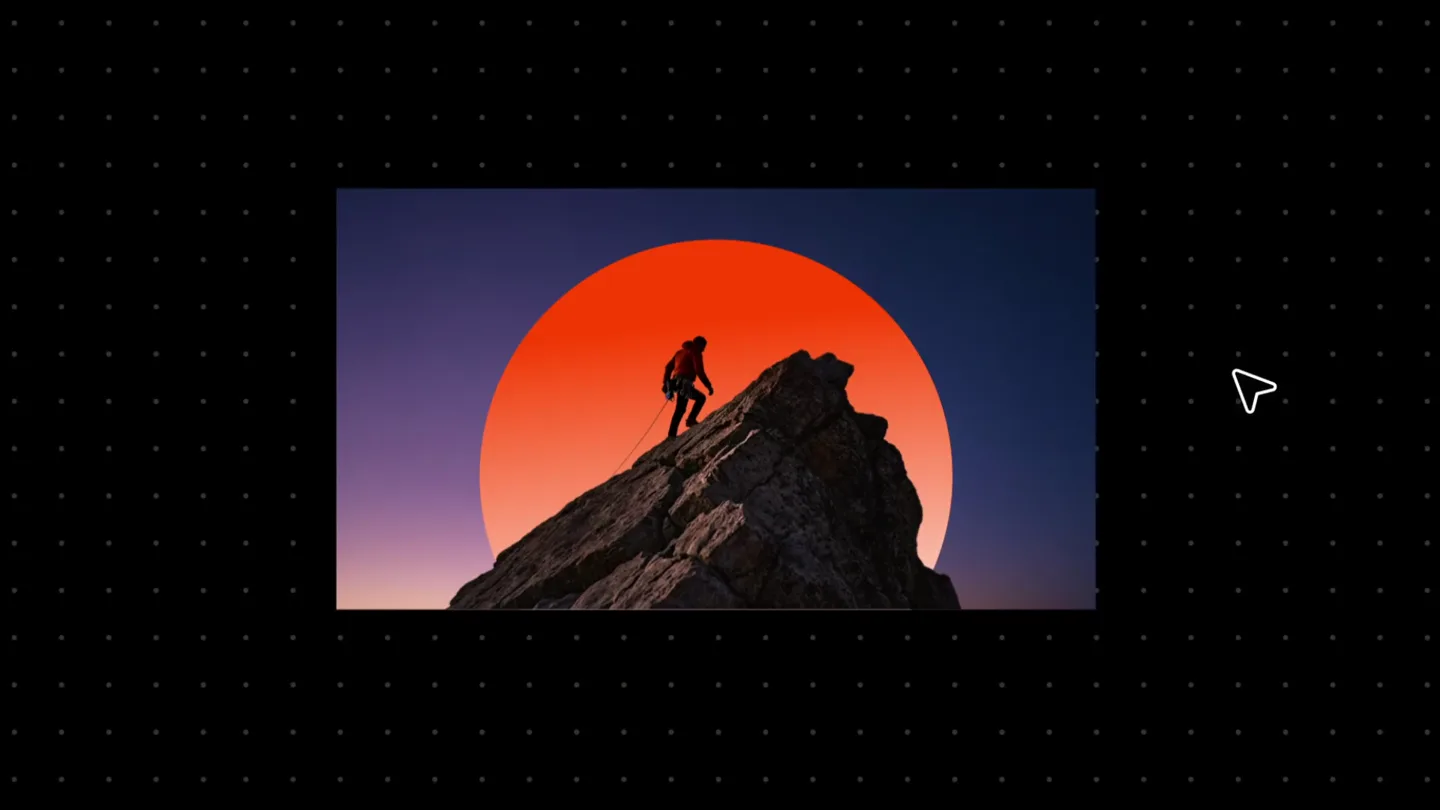
- Climber Rock Peak Orange Cir... Background Change to flower mountain
- Camera
- Close-up on the image within the UI, then a slight pan to show the text input field.
- Motion
- Seamless in-place image transformation, UI element highlighting, and text input animation.
Feature Teaser
Dynamic Text & Style Customization
“(No spoken dialogue — The driving electronic beat continues with consistent tempo.)”
- On screen
- Add your message GO HIGHER Search fonts... RECENT BioRhyme Source Serif Pro Default Acme Cardo Iceberg #ff956l
- Camera
- Full screen text reveal, then a zoom out to show the image with overlaid text and a font/color picker UI.
- Motion
- Text reveal with a subtle bounce, UI overlay animation, and real-time font/color change demonstration.
Feature Teaser
Multi-Platform & Localization
“(No spoken dialogue — The driving electronic beat continues, with a significant riser effect building rapidly.)”
- On screen
- Adapt to every platform GO HIGHER Translate to Japanese MÁS ALTO Translate to Spanish 1:1 GO HIGHER Climber Rock Peak Orange Cir... Background PLUS HAUT JESZCZE WYŻEJ ЕЩЁ ВЫШЕ 더 높이 LEBIH TINGGI さらに 高く PIÙ IN ALTO
- Camera
- Full screen text reveal, then a zoom out to show the image with overlaid text and translation UI. Followed by a rapid grid montage of translated images.
- Motion
- Text reveal, UI interaction for translation, and a dynamic grid layout animation showcasing multiple localized versions simultaneously.
Call to Action
Luma Agents Availability
“(No spoken dialogue — Powerful sub-bass drop/impact, then the track quickly fades out with a final resonant bass tone.)”
- On screen
- Now available with Luma Agents lumalabs.ai/app
- Camera
- Static shot of the call to action text.
- Motion
- Clean text reveal with a subtle fade-in, emphasizing clarity and directness.
Motion design primitives
Synthesizable in Remotion · key components of the ai-video-editor-launch template.
LayerShatterReveal
An initial image rapidly deconstructs into its constituent layers, which then scatter and reassemble, demonstrating the product's ability to isolate and manipulate elements.
+ Code construction recipe
Utilize `spring()` for individual layer movement and rotation, `interpolate()` for opacity and scale. Implement a `Sequence` to control the timing of the shatter and reassembly. SVG filters for subtle edge effects on layers.
InPlaceContentMorph
A selected visual element within an image seamlessly transforms into a new element based on a text prompt, showcasing AI-powered content generation and editing.
+ Code construction recipe
Use `AbsoluteFill` for the image container. Implement a cross-fade or `scale` and `opacity` interpolation between two image components. Text input animation can be achieved with `typewriter()` effect and `spring()` for the cursor.
DynamicGridMontage
Multiple versions of an image, each with different text or aspect ratios, rapidly arrange themselves into a dynamic grid, emphasizing adaptability and multi-platform support.
+ Code construction recipe
Employ `map()` over an array of image/text data to render multiple `AbsoluteFill` components. Animate `x`, `y`, `scale`, and `opacity` properties using `interpolate()` with custom easing curves to create the grid formation and subsequent rapid cycling.
Style DNA & aesthetic system
Visual aesthetic
Typography
Motion
Special effects
Pacing & rhythm
Conceptual story rhythm
- 1
The Unveiling
Purpose. Introduce the core capability: intelligent image deconstruction.
Execution. An image shatters into layers, demonstrating the AI's understanding of visual components.
- 2
The Transformation
Purpose. Showcase the ease of modifying individual layers with AI prompts.
Execution. A mountain transforms into a sand dune via a simple text command, highlighting intuitive editing.
- 3
The Customization
Purpose. Illustrate the flexibility in styling and messaging.
Execution. Text overlays change font, color, and content dynamically, demonstrating creative control.
- 4
The Reach
Purpose. Emphasize multi-platform adaptability and global localization.
Execution. A rapid montage of the same image with different aspect ratios and translated text, showcasing versatility.





