
MiniMax · Launch Video Breakdown: Hook, Pacing & Motion Design
MiniMax Design gets a major upgrade: GPT-6 Astra is live, with new MCP integrations for Blender, Photoshop, After Effects, and collaborative projects.
Scene-by-scene timeline & spoken transcript
The Hook
GPT-6 Astra: Now Live
“(No spoken dialogue — High-energy electronic beat with sub-bass drop)”
- On screen
- MCP GPT-6 Astra Now Live
- Camera
- Static, centered text reveal.
- Motion
- Text fade-in and scale-up, followed by a quick cut to a UI element.
Product Reveal
AI-Powered 3D Asset Generation
“(No spoken dialogue — Driving electronic beat continues, subtle UI sounds)”
- On screen
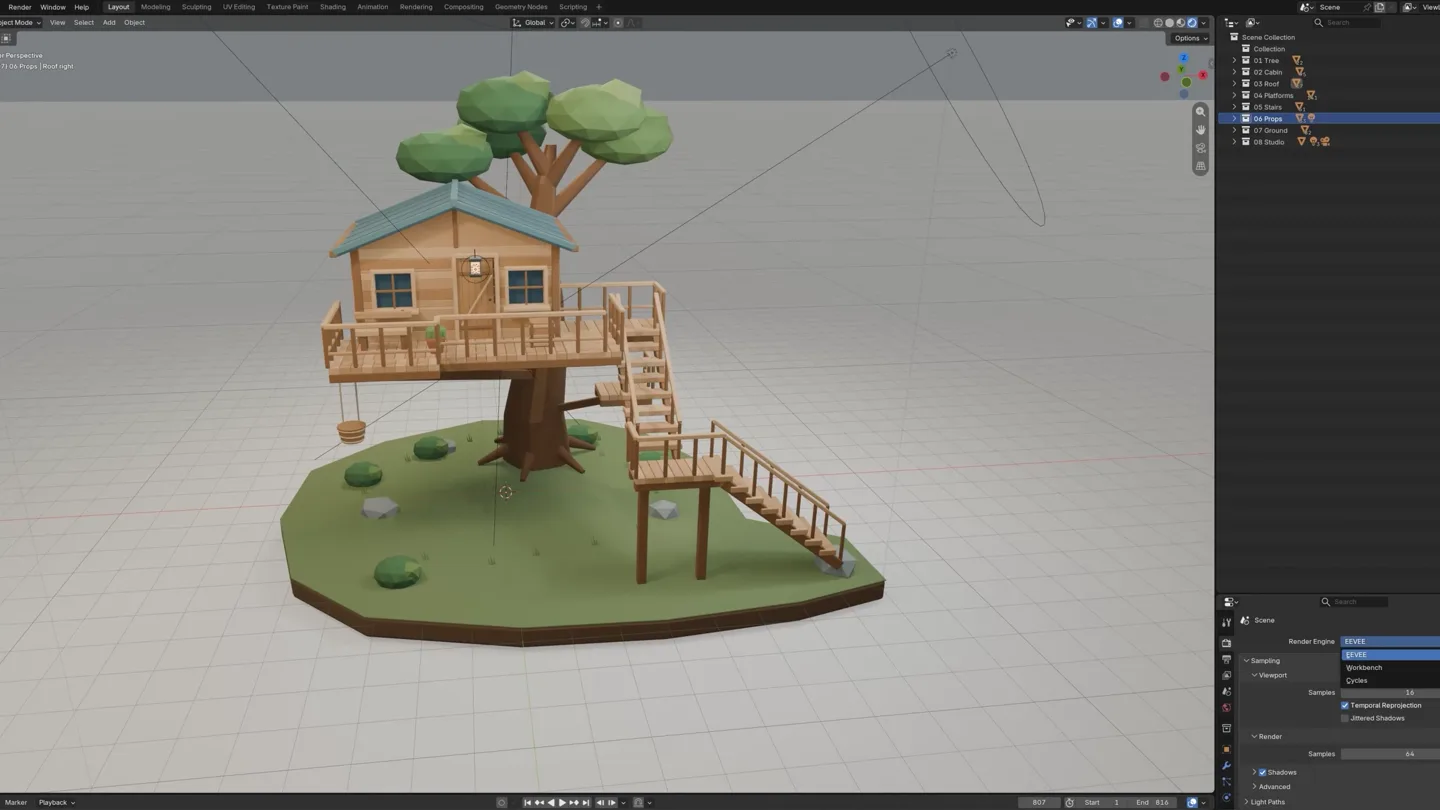
- Create a warm, natural forest treehouse miniature in Blender... Model Skill MiniMax Design Thinking Expand Next Reposition stairs at front-right, add deck supports, and adjust background In the first preview, the treehouse hides most of the stairs, and the background edge is visible at the top. I'll move the stairs to the front-right, add a landing and.... Run Blender Adjust stairs and framing Read preview_02.png Thought The upper flight is clear in the second preview, but the lower flight remains hidden and some supports extend beyond the base. I'll extend the lower stairs to the right in an.... Run Ble Read preview_03.png Thought Both stair flights are now visible, and the supports sit within the base. I'll check the step count, meshes, trunk/roof intersections, and camera framing before rendering.... Run Blender Check s
- Camera
- Close-up on UI, then wide shot of 3D model in Blender, followed by a multi-panel split screen showing UI, 3D model, and reference video.
- Motion
- Scrolling text animation, UI element highlights, 3D model rotation and pixelation effect, dynamic multi-panel layout with quick cuts.
Feature Teaser
Advanced Animation & Scene Recreation
“Let's go!”
- On screen
- Car MG Animation - AE Recreation The reference video and project are confirmed. I'll save a copy as Car_MG_Animation_Editable.aep and create a master composition with five shot precomps. The existing project has no separate car, hand. View deliverables Car MG Animation - AE Recreation The master is 2560 x 1440, 30fps, 0.033s, with five shots and four hard cuts. Canvas nodes follow Car_MG_Animation.mp4 -> Car_MG_Animation_Keyframes.png -> Video_Breakdown.md / AE_Recreation_Plan.md -> Car_MG_Animation_Editable_Preview.mp4, allowing direct reference-to-preview comparison. The editable project is delivered as a chat attachment. Remaining Differences Cuts and Project Structure Five shots are built, cut timing is supported by reference-video detection. Car Appearance Rebuilt with polygons and simplified shading, body curves, reflections, and proportions still differ noticeably from the reference. Hand and Pedal Layers and motion are present, but hand and foot shapes are simplified. Exact contact points and animation curves have not been fully verified. Forest Depth layers and occlusion are visible, but foreground trees still reverse horizontally. Speed, direction, and occlusion timing need further correction. Window Close-up The driver, glass, and body are visible, but the window frame and roof remain misaligned with overlapping contours, unlike the reference's unified silhouette. Assets and Audio Rebuilt shapes are mainly stored in the project, which still references the original video. There is no complete record of collected linked assets or a final soundtrack listening check. Run After Effects Create master and 5 shots Save Continue writing Car MG Animation
- Camera
- Zoom into a mind map, then a split screen showing After Effects UI and a stylized car animation.
- Motion
- Mind map navigation, UI element interaction, dynamic split-screen composition, abstract geometric animation.
Call to Action
Integrate AI with Your Favorite Tools
“Oh boy! Oh my God!”
- On screen
- Blender Ps Photoshop Ae After Effects Houdini TD TouchDesigner FastMoss Apify MiniMax Design Bring AI Creativity to Your Professional Tools
- Camera
- Grid view of application icons, then a rapid montage of various creative software UIs, ending on a brand logo and tagline.
- Motion
- Grid layout reveal, rapid-fire cuts between software UIs, text and logo animation with a subtle glow effect.
Motion design primitives
Synthesizable in Remotion · key components of the minimax-astra-launch-template template.
DynamicSplitScreen
Divides the screen into multiple panels, each displaying different content (e.g., UI, 3D model, reference video) with fluid transitions and resizing.
+ Code construction recipe
Utilize Remotion's <AbsoluteFill> and <Sequence> components. Animate 'left', 'top', 'width', 'height' CSS properties with `spring()` for smooth panel resizing. Use `interpolate()` for opacity and scale on content within panels during transitions. Implement `z-index` for layering.
GenerativePixelationReveal
A 3D model or image appears to resolve from a low-resolution, pixelated state into a detailed, high-resolution form, often with a subtle rotation.
+ Code construction recipe
Render the 3D model at different resolutions or apply a pixelation SVG filter. Animate the `filter` property (e.g., `url(#pixelate)`) or swap between pre-rendered assets. Combine with `spring()` for rotation and `interpolate()` for scale and opacity.
UIFlowHighlight
Highlights specific UI elements or text sections with a glowing or expanding underline effect, often accompanied by a subtle cursor animation.
+ Code construction recipe
Overlay SVG shapes or `div` elements with `background-color` and `border-radius`. Animate `width`, `height`, `x`, `y` properties using `spring()` or `interpolate()` with custom easing curves. Implement a cursor SVG or image that follows a predefined path using `motionPath`.
Style DNA & aesthetic system
Visual aesthetic
Typography
Motion
Special effects
Pacing & rhythm
Conceptual story rhythm
- 1
The Grand Unveil
Purpose. Immediately grab attention and announce the core product/feature.
Execution. Bold, centered text reveal with a dramatic sound design hit, followed by a quick cut to product in action.
- 2
Deep Dive into Creation
Purpose. Demonstrate the product's capability through a detailed, step-by-step creative process.
Execution. Scrolling UI with text input, real-time 3D model generation, and multi-panel comparisons of input/output.
- 3
Seamless Integration & Power
Purpose. Showcase the product's advanced features and its integration with professional tools.
Execution. Dynamic split-screens, complex animation breakdowns, and rapid transitions between different software interfaces.
- 4
The Ecosystem & Call
Purpose. Highlight the breadth of tool integrations and deliver a clear call to action.
Execution. Grid of application icons, quick montage of diverse creative workflows, ending with brand logo and tagline.
Remix in Animatiq Studio
Master remix prompt · agent-ready
Sample remix
Objective
Launch a new AI-powered code refactoring tool called 'SyntaxFlow' that integrates with VS Code, IntelliJ, and Sublime Text.How the recipe adapts
The 'DynamicSplitScreen' primitive will show side-by-side code comparisons and refactoring suggestions. 'GenerativePixelationReveal' will animate raw code transforming into optimized code. 'UIFlowHighlight' will demonstrate cursor interaction within IDEs, highlighting SyntaxFlow's features like auto-completion and error correction. The overall pacing will remain fast, with quick cuts between IDEs and code snippets, using a similar electronic soundtrack and Grotesque Sans-serif fonts for code and UI text.Remix blueprint · minimax-astra-launch-template
Scene durations (5 scenes, 82.7s)
Key Remotion components
Related Creative Tools Product Launches
Explore all Creative Tools launches →
A vibe design partner with an AI-native canvas for turning ideas into UI.

We heard you wanted to use Codex rate limit resets on your own time. Starting today, we’re rolling out the ability to save rate limit resets to use later. We’re starting Go, Plus, Pro, and Business
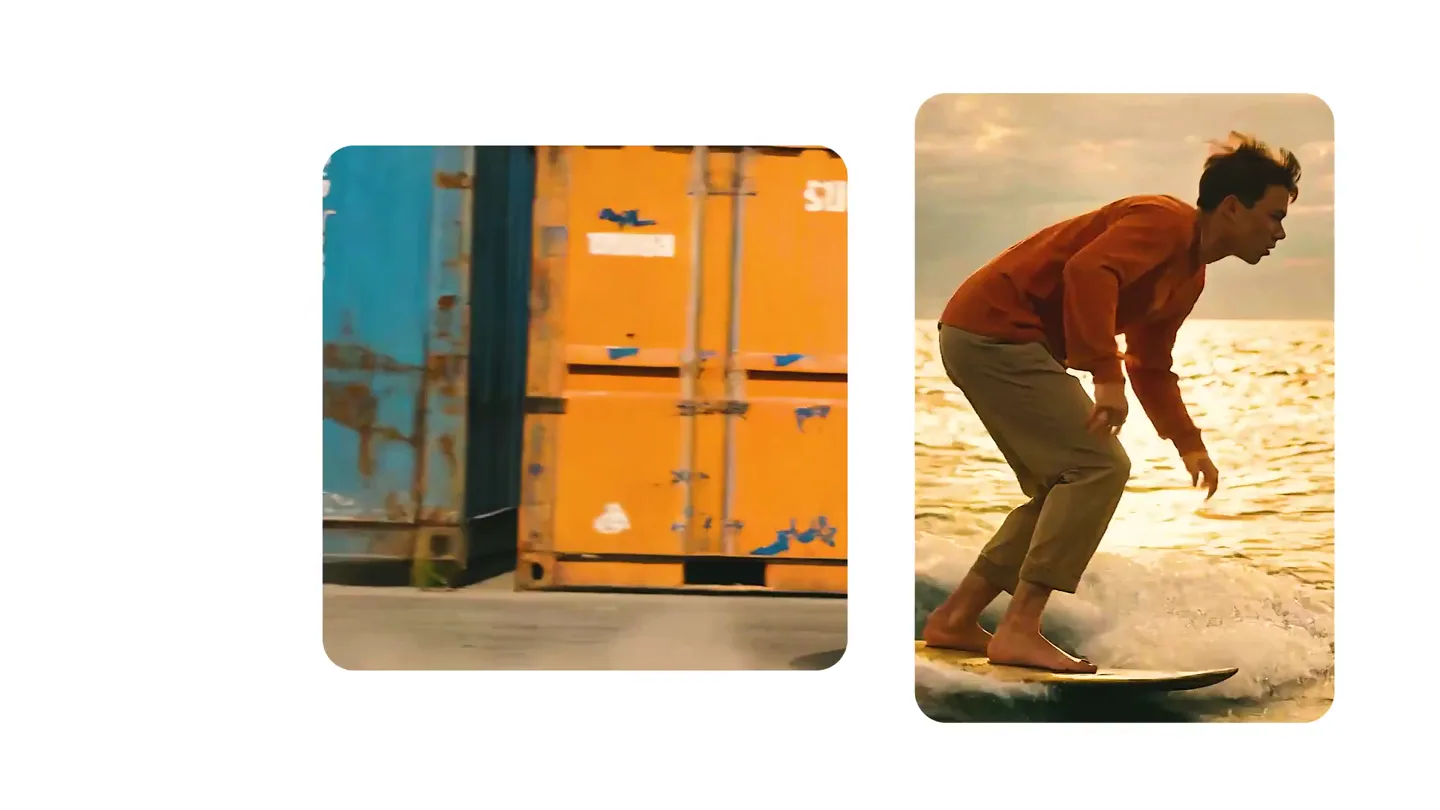
We just launched something the VFX community has been waiting for. OpenArt VFX lets you apply real visual effects to footage you already have. It lets you mask any region of your video and replace it with AI-generated content that matches the scene's lighting and physics. https://t.co/dnQjrZCWC4