
ComfyUI · Launch Video Breakdown: Hook, Pacing & Motion Design
H3 is native in ComfyUI on day zero: text-to-video, image-to-video, first-and-last-frame control, and reference-to-video.
Scene-by-scene timeline & spoken transcript
The Hook
Cinematic AI Generated Montage
“(No spoken dialogue — Heavy sub-bass, distorted synth, driving drum machine beat, high-energy audio transitions.)”
- On screen
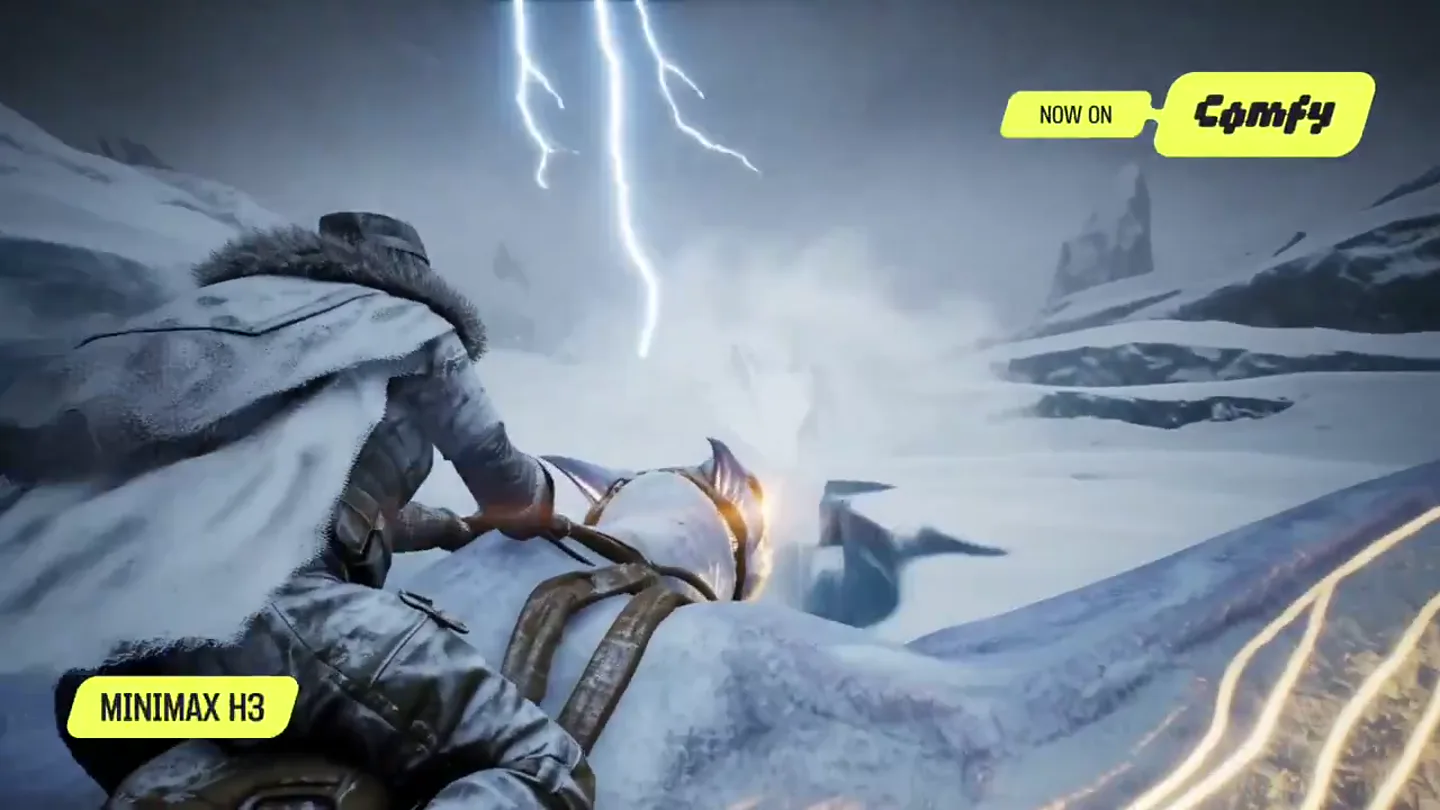
- NOW ON Comfy MINIMAX H3
- Camera
- Rapid cuts between diverse, high-fidelity CGI scenes: a rider on a dragon, a glowing sphere, a miniature city, abstract particles, and molten metal pouring. Dynamic camera angles, often low-angle or tracking shots.
- Motion
- Fast-paced montage, extreme visual diversity, 3D rendering, particle simulations, volumetric lighting, and quick scene transitions synchronized with audio impacts.
Problem Agitation
Intense Visual Narrative & Call to Action
“Get ready to meet your maker.”
- On screen
- NOW ON Comfy GET READY
- Camera
- Dramatic, often upward-looking shots of a superhero character and a monstrous creature, emphasizing power and scale. Quick cuts maintain high energy.
- Motion
- Comic book/anime aesthetic, stylized motion graphics, text animation with a distressed, impactful font, and rapid visual rhythm.
Product Reveal
Diverse Real-World & Abstract Imagery
“(No spoken dialogue — Music continues with driving beat and synth elements, punctuated by sweeps and sub-bass drops.)”
- On screen
- NOW ON Comfy HYDRATED
- Camera
- Mix of real-world footage (person climbing, looking at aurora, opening a can) and abstract CGI (glowing mouse, underwater scenes, sand swirling). Camera motion varies from steady to dynamic tracking.
- Motion
- Eclectic visual storytelling, product-focused shots with glowing effects, underwater cinematography, particle effects for sand, and seamless transitions between disparate scenes.
Feature Teaser
Brand Identity & Continued Visual Intrigue
“(No spoken dialogue — Music maintains its aggressive, intense feel with continued high-energy transitions.)”
- On screen
- NOW ON Comfy
- Camera
- Static shot of the ComfyUI logo, followed by a continuation of diverse, high-energy visual sequences, often with dynamic camera movements and close-ups.
- Motion
- Brand identity reveal, followed by a sustained montage of visually striking, often abstract or fantastical scenes, employing a wide range of CGI and live-action techniques to maintain engagement.
Motion design primitives
Synthesizable in Remotion · key components of the aggressive-ai-launch-montage template.
RapidSceneCut
Instantaneous, hard cuts between vastly different visual scenes, often contrasting CGI with live-action or abstract with concrete imagery. Each cut is precisely timed to an audio beat or impact.
+ Code construction recipe
Utilize `Sequence` and `AbsoluteFill` components. Manage `durationInFrames` for each scene to be very short (e.g., 5-15 frames). Synchronize `from` and `duration` props with audio markers using `useCurrentFrame` and `spring` for subtle easing if needed, but primarily hard cuts.
GlowAccentReveal
Objects or text appear with a strong, often neon-colored glow, highlighting details or creating a sense of power and energy. This is frequently applied to product shots or key textual elements.
+ Code construction recipe
Implement with `Shader` components or SVG filters for glow effects. Use `interpolate` or `spring` to animate `opacity`, `blur`, and `color` properties of the glow. Combine with `Layer` and `AbsoluteFill` for compositing glowing elements over background footage.
DistortedTextImpact
On-screen text appears with a bold, often distressed or stylized font, accompanied by subtle distortions, shakes, or rapid scaling, emphasizing its message and impact.
+ Code construction recipe
Employ `Text` component with custom fonts. Animate `transform` properties (scale, skew, rotation) using `spring` for a punchy, slightly elastic feel. Apply `filter` properties like `blur` or `drop-shadow` for added visual weight. Consider `noise` or `displacementMap` shaders for distortion.
Style DNA & aesthetic system
Visual aesthetic
Typography
Motion
Special effects
Pacing & rhythm
Conceptual story rhythm
- 1
The Provocation
Purpose. Immediately grab attention with a barrage of intense, high-quality visuals and a provocative audio statement, setting an aggressive tone.
Execution. Rapid-fire montage of diverse CGI scenes (dragon, city, particles) with a female voice stating, 'Get ready to meet your maker.'
- 2
The Unveiling
Purpose. Introduce the product's name and platform while maintaining visual intrigue through a mix of abstract and real-world scenarios.
Execution. ComfyUI branding appears, followed by a sequence of a superhero, a monster, and then a person in a snowy landscape, hinting at powerful creation.
- 3
The Immersion
Purpose. Showcase the product's versatility and the breadth of experiences it can generate, from tech to nature, through a series of captivating vignettes.
Execution. Shots of a glowing tech mouse, a person opening a drink, and deep-sea exploration, demonstrating diverse applications and visual styles.
- 4
The Mastery
Purpose. Conclude with a sense of ultimate control and creative power, reinforcing the product's ability to manifest complex visions.
Execution. Mysterious figures in a desolate landscape, manipulating sand, symbolizing control over elements and creation, leading to the final brand logo.





