
Magnific · Launch Video Breakdown: Hook, Pacing & Motion Design
Add characters, motion, and the beat — H3 handles the rest: up to 9 reference images, 3 videos for motion and camera control, 2K output.
Scene-by-scene timeline & spoken transcript
The Hook
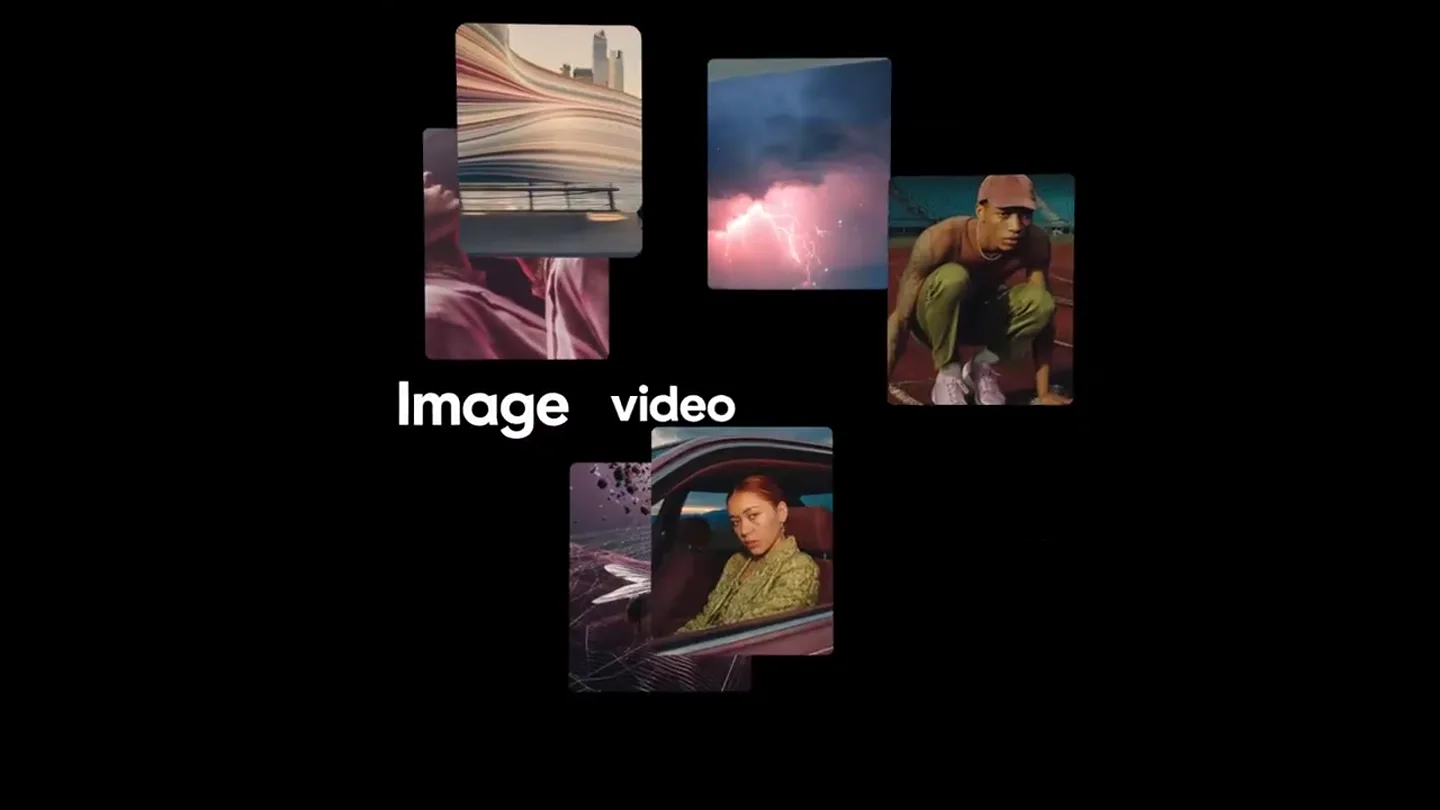
Dynamic Image & Video Grid Reveal
“(No spoken dialogue — High-energy audio transition with riser and sub-bass drop at 0:01, followed by rhythmic synth arpeggio.)”
- On screen
- MiniMax H3 Image video
- Camera
- Static, centered view on a black background. Images and text animate into and out of frame.
- Motion
- Grid-based image and video reveal with scaling and rotation, synchronized with audio beats. Text appears with a subtle fade-in.
Product Reveal
Reference-Based Creation & Control
“(No spoken dialogue — High-energy audio transition with riser and sub-bass drop at 0:05, followed by rhythmic synth arpeggio.)”
- On screen
- Image video and audio references Creative More control: camera, characters, voices
- Camera
- Static, centered view. Images and text animate in and out, with a simulated mouse cursor interaction.
- Motion
- Images and text animate in a dynamic grid, emphasizing 'references' and 'control'. A simulated mouse cursor clicks on a 'Creative' button, revealing more text.
Feature Teaser
Natively Synced Sound & Detail
“(No spoken dialogue — High-energy audio transition with riser and sub-bass drop at 0:09, followed by rhythmic synth arpeggio and final impactful hit at 0:12.)”
- On screen
- Creative Natively synced sound
- Camera
- Static, centered view. Close-up video clips animate in, followed by text.
- Motion
- Close-up video clips (shoe, fly) animate in with a quick, impactful reveal, highlighting detail. Text appears with a subtle fade-in, emphasizing 'Natively synced sound'.
Call to Action
Brand Reveal & Call to Action
“(No spoken dialogue — Final impactful hit at 0:12, followed by a sustained electronic beat.)”
- On screen
- M Magnific
- Camera
- Static, centered view. Logo animates in, followed by the brand name.
- Motion
- The 'M' logo scales up from a small point, then the full 'Magnific' brand name animates in alongside it, creating a strong brand identity reveal.
Motion design primitives
Synthesizable in Remotion · key components of the dynamic-grid-ai-launch template.
DynamicGridReveal
Multiple rounded-rectangle image/video containers animate onto the screen from various directions, scaling up and rotating slightly, often in sync with audio beats. They form a dynamic, non-uniform grid.
+ Code construction recipe
Use `spring()` for scale and rotation, `interpolate()` for position. Manage an array of `AbsoluteFill` components, each containing an `Img` or `Video` component with `borderRadius`. Orchestrate entry animations using `sequence()` and `delay()` based on audio cues.
TextFadePop
Text elements appear with a quick fade-in and a subtle scale-up or bounce, often timed with an audio impact or beat.
+ Code construction recipe
Apply `interpolate()` for `opacity` from 0 to 1 and `scale` from 0.95 to 1.05, using an `easeOutCubic` or `spring()` curve for a snappy appearance. Position `AbsoluteFill` with `Text` component.
SimulatedCursorInteraction
A stylized mouse cursor animates across the screen, hovering over and 'clicking' on a UI element, triggering a subsequent text or visual reveal.
+ Code construction recipe
Animate an SVG cursor icon's `transform` (translate) using `interpolate()` to simulate movement. Use `sequence()` to trigger a `scale` and `opacity` change on the target UI element (e.g., a `Button` or `Text` component) to simulate a click, followed by the reveal of new content.
Style DNA & aesthetic system
Visual aesthetic
Typography
Motion
Special effects
Pacing & rhythm
Conceptual story rhythm
- 1
The Dynamic Introduction
Purpose. Immediately showcase the product's core capability: generating diverse visual content from references.
Execution. A rapid succession of varied images and videos animating into a grid, accompanied by the product name and initial feature text.
- 2
Highlighting Control
Purpose. Emphasize the user's granular control over the generated content, moving beyond simple generation.
Execution. Text reveals like 'More control: camera, characters, voices' with a simulated cursor interaction, reinforcing user agency.
- 3
Detail & Immersion
Purpose. Illustrate the high fidelity and integrated audio capabilities of the generated content.
Execution. Close-up, detailed video clips (shoe, fly) with text 'Natively synced sound', showcasing the product's advanced output quality.
- 4
Brand Affirmation
Purpose. Conclude with a strong brand identity reveal, leaving a lasting impression.
Execution. The 'M' logo animates in, followed by the full 'Magnific' brand name, solidifying the product's identity.





