
Miya · Launch Video Breakdown: Hook, Pacing & Motion Design
Miya is a music cat you talk to — a personal musician and DJ that makes and plays music. Come try her.
Scene-by-scene timeline & spoken transcript
The Hook
Miya: Your Personal Music Cat
“Got a story? I turn those into bangers. Miya, write a song to intro yourself. Finally, something worth my time. Pressing a self-...”
- On screen
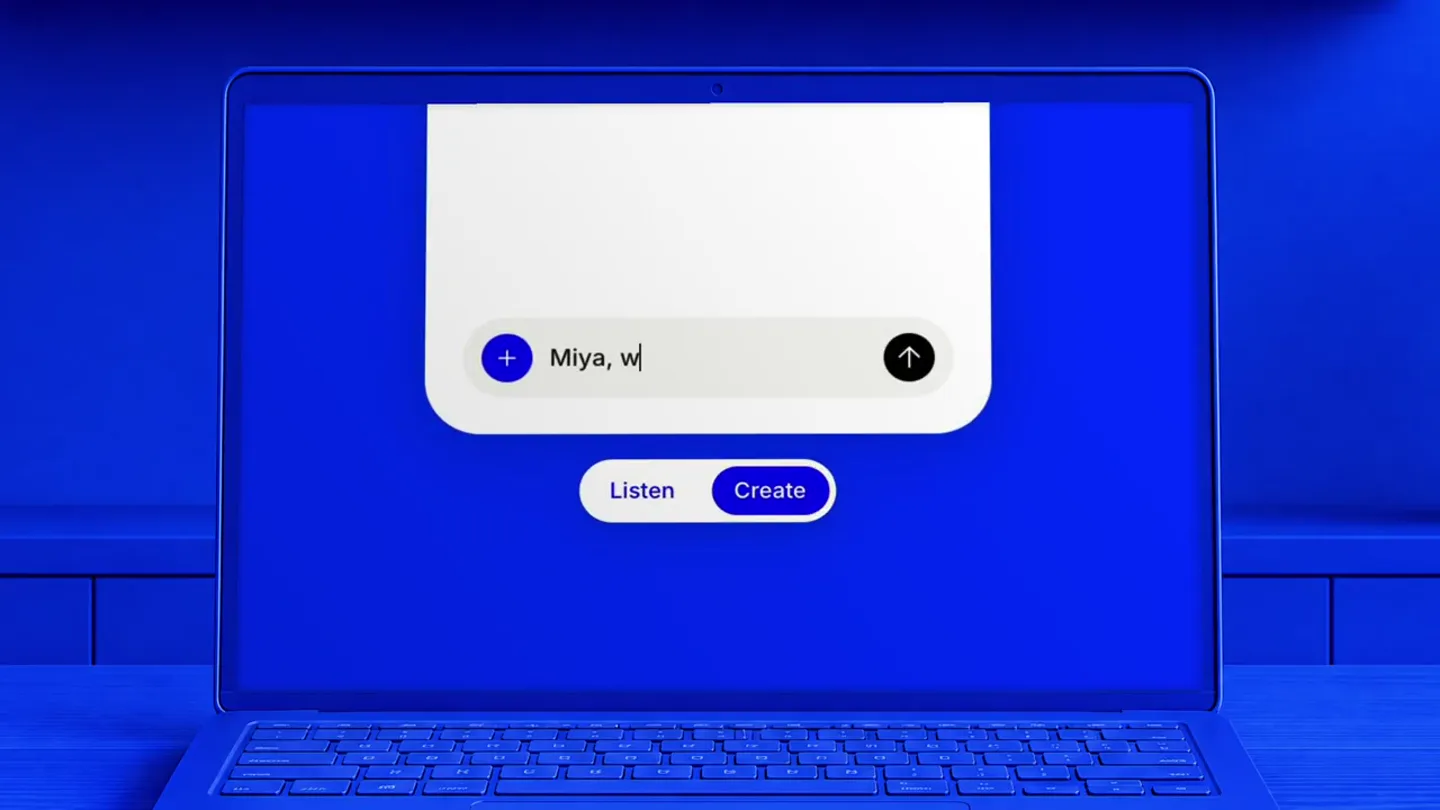
- Neon Alley 0:03/3:44 Miya, write a song to intro yourself. finally, something worth my time Pressing a self... Done Write a song... Listen Create INTRODUCING miya.fm WHATEVER YOU WANNA SAY, I my boss. again. JUST
- Camera
- Static shot of a laptop screen, then a quick zoom out to reveal the full Miya logo, followed by a series of quick cuts with text overlays.
- Motion
- UI animation with text input and output, followed by rapid text reveals and character animation of the Miya cat logo. A 'scratch' sound at 00:01, 'whoosh' at 00:07, 'scratch' at 00:08, and 'sub-bass drop' at 00:11 punctuate the scene changes.
Problem Agitation
Miya Solves Everyday Frustrations with Music
“Boss dragging meetings like it's a game? X post got you tight? Drop the... Bae's birthday coming... 'Cause some...”
- On screen
- BOSS DRAGGING MEETINGS LIKE IT'S A GAME? 83:00 roast my boss. the meeting never ends. X POST GOT YOU TIGHT? DROP THE x.com/that-take BAE'S BIRTHDAY COMING a song fo 'CAUSE SOME
- Camera
- Static, wide shots featuring illustrative scenarios. The camera remains fixed, allowing the animated elements to tell the story.
- Motion
- Line art illustrations animate to depict relatable scenarios, with text inputs appearing dynamically. The Miya cat logo reacts with changing expressions. A 'riser' at 00:27 leads into a 'sub-bass impact' at 00:31.
Product Reveal
Miya: Your On-Demand DJ
“Don't wanna create? Then just listen. I'm Miya, just pass me the vibe. I'm your on-demand...”
- On screen
- DON'T WANNA CREATE? THEN JUST LISTEN I'M MIYA, JUST PASS ME THE VIBE I'M YOUR ON-DEMAND Current Vibe: on-demand Turn Your Life Int... generate by you
- Camera
- A mix of static shots and subtle camera pushes, focusing on the Miya app interface and the Miya cat logo.
- Motion
- Text reveals with bold, impactful typography. The Miya cat logo animates with expressive eyes. A music player UI is introduced with a spinning vinyl animation. A 'riser' at 00:42 and 'sub-bass drop' at 00:47, followed by a 'riser' at 00:52 and 'sub-bass impact' at 00:57, drive the narrative forward.
Feature Teaser
Miya for Every Mood and Moment
“Rain hitting the window? I got one for that. Mornings got you drained? 2 AM, still grinding? I'll keep the lo-fi. 'Cause some moments just need this one.”
- On screen
- RAIN HITTING THE WINDOW? I GOT ONE FOR THAT rainy window kind of day MORNINGS GOT YOU DRAINED? dead morning. wake me up 2AM, STILL GRINDING? I'LL KEEP THE LO-FI 2am grind. keep it mellow 'CAUSE SOME MOMENTS JUST NEED THIS ONE play Bae Day play Ratio'd Turn Your Life Into Music miya - this one
- Camera
- Static, illustrative scenes with dynamic text and character animations. The camera maintains a consistent, direct perspective.
- Motion
- Line art illustrations change color palettes to match different moods. The Miya cat logo's eyes animate to reflect the scenario. Text inputs and music player elements appear and disappear with quick transitions. A 'riser' at 01:02 and a final 'sub-bass drop' at 01:06 provide strong audio cues.
Call to Action
Get Miya Now
“(No spoken dialogue — The music continues with a strong beat, leading to a final impactful sound.)”
- On screen
- GET miya.fm Get Miya at miya.fm
- Camera
- Static shot with a clear call to action.
- Motion
- Bold text reveal with a subtle bounce animation. The Miya cat logo appears at the bottom of the screen. The final frame is a clean brand and URL display.
Motion design primitives
Synthesizable in Remotion · key components of the miya-ai-agent-launch template.
DynamicTextInput
A text input field appears, text types itself in rapidly, and then the input field transforms or disappears, often accompanied by a visual response from the Miya cat character.
+ Code construction recipe
Use `interpolate` for text typing animation (character by character reveal). Implement `spring` for the input field's appearance and disappearance, and for the Miya cat's eye reactions. SVG paths can be used for the input field's shape and its transformation.
MoodSceneIllustration
Line art illustrations depicting various scenarios (e.g., meeting, phone, rain, morning, grinding) appear and are often accompanied by a color palette shift and Miya cat's expressive eyes.
+ Code construction recipe
Utilize SVG illustrations for the line art. Animate `stroke-dashoffset` for drawing effects. Implement `interpolate` for color transitions of the background and elements. Miya cat's eyes can be animated using `transform` properties with `spring` for a bouncy, reactive feel.
ImpactfulTextReveal
Large, bold text phrases appear on screen with a strong, often bouncy or scaling animation, synchronized with audio impacts or drops.
+ Code construction recipe
Employ `spring` for the text's scale and position animations to create a punchy, impactful reveal. Use `interpolate` for opacity changes. Ensure precise timing with audio cues using `AbsoluteFill` and `Sequence` components for scene management.
Style DNA & aesthetic system
Visual aesthetic
Typography
Motion
Special effects
Pacing & rhythm
Conceptual story rhythm
- 1
Introduction & Intrigue
Purpose. Hook the audience by immediately showcasing Miya's core functionality and playful personality.
Execution. Rapid UI demonstration on a laptop, followed by the reveal of the Miya logo and tagline with quick, impactful text animations.
- 2
Problem/Solution Scenarios
Purpose. Agitate common pain points and immediately present Miya as the fun, musical solution.
Execution. Animated line art illustrations depicting relatable frustrations (meetings, social media, birthdays) with Miya's reactive expressions and text input solutions.
- 3
Feature Showcase & Versatility
Purpose. Demonstrate Miya's dual functionality (create/listen) and its ability to adapt to any mood or situation.
Execution. Transition to a music player UI, followed by a montage of diverse illustrative scenes (rain, morning, late-night grind) with corresponding Miya interactions and changing background colors.
- 4
Call to Action
Purpose. Direct the audience to experience Miya for themselves.
Execution. Clear, bold text call to action with the Miya logo and website URL, concluding the high-energy sequence.





