
Notebooklm Short Video Overviews (by Gemini Notebook) · Launch Video Breakdown: Hook, Pacing & Motion Design
Doom scrolling but make it educational 🤓 Introducing Short Video Overviews in NotebookLM! Turn your most complex sources into 60-second, vertical videos that deep dive into any concept. Rolling ou…
Scene-by-scene timeline & spoken transcript
The Hook
Introducing Short Video Overviews
“(No spoken dialogue — Pizzicato synths and sub-bass introduce a high-energy, rhythmic track.)”
- On screen
- Introducing Short Video Overviews
- Camera
- Static, centered text on a clean white background with a subtle gradient at the bottom.
- Motion
- Text reveal with color emphasis on 'Short' and 'Overviews', followed by a quick cut to a mobile UI.
Product Reveal
Transforming Big Insights into Bite-Sized Videos
“(No spoken dialogue — The music builds with a prominent riser leading into the spoken dialogue.)”
- On screen
- A new way to fit big insights Into bite-size videos
- Camera
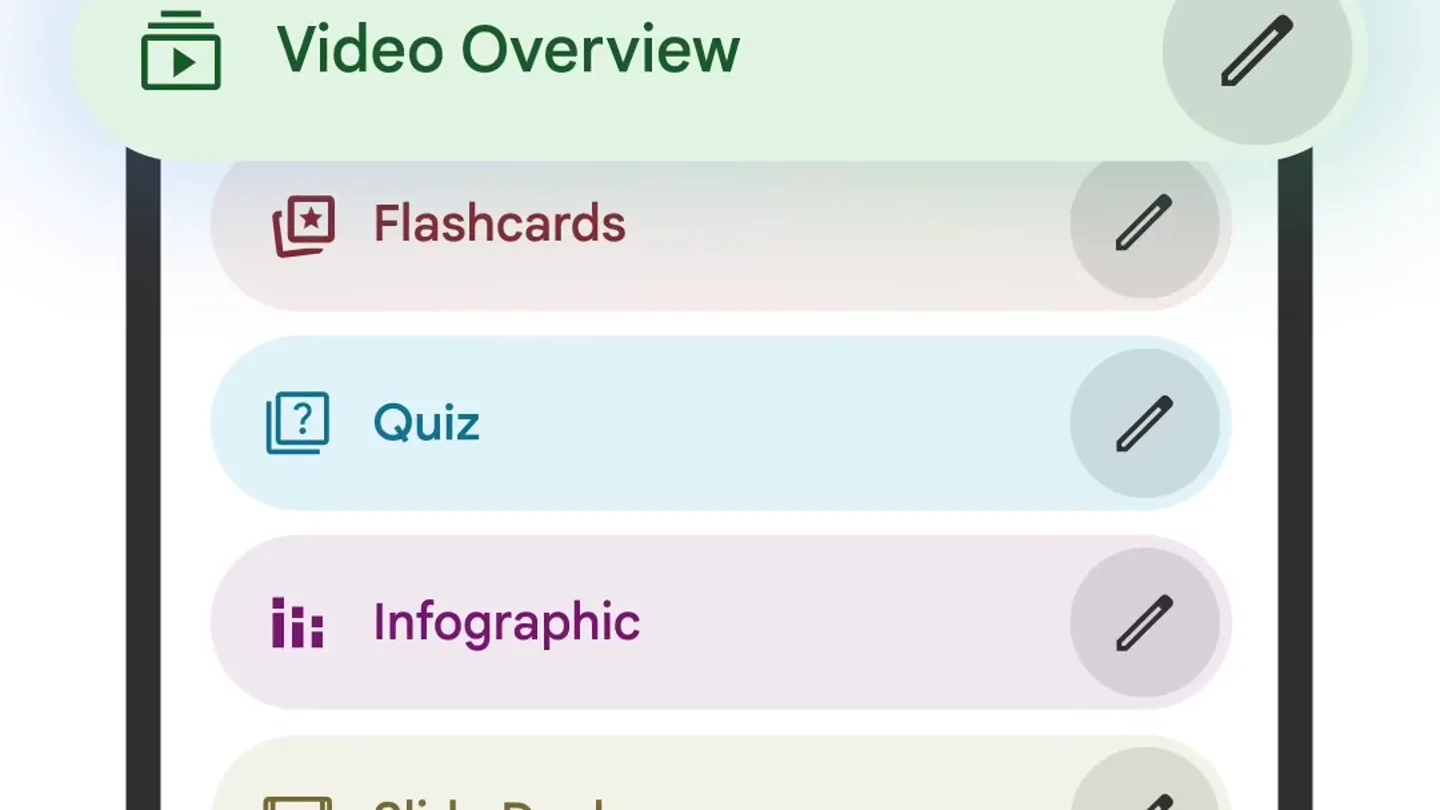
- Mobile UI perspective, showcasing app functionality. Text slides in and out, emphasizing key words.
- Motion
- UI element highlighting (e.g., 'Video Overview' button), text color animation, and a quick zoom/pan within the UI to emphasize 'Short' video format.
Feature Teaser
Dramatic Storytelling with AI-Generated Content
“We fought an enemy and lost to— was a mob of 20,000 giant birds.”
- On screen
- invading force. and lost to— was a mob of giant birds.
- Camera
- Close-up on a mobile screen displaying a vertical video. The camera slowly zooms into the video content.
- Motion
- Collage-style animation with halftone effects, text overlays that appear and disappear, and a subtle camera push-in on the mobile screen. A significant sub-bass drop/impact occurs at 0:17.
Feature Teaser
Diverse Educational Content on the Go
“(No spoken dialogue — Sustained rhythmic section with a subtle riser at 0:24 leading to a final impact at 0:27.)”
- On screen
- For learning that goes everywhere Before he conquered the known world, Earth alive... perfectly ordered, fully open flower,
- Camera
- Horizontal carousel of mobile screens, each displaying a different AI-generated video. The camera pans rapidly across these screens.
- Motion
- Fast-paced horizontal scrolling/panning, quick cuts between different video content, and text overlays that highlight key concepts within each video.
Call to Action
Google NotebookLM: Learn More
“(No spoken dialogue — Final audio impact and sustained synth pad.)”
- On screen
- Google NotebookLM notebooklm.google
- Camera
- Static, centered logo and URL on a clean white background with a subtle gradient.
- Motion
- Fade-in of the logo and URL, providing a clear call to action.
Motion design primitives
Synthesizable in Remotion · key components of the ai-recipe-generator-launch template.
GradientTextReveal
Text appears with a subtle gradient background, and specific words animate with color changes to highlight their importance. This is often used for headlines or key feature introductions.
+ Code construction recipe
Utilize Remotion's <Text> component with `color` interpolation based on `AbsoluteFill`'s `frame` prop. Apply a linear gradient background using CSS properties on a parent `div` or an SVG filter. Animate `opacity` and `transform` (e.g., `translateY`) for a smooth reveal.
MobileUICarousel
Multiple mobile device frames scroll horizontally, showcasing diverse content within the app. Each frame can have its own internal animations or text overlays.
+ Code construction recipe
Implement a horizontal `ScrollView` or a custom carousel component using `Animated.View` for each mobile frame. Use `interpolate` to control `translateX` based on scroll position or a timed animation. Each mobile frame can be a nested Remotion composition with its own UI elements and video content.
CollageHalftoneOverlay
Static or subtly animated images are presented in a collage style, often with a halftone or distressed texture overlay, and dynamic text boxes appear and disappear to narrate a story.
+ Code construction recipe
Layer multiple image assets using `AbsoluteFill` or `Img` components. Apply CSS `filter` properties like `grayscale` and `contrast` for a vintage look. Use SVG filters for halftone patterns or custom shaders. Animate `opacity` and `transform` for text boxes, potentially with a `spring` animation for a more organic feel.
Style DNA & aesthetic system
Visual aesthetic
Typography
Motion
Special effects
Pacing & rhythm
Conceptual story rhythm
- 1
The Introduction
Purpose. To immediately introduce the core new feature and its benefit.
Execution. Bold, animated text reveal of 'Short Video Overviews' followed by a quick cut to the product UI highlighting the feature.
- 2
The Problem/Solution
Purpose. To articulate the challenge of complex information and present the product as the solution for 'bite-sized insights'.
Execution. Text animations emphasizing 'big insights' transforming 'into bite-size videos', shown alongside UI demonstrating the customization options.
- 3
The Showcase
Purpose. To demonstrate the product's capability through engaging, diverse AI-generated video content.
Execution. A dramatic, collage-style video segment with spoken dialogue, followed by a rapid carousel of various educational video examples.
- 4
The Call to Action
Purpose. To clearly direct viewers to where they can access the product.
Execution. A clean, static screen displaying the product logo and URL, reinforcing brand identity and providing a clear next step.





